Category: IP Cameras

IP or Network Cameras

  • Review: Reolink RLC-423 4MP PTZ IP Camera

    Review: Reolink RLC-423 4MP PTZ IP Camera

    While I have owned and reviewed quite a few outdoor IP cameras and pan-tilt indoor cameras regular readers will note that my DIY CCTV system does not include a Pan-Tilt-Zoom (PTZ) camera. I have even got a few emails asking me why I don’t write much about PTZ cameras. This was not deliberate, I just didn’t feel the need for one in my current setup.

    But you know me, I am always trying to write about what my readers want. So when Reolink asked me which one if their latest IP cameras I would like to review, I jumped on the chance to review their highly acclaimed PTZ model, the [easyazon_link identifier=”B016UCNP08″ locale=”US” tag=”vueville.com-eaz-20″]Reolink RLC-423[/easyazon_link].

    [wpsm_titlebox title=”Contents” style=”3″][contents h2][/wpsm_titlebox]

    What’s in the box

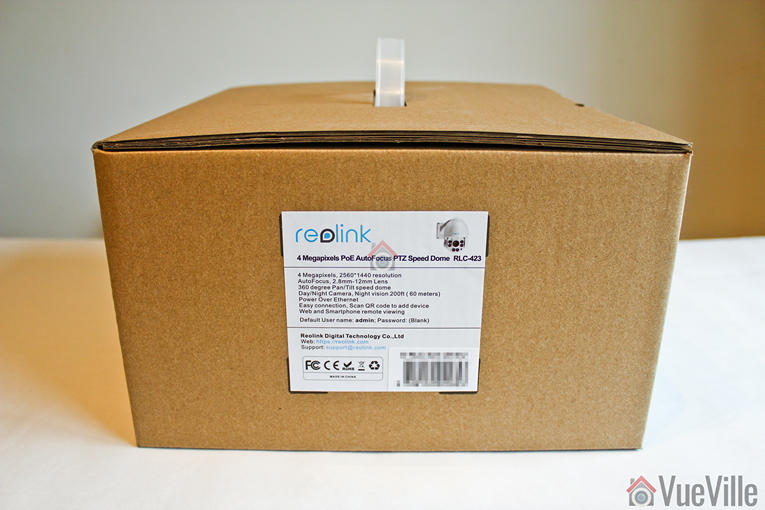
    So not long afterwards, the postman showed up with this review unit kindly provided by Reolink:

    Review - Reolink RLC-423 - Box Package - VueVille

    Review - Reolink RLC-423 - Box Package - VueVille

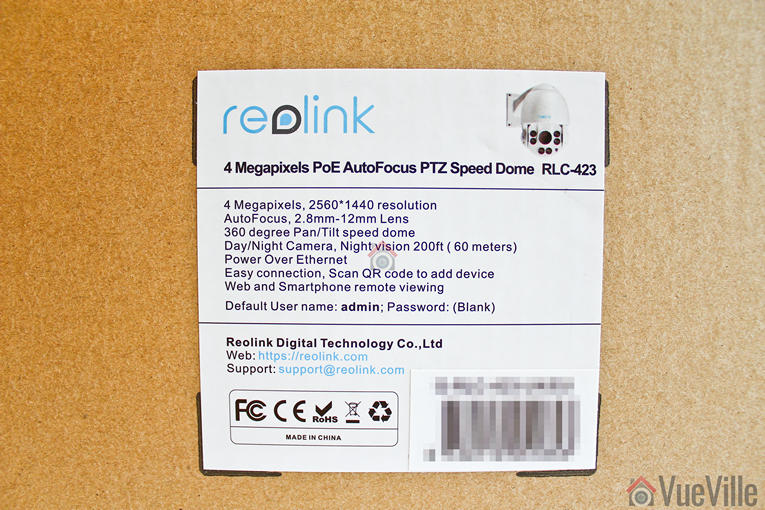
    Review - Reolink RLC-423 - Box Label - VueVille

    Opening the box, I found a well-protected foam-padded RLC-423 PTZ camera and an assortment of accessories.

    Review - Reolink RLC-423 - Box contents - VueVille

    A list of the box contents:

    • RLC-423 IP camera
    • Waterproof sleeve for ethernet cable
    • 1 metre network cable
    • Screws and rawl plugs
    • Software CD
    • Quick start guide
    • Surveillance sign
    • Mounting hole template
    • Power adaptor

    Specifications

    [table id=37 responsive=”scroll” /]

    Design

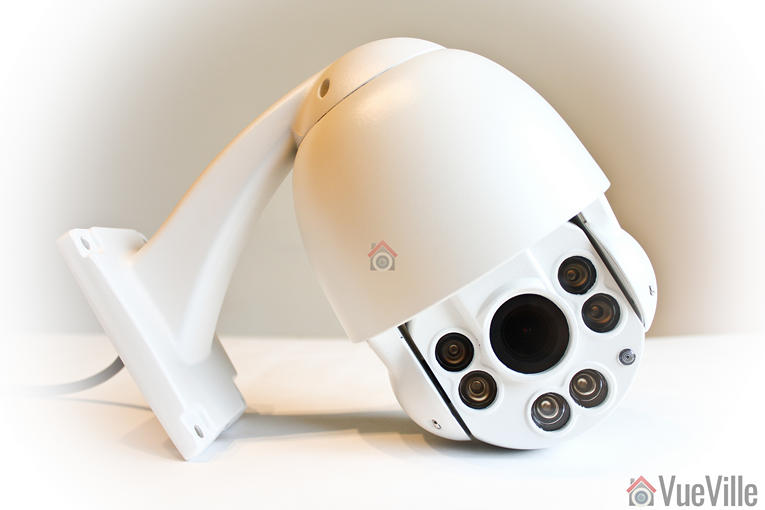
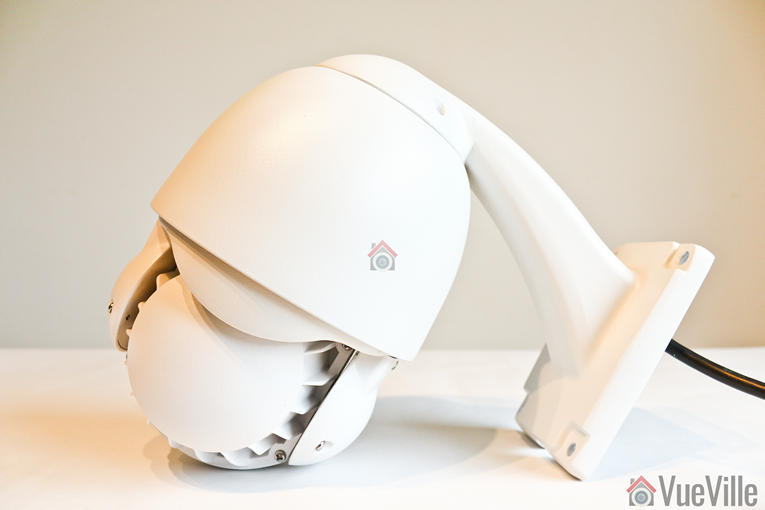
    Review - Reolink RLC-423 - VueVille

    If you are used to modern IP cameras, the size of the RLC-423 will come as a surprise. Fixed lens cameras like the Hikvision DC-2CD2042WD-I or Reolink’s own RLC-410 are very compact as there are hardly any moving parts. But when you have a motorized lens and 6 high power LEDs, you need a larger housing for all the electronics.

    The camera’s body is fully metallic and feels very solid, not to mention quite hefty. This is a well-built product and the matte finish screams quality. This is not your typical run-of-the-mill Chinese IP camera.

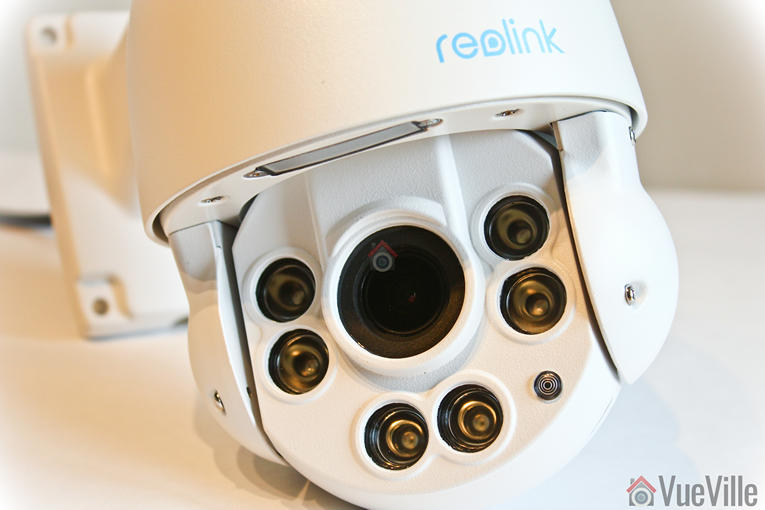
    Review - Reolink RLC-423 - VueVille

    The front of the camera has a rather large lens, six InfraRed LEDs and the day/night sensor.

    Review - Reolink RLC-423 - VueVille

    The rear of the camera body has fins to aid heat dissipation.

    Review - Reolink RLC-423 - Back - VueVille

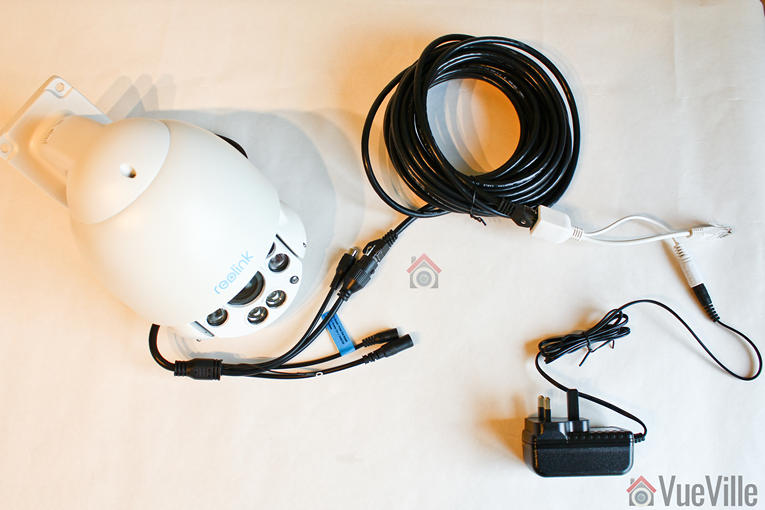
    All the cabling comes out of the holder arm and can conveniently go into a junction box or down the wall through a cut-away provided for this purpose. The cabling consists of a pigtail with the following connectors:

    • 12V power input jack
    • RJ-45 ethernet port
    • RCA audio in
    • A reset push button
    Review - Reolink RLC-423 - Cable connections - VueVille

    I especially like the reset button not being on the main body of the camera. Apart from eliminating an ingress point, it means nobody can reset the camera unless they get to the hidden reset button! This is much better than many other cameras such as Hikvision’s which have the reset button externally on the camera body itself.

    What’s missing though? An SD card is the most obvious omission and is quite a useful feature to see in an IP camera.

    Installation

    I was able to get the RLC-423 installed, up and running in 5 minutes. The camera comes with almost everything you would need to install the camera – rawl plugs and screws.

    Review - Reolink RLC-423 - Installed - VueVille

    Hardware setup

    The RLC-423 supports  Power over Ethernet (PoE) which is my recommended way of powering IP cameras – you can use a single Ethernet cable to send both data and power to the camera using either a PoE switch or a PoE injector.

    Since the camera uses high powered IR LEDs and has PTZ motors to power, it needs a lot more than the 7W or so a fixed lens camera needs – around 22W to be exact. So the PoE standard the camera supports is 802.3at. Reolink has thrown in a power adaptor that you can use to power up the camera and you may be thinking already ‘can I use that to inject power also’.

    Review - Reolink RLC-423 - PoE - VueVille

    Yes, but hold your horses! My PoE switch is of the 802.3af variant so it didn’t have enough juice to power the camera. I had a PoE injector lying around and with the included power adaptor, PoE injection seemed to be the way to go. But what I quickly found out was that the 1.5 A power adaptor could power the camera only over cables of up to 30 feet length. When I tried using longer cables, the current drop over the cable run meant that the camera didn’t get the 22W it needed and couldn’t work properly when the IR LEDs also turned on. So either use a [easyazon_link identifier=”B07788WK5V” locale=”US” tag=”vueville.com-eaz-20″]802.3at PoE switch[/easyazon_link] or a [easyazon_link identifier=”B00BK4W8TQ” locale=”US” tag=”vueville.com-eaz-20″]higher power PoE injector[/easyazon_link] over a long Ethernet cable run.

    If you want to use the included waterproofing connector, you will have to remove the RJ-45 plug on the ethernet cable and re-crimp it once it has been passed through the waterproofing connector.

    Software setup

    Most manufacturers prefer to use static IPs by default for their cameras. In most cases the camera will not have the same network settings (like sub-domain) as your network. This means that you cannot access the camera unless you change the camera network settings to that of your network. This is achieved by using the manufacturer’s camera finder tool. While this static IP method has security benefits, for most home users it would be easier if the camera manufacturer used DHCP as default. Then the camera would automatically be configured to use your network settings and be ready to use.

    And this is exactly what Reolink has done. I was pleasantly surprised to see that the camera used DHCP by default.

    When you are setting up a camera using DHCP, you normally wont know what its IP address is and so will have no way of directly accessing the camera. If you have IP reservation set up on your router, yes then you may know. But let’s assume you don’t know the IP address.

    Remember this camera supports ONVIF. So to start using the camera you just need to find the IP address of the camera and there are quite a few ways you can do this:

    1. Use the Reolink mobile app
    2. Use the Reolink desktop client software
    3. Use any camera monitoring software such as BlueIris
    4. Use a mobile security camera app such as tinyCam Monitor Pro
    5. Scan your network using a network scanner app

    The included quick start booklet explains the first two methods. So to test the user friendliness of the instructions, I followed the instructions to use the Reolink client app to set up the RLC-423. These are the steps I followed:

    1. Download and install the Reolink client software from the Reolink website
    2. Click the ‘Add device’ button
    3. Click on ‘Scan LAN’ and doubled click the RLC-423 that it finds
      Review - Reolink RLC-423 - Desktop Client Setup - VueVille
    4. The default password is interestingly just ‘blank’.
    5. This should then open the camera stream.

    Once you have the IP address, you can simply pop that into Chrome or Firefox to directly access the camera settings. You could also use the desktop client app to change camera settings if you don’t want to use the web-based admin panel.

    You should change the password of the camera as soon as you can, especially worth noting as the camera doesn’t require you nor remind you to do it.

    Software features

    I prefer using the web admin page to watch the live view stream, to use the PTZ controls and to change camera settings. That’s because I can do this without installing anything on my devices, and I can do it from any device around my house.

    So entering the camera’s IP address into any browser that supports the Adobe Flash player will let you login to the camera. Well an HTML5 interface would have been better for wider device compatibility but its far better than the NPAPI plugin that Hikvision insists on using. You can choose the stream you want to see at the login screen, Channel 1 is called Clear and is the 4 Megapixel stream. The other options are Balanced and Fluent. These can also be selected once you are logged in.

    Review - Reolink RLC-423 - Software Settings - VueVille

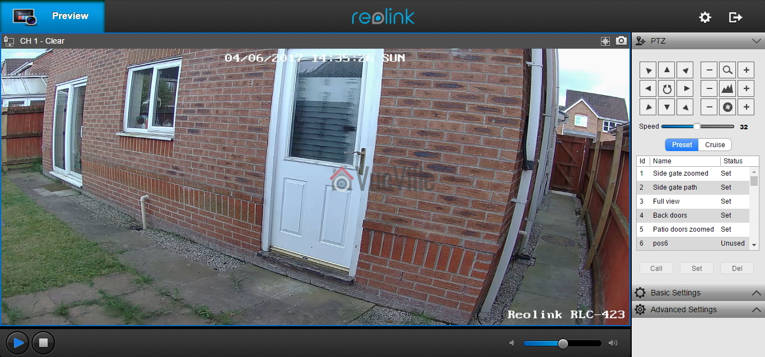
    On the left hand side you have the live view stream, and at the bottom the play button lets you select between the video quality by switching between the Clear, Balanced and Fluent streams.

    On the right hand side, an accordion type content holder has three sections – PTZ, Basic settings and Advanced settings. The basic and advanced settings sections are like a quick access area that duplicates the settings on the actual configuration page – accessed by clicking on the gear button at the top right.

    The PTZ section lets you pan, tilt, and zoom, and adjust the focus manually. The camera has an auto-iris (aperture) control so the iris adjustment buttons are redundant and do nothing. You can choose the manual panning speed between 0 and 60 on a slider, with the default at 32. To make minor adjustments you have to lower the speed and then press the required directional button. The central spin button sends the camera into an endless spin mode, which is very nice feature if you set the pan speed to a low setting of 6 or 8.

    There are two ways you can automate the PTZ function – presets or cruise mode. In preset mode, you can store up to 64 different positions in memory. Each preset will store the PTZ and autofocus settings. As you can see from the image above, I have stored quite a few positions. Preset positions are especially important if you plan to integrate the camera into your home automation system. For example, I could create a home automation scene in my Vera Plus to move the camera to a particular preset and take a video.

    In cruise mode, you can define a path consisting of various preset positions and the camera will patrol the area according to those presets. Again this is a very useful feature and I am happy to see it on the Reolink RLC-423.

    The Basic Settings section includes OSD settings, video stream encoding and image settings. The OSD page is pretty standard and lets you choose whether and where to show the OSD information such as day, date and time.

    Review - Reolink RLC-423 - Software Settings - Basic Settings - Encode - VueVille

    The Basic Settings is where you can set the video resolution, bitrate and frames per second of each of the Primary “Clear” stream (4MP default) and the Fluent stream (640×360 default). Interestingly, the ‘Balanced’ stream is missing in the stream selection dropdown.

    Review - Reolink RLC-423 - Software Settings - Basic Settings - Image - VueVille

    The Image section lets you adjust the usual image settings such as brightness, contrast, saturation, sharpness and also mirroring and image rotation.

    Review - Reolink RLC-423 - Software Settings - Advanced Settings - VueVille

    The advanced settings tab is where you will find the rest of the video settings and the ones I was most interested in – exposure, backlight and noise reduction. Setting the Exposure to ‘Low Noise’ lets you control just the range of gain, ‘Anti-smearing’ lets you control only the range of shutter speeds and manual lets you select both the gain and shutter speed ranges. The range selection method is novel – it means the camera will automatically choose the optimum settings from the range you specify. I didn’t see an option to change the i-frame interval. This is a bit strange as it is a setting that I would have expected to find. Why is it important? The i-frame setting specifies how often the entire frame is captured and not just what has changed from the previous i-frame. So being able to control it is important for getting the right balance between network bandwidth utilisation and a high quality non-blurry video.

    As I said earlier, the real camera settings configuration page is accessed by clicking the gear icon at the top right. This lets you access network settings, motion detection settings, user control, and system maintenance settings.

    There is no built-in NVR feature, so the camera cannot record to a network or NAS drive. This is a feature power users like but at this price point, its easy to understand why its missing.

    Performance

    I tested the camera at its default settings except for the frame rate, which I lowered from 30fps to a more realistic 10fps that most people recording 24/7 would use. I also added the RLC-423 to my favourite mobile CCTV app, tinyCAM monitor Pro to access the secondary stream.

    [wpsm_titlebox title=”Recommended Video Stream Settings” style=”1″]
    Primary Stream: 4MP (2560×1440), constant 6144 Kbps @ 10 fps.
    Secondary stream: 640×360, 512 Kbps @ 6 fps.
    [/wpsm_titlebox]

    PTZ Function

    The PTZ function is the headline feature of the RLC-423. I found the PTZ to be fast yet quiet in operation. Here’s a video of the camera in action:

    [wpsm_video]https://youtu.be/7KSKVZaHvvg[/wpsm_video]

    Daytime video quality

    The RLC-423 is a 4 megapixel with a 1/3″ sensor. So I was expecting very high quality video and I was not disappointed, Daytime video is crisp and appeared to be sharper than my 4 Megapixel Hikvision DS-2CD2542FWS-IWS.

    If the camera has one weakness, its the speed of the autofocus. While the accuracy of the autofocus is pretty good, it does take a few seconds to autofocus after zooming in or out.

    Here’s a sample video of a recording during the daytime:

    [wpsm_video]https://www.youtube.com/embed/Up8i6g8dr8Q[/wpsm_video]

    Night-time video quality

    The real test of an IP camera is when the sun’s gone down and the lights are off. The Reolink has 6 high-power LEDs and a claimed InfraRed range of 60 metres.

    Note that the RLC-423 doesn’t have true WDR, it employes digital WDR. So I was keen to look at the various backlight options:

    • backlight off
    • backlight on, and
    • Dynamic Range Control

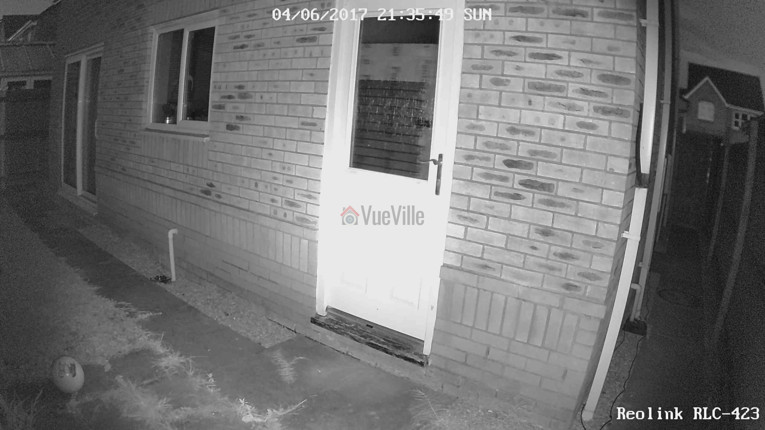
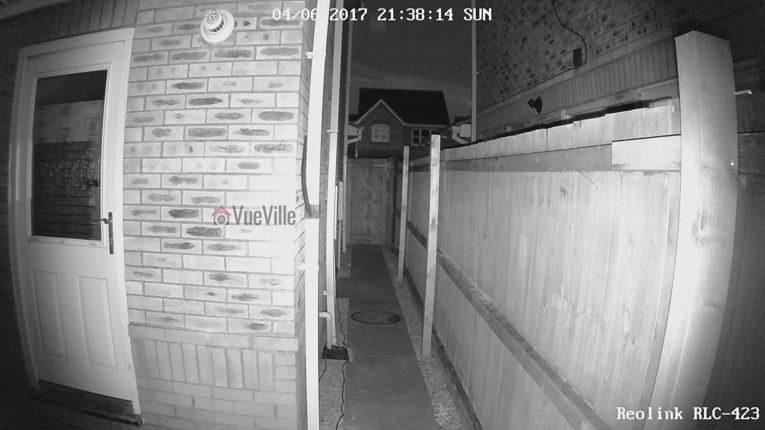
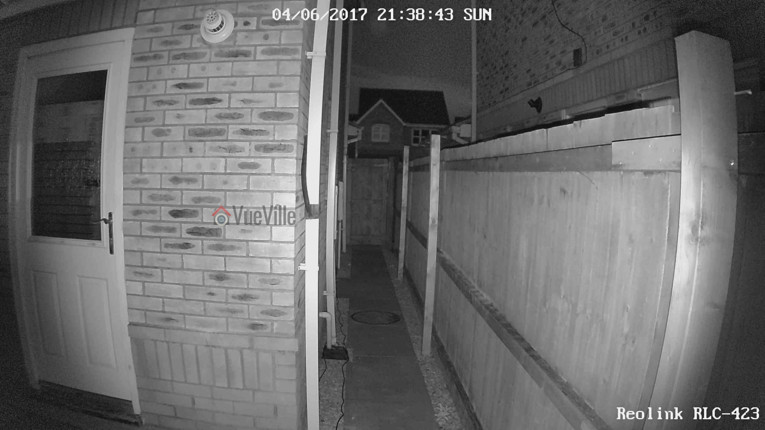
    So how did it perform? The video quality is excellent and I was very surprised to see the almost total lack of noise with the noise reduction setting on as default. Unlike most IP cameras, the noise reduction did not come at the expense of image quality. Check out the sample video below shot at default image settings (backlight off) and with Dynamic Range Control:

    [wpsm_video]https://www.youtube.com/embed/NsuDqF0g75Y[/wpsm_video]

    You can examine the effect of the various backlight settings in the screenshot comparisons below:

    [wpsm_tabgroup]
    [wpsm_tab title=”Backlight off”]Review - Reolink RLC-423 - Backlight off NR on - VueVille[/wpsm_tab]
    [wpsm_tab title=”Backlight on”]Review - Reolink RLC-423 - Backlight on NR on - VueVille[/wpsm_tab]
    [wpsm_tab title=”Dynamic Range Control”]Review - Reolink RLC-423 - DRC on NR on - VueVille[/wpsm_tab]
    [/wpsm_tabgroup]

    [wpsm_tabgroup]
    [wpsm_tab title=”Backlight off”]
    Review - Reolink RLC-423 - Backlight off NR on - VueVille
    [/wpsm_tab]
    [wpsm_tab title=”Backlight on”]
    Review - Reolink RLC-423 - Backlight on NR on - VueVille
    [/wpsm_tab]
    [wpsm_tab title=”Dynamic Range Control”]
    Review - Reolink RLC-423 - DRC on NR on - VueVille
    [/wpsm_tab]
    [/wpsm_tabgroup]

    Verdict

    I am very excited that Reolink has launched such a high quality PTZ camera at such an affordable price point. This is the first affordable PTZ IP camera that I can recommend without any reservations. Yes the configuration options are a bit limited compared to the extensive configuration pages that Hikvision cameras boast, but you now what the Reolink RLC-423 does pretty well without it.

    One weakness is the auto-focus which could be faster – but we need to put this in perspective. Its actually the impressive speed of the pan and tilt movements that highlights the relatively slower auto-focus. There are no alarm connections but that’s not a deal-breaker, especially given the price of the camera. What’s more important is the ONVIF and RTSP support that makes the camera very easy to integrate with the rest of your home security system.

    Ultimately the PTZ functions superbly, video quality and resolution are stellar, and noise is very well contained with the help of the high power EXIR LEDs. The flexibility offered by the Pan-Tilt-Zoom features is immense and at this price level, the Reolink RLC-423 PTZ IP camera is a great buy.

    [review]

    Where to buy

    [easyazon_link identifier=”B016UCNP08″ locale=”US” tag=”vueville.com-eaz-20″]Check your local Amazon site[/easyazon_link]

    (* = affiliate link / image source: Amazon Associates Program)

  • Hikvision vs. Dahua – The Most Popular IP Cameras Compared

    Hikvision vs. Dahua – The Most Popular IP Cameras Compared

    Hikvision and Dahua are two of the most popular IP camera brands among DIY enthusiasts. Most of my cameras are from Hikvision, but that’s more due to my lack of experience when I first got into DIY CCTV.

    Often when I saw recommendations being made online, it went like this: “Just go with Hikvision”. So you can understand when it came to pulling the trigger, I was leaning towards them.

    Dahua was also mentioned but there were definitely fewer people using them compared to Hikvision. There didn’t seem to be any particular reason other than Hikvision being a bit cheaper.

    But recently, both companies have been sanctioned by various governments due to their ownership by or links to the Chinese government. So after nearly 8 years of using these IP cameras, I am going to compare in this article the latest 2023 models and their retail availability in the US.

    [wpsm_titlebox title=”Contents” style=”main”][contents h2 h3][/wpsm_titlebox]

    A quick note: This article may contain affiliate links. If you click on one of these links and then purchase something, we may receive a fee. This does not cost you anything extra. Also note that Hikvision and Dahua do not consider certain platforms including Amazon as an authorized seller platform. So if you need warranty support please purchase from authorized resellers of Hikvision and Dahua products in your country.

    Hikvision vs. Dahua – the Stories behind the Brands

    Hikvision vs. Dahua - VueVille

    Hikvision

    You’re probably no stranger to Hikvision if you have been dabbling with DIY security cameras for some time. Hikvision is a surveillance equipment manufacturer based in Hangzhou China. They primarily cater to professional installers and are not interested in retailing to the general public. But still they made a splash in the DIY space because of their affordable DIY IP cameras with powerful features. Like 3MP sensors which were unheard of in mainstream IP cameras in 2014 when I bought my first IP camera, the Hikvision DS-2CD2032-I.

    A couple of years ago, they launched their retail brand EZVIZ. Confusingly, EZVIZ used to be the name of their cloud app as well. Anyway the EZVIZ models are dumbed down versions of the Hikvision cameras and are not worth spending any money on. That’s why I am focusing on the main Hikvision brand.

    According to IHS, 53% of all security cameras shipped in 2015 were network (or IP) cameras. While Hikvision is the world leader in IP cameras with a global market share of 17% forecast in 2017, Dahua comes in second with a forecast of 5.5%.

    The biggest concern I have with Hikvision is not so much about their cameras, but who owns Hikvision. The Chinese government owns at least a partial stake in Hikvision. This creates a few ethical and moral quandaries. The US government has also banned Hikvision and Dahua from all federal government bodies (along with Huawei and ZTE) through the National Defense Authorization Act (NDAA) passed into law in 2019. This also includes all the OEM/white label/private label brands – which makes up most of the security camera market. Recently, the US government went further and issued a ban on the FCC certification and authorization of these brands and their rebadged brands – which effectively kills the import of these cameras into the US.

    From a technical standpoint, you should treat any security camera (Chinese or not, banned or not) the same way – with maximum suspicion that they may be ‘dialing home’ to their manufacturers servers. So lock them down using Virtual LANs (VLAN) and strict firewall rules like I have in my DIY home security camera system.

    Dahua

    Dahua is an OEM who are best known for their Starlight ultra low-light cameras. Of course, they have a full lineup of products just like Hikvision.

    Dahua used to own Lorex until Novemeber 2022 when they sold it off. Dahua cameras are also re-branded by Amcrest, Honeywell, Panasonic, Bosch and many others. What these brands do is usually rebrand the Dahua camera by sticking on their logo and slightly changing the firmware to add/remove some features. For example see our recent Hikvision vs. Amcrest comparison where you will see that the Amcrest camera is a rebadge of a Dahua camera. Some brands even selfishly remove ONVIF support so that the camera works only with their own product range.

    Just like Hikvision, Dahua are also partially owned by the Chinese government. So all the concerns I raised above with Hikvision apply to Dahua also. Their cameras and OEMs are also banned under the National Defense Authorization Act (NDAA) and recent FCC actions mentioned above.

    Of course I don’t let that stop me from buying these or any other Chinese cameras – instead, I lock down all my security cameras tighter than Fort Knox using my DIY smart home network that uses the Ubiquiti Unifi line of networking products.

    Dahua and Hikvision cameras have historically had very similar features, so this is going to be an interesting comparison.

    8MP IP Camera Duel – Hikvision DS-2CD2085G1-I vs. Dahua N85DF62

    I will look at the 8MP IP cameras as these are quickly becoming affordable for DIY fans like us. From Hikvision, I picked the DS-2CD2085G1-I model from the Darkfighter series. For the Dahua, I picked the popular N85DF62 model.

    From the consumer’s point of view, price is an important factor in deciding which competing models are actually comparable. So I have tried to balance the features and price of the cameras that I have picked for this comparison.

    Still, the Dahua cameras are richer in features and hence are priced quite a way above Hikvision.

    Hardware

    The most common sensor in DIY IP cameras is a 1/3″ progressive scan CMOS sensor. However the Darkfighter series Hikvision has a much larger sensor at 1/2″. But the Dahua Starlight cameras are even better with a slightly larger sensor (1/1.8″).

    The size of the sensor has a huge bearing on the low light ability of a camera, whether it be a camcorder or a security camera. The larger the sensor, the greater its ability to gather light and so do well in low light conditions. But as you cram in more and more pixels into the same size sensor, they get smaller and smaller, which adds noise. Noise is the bane of low light video and reduces the detail that you can get out of your video.

    So while security camera manufacturers have pushed pixel count from 4MP to 8MP, they have not increased the sensor size. However both the Hikvision and Dahua 8MP models have true 120dB Wide Dynamic Range (WDR) to help improve video quality.

    How about low light performance? You would expect the Dahua to be better thanks to the larger sensor. But the Hikvision can go down to an astounding 0.014Lux, while the Dahua can go down to 0.08Lux. That’s at an f-stop of f1.6 and 1/30s exposure (shutter speed). Even though both manuacturers like to advertise even better low light levels at 1/2s exposure, I wouldn’t go any lower to avoid blurry videos.

    Both Hikvision and Dahua top out at 30m IR range at night time.

    The Hikvision is available with lens at different focal lengths – 2.8 mm, 4 mm and 6 mm, but the Dahua comes only with a 2.8 mm lens.

    Moving on to the enclosures, both cameras have metal bodies and are weather-rated for IP67. But Dahua has IK10 vandal protection as well, which is very unusual for bullet form factor cameras.

    So on the hardware front, I think the Dahua gets the edge here.

    Interfaces

    The cameras both have an RJ-45 Ethernet port, and Power over Ethernet (PoE). But Dahua supports Enhance PoE (ePoe) which improves power and signal integrity over long Ethernet runs.

    The Dahua takes larger microSD cards (256 GB) vs. the Hikvision’s maximum 128 GB. Neither have Wi-Fi.

    Something that has gone out of fashion is proper old-school audio and alarm in/out ports. So I was pleasantly surprised to see that Dahua has both of these features and even throws in an onboard microphone!

    Clearly Dahua wins here.

    Software

    Let’s get the basics out of the way, both cameras support ONVIF and RTSP, the two most important features you should look for in an IP camera so that you can integrate it into your DIY Smart Home Automation System.

    ONVIF ensures that your camera will work with standards-compliant equipment from 3rd party manufacturers (like dedicated NVRs, NAS NVR software or PC NVR software like BlueIris).

    RTSP allows even non-ONVIF equipment (such as software) to access the security camera’s video stream. Examples are video players like the popular VLC player.

    When it comes to features, one striking difference is that the Hikvision DS-2CD2085G1-I has a max bitrate of 16Mbps vs. the 8 Mbps of the Dahua N85DF62. This shouldn’t be an issue though, I’m quite happy with the 6Mbps stream from my Hikvision and Reolink cameras.

    This bit rate provides sufficient quality while extending the number of days I can store on the QNAP NAS that I use as my DIY NVR.

    In previous generations, only the Dahua had the ability to provide video streams at three different resolution. Now the tables have turned. Hikvision has caught up and can push 6 different streams simultaneously.

    Motion Detection

    Both cameras support basic motion detection as well as the expected advanced motion detection techniques (intrusion detection and line crossing).

    I can’t emphasize enough the importance of these advanced motion detection methods in reducing false motion alerts.

    Additionally, for the longest time Hikvision had face detection, abandoned object, and missing object detection. Dahua didn’t have these and lagged behind heavily.

    But in 2023, we find that Dahua has clearly surpassed Hikvision by supporting all of the above, smart detection methods such as person and vehicle detection, and a host of other additional interesting features:

    • People counting
    • Fast-moving object detection
    • Parking detection
    • Crowd gathering
    • Loitering detection

    Clearly Dahua wins here as they join Reolink & Amcrest in offering person & vehicle detection. One notable absence in both Hikvision and Dahua cameras is pet detection. But the Dahua has a very clever feature to avoid false alerts from leaves, lights, animals, and other inconsequential objects.

    Mobile apps

    Both the Hikvision and Dahua mobile apps are outdated and frankly terrible to use. But for enthusiasts like us who are the target retail audience, this doesn’t matter because we use these cameras in our own DIY CCTV system which uses a single mobile app for viewing IP cameras.

    Warranty

    Both Hikvision and Dahua offer a 3-year warranty but only through their authorized US retailer, B&H Photo. Online marketplaces such as Amazon are not included in their warranty coverage.

    Detailed Comparison Table

    Here’s a summary in a nice and easy table:

    [table id=62 responsive=”scroll” /]

    Verdict

    So as you can see the Hikvision and Dahua are both capable IP cameras but have enough differences between them to warrant a closer look. Dahua has caught up on both hardware and software features vs. Hikvision. So I would pick the Dahua over the Hikvision.

    Its also interesting that both Hikvision and Dahua are still available for retail buyers like us from their authorized US retailer, B&H Photo who offer a 3 year warranty as well!

    Also check out the other recommendations on our best outdoor IP cameras list.

    Where to buy

    Related Comparisons

  • Best Indoor IP Camera 2017 Recommendations

    Best Indoor IP Camera 2017 Recommendations

    [wpsm_box type=”red” float=”none” text_align=”left”]

    This article is outdated – please check out the latest version here.
    [/wpsm_box]

    While reviewing the articles we published in 2016, my wife and I realized that we did not write much about indoor IP security cameras. For the most part, this was because we did not have indoor security cameras set up in our home. At the time, our priority was to fully secure the outdoor yard and the garden. Well this year is going to be different.

    Why? Because in 2016 we realized that no home security system can be complete without properly planned indoor cameras. It all started with the arrival of our newest family member, our little baby boy. We started looking up and researching indoor IP cameras and baby monitors. And then we entered the magical world of home automation, building our own smart home in the process (I will write about it soon I promise!). So no matter what you are looking for today – a spy camera, a baby monitor or a camera to look at your pets while they are alone at home, we hope this complete indoor IP camera guide for 2017 will be helpful.

    Our top recommendation for an indoor security camera – View [easyazon_link identifier=”B0145OQTPG” locale=”US” tag=”vueville.com-eaz-afold-bipc17-20″]Amcrest IP2M-841B[/easyazon_link] on Amazon.

    At the end of this post, you will also find my recommendations for specific purposes and thoughts on the other popular cameras and why they didn’t make the cut.

    [wpsm_stickypanel][contents h2][/wpsm_stickypanel]

    Best Indoor IP Camera 2017 Recommendations List

    So here’s a handy summary of all my indoor IP camera recommendations for 2017, split by form factor:

    [wpsm_comparison_table id=”6″ class=”hover-col1 “]

    [text-blocks id=”4426″]

    What to look for

    The most important must-have features to look for in an indoor security camera are:

    • Video Resolution – 720p resolution is so 2016. In 2017, you shouldn’t settle for a resolution of less than 1080p or 2 Megapixels. This is important because law enforcement have a very high threshold for the quality of video needed to positively identify a suspect. Unless the person is right in front of the camera, 720p is just not enough. Higher the resolution the better, but the biggest improvement comes from going 1080p Full HD.
    • Field of view or horizontal viewing angle – This depends on the focal length of the camera lens. The wider the horizontal viewing angle, the more flexible the camera is going to be for placement in a tricky place such as a living room. Some manufacturers quote the diagonal angle which can be misleading as its always going to be better than the horizontal one! All viewing angles in this article are horizontal unless noted.
    • Night vision – InfraRed night vision is crucial for getting good quality night shots. A true IR cut filter helps to produce true colour images during the day and high quality images at night. EXIR LEDs are brighter and have longer lifespans than the typical IR LEDs used in cheaper cameras.
    • Cloud reliance – This is something I feel very strongly about. The trend in recent years has been to create ‘cloud’ cameras that are reliant on the manufacturer’s cloud servers to do even basic things such as motion detection and event recording. Why? Because the cloud subscriptions that we are then forced to pay generate a steady stream of income for the manufacturer for years to come.The worst of the lot are absolutely crippled without an internet connection – these are the most dangerous because the whole point in having a security camera is to catch troublemakers. Since many manufacturers still don’t have reliable cloud servers, how can you be assured that your camera will notify you in time if a break-in is in progress? What you want is a camera that does not need any outside help to do its job – use a UPS to provide backup power in case the burglars cut the power.


    The nice-to-have features to consider are:

    • Wireless – While an Ethernet cable connection is more stable and hence more reliable, support for WiFi and/or Bluetooth is great if you have to install the camera in a spot you can’t run a data cable to.
    • Continuous Video Recording – Instead of just automatic event triggered recording, continuous video recording will capture everything in the scene. Typically a Network Video Recorder (NVR) or NAS is needed for this function. You can specify how many days worth of storage you want to keep, and the older video will then be automatically overwritten.
    • Software features – Email alerts on motion detection, and push notifications to smartphone apps are very useful features
    • Local storage – Pure cloud cameras will not have any local storage, but some cloud cameras like the Arlo Q Plus now feature local storage in case the cloud connection is lost. This is a decent compromise. The best cameras are the ones whose cloud features are strictly optional and let you access the video stream using 3rd part apps.
    • Motion detection method – While software based image change detection is the most common motion detection method, a PIR motion sensor is preferable to cut down on false alerts
    • Power source – A wired Ethernet port is preferable over wireless connections for the best reliability. PoE (Power over Ethernet) support is ideal since then you don’t need two cables to each camera. An internal battery for power backup purposes is great if a burglar cuts the power supply to disable your home defences.
    • Audio – A built-in microphone for recording incriminating evidence is a nice to have
    • Advanced features:
      • Preferably a full API should be available for interfacing with home automation controllers such as the Vera Plus
      • Preferably RTSP stream capable so that you can access the video stream from a 3rd part app such as tinyCam Monitor Pro or IP Cam Viewer. ONVIF support is ideal so that you can connect the camera to an NVR like Amcrest NVRs which can support any ONVIF compatible camera.

    Methodology

    I have divided this list into two – cameras I recommend and the ones that didn’t make the cut. Every camera I recommend below meets the must-have features described above. So why did I bother with the ones that didn’t meet them – because due to clever marketing those cameras have managed to become very popular among consumers.

    Best Indoor IP Cameras – 2017 Recommendations

    Best Value / Budget IP Camera: Amcrest ProHD 1080p Pan-Tilt Wi-Fi Camera (IP2M-841B) – Best Value Camera with Pan-Tilt

    [wpsm_column size=”one-half”]
    [easyazon_image align=”center” height=”500″ identifier=”B0145OQTPG” locale=”US” src=”https://www.vueville.com/wp-content/uploads/2016/12/41YqG0OR2RL.jpg” tag=”vueville.com-eaz-bipc17-20″ width=”500″]
    [/wpsm_column]

    [wpsm_column size=”one-half” position=”last”]
    [wpsm_titlebox title=”Features” style=”3″]

    • 2MP CMOS image sensor
    • 90° Viewing Angle
    • 10m IR range
    • Ethernet port, Wi-Fi or PoE available
    • ONVIF and RTSP protocols supported

    [/wpsm_titlebox]

    [easyazon_link identifier=”B0145OQTPG” locale=”US” tag=”vueville.com-eaz-bipc17-20″]Read Amazon user reviews[/easyazon_link]

    [/wpsm_column]

    Amcrest is one of the few companies that we can recommend without hesitation. They have this unique blend of high-quality hardware, reliable software, and great after-sales support. The Amcrest ProHD 1080p Pan-Tilt WiFi Camera (IP2M-841B) is our current baby monitor and we are well pleased with it. It has an ethernet port, WiFi, built-in InfraRed LEDs for very good night vision, clear 2-way audio with mic and speaker, built-in SD card local storage, and on top of all this, very good low-light performance. We can even see our little one’s chest rising and falling as he breathes – I can’t believe how clear the video is.

    A non-WiFi PoE-enabled IP2M-841EB version is also [easyazon_link identifier=”B01H2JFE5W” locale=”US” tag=”vueville.com-eaz-bipc17-20″]available on Amazon[/easyazon_link]. 4 hours of free cloud storage comes free with every Amcrest camera, with more storage available on the purchase of a subscription. The camera does not need an Internet connection to be set up or for functioning normally.

    Read our full review of this wonderful IP camera below:
    [wpsm_top postid=1461]

    [wpsm_column size=”one-half”]
    [wpsm_pros title=”PROS:”]

    • Good image quality and 1080p resolution
    • Very clear and loud two-way audio with mic and speaker built-in
    • WiFi and RJ-45 Ethernet port
    • IR LEDs provide night vision capability
    • 360 degree Pan-Tilt feature
    • Support for SD card, NAS, NVR, FTP and Cloud storage locations
    • Very good value for money

    [/wpsm_pros][/wpsm_column]

    [wpsm_column size=”one-half” position=”last”]
    [wpsm_cons title=”CONS:”]

    • Audio is half-duplex only, you cannot hear and speak simultaneously
    • Smartphone apps could be better – free Amcrest apps lack basic features such as push notifications
    • No model with both PoE and Wi-Fi, unlike Hikvision

    [/wpsm_cons][/wpsm_column]

    [easyazon_link identifier=”B0145OQTPG” locale=”US” tag=”vueville.com-eaz-bipc17-20″]Check Price on Amazon[/easyazon_link]

    Back to comparison table

    Great Value: Foscam R2 – Great Value Wide-Angle Camera with Pan-Tilt

    [wpsm_column size=”one-half”]
    [easyazon_image align=”center” height=”500″ identifier=”B01DJ1FTTS” locale=”US” src=”https://www.vueville.com/wp-content/uploads/2016/12/31f82BhvD2BOL.jpg” tag=”vueville.com-eaz-bipc17-20″ width=”500″]
    [/wpsm_column]

    [wpsm_column size=”one-half” position=”last”]
    [wpsm_titlebox title=”Features” style=”3″]

    • 2MP CMOS image sensor
    • 110° Viewing Angle
    • Ethernet port, Wi-Fi available
    • ONVIF and RTSP protocols supported

    [/wpsm_titlebox]

    [easyazon_link identifier=”B01DJ1FTTS” locale=”US” tag=”vueville.com-eaz-bipc17-20″]Read Amazon user reviews[/easyazon_link]

    [/wpsm_column]

    Foscam based in Shenzen China, used to be king of the hill once upon a time dominating the indoor security camera market worldwide. But Foscam lost their way when they fell out with their American distributor Foscam US who set themselves up as Amcrest Technologies. Amcrest is now one of the top retailers of indoor security cameras. Can Foscam Shenzen still compete with innovative new players like Amcrest and Reolink?

    I think they can. For quite some time Foscam faded into the background as they bled customers. But now they are back with a new product range and very compelling price points. The Foscam R2 is a direct competitor to the Amcrest ProHD 1080p IP2M-841B.

    The R2’s features of a 1080p sensor, Pan-Tilt, Wi-Fi are almost exactly the same as the Amcrest but with a much wider angle of view at 110° instead of 90°. There is no free cloud service included but a paid cloud service is available should you need it.

    [wpsm_column size=”one-half”]
    [wpsm_pros title=”PROS:”]

    • Good image quality and 1080p resolution
    • Wide-angle lens lets you cover a large area
    • Very good value for money
    • Home Automation compatible with ONVIF and RTSP support

    [/wpsm_pros][/wpsm_column]

    [wpsm_column size=”one-half” position=”last”]
    [wpsm_cons title=”CONS:”]

    • Audio is half-duplex only, you cannot hear and speak simultaneously
    • No PoE feature available
    • No free cloud service available

    [/wpsm_cons][/wpsm_column]

    [easyazon_link identifier=”B01DJ1FTTS” locale=”US” tag=”vueville.com-eaz-bipc17-20″]Check Price on Amazon[/easyazon_link]

    Back to comparison table

    [wpsm_column size=”one-half”]
    [easyazon_image align=”center” height=”500″ identifier=”B01LS71KNO” locale=”US” src=”https://www.vueville.com/wp-content/uploads/2016/12/41iAz7CMb7L.jpg” tag=”vueville.com-eaz-bipc17-20″ width=”500″]
    [/wpsm_column]

    [wpsm_column size=”one-half” position=”last”]
    [wpsm_titlebox title=”Features” style=”3″]

    • 4 MP CMOS image sensor
    • 92° Viewing Angle
    • Ethernet port, Wi-Fi available
    • ONVIF and RTSP protocols supported

    [/wpsm_titlebox]

    [easyazon_link identifier=”B01LS71KNO” locale=”US” tag=”vueville.com-eaz-bipc17-20″]Read Amazon user reviews[/easyazon_link]

    [/wpsm_column]

    If all you want is an indoor camera with Pan-Tilt, you will be just fine with the Amcrest or Foscam above. But what if you want to go the whole hog – Pant-Tilt & Zoom? You would have struggled to find anything affordable but with Reolink on the scene, that’s not the case any more.

    The C2 has a very high resolution of 4MP which is very unusual for an indoor camera currently. The higher pixel count however leads to a slightly lower viewing angle of 92°, which while not in the three figures, is still is great for any camera. Local storage is available as an SD card slot which can take cards up to 128GB in capacity.

    2-way audio is available thanks to the built-in mic and speaker. However just like most cameras, it is half-duplex. This means it works like a walkie-talkie. You have to take turns speaking and listening. As far as I know there is only one affordable camera which has full-duplex audio ability – the Hikvision which is our choice for best full-featured camera.

    All Reolink cameras support the ONVIF standard so you can use them with any 3rd party NVR, NAS NVR or Blueiris which supports the ONVIF standard. They also support the RTSP protocol , so you can easily integrate them with your home automation system such as my MiCasaVerde Vera Plus.

    [wpsm_column size=”one-half”]
    [wpsm_pros title=”PROS:”]

    • Excellent image quality with 4 MP resolution
    • Very good value for money
    • Home Automation compatible with ONVIF and RTSP support

    [/wpsm_pros][/wpsm_column]

    [wpsm_column size=”one-half” position=”last”]
    [wpsm_cons title=”CONS:”]

    • Audio is half-duplex only, you cannot hear and speak simultaneously
    • No PoE feature available
    • No cloud service available at all if you need it

    [/wpsm_cons][/wpsm_column]

    [easyazon_link identifier=”B01LS71KNO” locale=”US” tag=”vueville.com-eaz-bipc17-20″]Check Price on Amazon[/easyazon_link]

    Back to comparison table

    Great Value: Amcrest UltraHD Hex Shield IP3M-HX2 – High-Res Wide-Angle Camera

    [wpsm_column size=”one-half”]
    [easyazon_image align=”center” height=”500″ identifier=”B01LX7PRMQ” locale=”US” src=”https://www.vueville.com/wp-content/uploads/2017/01/414JycoAnwL.jpg” tag=”vueville.com-eaz-bipc17-20″ width=”351″]
    [/wpsm_column]

    [wpsm_column size=”one-half” position=”last”]
    [wpsm_titlebox title=”Features” style=”3″]

    • 3 MP CMOS image sensor
    • 140° Viewing Angle
    • 10m IR range
    • Ethernet port, Wi-Fi available
    • ONVIF and RTSP protocols supported

    [/wpsm_titlebox]

    [easyazon_link identifier=”B01LZHOILC” locale=”US” tag=”vueville.com-eaz-bipc17-20″]Read Amazon user reviews[/easyazon_link]

    [/wpsm_column]

    Amcrest has a wildly popular 1080p indoor camera already, the Amcrest ProHD 1080p camera which is our choice for best indoor IP camera in 2017 for most people. But what if you want more resolution and a wider angle of view at the same time? That’s where the Amcrest UltraHD Shield, or Hex as it is also called, comes in. It has 3 Megapixels of resolution available and a wide angle of view at the same time. This is an unusual combination – as resolution increases, the field of view typically reduces. But Amcrest has figured out a way to get both high resolution (3MP) and high field of view (140 degrees).

    The brains of the Shield is an ARM Cortex A9 CPU coupled with the Ambarella S2Lm IP Camera chip in a System-on-a-Chip (SoC) setup. By the way it has a magnetic bracket which can give you more installation options. Coming to night vision, the camera has InfraRed LEDs and a true IR cut filter. This gives it very good night vision ability. Audio in and out are supported in the form of 3.5mm plugs. The speaker is at the back of the camera, along with the RJ-45 port, the AC in socket, and a reset button. The SD card slot is on the side.

    The camera features the much sought after NVR feature which lets you use it independently without any other hardware. This means you can set up motion detection or audio detection triggers to record clips to the on-board SD card, and then view them on a nice timeline interface. There are also up to 4 configurable privacy zones that you can mask off.

    [wpsm_column size=”one-half”]
    [wpsm_pros title=”PROS:”]

    • Excellent image quality with 3 MP resolution
    • Super-wide 140 degree field of view
    • Very good value for money
    • Built-in NVR feature
    • Home Automation compatible with ONVIF and RTSP support, works with any NVR also

    [/wpsm_pros][/wpsm_column]

    [wpsm_column size=”one-half” position=”last”]
    [wpsm_cons title=”CONS:”]

    • Audio is half-duplex only, you can only use it like a walkie-talkie
    • No PoE feature available

    [/wpsm_cons][/wpsm_column]

    [easyazon_link identifier=”B01LX7PRMQ” locale=”US” tag=”vueville.com-eaz-bipc17-20″]Check Price on Amazon[/easyazon_link]

    Back to comparison table

    Full Featured: Hikvision DS-2CD2432F-IW – PoE Camera

    [wpsm_column size=”one-half”]
    [easyazon_image align=”center” height=”438″ identifier=”B00JWCV9CU” locale=”US” src=”https://www.vueville.com/wp-content/uploads/2017/01/31ahyWDFlsL.jpg” tag=”vueville.com-ref-20″ width=”412″]
    [/wpsm_column]

    [wpsm_column size=”one-half” position=”last”]
    [wpsm_titlebox title=”Features” style=”3″]

    • 3 MP CMOS image sensor
    • 98.5° Viewing Angle
    • 10m InfraRed range
    • PIR Motion Sensor
    • Full-duplex 2-way audio
    • PoE, Ethernet port, and Wi-Fi available
    • ONVIF and RTSP protocols supported

    [/wpsm_titlebox]

    [easyazon_link identifier=”B01LZHOILC” locale=”US” tag=”vueville.com-ref-20″]Read Amazon user reviews[/easyazon_link]

    [/wpsm_column]

    Some cameras seem to have been on the market forever. This Hikvision DS-2CD2432F-IW model is one such camera. Launched in 2014, it is one of the few cameras that are still on sale. And there’s a very good reason – its a genuinely high-end camera at a decidedly mid-level price. Its got all the features you could ever ask for in an indoor security camera – PoE, Wi-Fi, a PIR sensor, true full-duplex 2-way audio, night vision, RTSP and ONVIF compliance, advanced motion detection algorithms, a built-in NVR, and I could go on and on.

    With its 3MP sensor, it still fares well against much younger opponents such as the Amcrest models. Only the Reolink C2 does better when it comes to resolution. This is definitely a camera that is still worth considering in 2017!

    [wpsm_column size=”one-half”]
    [wpsm_pros title=”PROS:”]

    • Excellent image quality with 3 MP resolution
    • Has a real PIR sensor to cut down false alerts
    • Built-in NVR feature
    • Full-duplex audio enables true 2-way audio
    • Home Automation compatible with ONVIF and RTSP support, works with any NVR also

    [/wpsm_pros][/wpsm_column]

    [wpsm_column size=”one-half” position=”last”]
    [wpsm_cons title=”CONS:”]

    • Some tweaking needed to get the best image and video quality
    • Wi-Fi performance can be pretty average

    [/wpsm_cons][/wpsm_column]

    [easyazon_link identifier=”B00JWCV9CU” locale=”US” tag=”vueville.com-ref-20″]Check Price on Amazon[/easyazon_link]

    Please note that Hikvision doesn’t recognise the warranty for products sold on online marketplaces like Amazon, so if you want an official warranty please buy from an authorized Hikvision reseller / OEM re-seller.

    Back to comparison table

    Full Featured: Samsung SmartCam SNH-V6410PN – Pan-Tilt Wi-Fi Camera with Auto-Object Tracking

    [wpsm_column size=”one-half”]
    [easyazon_image align=”center” height=”500″ identifier=”B01IDM5TZC” locale=”US” src=”https://www.vueville.com/wp-content/uploads/2017/01/51KAexg8QYL.jpg” tag=”vueville.com-eaz-bipc17-20″ width=”500″]
    [/wpsm_column]

    [wpsm_column size=”one-half” position=”last”]
    [wpsm_titlebox title=”Features” style=”3″]

    • 2 MP CMOS image sensor
    • 96.1° Viewing Angle
    • 5m InfraRed range
    • 2.4GHz Wi-Fi
    • RTSP protocol supported

    [/wpsm_titlebox]

    [easyazon_link identifier=”B01IDM5TZC” locale=”US” tag=”vueville.com-eaz-bipc17-20″]Read Amazon user reviews[/easyazon_link]

    [/wpsm_column]

    I am a bit conflicted about calling this camera full-featured as it lacks a somewhat basic feature – an RJ-45 ethernet port. Forgiving this glaring omission, it has a very unique feature that I am very excited about – the futuristic and very creepy automatic object tracking feature. So with motion detection on, the camera will use its pan-tilt feature to detect and follow a moving object or person around the room. Now that is super cool. The only downside is that it works only if you have NOT defined your own motion detection zones.

    Power over Ethernet is naturally missing and the WiFi is only of the 2.4GHz variety, so be gentle with the bitrate setting if you use the 1080p resolution option. I personally do not use 5GHz at home as my fibre broadband tops out at 55Mbps which is absolutely within reach of 2.4GHz 802.11n speeds throughout the house. I am yet to find a router that can simultaneously handle both 2.4GHz and 5GHz devices without dropping one or the other occasionally.

    The camera has true night vision with infrared LEDs and a true IR cut filter, but its on the lower side with a claimed range of 5 metres. But this should be sufficient for all but the longest of rooms. While ONVIF is not supported (you can’t chuck this camera into just any NVR), RTSP is. So you can pull up the camera stream from apps like tinyCam Monitor/IP Camera Monitor, or a home automation system such as my Vera Plus (read review).

    [wpsm_column size=”one-half”]
    [wpsm_pros title=”PROS:”]

    • Pan-Tilt with automatic object tracking feature makes it a great surveillance camera
    • Supports audio-triggered alerts
    • Unique auto object tracking feature works well
    • Home Automation compatible with RTSP support

    [/wpsm_pros][/wpsm_column]

    [wpsm_column size=”one-half” position=”last”]
    [wpsm_cons title=”CONS:”]

    • No ethernet port
    • Only 2.4 GHz Wi-Fi, 5GHz not supported
    • Auto object tracking disabled when motion zones are defined

    [/wpsm_cons][/wpsm_column]

    [easyazon_link identifier=”B01IDM5TZC” locale=”US” tag=”vueville.com-eaz-bipc17-20″]Check Price on Amazon[/easyazon_link]

    Back to comparison table

    Full Featured: Netatmo Welcome – Full-featured Wide-Angle Camera with Face Recognition

    [wpsm_column size=”one-half”]
    [easyazon_image align=”center” height=”500″ identifier=”B00X5X1XPU” locale=”US” src=”https://www.vueville.com/wp-content/uploads/2017/01/31yHTPtP0L.jpg” tag=”vueville.com-eaz-bipc17-20″ width=”400″]
    [/wpsm_column]

    [wpsm_column size=”one-half” position=”last”]
    [wpsm_titlebox title=”Features” style=”3″]

    • 2 MP CMOS image sensor
    • 130° Viewing Angle
    • InfraRed LEDs for night vision
    • SD card slot
    • 2.4GHz Wi-Fi
    • Has a speaker, IFTTT supported

    [/wpsm_titlebox]

    [easyazon_link identifier=”B00X5X1XPU” locale=”US” tag=”vueville.com-eaz-bipc17-20″]Read Amazon user reviews[/easyazon_link]

    [/wpsm_column]

    There are not many security cameras on the market that boast face recognition. Notice I said face recognition, not detection. While it does seem a bit creepy to me and evokes thoughts of computers taking over the world and subjugating humans, it is a rather cool feature. The Welcome can recognise your family members, and tell if a stranger enters your home.

    I particularly like the Netatmo from among the current crop of all-in-one smart home devices because they do not insist on storing everything in the cloud. There is an SD card slot where you can store video clips or you can use your personal Dropbox account.

    It has a 4MP sensor, but strangely does only 1080p (2MP) videos. Maybe Netatmo will upgrade the software some day and enable super high resolutions? In any case, 1080p is fine for most people. The lens is wide angle with a generous 130° Viewing Angle, which gives you more placement flexibility. Another design faux pas is that while the Welcome has a speaker, it is missing a microphone. I can’t see why they would do that. It cant cost much to add a decent mic these days.

    There is an ethernet port but no PoE support. The Wi-Fi support is limited to 2.4GHz as well. When it comes to home automation, IFTTT is supported which I suppose is better than nothing.

    [wpsm_column size=”one-half”]
    [wpsm_pros title=”PROS:”]

    • Face recognition and tagging
    • Not cloud reliant, records videos even if the internet connection is down
    • Home Automation compatible with IFTTT support

    [/wpsm_pros][/wpsm_column]

    [wpsm_column size=”one-half” position=”last”]
    [wpsm_cons title=”CONS:”]

    • No PoE
    • Only 2.4 GHz Wi-Fi, 5GHz not supported
    • No RTSP stream
    • No microphone

    [/wpsm_cons][/wpsm_column]

    [easyazon_link identifier=”B00X5X1XPU” locale=”US” tag=”vueville.com-eaz-bipc17-20″]Check Price on Amazon[/easyazon_link]

    Back to comparison table

    High-End: Netgear Arlo Q Plus – High-end PoE Wide-Angle Camera

    [wpsm_column size=”one-half”]
    [easyazon_image align=”center” height=”478″ identifier=”B01DNFE25C” locale=”US” src=”https://www.vueville.com/wp-content/uploads/2017/01/41HvqY2Ju2L.jpg” tag=”vueville.com-eaz-bipc17-20″ width=”500″]
    [/wpsm_column]

    [wpsm_column size=”one-half” position=”last”]
    [wpsm_titlebox title=”Features” style=”3″]

    • 2 MP CMOS image sensor
    • 130° Viewing Angle
    • 15m/50ft InfraRed LEDs for night vision
    • PoE Ethernet Port, IFTTT supported
    • SD card slot and microUSB local backup storage option
    • 2-way audio with a speaker and mic

    [/wpsm_titlebox]

    [easyazon_link identifier=”B01DNFE25C” locale=”US” tag=”vueville.com-eaz-bipc17-20″]Read Amazon user reviews[/easyazon_link]

    [/wpsm_column]

    When the Netgear Arlo Q first came out, I thought “you know what it really needs? Power over Ethernet!”. And a short while later, Netgear had the same thought. So here we have the Netgear Arlo Q Plus which has an external PoE port box. Not surprising as they bolted it on to the original Q.

    While the original Q was a WiFi only affair, the Plus version adds the aforementioned PoE box and a microSD slot too. So is it still slavishly dependent on the cloud? Now there is a free offer of up to 7 days free cloud recording, but this doesn’t enable the Continuous Video Recording (CVR) 24-hour feature where the Q records continuous video to a USB hard drive locally. You need to subscribe to cloud recording to enable this CVR feature.

    What about the SD card slot? Netgear says that whenever an SD card is present in the slot, motion and sound detected clips will be recorded to it till it gets full and started getting overwritten. You can take the SD card out put it in your computer and view the clips. That’s a nice touch – so if your internet connection fails, you still have a local backup of your clips.

    So the Q Plus is a feature-rich IP camera from a mainstream vendor, which is bound to be expensive. So while its not great value, if you need a reliable cloud recording feature but don’t want to forsake PoE, this is your choice.

    [wpsm_column size=”one-half”]
    [wpsm_pros title=”PROS:”]

    • PoE feature
    • Not cloud-reliant, can always record videos to the SD card, even if the internet connection is down
    • Home Automation compatible with IFTTT support

    [/wpsm_pros][/wpsm_column]

    [wpsm_column size=”one-half” position=”last”]
    [wpsm_cons title=”CONS:”]

    • Continuous video recording feature available only as a paid cloud subscription
    • No RTSP stream

    [/wpsm_cons][/wpsm_column]

    [easyazon_link identifier=”B01DNFE25C” locale=”US” tag=”vueville.com-eaz-bipc17-20″]Check Price on Amazon[/easyazon_link]

    Back to comparison table

    The ones that didn’t make the cut

    [wpsm_box type=”dashed_border” float=”none” text_align=”left”]
    [wpsm_column size=”two-third”]
    Nest Indoor Security Camera:
    Probably the most over-rated security camera there is. Imagine a security camera that does not record videos out of the box, unless you pay up for a cloud subscription that starts at $10/month. Yup, that’s the Nest Camera. Pretty much useless isn’t it? So don’t waste your money, there are plenty of real security cameras from less greedy companies.
    [/wpsm_column]
    [wpsm_column size=”one-third” position=”last”]
    [easyazon_image align=”center” height=”160″ identifier=”B00WBJGUA2″ locale=”US” src=”https://www.vueville.com/wp-content/uploads/2017/01/31ahww36bqL.SL160.jpg” tag=”vueville.com-eaz-bipc17-20″ width=”160″]

    [easyazon_link identifier=”B00WBJGUA2″ locale=”US” tag=”vueville.com-eaz-boipc17-20″]View on Amazon[/easyazon_link]

    [/wpsm_column]
    [/wpsm_box]

    [wpsm_box type=”dashed_border” float=”none” text_align=”left”]
    [wpsm_column size=”two-third”]
    Logitech Circle:
    Following hot on the heels of the successful Netgear Arlo battery powered cameras, here’s Logitech’s rather over-priced attempt. Powered by battery or AC power, the Circle is a decent attempt but is 100% cloud reliant. It simply doesn’t work without the Internet. Sorry that’s a deal-breaker for me. I cannot recommend something that can be so easily disabled! What you need in a security camera is reliability – and hoping your cloud CCTV provider to be a 100% reliable is just that, hope. Misplaced hope I might add. At this price point, local recording option is a must and the Circle doesn’t have it.
    [/wpsm_column]
    [wpsm_column size=”one-third” position=”last”]
    [easyazon_image align=”center” height=”160″ identifier=”B01645FHFC” locale=”US” src=”https://www.vueville.com/wp-content/uploads/2017/01/41DTcT9PnmL.SL160.jpg” tag=”vueville.com-eaz-bipc17-20″ width=”129″]

    [easyazon_link identifier=”B01M66NWOQ” locale=”US” tag=”vueville.com-eaz-boipc17-20″]View on Amazon[/easyazon_link]

    [/wpsm_column]
    [/wpsm_box]

    [wpsm_box type=”dashed_border” float=”none” text_align=”left”]
    [wpsm_column size=”two-third”]
    Canary All-in-One Home Security:
    I am not a big fan of all in one security devices, mainly because they are full of compromises made to still keep the device within a reasonable price point. The Canary is one of many such I-can-do-it-all devices in the market today. Not only does it do home security, it now does home health as well with sensors to monitor air quality. Now if I could do something useful with this sort of information locally such as turn on my dehumidifier or air filter, I would have been mildly interested. But making something a 100% cloud reliant is not the way to go Canary! I do not want to be locked into your eco-system and then end up paying you a cloud subscription fee! So in short, the Canary is crippled if the cloud servers decide to take a hike – not great when it comes to protecting your family.
    [/wpsm_column]
    [wpsm_column size=”one-third” position=”last”]
    [easyazon_image align=”center” height=”160″ identifier=”B00NW31YSE” locale=”US” src=”https://www.vueville.com/wp-content/uploads/2017/01/31kmdDdME9L.SL160.jpg” tag=”vueville.com-eaz-bipc17-20″ width=”160″]

    [easyazon_link identifier=”B00NW31YSE” locale=”US” tag=”vueville.com-eaz-boipc17-20″]View on Amazon[/easyazon_link]

    [/wpsm_column]
    [/wpsm_box]

    [wpsm_box type=”dashed_border” float=”none” text_align=”left”]
    [wpsm_column size=”two-third”]
    Piper NV All-in-One Home Security:
    Yet another all in one security devices, but this one comes with a twist – the promise of no monthly fees. Yet it is a 100% reliant on the cloud becacuse it has no local storage options. No SD card or USB drive support here. Yes it has a unique ability – its a ZWave hub as well. So its less locked-in and proprietary than others of its ilk. But it still can do only 100 recorded clips of up to 35 seconds each.

    That’s not a whole lot especially if for some reason you get a lot of false alerts. Its very interesting that while the Piper NV has battery backup in case of power loss, it has absolutely nothing to protect it from an Internet outage or if their cloud servers go down. What would happen in such a situation? A burglar breaks in, the Piper motion detection is activated, but the cloud servers are unavailable so the Piper cant record its video clip! Great for the burglar, not so great for you.

    If these companies expect us to trust them 100% for our home security, the least they can do is publish statistics of the up-time of their cloud servers. This website is hosted on a server that has a Service Level Agreement that promise a 99.9% up-time for example. No cloud server has a 100% up-time, so what happens when the inevitable service disruption happens? Well folks, don’t rely on anybody’s cloud. Build your own local DIY home security system like I have!
    [/wpsm_column]
    [wpsm_column size=”one-third” position=”last”]
    [easyazon_image align=”center” height=”160″ identifier=”B00V0D0URE” locale=”US” src=”https://www.vueville.com/wp-content/uploads/2017/01/31sx0qzuuL.SL160.jpg” tag=”vueville.com-eaz-bipc17-20″ width=”160″]

    [easyazon_link identifier=”B00V0D0URE” locale=”US” tag=”vueville.com-eaz-boipc17-20″]View on Amazon[/easyazon_link]

    [/wpsm_column]
    [/wpsm_box]

    [wpsm_box type=”dashed_border” float=”none” text_align=”left”]
    [wpsm_column size=”two-third”]
    Zmodo Pivot:
    The Pivot’s party trick is its body that can rotate 360 degrees and be able to monitor temperature and humidity too. This is a lot like the Samsung SmartCam featured above and the Pivot even has local storage in the form of 16GB onboard memory. This means its not reliant on the cloud. However its not better than the recommended cameras above – it has no PoE and is fully locked down. You cannot get it to work with any of your Home Automation equipment.
    [/wpsm_column]
    [wpsm_column size=”one-third” position=”last”]
    [easyazon_image align=”center” height=”160″ identifier=”B01A52KLTC” locale=”US” src=”https://www.vueville.com/wp-content/uploads/2017/01/41xdh7N6SML.SL160.jpg” tag=”vueville.com-eaz-bipc17-20″ width=”160″]

    [easyazon_link identifier=”B01A52KLTC” locale=”US” tag=”vueville.com-eaz-boipc17-20″]View on Amazon[/easyazon_link]

    [/wpsm_column]
    [/wpsm_box]

    [wpsm_box type=”dashed_border” float=”none” text_align=”left”]
    [wpsm_column size=”two-third”]
    Yi Home Cam:
    The Yi camera is possibly the cheapest IP camera you can get. At nearly half the price of the cheapest mainstream brands, it naturally set off alarm bells. Yes being a Chinese brand, designed and owned by a Chinese company (Xiaoyi) does help keep costs down but surely there must be some trade-offs?

    There’s no such thing as a free lunch. The Yi family of cameras work only with their smartphone apps and are 100% reliant on the cloud servers, these cameras don’t even have a web interface! Moreover, the company has been severely criticized by its users for its draconian terms and conditions of use. My recommendation – steer well clear.
    [/wpsm_column]
    [wpsm_column size=”one-third” position=”last”]
    [easyazon_image align=”center” height=”160″ identifier=”B016F3M7OM” locale=”US” src=”https://www.vueville.com/wp-content/uploads/2017/01/31lJDIiW2BwL.SL160.jpg” tag=”vueville.com-eaz-bipc17-20″ width=”160″]

    [easyazon_link identifier=”B016F3M7OM” locale=”US” tag=”vueville.com-eaz-boipc17-20″]View on Amazon[/easyazon_link]

    [/wpsm_column]
    [/wpsm_box]

  • Best Outdoor IP Camera 2017 Recommendations

    Best Outdoor IP Camera 2017 Recommendations

    [wpsm_box type=”red” float=”none” text_align=”left”]

    This article is outdated – please check out the latest version here.
    [/wpsm_box]

    When I sat down to write my list of the best IP cameras last year, I wanted to bring you an easy to follow guide to the best technology in the home security market. That post took months of research but I wanted to give you the best advice on the Internet. This year I intend to do the same.

    But boy oh boy, has it been tough! There are even more brands and models to choose from in 2017. But there is a flipside – we, the consumers, get even more choice, more features and better quality digital security cameras. So I hope through this year’s list, I will continue to help you make the right choices for your family and home.


    [wpsm_box type=”yellow” float=”none” text_align=”left”]

    [wpsm_column size=”one-fifth”]
    [text-blocks id=”4945″]

    [/wpsm_column]
    [wpsm_column size=”four-fifth” position=”last”]

    My top recommendations for the Best Outdoor Security Camera are:

    1. [easyazon_link identifier=”B01BN1FD7E” locale=”US” tag=”vueville.com-eaz-boipc17-20″]View Amcrest IP3M-9549E on Amazon[/easyazon_link]
    2. [easyazon_link identifier=”B01E7LXPT0″ locale=”US” tag=”vueville.com-eaz-boipc17-20″]View Amcrest IP2M-844EB on Amazon[/easyazon_link]
    3. [easyazon_link identifier=”B01DZWK8WE” locale=”US” tag=”vueville.com-eaz-boipc17-20″]View Hikvision DS-2CD2342WD-I on Amazon[/easyazon_link] and
    4. [easyazon_link identifier=”B016UCNP08″ locale=”US” tag=”vueville.com-eaz-boipc17-20″]View Reolink RLC-423 on Amazon[/easyazon_link].

    [/wpsm_column]


    [/wpsm_box]

    At the end of this post, you will also find my recommendations for specific purposes and thoughts on the other popular cameras and why they didn’t make the cut.

    [wpsm_stickypanel][contents h2][/wpsm_stickypanel]

    Best Outdoor IP Camera 2017 Recommendations List

    So here’s a handy summary of all my outdoor IP camera recommendations for 2017, split by form factor:

    [wpsm_comparison_table id=”2″ class=”hover-col1 “]

    [wpsm_comparison_table id=”3″ class=”hover-col1 “]

    [wpsm_comparison_table id=”4″ class=”hover-col1 “]

    [wpsm_comparison_table id=”5″ class=”hover-col1 “]
     

    [text-blocks id=”4426″]

    What to look for

    The most important must-have features to look for in an outdoor security camera are:

    • Video Resolution – at least 1080p Full HD resolution (2MP) for increased chance of positive identification of faces.
    • Field of view – at least 90 degrees, depends on focal length of camera lens
    • Night vision – should at least have InfraRed LEDs for true night vision with true IR cut filter
    • Weather proofing – Expressed in IP ratings, the first digit is the solid ingress rating and the second digit is the water ingress rating (higher is better always). An X instead of a number indicates a product is unrated for that component. An IP weather-proof rating is preferable, IP66 is the standard for good security cameras.
    • Cloud reliance – Can the security camera function without an internet connection? Do you have to pay a monthly subscription for core features such as recording video clips, storing them, accessing them later on, for motion detection?

    The nice-to-have features to consider are:

    • Wireless – Support for WiFi and/or Bluetooth if you have to install the camera in a spot you can’t run an ethernet cable to
    • Continuous Video Recording instead of just automatic event triggered or manual recording
    • Software features – Live view capability, Email alerts on motion detection, Push notifications to smartphone app ideal
    • Local storage – in the form of a microSD card slot, or internal flash storage
    • Motion detection method – PIR motion sensor is preferable to cut down on false alerts
    • Power source – Ethernet port preferable with PoE (Power over Ethernet) support, internal battery good for power backup purposes
    • Audio – Microphone built-in would be a nice to have
    • Advanced features:
      • Preferably API available for interfacing with home automation controllers
      • Preferably RTSP stream capable, ONVIF support ideal so that you can connect it to an NVR like the Amcrest which can support any ONVIF compatible camera.

    Methodology

    IP cameras come in all shapes and sizes. The most common way to categorise them is location – outdoor or indoor. Another common way of differentiating between them is by form-factor: bullet style, dome style or mini-dome. Your choice of camera will depend ultimately on a few factors such as the location of installation and how visible you want the camera to be.

    If you feel overwhelmed by all the choices you need to make, it might be a good idea to read up on IP cameras in general and how to choose one. We wrote our in-depth IP camera buying guide for this reason – it contains all the frequently asked questions about IP security cameras.

    We will split this camera round-up into outdoor/indoor camera and by form-factor. This was the format of our 2016 guide and was well-received, so let’s not break what obviously works eh!

    Bullet style IP cameras

    This is the natural choice for a home CCTV system because it is highly recognisable and thus a very visible deterrent. If a burglar or scumbag sees one of these, he knows its not worth risking jail time to break into your house. But do make sure that your bullet cameras are high up and out of reach of vandals, because a well-aimed missile can potentially knock it off target.

    Best Value: Amcrest IP3M954E Bullet-style IP Camera

    [wpsm_column size=”one-half”]
    [easyazon_image align=”center” height=”300″ identifier=”B01BN1FD7E” locale=”US” src=”https://www.vueville.com/wp-content/uploads/2015/11/Amcrest-Qcam-3MP-Bullet-300p.jpg” tag=”vueville.com-eaz-boipc17-20″ width=”300″]

    [easyazon_link identifier=”B01BN1FD7E” locale=”US” tag=”vueville.com-eaz-boipc17-20″]Read Amazon user reviews[/easyazon_link]

    [/wpsm_column]

    [wpsm_column size=”one-half” position=”last”]
    [wpsm_titlebox title=”Features” style=”3″]

    • 3MP CMOS image sensor
    • 81° Viewing Angle
    • 30m IR range
    • Ethernet port with Power over Ethernet (PoE)
    • ONVIF and RTSP protocols supported
    • IP67 weatherproof rating

    [/wpsm_titlebox]
    [/wpsm_column]

    Amcrest is no stranger to our best IP camera round-ups and is a brand that we wholeheartedly recommend. Amcrest cameras are usually priced between the Reolinks and Hikvision/Dahua. They have one key feature that lets me wholeheartedly recommend them – ONVIF compatibility which means you can add this camera to your ONVIF compliant NVR, regardless of which brand it is. It is interesting that all of Amcrest’s cameras also support ONVIF and RTSP, even though they don’t shout about it. In my opinion this is something that they can be proud of.

    The lack of on-board local storage means you either need an NVR, a NAS or use the cloud account to record video clips. FTP is supported so you can set it up to save still images to an FTP server on motion detection. Since this camera supports ONVIF and RTSP, it is compatible with many 3rd party devices that also support these standards.

    4 hours of free cloud storage comes free with every Amcrest camera, with more storage available on the purchase of a subscription. The camera does not need an Internet connection to be set up or for functioning normally.

    This camera doesn’t have a PoE version.

    [wpsm_column size=”one-half”][wpsm_pros title=”PROS:”]

    • Good image quality and low light performance
    • Superb value
    • Email alerts for motion detection
    • Works with any 3rd party ONVIF-compliant device such as Synology and QNAP NAS

    [/wpsm_pros]
    [/wpsm_column]

    [wpsm_column size=”one-half” position=”last”][wpsm_cons title=”CONS:”]

    • Average field of view
    • No audio/alarm connections
    • No Wide Dynamic Range (WDR)
    • No advanced motion detection methods such as line crossing, intrusion detection
    • No SD card slot but can save video to a local network share
    • No built-in NVR enables standalone operation
    • No model that has both WiFi and PoE

    [/wpsm_cons][/wpsm_column]

    [easyazon_link identifier=”B01BN1FD7E” locale=”US” tag=”vueville.com-eaz-boipc17-20″]View on Amazon[/easyazon_link]

    Back to comparison table

    Great Value: Reolink RLC-410S & RLC-410WS

    [wpsm_column size=”one-half”][easyazon_image align=”center” height=”375″ identifier=”B019MMABCI” locale=”US” src=”https://www.vueville.com/wp-content/uploads/2016/12/31mUZtCES4L.jpg” tag=”vueville.com-eaz-boipc17-20″ width=”500″]

    [easyazon_link identifier=”B019MMABCI” locale=”US” tag=”vueville.com-eaz-boipc17-20″]Read Amazon user reviews[/easyazon_link]

    [/wpsm_column]

    [wpsm_column size=”one-half” position=”last”][wpsm_titlebox title=”Features” style=”3″]

    • 4MP CMOS image sensor
    • 80° Viewing Angle
    • Infrared LEDs for night vision with 30m range
    • 120dB WDR
    • Ethernet port with Power over Ethernet (PoE)- RLC-410S
    • Dual band WiFi with 2T2R MIMO antenna (802.11ac/b/g/n, 2.4 and 5.0 GHz)- RLC-410WS
    • ONVIF and RTSP protocols supported
    • IP66 weatherproof rating

    [/wpsm_titlebox][/wpsm_column]

    Reolink is quickly becoming our new favourite for budget IP cameras. In fact, we chose the Reolink RLC-410WS as our best outdoor IP camera with a microphone. The 410S also has the on-board mic. Both the RLC-410S and the RLC-410WS have local storage in the form of an on-board SD card slot. The difference is that the 410S is PoE-only and 410WS is WiFi-only.

    The camera can be easily ceiling mounted and comes with elbow joints as opposed to the ball and socket joint that Hikvision bullets use.

    There is a true IR cut removable filter (ICR) to ensure excellent night time videos and faithful colour reproduction during the day. Noise reduction and backlight compensation are also available.

    These cameras have a built-in NVR feature which is useful if you have a single camera or do not have a dedicated NVR. So you can set up the camera to do basic motion detection, and it will overwrite older videos automatically. Another interesting feature is an automatic reboot timer which will restart the computer at a time you determine.

    The camera doesn’t support continuous recording to the on-board SD card, which is fine because its not something I recommend anyway. You will just end up wearing out the SD card soon. SD cards are best suited to motion detection clips being written.

    [wpsm_column size=”one-half”][wpsm_pros title=”PROS:”]

    • 4MP, good image quality
    • Decent viewing angle of 80° with the standard 4mm lens
    • Onboard storage and built-in NVR features
    • Email notifications and push alerts
    • Great value for money
    • Works with any 3rd party ONVIF-compliant device such as Synology and QNAP NAS

    [/wpsm_pros]
    [/wpsm_column]

    [wpsm_column size=”one-half” position=”last”][wpsm_cons title=”CONS:”]

    • No WDR
    • No audio/alarm connections
    • Ethernet connection needed for initial setup
    • Needs computer to be kept on for continuous recording feature
    • No built-in NVR facility like Hikvision and Dahua have
    • No model with both PoE and Wifi

    [/wpsm_cons][/wpsm_column]

    [easyazon_link identifier=”B017C53TI0″ locale=”US” tag=”vueville.com-eaz-boipc17-20″]View on Amazon[/easyazon_link]

    Back to comparison table

    Enthusiast’s Choice: Hikvision DS-2CD2042FWD-I (Also re-branded as LTS, LaView, HDView, Q-See, Swann, Oco Pro, KT&C)

    [wpsm_column size=”one-half”][easyazon_image align=”center” height=”300″ identifier=”B01694H3VY” tag=”vueville.com-ref-20″ locale=”US” src=”https://www.vueville.com/wp-content/uploads/2015/11/Hikvision-DS-2CD2032-I-300p.jpg” width=”300″]

    [easyazon_link identifier=”B017C53TI0″ locale=”US” tag=”vueville.com-eaz-boipc17-20″]Read Amazon user reviews[/easyazon_link]

    [/wpsm_column]

    [wpsm_column size=”one-half” position=”last”][wpsm_titlebox title=”Features” style=”3″]

    • 4MP CMOS image sensor
    • 83° Viewing Angle, 3-axis adjustment
    • 30m IR range
    • 120dB WDR
    • Ethernet port with Power over Ethernet (PoE)
    • ONVIF and RTSP protocols supported
    • IP66 weatherproof rating
    • Metal body construction

    [/wpsm_titlebox]
    [/wpsm_column]

    Hikvision is once again the most popular IP camera brand on VueVille.com, and its easy to see why. These guys make some very high quality cameras with full metal bodies, very good image quality, advanced motion detection algorithms and great prices. Have a look at our revised 2017 Hikvision product guide to learn more about their product range.

    We have been using the 3MP predecessor of this IP camera, the Hikvision DS-2CD2032F-IW and we have written about how impressed we have been. The 4MP Sony sensor with True Wide Dynamic Range (WDR) brings great daytime and night-time image quality. A full metallic body comes as standard. In addition to the 4mm lens, you can also go for a 6mm lens for a closer look at your scene. The superbly capable built-in NVR feature is great if you are aiming at a single-camera setup but bear in mind that there is no SD card slot, so you will need a network storage location if you want to record motion triggered recordings. It also does not have audio or alarm features.

    See how you can set up motion detection alerts for any Hikvision camera.

    [wpsm_column size=”one-half”][wpsm_pros title=”PROS:”]

    • 4MP, excellent image quality
    • Superb value
    • True Wide Dynamic Range (WDR)
    • Advanced motion detection methods like line crossing, intrusion detection
    • Built-in NVR enables standalone operation – no NVR needed
    • Works with any 3rd party ONVIF-compliant device such as Synology and QNAP NAS

    [/wpsm_pros]
    [/wpsm_column]

    [wpsm_column size=”one-half” position=”last”][wpsm_cons title=”CONS:”]

    • No audio/alarm connections
    • No internal storage
    • No WiFi

    [/wpsm_cons][/wpsm_column]

    Since Hikvision doesn’t support their cameras unless purchased through an authorised reseller, I recommend going through one. However, you can get the same camera re-branded by LTS(LT Security) on Amazon.

    [easyazon_link identifier=”B01694H3VY” locale=”US” tag=”vueville.com-ref-20″]View on Amazon[/easyazon_link]

    Back to comparison table

    Enthusiast’s Choice: Dahua DH-IPC-HFW4421S (Also re-branded as FLIR/Lorex/EYEsurv)

    [wpsm_column size=”one-half”][easyazon_image align=”center” height=”300″ identifier=”B00MUMRJMI” locale=”US” tag=”vueville.com-ref-20″ src=”https://www.vueville.com/wp-content/uploads/2015/11/Dahua-IPC-HFW4300S-300p.jpg” width=”300″]

    [easyazon_link identifier=”B00MUMRJMI” locale=”US” tag=”vueville.com-ref-20″]Read Amazon user reviews[/easyazon_link]

    [/wpsm_column]

    [wpsm_column size=”one-half” position=”last”][wpsm_titlebox title=”Features” style=”3″]

    • 4MP CMOS sensor with 20fps
    • 84° Viewing Angle with 3.6mm lens
    • 2.8mm, 3.6mm and 6mm lens options
    • 30m IR range
    • 120dB WDR
    • Power over Ethernet (PoE)
    • IP67 weatherproof rating
    • Metal body construction

    [/wpsm_titlebox]
    [/wpsm_column]

    After Hikvision, my choice of IP camera manufacturer has typically been Dahua. Improving on the original 3MP Dahua IPC-HFW4300S, the IPC-HFW4421S has a 4 megapixel sensor. An interesting feature of these cameras is their ability to provide 3 separate video streams simultaneously, not 2 like most other cameras in this price range. A new feature is support for true 120dB WDR, so they are keeping up with Hikvision who has made WDR standard on all their 2-line camera models.

    The Dahua DH-IPC-HFW4421S also has a few tricks like face detection, and abandoned/missing object detection which Hikvision or other brands don’t have.

    Also consider the Dahua IPC-HFW5421E-Z which adds a 2.7-12mm varifocal lens, audio/alarm connections and an SD card slot.

    [wpsm_column size=”one-half”][wpsm_pros title=”PROS:”]

    • 4MP, good image quality
    • 120dB true WDR
    • Advanced motion detection like tripwire / intrusion detection
    • Smart features such as abandoned/missing item detection, Face detection and Audio detection

    [/wpsm_pros][/wpsm_column]

    [wpsm_column size=”one-half” position=”last”][wpsm_cons title=”CONS:”]

    • No audio/alarm connections
    • No SD card slot

    [/wpsm_cons][/wpsm_column]

    [easyazon_link identifier=”B00MUMRJMI” locale=”US” tag=”vueville.com-ref-20″]View on Amazon[/easyazon_link]

    Back to comparison table

    High-end: Ubiquiti Unifi G3

    [wpsm_column size=”one-half”][easyazon_image align=”center” height=”500″ identifier=”B01EZYTYLC” locale=”US” src=”https://www.vueville.com/wp-content/uploads/2016/12/41wSp13EkL.jpg” tag=”vueville.com-eaz-boipc17-20″ width=”500″][/wpsm_column]

    [wpsm_column size=”one-half” position=”last”][wpsm_titlebox title=”Features” style=”3″]

    • 2MP CMOS sensor
    • 85° Viewing Angle with 3.6mm lens
    • InfraRed LED with IR-cut filter
    • Power over Ethernet (PoE)
    • Weather resistant

    [/wpsm_titlebox]

    [easyazon_link identifier=”B01EZYTYLC” locale=”US” tag=”vueville.com-eaz-boipc17-20″]Read Amazon user reviews[/easyazon_link]

    [/wpsm_column]

    Ubiquiti is one of those brands that its fans swear by but is largely unknown outside enthusiast circles, which is a crying shame. After transforming the enterprise WiFi market with its remarkably straight-forward management systems, Ubiquiti has started launching more affordable products for home users such as the Ubiquiti AC Lite. Their expertise lies in creating high performing WiFi and wired networks across large spaces and this is of great interest to home users who are tired of crappy WiFi from consumer grade hardware.

    So what does one do after launching WiFi access points, PoE switches, and even WiFi modem routers such as the Amplifi HD Home Router? Of course, you step into the next thing home users are interested in these days – home security and surveillance. Thus the Unifi G3 line of security cameras was born!

    The G3 looks the business with a distinctive Ubiquiti-like design made of injection-moulded polycarbonate and die-cast Aluminum. Its not all looks either, there is a 4MP sensor on board and an Ambarella S2L chipset with 512 Mb RAM. These are great specs and shows the quality that you get for the money. There are some unique features – the G3 line of cameras is the only one I have seen at this end of the market to feature HDR. There is also a useful IR range extender accessory which adds 25 metres to the night vision range. The camera can be powered by either 802.3af PoE or Ubiquiti’s proprietary 24V Passive PoE if you are already part of Ubiquiti’s ecosystem. On-board microphones are standard. Oh wait, what about WiFi? Nope no WiFi on offer here, strangely!

    Naturally, you may want to record the video from the camera for posterity. That’s taken care of too – just get the Unifi NVR. This is the great pull of Ubiquiti products, they are like the Apple of enterprise-level WiFi. When you buy their stuff, you know its just going to work.

    [wpsm_column size=”one-half”][wpsm_pros title=”PROS:”]

    • Good image quality
    • Supports RTSP streaming
    • Great choice if you have Ubiquiti equipmemt
    • IR range extender accessory

    [/wpsm_pros][/wpsm_column]

    [wpsm_column size=”one-half” position=”last”][wpsm_cons title=”CONS:”]

    • Only 2MP resolution
    • No alarm connections
    • No specific weather rating
    • No SD card slot
    • No Wi-Fi

    [/wpsm_cons][/wpsm_column]

    [easyazon_link identifier=”B00MUMRJMI” locale=”US” tag=”vueville.com-eaz-boipc17-20″]View on Amazon[/easyazon_link]

    Back to comparison table

    High-end: Vivotek IB8381

    [wpsm_column size=”one-half”][easyazon_image align=”center” height=”500″ identifier=”B00W8FW6JS” locale=”US” src=”https://www.vueville.com/wp-content/uploads/2016/12/41WMUObKeL.jpg” tag=”vueville.com-eaz-boipc17-20″ width=”500″][/wpsm_column]

    [wpsm_column size=”one-half” position=”last”][wpsm_titlebox title=”Features” style=”3″]

    • 5MP CMOS sensor with WDR
    • P-Iris, Motorized varifocal lens with 67° Viewing Angle
    • 30m IR range
    • Power over Ethernet (PoE)
    • IP67 weatherproof rating
    • Metal body construction

    [/wpsm_titlebox]

    [easyazon_link identifier=”B00W8FW6JS” locale=”US” tag=”vueville.com-eaz-boipc17-20″]Read Amazon user reviews[/easyazon_link]

    [/wpsm_column]

    Vivotek is a high-quality Taiwanese brand with a dizzying range of products. I picked out this particular model because it is a high-end model with a ton of features such as 5MP videos, vari-focal lens, a P-iris, motorized focus, etc. One feature in particular is the camera’s full-duplex 2-way audio ability. Most cameras that can do 2-way audio are only half-duplex, they can send audio only in one direction at a time, like a walkie-talkie. So conversations over a half-duplex camera are like, well, using a walkie-talkie, not fun at all! But since this camera is full-duplex, you can use it like a real intercom.

    Power over ethernet is supported and the camera enclosure is rated IP67, which is really as good as it gets.

    [wpsm_column size=”one-half”][wpsm_pros title=”PROS:”]

    • Superior image quality
    • Full duplex audio
    • SD card slot

    [/wpsm_pros][/wpsm_column]

    [wpsm_column size=”one-half” position=”last”][wpsm_cons title=”CONS:”]

    • No alarm connections
    • Limited viewing angle

    [/wpsm_cons][/wpsm_column]

    [easyazon_link identifier=”B00LC7OLIW” locale=”US” tag=”vueville.com-eaz-boipc17-20″]View on Amazon[/easyazon_link]

    Back to comparison table

    Best New Entry: Netatmo Presence

    [wpsm_column size=”one-half”][easyazon_image align=”center” height=”455″ identifier=”B01L25GOGA” locale=”US” src=”https://www.vueville.com/wp-content/uploads/2016/12/Netatmo-Presence-VueVille.com_.jpg” tag=”vueville.com-eaz-boipc17-20″ width=”375″][/wpsm_column]

    [wpsm_column size=”one-half” position=”last”][wpsm_titlebox title=”Features” style=”3″]

    • 2MP 1080p sensor
    • 100° Viewing Angle
    • 30m IR range
    • Wi-Fi
    • HXO (~IP67) weatherproof rating
    • On-board storage – SD Card

    [/wpsm_titlebox]

    [easyazon_link identifier=”B01L25GOGA” locale=”US” tag=”vueville.com-eaz-boipc17-20″]Read Amazon user reviews[/easyazon_link]

    [/wpsm_column]

    Netatmo made a splash when they moved from weather stations into home security by launching the Netatmo Welcome, their first indoor security camera. They then followed it up with an outdoor camera, the Netatmo Presence. The standout feature of these cameras is their groundbreaking video analysis software which can detect people, animals and vehicles with startling accuracy.

    While the Welcome has face recognition, the Presence has only face detection. Make sure you understand the distinction to avoid disappointment – recognition is recognising and putting the right name to the right person, whereas detection simply detects that a person is in the frame. The Presence has a feature that no other security camera has – a built-in floodlight in addition to its IR LEDs.

    [wpsm_column size=”one-half”][wpsm_pros title=”PROS:”]

    • Built-in floodlight in addition to IR LEDs is a great plus
    • People, animal and car detection works well
    • SD card slot reduces delays that the cloud suffers from

    [/wpsm_pros][/wpsm_column]

    [wpsm_column size=”one-half” position=”last”][wpsm_cons title=”CONS:”]

    • No speaker or alarm connections
    • Doesn’t support ONVIF or RTSP, for direct HA integration

    [/wpsm_cons][/wpsm_column]

    [easyazon_link identifier=”B01L25GOGA” locale=”US” tag=”vueville.com-eaz-boipc17-20″]View on Amazon[/easyazon_link]

    Back to comparison table

    [wpsm_divider top=”20px” bottom=”20px” style=”solid”]

    Dome style cameras

    When we think about CCTV, a dome style camera is what typically comes to mind. These cameras are designed to be both vandal-proof and a good deterrent to would-be thieves. Vandal resistance is indicated by the IK rating (eg. IK-08 or IK-10).

    Best Value: Amcrest IP2M-844EB

    [wpsm_column size=”one-half”][easyazon_image align=”center” height=”500″ identifier=”B01E7LXPT0″ locale=”US” src=”https://www.vueville.com/wp-content/uploads/2016/12/515CpNs2BcbL.jpg” tag=”vueville.com-eaz-boipc17-20″ width=”500″][/wpsm_column]

    [wpsm_column size=”one-half” position=”last”][wpsm_titlebox title=”Features” style=”3″]

    • 2MP CMOS sensor
    • 93° Viewing Angle
    • 30m IR range
    • Power over Ethernet (PoE)
    • IP67 weatherproof rating
    • Metal body construction

    [/wpsm_titlebox]

    [easyazon_link identifier=”B01E7LXPT0″ locale=”US” tag=”vueville.com-eaz-boipc17-20″]Read Amazon user reviews[/easyazon_link]

    [/wpsm_column]

    Amcrest cameras are available in the popular dome style as well. The IP2M-844EB is a model that is quickly gaining ground on Hikvision and Dahua. You get a lot of camera for your money, so we awarded it the “Best Value” dome camera title. The viewing angle is especially generous, and should easily cover a corner. Night vision is provided by 12 standard InfraRed LEDs controlled by a day/night sensor. Amcrest cameras have very good weather resistance and this trend is continued here with an IP67 rating.

    This camera doesn’t have a WiFi version.

    [wpsm_column size=”one-half”][wpsm_pros title=”PROS:”]

    • Good image quality
    • Easy to use with clear setup process
    • Great value

    [/wpsm_pros][/wpsm_column]

    [wpsm_column size=”one-half” position=”last”][wpsm_cons title=”CONS:”]

    • No audio support
    • Lacks advanced motion detection methods

    [/wpsm_cons][/wpsm_column]

    [easyazon_link identifier=”B01E7LXPT0″ locale=”US” tag=”vueville.com-eaz-boipc17-20″]View on Amazon[/easyazon_link]

    Back to comparison table

    Great Value: Amcrest IP3M-956EB/IP3M-956B

    [wpsm_column size=”one-half”][easyazon_image align=”center” height=”447″ identifier=”B01E7QO3AA” locale=”US” src=”https://www.vueville.com/wp-content/uploads/2016/12/41M6siK60L.jpg” tag=”vueville.com-eaz-boipc17-20″ width=”500″][/wpsm_column]

    [wpsm_column size=”one-half” position=”last”][wpsm_titlebox title=”Features” style=”3″]

    • 3MP CMOS sensor
    • 81° Viewing Angle
    • 30m IR range
    • Power over Ethernet (PoE) or WiFi models only
    • IP67 weatherproof rating
    • IK10 vandal-proof rating
    • Metal body construction

    [/wpsm_titlebox]

    [easyazon_link identifier=”B01E7QO3AA” locale=”US” tag=”vueville.com-eaz-boipc17-20″]Read Amazon user reviews[/easyazon_link]

    [/wpsm_column]

    Like most Amcrest models, the 956 comes in two variants. The IP3M-956EB is PoE only while the IP3M-956B has only WiFi. The B refers to the colour of the camera – B for black, W for white and S for silver. With 30 IR LEDs, this camera has powerful night vision to go with its sleek professional looks. There’s no doubt – Amcrest makes some fine cameras. This 3MP PoE camera also features IK10 vandal-resistance which is great if you plan to install the camera in an area that could see the camera taking some abuse. The camera does motion detection email alerts although to get push notifications, you need to buy the Pro version of the Amcrest app.

    [wpsm_column size=”one-half”][wpsm_pros title=”PROS:”]

    • Ambarella chipset gives great image quality
    • Easy to use with clear setup process
    • Decent value

    [/wpsm_pros][/wpsm_column]

    [wpsm_column size=”one-half” position=”last”][wpsm_cons title=”CONS:”]

    • No audio support
    • Lacks advanced motion detection methods
    • Doesn’t have both Wi-Fi and PoE

    [/wpsm_cons][/wpsm_column]

    [easyazon_link identifier=”B01E7QO3AA” locale=”US” tag=”vueville.com-eaz-boipc17-20″]View on Amazon[/easyazon_link]

    Back to comparison table

    Full-Featured: Hikvision DS-2CD2142FWD-IS (Also re-branded as LTS, LaView, HDView, Q-See, Swann, Oco Pro, KT&C)

    [wpsm_column size=”one-half”][easyazon_image align=”center” height=”447″ identifier=”B0145XJYYK” locale=”US” src=”https://www.vueville.com/wp-content/uploads/2016/02/DS-2CD2132F-I_Optim_VueVille.com_.jpg” tag=”vueville.com-ref-20″ width=”500″]

    [easyazon_link identifier=”B0159ZJYF2″ locale=”US” tag=”vueville.com-eaz-boipc17-20″]Read Amazon user reviews[/easyazon_link]

    [/wpsm_column]

    [wpsm_column size=”one-half” position=”last”][wpsm_titlebox title=”Features” style=”3″]

    • 4MP CMOS sensor with true 120dB WDR
    • Max. 106° Viewing Angle
    • 30m IR range
    • Power over Ethernet (PoE), WiFi
    • IP66 weatherproof rating
    • IK08 vandal-proof
    • Metal body construction
    • Audio & Alarm connections
    • 128GB SD card slot

    [/wpsm_titlebox]
    [/wpsm_column]

    The predecessor of this camera was a 3MP model and was one of Hikvision’s most popular models ever. The current 4MP version maintains the same impressive feature set while providing a nice resolution bump from 3MP to 4MP. Brimming with features that are found only in higher end cameras, the DS-2CD2142FWD-IS is the obvious choice if you are not sure which features you need right now or in the future, or if you like to move cameras around the house at will!

    [wpsm_column size=”one-half”][wpsm_pros title=”PROS:”]

    • Extremely feature-filled camera
    • Supports both WiFi and PoE which is very rare in cameras from Amcrest and Reolink
    • Supports up to 128GB SD card for local storage and edge recording

    [/wpsm_pros][/wpsm_column]

    [wpsm_column size=”one-half” position=”last”][wpsm_cons title=”CONS:”]

    • A bit difficult to install
    • Limited flexibility in adjusting once installed

    [/wpsm_cons][/wpsm_column]

    Since Hikvision doesn’t support their cameras unless purchased through an authorised reseller, I recommend going through one. However, you can get the same camera re-branded by HDView on Amazon:

    [easyazon_link identifier=”B0145XJYYK” locale=”US” tag=”vueville.com-ref-20″]View on Amazon[/easyazon_link]

    Back to comparison table

    Enthusiast Choice: Dahua IPC-HDBW4431R-ZS

    [wpsm_column size=”one-half”]Dahua IPC-HDBW4431R-ZS - VueVille.com[/wpsm_column]

    [wpsm_column size=”one-half” position=”last”][wpsm_titlebox title=”Features” style=”3″]

    • 3MP CMOS sensor
    • 2.7 – 12mm motorized vari-focal lens, max 81° Viewing Angle
    • 50m IR range
    • Power over Ethernet (PoE)
    • IP67 weatherproof rating
    • IK10 vandal-proof
    • Metal body construction

    [/wpsm_titlebox][/wpsm_column]

    As the -ZS in the model name suggests this Dahua is a very flexible IP camera. The motorized lens lets you zoom in and out remotely. Most IP cameras that advertise a zoom feature only have a digital zoom. This means that all the camera does is blow up the image for you, which does not add extra information to the image – it just makes the image bigger. But an optical zoom like this Dahua’s actually changes the focal length to zoom in.

    Where could this be of use? Well in some installation locations like a narrow alleyway, you may not need pan-tilt ability, but zooming in is of great use. This is then the perfect choice for such situations, you pay for only what you need while getting a very good 50 metres of InfraRed range.

    [wpsm_column size=”one-half”][wpsm_pros title=”PROS:”]

    • Motorized varifocal lens lets you optically zoom in and out, this is better than digital zoom
    • Excellent value
    • Supports up to 128GB SD card for local storage of recorded clips

    [/wpsm_pros][/wpsm_column]

    [wpsm_column size=”one-half” position=”last”][wpsm_cons title=”CONS:”]

    • No audio support
    • No alarm connections

    [/wpsm_cons][/wpsm_column]

    [easyazon_link identifier=”B073XLFHD4″ locale=”US” tag=”vueville.com-ref-20″]View on Amazon[/easyazon_link]

    Back to comparison table

    High-End: Ubiquiti UniFi G3 Dome

    [wpsm_column size=”one-half”][easyazon_image align=”center” height=”500″ identifier=”B01D2OOODY” locale=”US” src=”https://www.vueville.com/wp-content/uploads/2016/12/41Z8rAP93SL.jpg” tag=”vueville.com-eaz-boipc17-20″ width=”500″][/wpsm_column]

    [wpsm_column size=”one-half” position=”last”][wpsm_titlebox title=”Features” style=”3″]

    • 4MP CMOS sensor with HDR
    • 100.4° Max. Viewing Angle with 2.8mm lens
    • InfraRed LED with IR-cut filter
    • Power over Ethernet (PoE)
    • Weather resistant

    [/wpsm_titlebox]

    [easyazon_link identifier=”B01D2OOODY” locale=”US” tag=”vueville.com-eaz-boipc17-20″]Read Amazon user reviews[/easyazon_link]

    [/wpsm_column]

    This dome camera is also from the G3 line of surveillance cameras. The features are very similar to the bullet version we saw earlier, except for the much wider viewing angle. This camera is also PoE only, and a WiFi option would have been great to have for those who prefer it.

    [wpsm_column size=”one-half”][wpsm_pros title=”PROS:”]

    • Good image quality
    • Allows you to keep your existing Ubiquiti devices

    [/wpsm_pros][/wpsm_column]

    [wpsm_column size=”one-half” position=”last”][wpsm_cons title=”CONS:”]

    • Only 2MP resolution available
    • Doesn’t support Wi-Fi

    [/wpsm_cons][/wpsm_column]

    [easyazon_link identifier=”B01D2OOODY” locale=”US” tag=”vueville.com-eaz-boipc17-20″]View on Amazon[/easyazon_link]

    Back to comparison table

    High-End: Vivotek FD8181

    [wpsm_column size=”one-half”][easyazon_image align=”center” height=”476″ identifier=”B00TY9K9HW” locale=”US” src=”https://www.vueville.com/wp-content/uploads/2016/12/41rwM1d45RL.jpg” tag=”vueville.com-eaz-boipc17-20″ width=”500″][/wpsm_column]

    [wpsm_column size=”one-half” position=”last”][wpsm_titlebox title=”Features” style=”3″]

    • 5MP CMOS sensor with WDR
    • P-Iris, Motorized varifocal lens with 67° Viewing Angle
    • 30m IR range
    • Power over Ethernet (PoE)
    • IP67 weatherproof rating
    • Metal body construction

    [/wpsm_titlebox]

    [easyazon_link identifier=”B00TY9K9HW” locale=”US” tag=”vueville.com-eaz-boipc17-20″]Read Amazon user reviews[/easyazon_link]

    [/wpsm_column]

    The FD8181 is the dome equivalent of the Vivotek IB8381 bullet camera I described above. Using Smart Stream technology, it can reduce the bandwiith needed without affecting image quality in regions of interest.

    [wpsm_column size=”one-half”][wpsm_pros title=”PROS:”]

    • Superior image quality
    • Full duplex audio
    • SD card slot

    [/wpsm_pros][/wpsm_column]

    [wpsm_column size=”one-half” position=”last”][wpsm_cons title=”CONS:”]

    • No alarm connections

    [/wpsm_cons][/wpsm_column]

    [easyazon_link identifier=”B00TY9K9HW” locale=”US” tag=”vueville.com-eaz-boipc17-20″]View on Amazon[/easyazon_link]

    Back to comparison table

    High-End Panoramic IP Camera: Axis M3007-PV

    [wpsm_column size=”one-half”][easyazon_image align=”center” height=”500″ identifier=”B0084LESFU” locale=”US” src=”https://www.vueville.com/wp-content/uploads/2016/12/41m1H5cEIyL-1.jpg” tag=”vueville.com-eaz-boipc17-20″ width=”500″][/wpsm_column]

    [wpsm_column size=”one-half” position=”last”][wpsm_titlebox title=”Features” style=”3″]

    • 5MP CMOS sensor with WDR
    • 360°/180° Panoramic Viewing Angle
    • Power over Ethernet (PoE)
    • IP42 weatherproof rating
    • VK08 vandal-proof rating

    [/wpsm_titlebox]

    [easyazon_link identifier=”B0084LESFU” locale=”US” tag=”vueville.com-eaz-boipc17-20″]Read Amazon user reviews[/easyazon_link]

    [/wpsm_column]

    Moving onto the premium end of the market, Axis is a Swedish IP camera manufacturer that prides itself on its top quality IP cameras. I picked this particular camera as it has something more and more people are asking me about – a 360°/180° panoramic IP camera. It has a very high pixel count of 5MP which together with the high-quality fish-eye lens produces clean images.

    Another unique feature is the full duplex audio feature which is again found only on cameras in this price range.

    [wpsm_column size=”one-half”][wpsm_pros title=”PROS:”]

    • Superior image quality
    • Full duplex audio
    • SD card slot

    [/wpsm_pros][/wpsm_column]

    [wpsm_column size=”one-half” position=”last”][wpsm_cons title=”CONS:”]

    • No alarm connections

    [/wpsm_cons][/wpsm_column]

    [easyazon_link identifier=”B0084LESFU” locale=”US” tag=”vueville.com-eaz-boipc17-20″]View on Amazon[/easyazon_link]

    Back to comparison table

    [wpsm_divider top=”20px” bottom=”20px” style=”solid”]

    Turret or Mini-dome style cameras

    Best Value: Hikvision DS-2CD2342WD-I (Also re-branded as LTS, LaView, HDView, Q-See, Swann, Oco Pro, KT&C)

    [wpsm_column size=”one-half”][easyazon_image align=”center” height=”500″ identifier=”B01DZWK8WE” locale=”US” src=”https://www.vueville.com/wp-content/uploads/2016/12/511755D88XL.jpg” tag=”vueville.com-ref-20″ width=”500″][/wpsm_column]

    [wpsm_column size=”one-half” position=”last”][wpsm_titlebox title=”Features” style=”3″]

    • 4MP CMOS sensor with WDR
    • Max. 106° Panoramic Viewing Angle
    • 30m IR Range
    • Power over Ethernet (PoE)
    • IP67 weatherproof rating

    [/wpsm_titlebox]

    [easyazon_link identifier=”B01DZWK8WE” locale=”US” tag=”vueville.com-ref-20″]Read Amazon user reviews[/easyazon_link]

    [/wpsm_column]

    Hikvision produces cameras of all the major types including the turret style. I like this design a lot because the camera looks more like a motio activated light than a high resolution IP camera! So its very discreet and this lets you put it in plain sight without being too prominent. The night vision is provided by an EXIR LED which is very bright and lasts much longer than the standard IR LED.

    This is a no-frills camera without on-board storage or audio features, but is still great value for money. Its also extremely vandal resistant due to its small size.

    [wpsm_column size=”one-half”][wpsm_pros title=”PROS:”]

    • Very good image quality
    • Great value for money
    • Very easy to install with 3-axis adjustment

    [/wpsm_pros][/wpsm_column]

    [wpsm_column size=”one-half” position=”last”][wpsm_cons title=”CONS:”]

    • No audio or alarm connections
    • No SD card slot for local storage
    • No Wi-Fi option

    [/wpsm_cons][/wpsm_column]

    Since Hikvision doesn’t support their cameras unless purchased through an authorised reseller, I recommend going through one. However, you can get the same camera re-branded by LTS or KT&C on Amazon.

    [easyazon_link identifier=”B01KK5E73A” locale=”US” tag=”vueville.com-ref-20″]View on Amazon[/easyazon_link]

    Back to comparison table

    Great Value: Dahua IPC-HDW4421EM-AS

    [wpsm_column size=”one-half”][easyazon_image align=”center” height=”300″ identifier=”B01F9CP490″ locale=”US” src=”https://www.vueville.com/wp-content/uploads/2016/12/31H7XbqJC1L.jpg” tag=”vueville.com-ref-20″ width=”360″][/wpsm_column]

    [wpsm_column size=”one-half” position=”last”][wpsm_titlebox title=”Features” style=”3″]

    • 4MP CMOS sensor with WDR
    • Max. 110° Panoramic Viewing Angle
    • 30m IR Range
    • Power over Ethernet (PoE)
    • IP67 weatherproof rating
    • SD card slot on-board
    • Built-in mic

    [/wpsm_titlebox]

    [easyazon_link identifier=”B01F9CP490″ locale=”US” tag=”vueville.com-ref-20″]Read Amazon user reviews[/easyazon_link]

    [/wpsm_column]

    This Dahua IPC-HDW4421EM-AS is very similar to the Hikvision above but has two crucial additional features: on-board storage in the form of an SD card slot and an on-board mic.

    [wpsm_column size=”one-half”][wpsm_pros title=”PROS:”]

    • Very good image quality
    • Good value for money
    • Its quite rare to find a turret with local storage and a mic onboard

    [/wpsm_pros][/wpsm_column]

    [wpsm_column size=”one-half” position=”last”][wpsm_cons title=”CONS:”]

    • No alarm connections
    • No Wi-Fi option

    [/wpsm_cons][/wpsm_column]

    [easyazon_link identifier=”B01F9CP490″ locale=”US” tag=”vueville.com-ref-20″]View on Amazon[/easyazon_link]

    Back to comparison table

    Full-Featured: Hikvision DS-2CD2542FWD-IWS (Also re-branded as LTS, LaView, HDView, Q-See, Swann, Oco Pro, KT&C)

    [wpsm_column size=”one-half”][easyazon_image align=”center” height=”160″ identifier=”B06WVCYDMN” locale=”US” src=”https://www.vueville.com/wp-content/uploads/2016/12/218aYRMWDjL-1.jpg” tag=”vueville.com-ref-20″ width=”160″]

    [easyazon_link identifier=”B0175R6VIK” locale=”US” tag=”vueville.com-eaz-boipc17-20″]Read Amazon user reviews[/easyazon_link]

    [/wpsm_column]

    [wpsm_column size=”one-half” position=”last”][wpsm_titlebox title=”Features” style=”3″]

    • 4MP CMOS sensor with true 120dB WDR
    • Max. 106° Panoramic Viewing Angle
    • 10m IR Range
    • Power over Ethernet (PoE) and Wi-Fi
    • IP67 weatherproof rating
    • IK08 vandalproof rating
    • SD card slot on-board
    • Built-in mic

    [/wpsm_titlebox][/wpsm_column]

    I use the DS-2CD2542FWD-IWS as my front door camera because of its discreet size and wealth of features. I did a detailed review based on my experiences here:

    [wpsm_top postid=2525]

    [wpsm_column size=”one-half”][wpsm_pros title=”PROS:”]

    • Excellent good image quality
    • Good value for money
    • A camera that has almost everything you could want

    [/wpsm_pros][/wpsm_column]

    [wpsm_column size=”one-half” position=”last”][wpsm_cons title=”CONS:”]

    • Weak IR LEDs
    • WDR feature doesn’t work as expected

    [/wpsm_cons][/wpsm_column]

    [easyazon_link identifier=”B06WVCYDMN” locale=”US” tag=”vueville.com-ref-20″]View on Amazon[/easyazon_link]

    Back to comparison table

    PTZ IP Cameras

    Best Value: Reolink RLC-423

    [wpsm_column size=”one-half”][easyazon_image align=”center” height=”500″ identifier=”B016UCNP08″ locale=”US” src=”https://www.vueville.com/wp-content/uploads/2016/12/41GdAvjwDHL.jpg” tag=”vueville.com-eaz-boipc17-20″ width=”500″][/wpsm_column]

    [wpsm_column size=”one-half” position=”last”][wpsm_titlebox title=”Features” style=”3″]

    • 4MP CMOS sensor
    • 2.8-12mm motorized vari-focal lens
    • 36°-100° Viewing Angle
    • 60m IR Range
    • Power over Ethernet (PoE 802.3at)
    • IP66 weatherproof rating

    [/wpsm_titlebox]

    [easyazon_link identifier=”B016UCNP08″ locale=”US” tag=”vueville.com-eaz-boipc17-20″]Read Amazon user reviews[/easyazon_link]

    [/wpsm_column]

    Pan-Tilt-Zoom (PTZ) cameras are generally quite expensive and so I was very surprised to see the very affordably priced Reolink RLC-423. At this price, there must be a catch right? Well there isn’t, this PTZ camera is a well featured beginner PTZ model. No it doesn’t have an on-board SD card, alarm connections or WiFi but these are not dealbreakers for those who are considering PTZs.

    [wpsm_column size=”one-half”][wpsm_pros title=”PROS:”]

    • Very good image quality
    • Fast panning/slewing speed of up to 180°/second
    • Great value for money
    • 30 fps is available at 4MP resolution
    • There is an audio in socket

    [/wpsm_pros][/wpsm_column]

    [wpsm_column size=”one-half” position=”last”][wpsm_cons title=”CONS:”]

    • No alarm connections
    • No SD card slot for local storage
    • No Wi-Fi option

    [/wpsm_cons][/wpsm_column]

    [easyazon_link identifier=”B016UCNP08″ locale=”US” tag=”vueville.com-eaz-boipc17-20″]View on Amazon[/easyazon_link]

    Read our full review of this very affordable PTZ IP camera below:
    [wpsm_top postid=4255]

    Back to comparison table

    Best Outdoor IP Cameras for specific purposes

    Best PoE Outdoor IP Camera with Mic and Speaker

    [wpsm_box type=”dashed_border” float=”none” text_align=”left”]
    [wpsm_column size=”one-half”]
    D-Link DCS-2310L Outdoor Camera:
    The DCS-2310L was my top PoE choice in our recent round-up of the best outdoor IP cameras with audio. It is a 720p camera with a PIR sensor and an IP65 weather-proof rating. The camera can work independent of the cloud and record continuous video as it has the required processing power and local storage.

    The camera is also Home Automation and NVR friendly, with support for both the ONVIF and RTSP protocols.

    The only downside is the low resolution of 720p. However this is the case with most non-enthusiast brands such as D-Link, Kuna, Toucan, and Ring

    [/wpsm_column]
    [wpsm_column size=”one-half” position=”last”]
    [easyazon_image align=”center” height=”500″ identifier=”B0092KZA0E” locale=”US” src=”https://www.vueville.com/wp-content/uploads/2016/12/4199fsJ3EZL.jpg” tag=”vueville.com-eaz-boipc17-20″ width=”500″]

    [easyazon_link identifier=”B0092KZA0E” locale=”US” tag=”vueville.com-eaz-boipc17-20″]View on Amazon[/easyazon_link]

    [/wpsm_column]
    [/wpsm_box]

    Best Battery-Powered Outdoor IP Camera

    [wpsm_box type=”dashed_border” float=”none” text_align=”left”]
    [wpsm_column size=”one-half”]
    Ring Stick-Up Cam:
    While I am not a fan of IP cameras powered by batteries alone, the Ring Stick-Up Cam is an exception. This ingenious camera can work both on AC power and off batteries. The built-in battery is a very generous 5200mAh and has enough juice to provide live streaming which is an absolute battery-killer. Attach the optional solar panel and you have a sustainable solution, in a stylish package which has night vision with a true IR-cut filter.

    The downsides are those that are typical of a big brand IP camera – low resolution of 720p, no PoE, limited field of view, no local storage, and there’s no RTSP and ONVIF support.

    [/wpsm_column]
    [wpsm_column size=”one-half” position=”last”]
    [easyazon_image align=”center” height=”498″ identifier=”B01C6DXMX0″ locale=”US” src=”https://www.vueville.com/wp-content/uploads/2016/12/31KZ6y6zDbL.jpg” tag=”vueville.com-eaz-boipc17-20″ width=”500″]

    [easyazon_link identifier=”B01C6DXMX0″ locale=”US” tag=”vueville.com-eaz-boipc17-20″]View on Amazon[/easyazon_link]

    [/wpsm_column]
    [/wpsm_box]

    Smallest Battery-Powered Outdoor IP Camera

    [wpsm_box type=”dashed_border” float=”none” text_align=”left”]
    [wpsm_column size=”one-half”]
    Canary Flex:
    The Flex is a brand new indoor and outdoor security camera. Marketed as the ‘most versatile’ HD security camera, it actually has a 1080p FullHD sensor. I called it the smallest battery powered outdoor camera because it is just 4.35 in (110.5 mm) tall and 1.9 in (48.3 mm) wide. The viewing angle is very wide at 116° and the camera supports both dual-band Wi-Fi (802.11 a/b/g/n) and Bluetooth. The 6700 mAh battery has even more capacity than the Ring Stick-Up Cam’s 5200mAh.

    What about smart features? This is a cloud based camera and this affords some interesting features such as presence detection and auto-away settings. Canary calls its cloud service a ‘membership’ but its one of the most generous ones around with 24-hour shared video history (4 devices) & unlimited data and downloads included for free. Upgrade to the paid membership to get 30 day video history.
    [/wpsm_column]
    [wpsm_column size=”one-half” position=”last”]
    [easyazon_image align=”center” height=”500″ identifier=”B01L1F9RRY” locale=”US” src=”https://www.vueville.com/wp-content/uploads/2016/12/31tIeM6AouL.jpg” tag=”vueville.com-eaz-boipc17-20″ width=”500″]

    [easyazon_link identifier=”B01L1F9RRY” locale=”US” tag=”vueville.com-eaz-boipc17-20″]View on Amazon[/easyazon_link]

    [/wpsm_column]
    [/wpsm_box]

    Smallest Outdoor PoE IP Camera

    [wpsm_box type=”dashed_border” float=”none” text_align=”left”]
    [wpsm_column size=”one-half”]
    Axis P1224-E Outdoor Pinhole Camera:
    If you are looking for the smallest yet high quality PoE IP camera that is rated for outdoor use, you will struggle to find anything better than the Axis P1224-E Outdoor Pinhole Camera. The sensor unit is 20.0 mm (0.8 in) in diameter and is IP66 weather-proof. It is made of NEMA 4X-rated aluminium casing. 720p resolution is available with a very wide 145° horizontal viewing angle. H.264 and Motion JPEG are also supported.

    The sensor unit is connected to the main electronics unit by an 8 metre (26 feet) cable. This makes it easy to position the sensor unit wherever you want even if its exposed to the elements.

    The main unit has a polycarbonate casing and measures 104 mm (4.1 in) x 18 x 76 mm (3 in) x 31 mm (1.2 in). It has an SD card slot for local storage.

    [/wpsm_column]
    [wpsm_column size=”one-half” position=”last”]
    [easyazon_image align=”center” height=”498″ identifier=”B00J2QTVAI” locale=”US” src=”https://www.vueville.com/wp-content/uploads/2016/12/Axis-P1224-E-VueVille.com_.jpg” tag=”vueville.com-eaz-boipc17-20″ width=”500″]

    [easyazon_link identifier=”B00J2QTVAI” locale=”US” tag=”vueville.com-eaz-boipc17-20″]View on Amazon[/easyazon_link]

    [/wpsm_column]
    [/wpsm_box]

    The ones that didn’t make the cut

    [wpsm_box type=”dashed_border” float=”none” text_align=”left”]
    [wpsm_column size=”two-third”]
    Nest Outdoor Security Camera:
    I wrote a detailed review of the Nest outdoor Cam recently and I was not happy with it. The gist of it is that they have crippled the camera by forcing you to pay for a cloud service to make use of the great hardware. Nest seems to be the worst of the lot when it comes to exorbitant monthly fees – no, I just won’t stand for it, and neither should you.
    [/wpsm_column]
    [wpsm_column size=”one-third” position=”last”]
    [easyazon_image align=”center” height=”160″ identifier=”B01M66NWOQ” locale=”US” src=”https://www.vueville.com/wp-content/uploads/2016/12/31gKSafrk6L.SL160.jpg” tag=”vueville.com-eaz-boipc17-20″ width=”147″]

    [easyazon_link identifier=”B01M66NWOQ” locale=”US” tag=”vueville.com-eaz-boipc17-20″]View on Amazon[/easyazon_link]

    [/wpsm_column]
    [/wpsm_box]

    [wpsm_box type=”dashed_border” float=”none” text_align=”left”]
    [wpsm_column size=”two-third”]
    Oco Pro:
    Why would I not recommend the Oco Pro? Because Oco Pro cameras are just re-branded Hikvisions. Why pay double the money just for the warranty from Oco, when you can get the same camera directly from Hikvision?
    [/wpsm_column]
    [wpsm_column size=”one-third” position=”last”]
    [easyazon_image align=”center” height=”118″ identifier=”B01LWP2AGR” locale=”US” src=”https://www.vueville.com/wp-content/uploads/2016/12/41t1JFQS29L.SL160.jpg” tag=”vueville.com-eaz-boipc17-20″ width=”160″]

    [easyazon_link identifier=”B01LWP2AGR” locale=”US” tag=”vueville.com-eaz-boipc17-20″]View on Amazon[/easyazon_link]

    [/wpsm_column]
    [/wpsm_box]

    [wpsm_box type=”dashed_border” float=”none” text_align=”left”]
    [wpsm_column size=”two-third”]
    Netgear Arlo:
    I am not a fan of battery powered security cameras – I consider the very term to be an oxymoron. How reliable is something that relies only on batteries? Especially if they need to be in unfavourable conditions outdoors? I don’t want to tell my family that the reason we have no evidence of a break-in is because the batteries failed unexpectedly.
    [/wpsm_column]
    [wpsm_column size=”one-third” position=”last”]
    [easyazon_image align=”center” height=”151″ identifier=”B00P7EVST6″ locale=”US” src=”https://www.vueville.com/wp-content/uploads/2016/12/41ziVbEZ8L.SL160.jpg” tag=”vueville.com-eaz-boipc17-20″ width=”160″]

    [easyazon_link identifier=”B00P7EVST6″ locale=”US” tag=”vueville.com-eaz-boipc17-20″]View on Amazon[/easyazon_link]

    [/wpsm_column]
    [/wpsm_box]

    [wpsm_box type=”dashed_border” float=”none” text_align=”left”]
    [wpsm_column size=”two-third”]
    Blink XT Outdoor Wireless Camera:
    This is another brand new security camera and follows in the vein of the Arlo in being solely battery powered. However there seems to be no monthly fees, so at least you don’t pay anything after the initial purchase. Once it starts shipping and more details are known, I will update this review.
    [/wpsm_column]
    [wpsm_column size=”one-third” position=”last”]
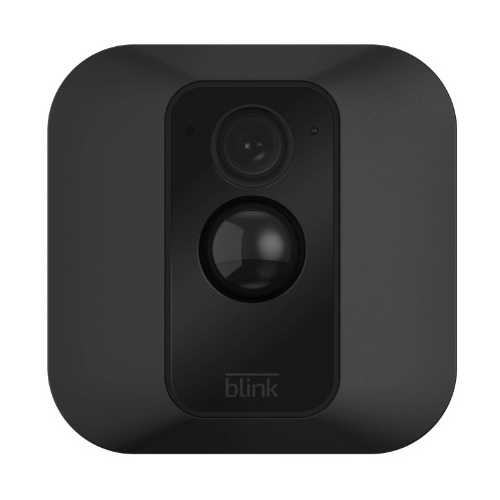
    Blink-XT - VueVille.com
    [/wpsm_column]
    [/wpsm_box]

    Conclusion

    0So what are you planning to build in 2017? Have I missed a camera that really ought to be on this list? Please leave a comment below – I love hearing from you!
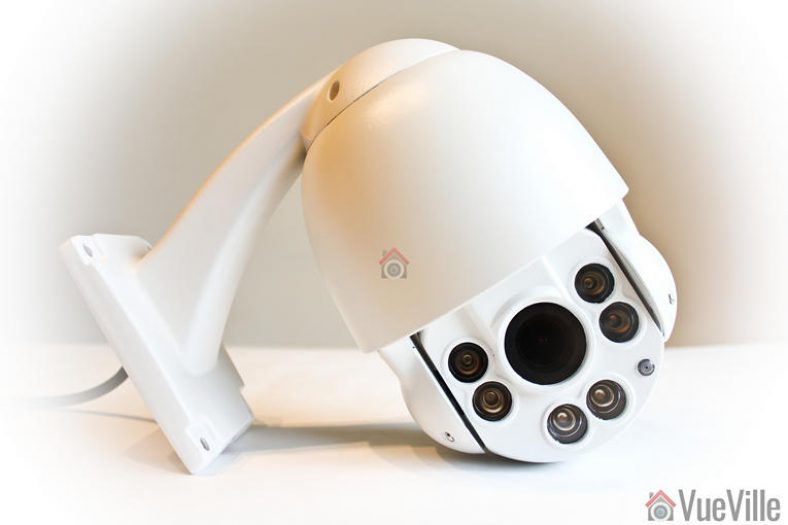
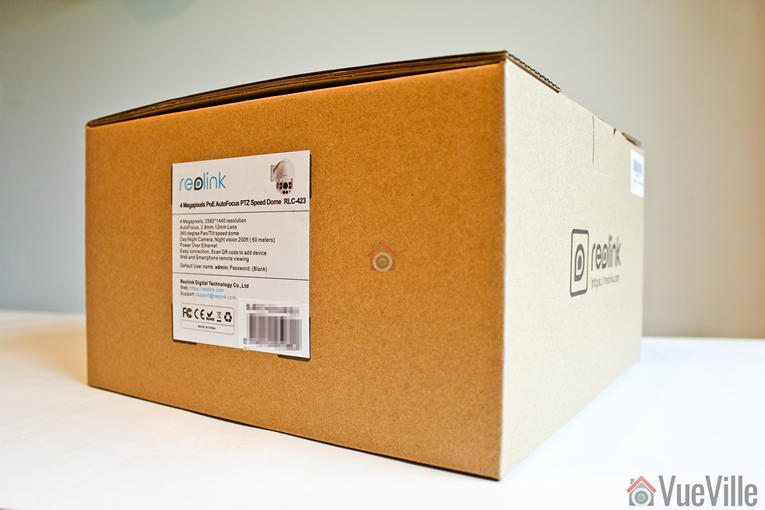
  • Best Outdoor Security Cameras with Audio 2017 Recommendations

    Best Outdoor Security Cameras with Audio 2017 Recommendations

    Your phone buzzes to let you know you have a message from your security camera. Someone’s at the door. You open the notification to see a live video stream of your front porch and you can hear them too. What’s more, you can have a conversation with the visitor. Except, you need not be at home. You can be at work, on vacation, or literally anywhere in the world. Sounds good? This is exactly what you can do with a security camera with a built-in speaker and microphone.

    The beauty of the world of security cameras is that there is such an amazing range of models and features to choose from. However if you are new to this, you can easily get lost among the hundreds of brands and models available. The good news is that I have done all the hard work for you and have created this comprehensive guide into the best outdoor security cameras with audio features to help you.

    The key learning for me over the course of my research is that the best outdoor security cameras such as the ones from Hikvision tend to not have an on-board speaker but allow you to connect one yourself. The more mainstream models such as the Nest Outdoor Cam and the Ring Stick Up Cam have an on-board speaker but then design the camera to be reliant on their paid cloud servers for what are standard features in the Hikvision for example.

    So if you go for a ready-made cloud solution like the Nest Cam, you pay a monthly subscription to get the same features you get free with the DIY route (Hikvision / Dahua / D-Link). The choice is yours, but you know my suggestion – go DIY if you can and avoid the cloud.

    [wpsm_toplist]
    [wpsm_stickypanel][contents h2][/wpsm_stickypanel]
    [text-blocks id=”4426″]

    Best Outdoor Security Cameras with Audio 2017 Recommendations: Summary

    Outdoor security cameras with built-in Microphone and Speaker for 2-way audio:

    [table id=22 responsive=scroll /]

    Outdoor security cameras with built-in Microphone only:

    [table id=23 responsive=scroll /]

    Methodology

    Whenever I start researching products for myself, friends and family, or readers of my blog, I try to create a system of categorizing all the products. This is very useful when you are struggling to see some order and structure in the way products are designed and marketed.

    So if I were to group the outdoor surveillance cameras with audio, I would do it this way:

    • Outdoor security cameras with built-in Microphone and Speaker
    • Outdoor security cameras with built-in Microphone only (may or may not have speaker out connection)
    • Outdoor security cameras with audio in and audio out connections only

    The above order is reflective of the number of security camera models you can find in each category too – there are very few weatherproof or waterproof security cameras with both an on-board microphone and speaker. There are a few more weatherproof security cameras in the market with just a microphone, while there are tons of weatherproof security cameras on sale with audio in/out connections.

    I will talk about the features I think are important for you to look for in each category, followed by my recommendations for the best outdoor security cameras with audio based on many days of intense research.

    Best Outdoor Security Cameras with a Microphone and Speaker

    The most important must-have features to look for in an outdoor security camera with audio are:

    • Video Resolution – at least 720p resolution, 1080p Full HD resolution (2MP) for increased chance of positive identification of faces
    • Night vision – at least have InfraRed LEDs for true night vision with true IR cut filter
    • Field of view – at least 90 degrees, depends on focal length of camera lens
    • Weather proofing – Expressed in IP ratings, the first digit is the solid ingress rating and the second digit is the water ingress rating (higher is better always). An X instead of a number indicates a product is unrated for that component. An IP weather-proof rating is preferable, IP66 is the standard for good security cameras.
    • Audio – Microphone and speaker built-in
    • Live streaming so that you can check in any time to see what’s going on
    • Cloud reliance – Can the security camera function without an internet connection? Is this important to you? What happens if your Internet connection fails? Is there a local storage option to fall back on? Do you have to pay a monthly subscription for core features such as recording video clips, storing them, accessing them later on, for motion detection? These are the questions I will ask of each product.

    The nice-to-have features to consider are:

    • Wireless – Support for WiFi, Bluetooth
    • Continuous Video Recording instead of just automatic event triggered or manual recording
    • Software features – Live view capability, Email alerts on motion detection, Push notifications to smartphone app ideal
    • Local storage – in the form of a microSD card slot, or internal flash storage
    • Motion detection method – PIR motion sensor is preferable to cut down on false alerts
    • Power source – Ethernet port preferable with PoE (Power over Ethernet) support, internal battery good for power backup purposes
    • Advanced features:
      • Preferably API available for interfacing with home automation controllers
      • Preferably RTSP stream capable, ONVIF support ideal

    So here are my picks for the best outdoor surveillance cameras with a microphone and speaker in 2017:

    [easyazon_image align=”center” height=”500″ identifier=”B0092KZA0E” locale=”US” src=”https://images-na.ssl-images-amazon.com/images/I/51fyW6UMcmL._SL500_.jpg” tag=”vueville.com-eaz-20″ width=”500″]

    The D-Link DCS-2310L looks like an indoor cube camera but it is a very capable outdoor camera too. This is the only camera equipped with an Ethernet port in our roundup today, and what’s more, it supports Power over Ethernet (PoE) – 802.3af PoE Class 2. So you have some added flexibility when it comes to positioning your camera. It can also take a power input of 5 V DC, 1.2 A.

    Alas the resolution tops out at 1280 x 720 (720p) due to the 1/4” 1 Megapixel progressive scan CMOS sensor. It supports H.264/MJPEG encoding of the video streams. The focal length is an unusual 3.45 mm, while the aperture is a standard F2.0. Practically this means the closest it can focus is 500 mm in front of the camera. The field of view is 70 degrees which is very low but nowhere near the Nest cam’s 130 degrees.

    The camera has infrared LEDs that can let the camera see in total darkness. It also has a true IR cut filter, so that daylight colours remain true to life without compromising sensitivity to infrared light at night.

    A standout feature of the D-Link camera is a real PIR sensor with a 5m range. This should drastically cut down on false motion alerts, provided you are using the camera in an enclosed space like a porch. The DCS-2310L has an IP65 rating, thus earning it’s weatherproof credentials. It can operate within a temperature range of -25 to 45 °C (-13 to 113 °F).

    Let’s take a look at the software features now. Right off the bat, the ability to provide an RTSP stream catches my eye. I hate being locked into any manufacturer’s proprietary video viewing or mobile app interface. With my Vera Plus home automation controller, I can easily pull the D-Link’s RTSP stream into my single unified smart home interface – my definition of smart home bliss! Moreover the camera is ONVIF compliant, which means plug and play compatibility if i want to do more than just pull the video stream from the camera. For example, my QNAP NAS can easily configure and setup the D-Link camera automatically due to the ONVIF protocol support.

    What about activity alerts or event alerts? The D-Link is described as a cloud camera but unlike most cloud cameras, it actually does all its processing locally, not in the cloud. A free mydlink cloud account is available which allows you to view and manage D-Link cameras remotely. The advantage of the cloud account is that you can watch all your D-Link cameras in one place, which is very convenient if you have only D-Link cameras.

    If you don’t want to use the cloud (like me), there is a local microSD card storage option. I would set up the camera to send motion and event triggered emails with attached snapshots and use a Sandisk 64GB SD card in this slot as a secondary record location. The camera can send alerts based on the defined motion detection rules and if it detects a sound. The camera also supports saving JPEG snapshots to an FTP location.

    [wpsm_column size=”one-half”][wpsm_pros title=”PROS:”]

    • InfraRed LEDs for true night vision, true IR cut filter
    • IP65 weather-proof rating
    • Local storage in the form of microSD card slot
    • Not reliant on the cloud for operation
    • PIR motion sensor
    • Has ethernet port and supports PoE (Power over Ethernet)
    • ONVIF support, RTSP stream capable

    [/wpsm_pros][/wpsm_column]

    [wpsm_column size=”one-half” position=”last”][wpsm_cons title=”CONS:”]

    • Only 720p resolution
    • Only 70º field of view
    • No wireless connectivity
    • No internal battery
    • No API for interfacing with home automation controllers

    [/wpsm_cons][/wpsm_column]

    [easyazon_link identifier=”B0092KZA0E” locale=”US” tag=”vueville.com-eaz-20″]View on Amazon[/easyazon_link]

    WiFi Hardwired Pick: Kuna / Toucan Wi-Fi Outdoor Security Camera (USB for power, built-in mic/speaker)

    [easyazon_image align=”center” height=”400″ identifier=”B01DFIMFS8″ locale=”US” src=”https://images-na.ssl-images-amazon.com/images/I/61QTiWDk8aL._SL500_.jpg” tag=”vueville.com-eaz-20″ width=”500″]

    The Toucan brand is the result of a partnership between Toucan Solutions and the popular Kuna brand. A similar security camera is also sold under the Maximus brand at HomeDepot in the USA.

    The Toucan outdoor security camera from Kuna is an interesting product – it is designed to be used in conjunction with an existing outdoor light fixture. There are two parts to the product – the camera itself and a screw-in part which Toucan calls a ‘smart socket’ which goes in between your existing light’s bulb holder (E26 holder) and the bulb (40W max / 10W LED). The screw-in ‘smart socket’ provides power to the camera via a 100cm/40 inches long microUSB cable. This solves the power supply issue and does away with the need for batteries. A bonus is that you can then remotely control the bulb that is screwed into the screw-in part, thus making the screw-in socket ‘smart’! It also has a dusk to dawn timer feature. Quite clever really.

    Looking at the video features, the camera sports a wide-angle HD camera sensor, and a Passive Infrared (PIR) sensor. Again 720p resolution is below my recommended minimum of 1080p, but the saving grace is an expansive field of view (116 degrees diagonal). The camera supports live view so you can connect to the camera from the mobile app to check your front door any time. The PIR sensor allows you to configure the camera to send alerts only when there is real motion, not when a cloud passes overhead or branch moves slightly.

    On the audio front, the camera features a 100 dB speaker/siren (to scare off intruders) and a microphone. So you can have 2-way audio conversations with someone at the door while you are vacationing in Ibiza! The camera doesn’t have an Ethernet port so all communications are wireless – it supports both WiFi and Bluetooth.

    The mobile app is well designed and is a real highlight of the product. Clearly a lot of thought has gone into the software side of things. However the only way to use the camera is from the app – there is no web browser interface.

    The Kuna security camera is reliant on the cloud for its basic operations, it will stop working if your internet connection is interrupted:

    “Kuna safely stores every captured event in our secure cloud, allowing for uninterrupted video in the case of network connection issues.”

    The biggest downside I see with this camera is the lack of a continuous video recording feature as suggested by the lack of a local storage feature like an SD card slot. So you cannot watch a continuous recording of the last 24 hours for example. However this is mitigated slightly by the fact that it can pre-record 10 seconds of an event taking place, but only if you have a premium cloud subscription. So it is actually using the cloud to continuously record, not just store event clips. Why the company doesn’t then take the logical next step of allowing that continuous video to be accessed is not clear to me.

    So what can you do with the camera if you don’t want to pay for a cloud subscription?

    • 720p HD Live View – you can check into the Kuna cam to see what’s going on
    • Basic motion sensing and push alerts to your smartphone
    • Any captured footage is stored on the cloud for 2 hours after capture
    • 3 complimentary cloud downloads per month
    • Two-way audio: Talk and listen through the built-in microphone and speaker

    The following features are available with the optional cloud:

    • Events kept on the cloud up to 30 days
    • Smart Event Detection: 10 seconds pre-record and post-record for events
    • Unlimited HD downloads
    • Animated thumbnails
    • Lifetime theft protection
    • 5% discount off future devices

    [wpsm_column size=”one-half”][wpsm_pros title=”PROS:”]

    • 116 degrees diagonal field of view, camera lens itself adjustable by 40 degrees
    • IP44 weather rating
    • Supports both WiFi and Bluetooth
    • No continuous recording feature
    • PIR motion sensor
    • 100dB siren

    [/wpsm_pros][/wpsm_column]

    [wpsm_column size=”one-half” position=”last”][wpsm_cons title=”CONS:”]

    • Only 720p resolution
    • No InfraRed LEDs for true night vision, true IR cut filter.
    • No local storage / microSD card slot
    • No continuous recording feature
    • Reliant on the cloud for operation/core features
    • No Ethernet port / PoE (Power over Ethernet), however powered over USB
    • No internal battery backup
    • No ONVIF support, not RTSP stream capable
    • No API for interfacing with home automation controllers

    [/wpsm_cons][/wpsm_column]

    [easyazon_link identifier=”B01DFIMFS8″ locale=”US” tag=”vueville.com-eaz-20″]View on Amazon[/easyazon_link]

    Easy to use WiFi Hardwired Pick: Nest Cam Outdoor Security Camera (Hardwired for power, built-in mic/speaker)

    [easyazon_image align=”center” height=”500″ identifier=”B01I3I9L8M” locale=”US” src=”https://images-na.ssl-images-amazon.com/images/I/41KW%2BCE1daL.jpg” tag=”vueville.com-eaz-20″ width=”500″]

    Everyone knows about Nest right? Well, that may well be true for the Nest Thermostat, but the Nest Outdoor Security Camera is the often overlooked member of the Nest family. If you already have a Nest thermostat, want to remain in the Nest ecosystem and most importantly want the easiest to use system, the Nest cam is an option.

    But let me be clear, its not my top recommendation for the fact that its functionality is crippled unless you pay for a cloud subscription. Yes all the ease of use comes at a price. Sadly this is the trend among mainstream security products – the initial purchase price is quite attractive but then you become a source of recurring revenue for the camera maker.

    Being a wired camera, it is capable of 24/7 video streaming, meaning you get live view, which purely battery powered cameras such as the Netgear Arlo can’t do.

    Interestingly, the camera has a 1/3-inch, 3-megapixel sensor but the video tops out at 1080p resolution which is the bare minimum in my opinion for a security camera. It also has 8 InfraRed LEDs (850nm) on-board for night view, and a true IR cut filter for true-to-life colours during the daytime without compromising infrared sensitivity for night view. The 130° field of view is also very good. It has a built-in speaker and a microphone so you can have 2-way audio conversations.

    Even though it is a mains powered security camera, it has only a wireless interface for data communications – it supports the Wi-Fi 802.11a/b/g/n standards as well as Bluetooth Low Energy(BLE). So no Ethernet port or Power over Ethernet on offer here – you will need a power socket near the installation point. Since there is no Ethernet port, you can’t even use a passive PoE injector to get power to the camera which is a shame.

    Nest recommends a minimum broadband upload speed of 2Mbps for using the live streaming and cloud storage features:

    “With Nest Aware, your camera will stream all video to the cloud for secure offsite storage. At 720p, each camera could use 60 GB to 160 GB of upload bandwidth per month. At 1080p, each camera could use 140 GB to 380 GB of upload bandwidth per month.”

    The Nest Cam has 128-bit AES with TLS/SSL security in case you are wondering about how secure it is with everything going to the cloud. The camera is weatherproof with an IP65 rating. While IP66 is better, water ingress to IP65 standards is acceptable. The temperature rating is very good, going from -4 to 104°F (-20 to 40°C).

    The downside is that there is no local storage option – you have to pay for Nest’s cloud service called Nest Aware if you want the following features:

    • to record 24/7 continuously and to store that recorded video
    • advanced motion detection such as person detection which will be performed by Nest’s cloud servers
    • define specific activity zones for motion detection
    • timeline feature called ‘Sightline’ which helps you find recorded event clips quickly
    • time-lapse feature letting you see 24 hours video in a few quick seconds
    • automatic zooming into scenes with something worth seeing
    • create and share recorded video clips

    Nest Aware comes as a free 30 day trial with any Nest product. After that it is $10 a month for a 10-day video history and $30 a month for 30-day video history. There are discounts for additional cameras you add to the cloud.

    So what can you do with the camera if you don’t want to pay for a cloud subscription?

    • 1080p Full HD Live View – you can check into the Nest cam to see what’s going on
    • Basic motion sensing and push alerts to your smartphone
    • Two-way audio: Talk and listen through the built-in microphone and speaker
    • Public or password-protected live streams for friends, family or the whole Internet (not recommended for security purposes!)

    Nest has been very stingy with the free cloud services as other camera makers provide something like video storage for clips fro the past day.

    [wpsm_column size=”one-half”][wpsm_pros title=”PROS:”]

    • 1080p Full HD resolution
    • 8 InfraRed LEDs for true night vision, true IR cut filter
    • Expansive 130° field of view
    • IP65 weather-proof
    • WiFi and Bluetooth supported
    • Works with popular home automation devices and hub controllers

    [/wpsm_pros][/wpsm_column]

    [wpsm_column size=”one-half” position=”last”][wpsm_cons title=”CONS:”]

    • No local storage/SD card slot
    • Paid cloud subscription needed for continuous video recording, advanced motion detection and other cool features
    • No PIR motion sensor
    • No Ethernet port, no PoE
    • No internal battery backup
    • No ONVIF support, not RTSP stream capable
    • No API for interfacing with home automation controllers

    [/wpsm_cons][/wpsm_column]

    [easyazon_link identifier=”B01I3I9L8M” locale=”US” tag=”vueville.com-eaz-20″]View on Amazon[/easyazon_link]

    Fully Wireless Pick: Ring Stick Up Cam (Fully Wireless or Hardwired for power, built-in mic/speaker)

    [easyazon_image align=”center” height=”500″ identifier=”B07H163S6J” locale=”US” src=”https://images-na.ssl-images-amazon.com/images/I/31kbygfmaML.jpg” tag=”vueville.com-eaz-20″ width=”500″]

    The Ring video doorbell is one of the most popular video doorbells around, but did you know about the Ring Stick Up Cam? It is a standalone security camera that is fully wireless thanks to its 5200mAh rechargeable battery that lasts a claimed 6-12 months under regular usage. If you would rather like it powered by mains power, a USB cable is included in the box. Again there is no ethernet port, so a passive PoE injector is not an option.

    Most battery powered security cameras don’t have the juice to provide a live view feature. But the Ring Stick Up Cam manages to do the Live Streaming (or Live View) gig even on battery power. That’s pretty impressive if it can still last 6-12 months out in the cold. It can also do two-way audio while on battery power.

    One major criticism is that the video resolution is on the low side, only 720p (HD). This is not acceptable in 2017 and I can only hope Ring plans to update it soon. So it misses one of my key requirements – 1080p Full HD video. The field of view is also on the narrow side with only 80 degrees field of view. Infrared LEDs are available to provide a well-lit night image.

    While Ring doesn’t quote an IP rating, the Ring Stick Up Cam is weatherproof and will operate in a range of -20.56ºC to 48.89ºC.

    One of the highlights is the 5-zone motion detection feature. You can set the sensitivity and range of each zone so that you can cut down on false alerts – the bane of a security camera user’s existence!

    There is no local storage option, so if you want to take advantage of the very advanced motion detection features of the camera, you will have to pay a monthly fee for the Cloud Video Recording feature. (currently £2.50 a month or £24.99 annually). A 30 day trial is included but a free 7 day storage option would have been a nice to have. The premium feature will let you access and download motion-detection recordings up to 6 months old in a nice timeline based interface.

    If you want to go green or simply don’t have a power socket near the intended installation location, there is a solar power option. So you can make the Ring Stick-Up Cam a solar powered outdoor wireless IP camera. The Ring Solar Panel can keep the internal battery topped up with just a few hours of direct sunlight everyday.

    [wpsm_column size=”one-half”][wpsm_pros title=”PROS:”]

    • Fully wireless with internal rechargeable battery, can be wired to charge battery
    • InfraRed LEDs for true night vision, true IR cut (ICR) filter
    • Wi-Fi supported

    [/wpsm_pros][/wpsm_column]

    [wpsm_column size=”one-half” position=”last”][wpsm_cons title=”CONS:”]

    • Only 720p resolution
    • Only 80º field of view
    • No weather-proof rating
    • No local storage/SD card slot
    • Reliant on the cloud for operation
    • No PIR motion sensor
    • No Ethernet port/No PoE (Power over Ethernet)
    • No ONVIF support, not RTSP stream capable
    • No API for interfacing with home automation controllers

    [/wpsm_cons][/wpsm_column]

    [easyazon_link identifier=”B07H163S6J” locale=”US” tag=”vueville.com-eaz-20″]View on Amazon[/easyazon_link]

    Best Outdoor Security Cameras with a Microphone for 2017

    While there are not many outdoor surveillance cameras with a speaker and a microphone, there are plenty of cameras with only an on-board microphone and no speaker. So the range of options is huge and it can be quite difficult to separate the good ones from the rubbish ones.

    Here are my recommendations for outdoor security cameras with a microphone only:

    Best Value: Reolink RLC-410WS 4MP Wireless Outdoor Security Camera

    [easyazon_image align=”center” height=”500″ identifier=”B019MMABCI” locale=”US” src=”https://images-na.ssl-images-amazon.com/images/I/410ZfYPdQCL.jpg” tag=”vueville.com-eaz-20″ width=”500″]
    Reolink is a rising star in the world of home surveillance. They have a wide range of models with almost any combination of features you may desire at reasonable prices.

    The Reolink RLC-410WS is an outdoor bullet that has a very high resolution of 4 Megapixels from its 1/3″ CMOS sensor. This means you can get videos and snapshots of 2560 x 1440 (1440p) resolution. A substream for mobile view is also available at 640*360 resolution. The lens has a focal length of 4mm and an aperture of 2.0 which gives a field of view of 80 degrees.

    It is also a wireless camera as it supports both 2.4GHz and 5GHz WiFi using its dual antennae. It also has as many as 36 InfraRed LEDs which Reolink claims will provide a night view range of 100 feet. It also has an InfraRed Cut filter to give excellent night time images and true colours during the day.

    The built-in microphone provides audio recording capability, but there is no on-board speaker.

    On the software side, the camera supports motion detection email alerts and push notifications to the Reolink smartphone app. It can save 30 second event clips to its built-in 16GB SD card, attach snapshots to an email, FTP them to your server, and upload them to a cloud service. It also supports RTSP streaming and the Onvif V2.1 protocol – you can easily use it with any 3rd party security or home automation app, Synology or QNAP NAS or your DIY NVR.

    The URL for grabbing the Reolink’s video stream is http://(ip address)/cgi-bin/api.cgi?cmd=Snap&channel=0&rs=(any combination of numbers and letters)&user=(user name)&password=(user password)

    The metal housing is IP66 weather proof rated, which is great. This RLC-410WS model doesn’t have PoE but the RLC-410S model gains PoE and loses the WiFi feature. If you want a security camera that has both a PoE capable network port and WiFi, it seems you will have to go with the Hikvision that is next in the list below.

    [wpsm_column size=”one-half”][wpsm_pros title=”PROS:”]

    • 4MP video resolution
    • InfraRed LEDs for true night vision, true IR cut filter
    • IP66 weather-proof rating
    • Supports both 2.4 and 5GHz WiFi
    • Continuous recording feature
    • Local storage in the form of microSD card slot
    • Not reliant on the cloud
    • Has ethernet port
    • ONVIF support, RTSP stream capable
    • API available for interfacing with home automation controllers
    • Audio In/Out Connections
    • Alarm In/Out connections

    [/wpsm_pros][/wpsm_column]

    [wpsm_column size=”one-half” position=”last”][wpsm_cons title=”CONS:”]

    • Doesn’t support PoE (Power over Ethernet)
    • No PIR motion sensor
    • No internal battery

    [/wpsm_cons][/wpsm_column]

    [easyazon_link identifier=”B019MMABCI” locale=”US” tag=”vueville.com-eaz-20″]View on Amazon[/easyazon_link]

    Best New Entry: Netatmo Presence

    [wpsm_column size=”one-half”]
    [easyazon_image align=”center” height=”333″ identifier=”B01L25GOGA” locale=”US” src=”https://images-na.ssl-images-amazon.com/images/I/41J843PKYwL.jpg” tag=”vueville.com-eaz-20″ width=”500″]
    [/wpsm_column]

    [wpsm_column size=”one-half” position=”last”]
    [easyazon_image align=”center” height=”333″ identifier=”B01L25GOGA” locale=”US” src=”https://images-na.ssl-images-amazon.com/images/I/41nHqDbweVL.jpg” tag=”vueville.com-eaz-20″ width=”500″]
    [/wpsm_column]

    The Presence is Netatmo’s first foray into outdoor security cameras and like its weather stations, is absolutely different from anything else you may have seen before. Looking more like an 80’s flashlight than a security camera, its actually a security light with a camera built in. Or is it a security camera with a light built-in? Either way, if you need an outdoor light and a security camera, kill two birds with one stone and get the Netatmo Presence. It doesn’t have a built-in speaker, but it does have microphone on-board.

    An aluminium body helps the Netatmo Presence to be weatherproof using a proprietary coating called HZO. It is a thinfilm nanotechnology coating which provides protection equivalent to IP67 which is very impressive.

    What’s its signature feature, you ask? Person detection, or human detection as some other manufacturers crudely say. In fact, it can make out cars, animals and humans within 20 metres / 65 feet. Because these are the three types of creatures that your security camera will often encounter. In the day time, the camera looks like an innocuous lamp but you can check in and watch any time. Motion detection alerts can also be sent telling you whether it is a person, a car or an animal that has triggered the alert. In the night, you can watch using the built-in InfraRed lamps or turn on the floodlight if you want to annoy your neighbours! Note that although the Netatmo Presence has a mic, it doesn’t have sound triggered alerts.

    You would be forgiven for thinking Netatmo would force you to use the cloud – it has a local storage option in the form of a microSD card. You can also use FTP to transfer images to a server for backup.

    Apart from supporting Netatmo’s own eco-system (such as door/window sensors), the Presence supports IFTTT (IF This Then That) for integration with a wide range of devices and platforms.

    [easyazon_link identifier=”B01L25GOGA” locale=”US” tag=”vueville.com-eaz-20″]View on Amazon[/easyazon_link]

    Feature-packed: Hikvision DS-2CD2542FWD-IWS

    [easyazon_image align=”center” height=”500″ identifier=”B017DB3CZ8″ locale=”US” src=”https://images-na.ssl-images-amazon.com/images/I/41uUFhJdgEL.jpg” tag=”vueville.com-eaz-20″ width=”500″]

    The Hikvision DS-2CD2542FWD-IWS is my front door camera since last summer and I have been very impressed with the excellent video clarity and sound features. It has an on-board microphone but no speaker. However you can always add your own external powered microphone and speaker.

    [wpsm_column size=”one-half”][wpsm_pros title=”PROS:”]

    • 4MP video resolution
    • InfraRed LEDs for true night vision, true IR cut filter
    • 106° field of view
    • IP66 weather-proof rating
    • Supports WiFi
    • Continuous recording feature
    • Local storage in the form of microSD card slot
    • Not reliant on the cloud
    • Has ethernet port and supports PoE (Power over Ethernet)
    • ONVIF support, RTSP stream capable
    • API available for interfacing with home automation controllers
    • Audio In/Out Connections
    • Alarm In/Out connections

    [/wpsm_pros][/wpsm_column]

    [wpsm_column size=”one-half” position=”last”][wpsm_cons title=”CONS:”]

    • No PIR motion sensor
    • Weak on-board IR
    • WDR doesn’t work well at night

    [/wpsm_cons][/wpsm_column]

    Check out my in-depth hands-on review for more information:

    [wpsm_top postid=2525]

    Please ensure you are buying the camera from an authorized dealer if you are concerned about warranty issues – I am personally happy to take the big discounts I get on Amazon vs. the authorised dealers who often charge a lot more.

    Also see: Dahua IPC-HDW4431C-A

    [easyazon_image align=”none” height=”500″ identifier=”B06X93JQH4″ locale=”US” src=”https://images-na.ssl-images-amazon.com/images/I/61FFkjDTzpL._SL500_.jpg” tag=”vueville.com-eaz-20″ width=”500″]

    Dahua is the second major player in the global security and surveillance industry. This turret or mini-dome IP camera from Dahua is one of the latest 2018/19 models.

    It has a 1/3″ 4 Megapixel sensor which is again the latest trend in the home security scene. At this resolution it can do 20 frames per second. At 2.8mm focal length and an aperture of 2.0, the angle of view is a very good 110 degrees. The focus can be adjusted manually. Check out the sample video below that also shows the performance of the built-in microphone:

    After installation, the camera can be adjusted by up to 360° horizontally and up to 65° vertically. While I am not thrilled with the plastic base of this IP camera, it is IP67 weather proofing rated which is better than most. It has a single EXIR LED which is as good as a whole ring of the standard LED bulbs, it even has a claimed 50 metres range.

    Coming to the software side of things, standout features are the true 120dB Wide Dynamic Range. The camera is also unique in that it can drive not just two streams at different resolutions, but 3 in total:

    • Main Stream: 4MP (upto 20fps)/3MP (upto 30fps)
    • Sub Stream: D1/CIF (upto 30fps)
    • Third Stream: 720P (Upto 8fps with WDR on, upto 18fps with WDR off)

    Another interesting feature is that the Dahua IPC-HDW4431C-A can produce a video stream with a bitrate of up to 32Mbps.

    It has advanced motion detection algorithms such as face detection, line (tripwire) detection, intrusion detection, missing/abandoned object detection in addition to standard motion detection. You can mask up to 4 separate areas for privacy or to comply with local regulations.

    [wpsm_column size=”one-half”][wpsm_pros title=”PROS:”]

    • 4MP video resolution
    • InfraRed LEDs for true night vision, true IR cut filter
    • 110° field of view
    • IP67 weather-proof rating
    • Continuous recording feature
    • Not reliant on the cloud for operation
    • Has ethernet port and supports PoE (Power over Ethernet)
    • ONVIF support, RTSP stream capable
    • API available for interfacing with home automation controllers

    [/wpsm_pros][/wpsm_column]

    [wpsm_column size=”one-half” position=”last”][wpsm_cons title=”CONS:”]

    • No wireless connectivity
    • No PIR motion sensor
    • No internal battery

    [/wpsm_cons][/wpsm_column]

    [easyazon_link identifier=”B06X93JQH4″ locale=”US” tag=”vueville.com-eaz-20″]View on Amazon[/easyazon_link]

    Outdoor security cameras with only audio in/out connections

    As I said earlier, the majority of outdoor security cameras have audio in and out connections, to which you can attach your own powered external microphone and a speaker if needed. Most of the cameras reviewed in our latest IP camera round-up are capable of doing this.

    What about video doorbells?

    The first thought that I had when I wanted a security camera with audio was – a video doorbell. A video doorbell would be ideal for a CCTV camera with audio right? After all, the most common use case for an IP camera with a mic and speaker is as a front door camera. And a video doorbell is specially designed for this purpose. Its true, a video doorbell will help you achieve a 2-way audio conversation, but there are certain challenges you need to bear in mind before getting a video doorbell:

    • The biggest issue I have with doorbells though, is that they are largely reliant on the cloud for all their smart features and lack local storage options.
    • A video doorbell has a specific purpose and that is to capture only what is directly in front of it, especially when the doorbell is pushed. So you don’t have a lot of flexibility in positioning them, such as angling them out and away from the wall they are fixed to. This also means the camera is vulnerable to tampering.
    • Most video doorbells top out at 1080p (2MP) resolution, which is just too bad if you were itching for a 3MP or 4MP camera.
    • Another drawback is that while they can provide a video stream on demand, video doorbells typically cannot continuously record video 24/7. This also means they do not have a pre-record feature where it can show you the 15 seconds or so before motion was detected.
    • Video doorbells typically do not provide RTSP streams – this makes them difficult to integrate with existing video monitoring systems, NVRs, NAS devices, and home automation systems.
    • You can’t put most video doorbells in direct contact with the elements.

    Even so, if you think a video doorbell can work for you, check out my recommendations here.

    Conclusion

    I hope this write-up has been helpful in discovering the world of outdoor security cameras with audio features. Please let me know what you think and especially if you have tried any of the cameras above, I would love to hear from you!

  • Review: Hikvision DS-2CD2542FWD-IWS 4MP Mini-Dome IP Camera

    Review: Hikvision DS-2CD2542FWD-IWS 4MP Mini-Dome IP Camera

    For quite some now, I have been looking for an IP camera to watch my front door. I already have a Hikvision DS-2CD2132F-IS dome camera on my front driveway, so a more discreet mini-dome type camera seemed perfect for the job. So when Hikvision announced their new 4 Megapixel [easyazon_link identifier=”B017DB3CZ8″ locale=”US” tag=”vueville.com-ref-20″]DS-2CD2542FWD-IWS[/easyazon_link] with 120dB Wide Dynamic Range (WDR), I was very keen on getting my hands on it and putting it through its paces.

    So here’s my hands-on review after living with the camera for a month. The HomeDefense subreddit on Reddit helped me out with what they would like to see in the review, and I have tried to cover as many requests as I could.

    [wpsm_toplist]

    What’s in the box

    [wpsm_quick_slider ids=”2582,2583″]

    [wpsm_list type=”arrow”]

    • Hikvision DS-2CD2542FWD-IWS 4MP Mini-Dome IP Camera
    • Waterproofing kit
    • Base for fixing camera
    • Screws and Rawl plugs
    • Lens adjustment tool
    • Drill template
    • Instruction booklet
    • Software CD
    • EZVIZ booklet

    [/wpsm_list]

    Design and Appearance

    Design

    The DS-2CD2542FWD-IWS is much smaller in size than most other Hikvision cameras. It has a low-profile form that lends itself to being fixed unobtrusively. The fully metal body gives the camera a very solid feel. Here’s a photo with the dome-cover off.

    Hikvision DS-2CD2542F-IWS - Top View with dome cover off - VueVille.com

    You can see the on-board microphone which is labelled MIC, the button that does double duty as the RESET and WPS for quick WiFi setup.

    There are only 10 Infrared LEDs placed in a semi-circle around the lens. Its worth noting that the LEDs seem to be half the size of the standard camera IR LEDs. One potential issue is that the LEDs seem to be partially obstructed by the soft foam around the lens. The purpose of the foam is to prevent the Infrared illumination from intruding into the lens. But in this case, the foam seems to be doing too well a job, and limiting the output of the LEDs. Could this be the reason for the weak IR output illumination I observed? More on that later.

    Hikvision DS-2CD2542F-IWS - Connection Cables - VueVille.com

    The DS-2CD2542FWD-IWS is a Power-over-Ethernet (PoE) camera. But the PoE module is outside the camera. So bear this in mind while deciding how to install the camera. There is a separate power input plug if you do not have PoE in your installation location. The cable with the green connector block is the input/output for the alarm triggers and the audio.

    Main Specifications

    The standout feature of this camera is the true Wide Dynamic Range (WDR) feature indicated by the ‘WD’ in its model number DS-2CD2542FWD-IWS. Other key features are the 4MP sensor, on-board WiFi, on-board microphone and SD card support for local storage.

    For a key to deciphering the rather cryptic Hikvision model naming system, refer to our Hikvision IP Camera Guide.

    [table id=21 /]

    Setting up the camera

    Physical setup

    The camera comes with two instruction manuals – one is a 41 page quick start guide booklet and the other is a booklet that shows you how to set up the camera on EZVIZ. EZVIZ is Hikvision’s cloud P2P service which lets you use your camera locally and remotely without have to port forward.

    Since I wanted to set up the camera without using EZVIZ, I opted for the 41 page quick start guide. There are clear illustrated instructions for mounting the camera in a variety of ways – ceiling mounting, ceiling mounting with a gang box, pendent mounting and wall mounting. You can see an extended 165 page manual online.

    I followed the ceiling mounting instructions and also added the 64 GB Sandisk SD Card that I purchased at the appropriate step mentioned in the guide. I opted not to use the included water proofing jacket for the cables because I didn’t want to cut the Ethernet cable and crimp it, plus I was going to install it well away from the elements.

    Hikvision DS-2CD2542F-IWS - Installed with dome cover off - VueVille.com

    I connected the camera to a free PoE port on my TP-Link PoE switch.

    Equipment used for this step:

    • RJ-45 crimping tool
    • Sandisk 64GB SDXC card

    Camera initial setup

    In the quick start guide, only one way of continuing the setup is described – “Setting the Network Camera over the LAN”. This is how to setup the camera when it is physically connected to your network. The booklet doesn’t mention setup for a remote camera, but the extended manual I mentioned earlier does. However, there is no way of setting up the camera on WiFi right from the start – you have to set it up through a wired connection and then switch to using WiFi if needed.

    Now I had two choices for continuing the setup:

    1. Setup the camera using a web browser
    2. Setup the camera using the SADP software

    Since the camera comes pre-configured with an IP address of 192.168.1.64 that already matches the IP range in my network, I went with option 1. The default IP address of the camera is mentioned in the quick start guide and is also printed on the outside of the retail package box. The default username of admin is also printed on the outside of the retail packaging box.

    If your home network IP is different from 192.168.1.xxx, you will have to use the included SADP program which will find the camera on your network and let you change the IP address. This is quite painless and takes only minutes.

    The reason Hikvision chose this particular IP address as the default is that, the 192.168.1.XXX sub-net is the most common [1. http://www.techspot.com/guides/287-default-router-ip-addresses/] default setting in wireless routers. So most people should not have to mess with changing the sub-net, they can simply plug and play.

    Since my browser of choice, Chrome, doesn’t support Hikvision’s NPAPI-based plugin anymore, I had to use Firefox. Internet Explorer is the other option but no way was I going to use that!

    Interface and Configuration

    On pointing Firefox to 192.168.1.64, I was greeted with a popup asking me to set a new password for the default admin account. Now that’s a good security feature as it stops less security-conscious users from just continuing with a default username and password.

    On activating the Hikvision plugin, I was asked to update the plugin to the latest version. Clicking OK then downloads a file from the Hikvision web site. It then took me to the Live View screen and I could see the video stream.

    What struck me immediately was the clarity of the video and the near lack of digital noise. I was beginning to really like this camera!

    Hikvision DS-2CD2542F-IWS - Live View - Vueville.com

    The other thing I noticed was the redesigned interface that looked very modern and fresh compared to the web interface on my older 3MP Hikvision cameras.

    The slide-out panel with Pan-Tilt-Zoom (PTZ) controls is a nice touch, even though they are useless for this camera which doesn’t have PTZ.

    There are four tabs: Live View, Playback, Picture and Configuration.

    On the configuration page, a menu on the left side neatly categorises the various settings under Local, System, Network, Video/Audio, Image, Event, and Storage.

    Hikvision DS-2CD2542F-IWS - Configuration Tab - VueVille.com

    I took the following steps in the Configuration tab to customise the camera to my liking:

    • Network>Basic Settings>TCP/IP>LAN>IPv4 Address: I changed it to match the rest of my IP cameras. There is a helpful button that can test whether your desired IP address is already in use. Changing the static IP address will trigger a reboot of the camera.
    • System>System Settings>Time Settings: Even though this is an original Hikvision camera for the US/UK markets, the default time zone was Beijing. I changed this over to GMT and set the correct time.
    • System>Maintenance>System Service>Hardware> Enable IR Light check box: It was on by default.
    • System>User Management> User List: I created some view-only ‘User’ accounts for my smartphone and tablet. I also created an ‘Operator’ account for my QNAP NAS which I use as my DIY NVR.

    Video Stream Settings

    When setting up a camera, the areas I am most interested in are the video and image settings.

    Hikvision puts all the strictly video stream related settings under the Video section. You may mistake ‘Image Settings’ as the area to configure snapshots, but no, that’s where Hikvision keeps all the video quality settings that affect both video and the snapshots (brightness, contrast, Wide Dynamic Range etc.).

    Hikvision DS-2CD2542F-IWS - Video Stream Settings - VueVille.com

    The Hikvision has two streams that you can independently configure. The Main Stream is the default channel 1 of the camera (if you use a third party app to view camera streams, you will recognise this as the primary stream or the High Bandwidth stream). The Sub Stream is channel 2, also referred to as the Low Bandwidth/Secondary/Mobile Device stream by other apps. So hopping over to Video/Audio, I found the default settings to be mostly what I wanted.

    The default settings were:

    [wpsm_list type=”arrow”]

    • Primary Stream: 4MP (2688×1520), variable 6144 Kbps @ 20 fps with an iframe interval of 50.
    • Secondary stream: 640×360, variable 1024 Kbps @ 20 fps with an iframe interval of 50.

    [/wpsm_list]

    Now since I record all my cameras 24/7 on the QNAP, I have to optimise the disk space required by each camera. Of course, I also want to maintain a high level of detail in the video stream. From 2 years of experience with running IP cameras, I settled on the following video settings that give a good level of detail at an acceptable rate of disk space usage.

    [wpsm_titlebox title=”Recommended Video Stream Settings” style=”1″]
    Primary Stream: 4MP (2688×1520), constant 6144 Kbps @ 10 fps with an iframe interval of 10.
    Secondary stream: 640×360, variable 512 Kbps @ 10 fps with an iframe interval of 10.
    [/wpsm_titlebox]

    Video Quality settings – what Hikvision calls Image settings

    This is where we can adjust the settings that affect the picture quality of the video and snapshots.

    The default exposure time of 1/25 is fine, I wouldn’t go below that as motion will start to get blurry.

    Interestingly Gain was set to 100 by default, the maximum value. On my 3MP cameras, this would have resulted in unacceptable noise, but the DS-2CD2542FWD-IWS image seemed absolutely fine.

    Here’s a video of the camera in total darkness inside my garage. The garage door is about 15 feet from the camera. The full 4MP video has a resolution of 2688 x 1520. Even though Youtube only supports videos up to 1440p, you can still see the quality of the video:

    [wpsm_video]https://youtu.be/c_3hPAuR5Mc[/wpsm_video]

    In my test image, you can see that there is a lot of IR light on the cane furniture placed close to the right of the camera’s field of view. This is great for testing the Smart IR feature. What this does by default is when an object (like a human face) is close to the camera, it will reduce the output power of the onboard IR lights to avoid washing out the image. This is a very useful feature.

    However, at first I couldn’t find it. I then realised Hikvision has renamed this to ‘Smart Supplemental Light’ from Smart IR. In any case, turning this on and off didn’t seem to do anything, so I left it off for the rest of my testing.

    Hikvision DS-2CD2542F-IWS - Video Image Quality Settings - VueVille.com

    Under Image Enhancement, Digital Noise Reduction is turned on by default and set to a mid value of 50.

    One particular feature that is very useful is the ability to set different settings for day and night. However this is available only if you go for  a Scheduled Switch between day and night, not the auto-switch. My older Hikvisions have the same style of working, and I find it quite annoying. Why can’t I have day/night auto-switch and separate settings for day and night? Come on Hikvision, you can do better than this!

    Performance

    Daytime Video quality

    I was very happy with the picture quality of the camera’s daytime videos. Video was sharp with a lot of detail thanks to the 4 MP sensor. The 120dB true Wide Dynamic Range (WDR) which is the key feature of this camera seems to work well in daylight. WDR helps a surveillance camera to deal with images that have high contrast – such as a scene where there is a bright light source in the background. In our residential setting, this could be early morning when the sun comes up full against the camera or late evening when long shadows are cast across a scene.

    What WDR does is recover the details lost in areas of the video that are blown out, while at the same time brightening the darker areas such as shadows. Hikvision lets you control the aggressiveness of the WDR algorithm from 0 (OFF) to a maximum of 100. You can see the effect of varying the strength of WDR in the following test videos:

    [wpsm_tabgroup]
    [wpsm_tab title=”WDR at 0″][wpsm_video]https://youtu.be/zjaE7Fs2BcQ[/wpsm_video][/wpsm_tab]
    [wpsm_tab title=”WDR at 20″][wpsm_video]https://youtu.be/x1O2GFy4rNQ[/wpsm_video][/wpsm_tab]
    [wpsm_tab title=”WDR at 50″][wpsm_video]https://youtu.be/A8p71V5S_P4[/wpsm_video][/wpsm_tab]
    [wpsm_tab title=”WDR at 75″][wpsm_video]https://youtu.be/U5GMxtTNm1s[/wpsm_video][/wpsm_tab]
    [wpsm_tab title=”WDR at 100″][wpsm_video]https://youtu.be/nD12ePtBI34[/wpsm_video][/wpsm_tab]
    [/wpsm_tabgroup]

    Night Video quality

    When it comes to night time video quality, the camera really shines. Thanks to its true IR cut filter, daytime colours look very good and at night the camera is super -sensitive to Infrared illumination. Because of the increased pixel count, I expected worse night-time performance than my Hikvision 3MP 2032 bullet. But I was pleasantly surprised with the very clean images produced at the default noise reduction level of 50.

    I was curious to see what effect turning on WDR would have on the night time quality, especially as it seemed to be very useful during the day.

    In the camera’s Backlight settings, I had noticed that WDR was off by default. And now I could see why. With WDR on at my usual starting point of 20, the brightness in the lit areas increased but in the shadows it got considerably darker. Upping the WDR to level 50 yielded negligible changes. Going from level 20 to 50, and then to 100 again showed very little change in the image brightness.

    Here are the videos at WDR values of 0, 20, 50, 75 and the maximum value of 100. Make sure you view it full screen at 1440p quality.

    [wpsm_tabgroup]
    [wpsm_tab title=”WDR 0″][wpsm_video]https://www.youtube.com/watch?v=nKs8PhpIliY[/wpsm_video][/wpsm_tab]
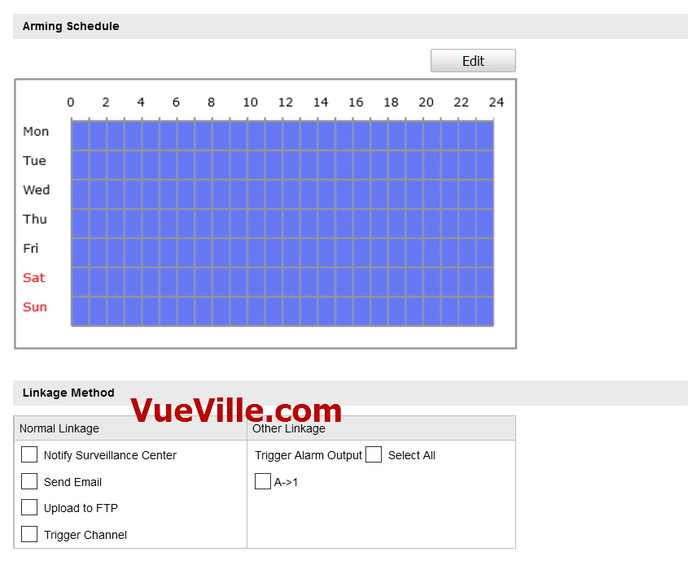
    [wpsm_tab title=”WDR 20″][wpsm_video]https://www.youtube.com/watch?v=z17pEx1M4KM[/wpsm_video][/wpsm_tab]
    [wpsm_tab title=”WDR 50″][wpsm_video]https://www.youtube.com/watch?v=ZU6uuBNECFU[/wpsm_video][/wpsm_tab]
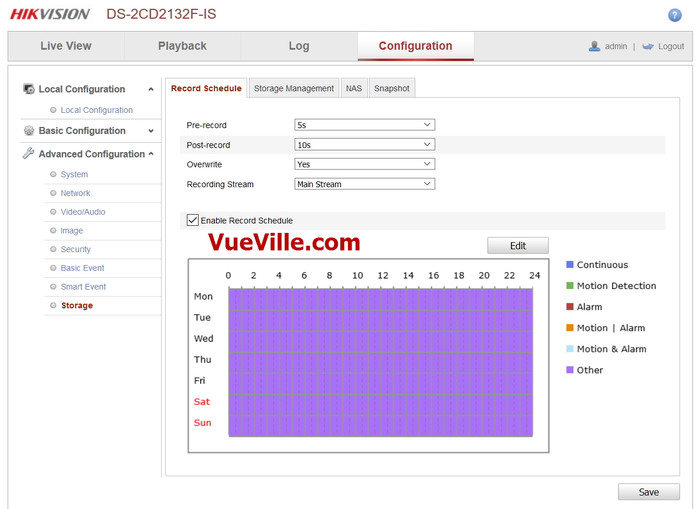
    [wpsm_tab title=”WDR 75″][wpsm_video]https://www.youtube.com/watch?v=ESF8-6Fvn4w[/wpsm_video][/wpsm_tab]
    [wpsm_tab title=”WDR 100″][wpsm_video]https://www.youtube.com/watch?v=KTa-1sfv0PU[/wpsm_video][/wpsm_tab]
    [/wpsm_tabgroup]

    Also strangely the sharpness of the overall image seemed to reduce whenever WDR was on at night.

    Hikvision DS-2CD2542F-IWS - WDR 0 & 20 Levels Comparison - VueVille.com

    So overall, I was quite disappointed by the WDR as it made the otherwise very good image quality considerably worse at any setting.

    Another observation is that the on-board IR illumination provided by the mini-LEDs is predictably weak. External IR illumination is very much required if you are going to install this camera in a very dark area with no streetlights. I did experiment with the Smart Supplemental Light feature but I eventually turned it off because it made absolutely no difference at all.

    Wireless Performance

    Just like most wired IP cameras that also have a wireless function, the camera has two separate network interfaces for the ethenet connection and for the WiFi connection. The manual doesn’t do a very good job of explaining how to configure the WiFi, so here are the steps I took:

    1. Login to the web admin portal and go to Basic Settings > TCP/IP > Wlan
    2. If you wish to give your camera a static IP (recommended), uncheck DHCP and enter the IP address here
    3. Enter the subnet and gateway details.
    4. Now go to Advanced Settings > Wi-Fi
    5. Choose your wireless network from the list and select the security of your network as configured in the router.
    6. Enter the Wi-Fi key and hit Save
    7. The camera should now connect to your wireless network.

    I wanted to check how good the Wi-Fi quality and range are. The camera was installed outside the front door, so it was around 20 feet from my 802.11ac capable BT HomeHub. The camera connected only at 802.11g speeds of 54 Mbps and the signal strength as reported by the camera was 70. I expected it to use the 802.11n protocol but really a max of 54 Mbps was more than enough for my 6Mbps stream.

    Viewing the RTSP stream over the wired interface on VLC player for ten minutes, I observed 0 lost frames, and 0 discarded or dropped packets. For a good camera, I expect similar results over Wi-Fi. So I used VLC to connect wirelessly to the camera and pulled the RTSP stream again. I was happy to see no frames were lost, and no packets were dropped or discarded over a 10 minute stream.

    So the wireless works well, but your mileage may vary depending on the distance of the camera from your router, the number of walls between them, and the ability of your router to handle multiple wireless clients.

    Audio Performance

    By default, the audio feature is disabled in the camera settings. To turn it on, go to Configuration > Video/Audio > Video. Then for the main stream and sub-stream, change the video type to “Video & Audio”. If you do not do this and try to access the audio in the Live View screen, you will get a rather unhelpful “Audio On Failed” error.

    I tested the built-in mic of the camera and found it to be quite sensitive. Turning on the “Environmental Noise Filter” under Configuration > Video/Audio > Audio reduces the ambient white noise which microphones are very good at picking up.

    If you add a speaker using the audio output connection of the camera, you can have 2-way conversations. If I am nitpicking, I did note the lack of an audio detection alerts that Amcrest cameras have. Still, in my state it is illegal to record audio in a public place, so I don’t need this feature. All in all, I am very satisfied with the audio capabilities of this camera.

    Motion Detection Alerts

    One of my favourite features with the Hikvision cameras is the degree of control you have over the motion detection alerts. Many cameras have very simple motion detection where the most control you have is the parts of the scene that can trigger an alert and the sensitivity to the changes in those areas. Let’s face it, software based motion detection is not great on most cameras simply because any and every change in light levels, clouds, or wind can cause a ‘change’ in the scene and trigger tons of false alerts.

    Short of going with external PIR motion detectors, the only real alternative is smarter motion detection algorithms or events. This is where Hikvision IP cameras shine. I almost exclusively use the Line Detection and Intrusion detection events to generate email alerts with snapshots of the images. This vastly reduces the number of false alerts and I would highly recommend trying them instead of the simple motion detection event.

    Verdict

    The DS-2CD2542FWD-IWS is a very capable IP camera with excellent image quality both during the daytime and at night. The Wi-Fi works well and can help you install the camera where you may not be able to route an ethernet cable. The advanced motion detectiom alerts are very useful and reduce the number of false alerts.

    However I was disappointed with the night time WDR performance. It is simply unacceptable that the image quality should degrade to such a degree. However daytime WDR works well and you can turn on WDR just for the daytime. This workaround overcomes the problem but you will lose the auto-switch between day and night feature. I suspect the WDR issue can be fixed through a firmware update, but until then it stops it from being the best it could be.

    [review]

    Where to buy

    Individuals like you and me are not Hikvision’s target market and so they are not widely sold at retail stores. One method is to source them from Amazon which is my preferred route for cost reasons. But note that unless you buy from an authorized reseller, Hikvision will not honour the warranty. At the time of publishing this article, Hikvision doesn’t publish a list of authorized resellers, only that of distributors (who typically will not sell to the public). So the only way to ensure you are getting the genuine article with a warranty that will be honoured by Hikvision is by doing your own research.

    [easyazon_link identifier=”B017DB3CZ8″ locale=”US” tag=”vueville.com-ref-20″]Check your local Amazon site[/easyazon_link]

  • Review: Hikvision DS-2CD2132F-IWS IP Security Camera

    Review: Hikvision DS-2CD2132F-IWS IP Security Camera

    [wpsm_column size=”two-third”]

    The 3 Megapixel Hikvision DS-2CD2132F-IWS Network Security Camera under review today is a popular choice among our readers looking for a cheap yet reliable outdoor security camera. It is the dome equivalent of its widely acclaimed cousin, the [easyazon_link identifier=”B00ZZQS1ZU” locale=”US” tag=”vueville.com-ref-20″]Hikvision DS-2CD2032F-IW[/easyazon_link] (Amazon link).

    [/wpsm_column]

    [wpsm_column size=”one-third” position=”last”]
    [easyazon_image align=”center” identifier=”B00W43UQ7I” locale=”US” src=”https://www.vueville.com/wp-content/uploads/2015/11/Hikvision-DS-2CD2132F-IS-300p.jpg” tag=”vueville.com-ref-20″]
    [/wpsm_column]

    The key feature that makes this network camera a fully standalone solution is the built-in micro SD card slot supporting cards up to 128GB. As you will find from our exhaustive Hikvision Network Camera guide, this is represented by the additional ‘F’ in the model number. This local storage feature enables the camera to record motion detection clips or images without the need of any other device.

    Hook up the camera via Power-over-Ethernet (PoE) or via the separate power and network cables, and it will do all of the following without the need of any other device:

      • record 24/7 or motion detection clips and images to the SD card,
      • send email alerts with attached snapshots,
      • upload snapshots via FTP,
      • automatically switch between day and night modes using the IR cut filter and built-in IR LEDs, and much more.

    Optionally you can also connect the camera to a Network Video Recorder (NVR), a Network Attached Storage (NAS) device or directly to the cloud. But as with any IP camera, there are certain points you need to be aware of before purchasing this camera. Read on to learn what we found in our hands-on review.

    [wpsm_toplist]

    [text-blocks id=”4426″ slug=”earnings-disclaimer-incl-hivision-dahua”]

    What is the DS-2CD2132F-IWS suitable for?

    The DS-2CD2132F-IWS is ideal for both indoor and outdoor surveillance applications. It is fully weatherproof and so should fare well in all weather conditions. It also acts as an effective deterrent due to vandal-proof design. It is also compact at Φ111 mm× 82mm (4.4” × 3.2”).

    Main specifications

    As always with Hikvision, there is a camera to suit every use case and every application. There are two variants of the same dome camera which you can view on Amazon: the [easyazon_link identifier=”B0183JPH8E” locale=”US” tag=”vueville.com-ref-20″]DS-2CD2132F-IS[/easyazon_link] model (without the WiFi function) and the [easyazon_link identifier=”B00W43UQ7I” locale=”US” tag=”vueville.com-ref-20″]DS-2CD2132F-IWS[/easyazon_link] which adds Wi-Fi connectivity. In all other respects, these cameras are exactly the same.

    We reviewed the non-WiFi DS-2CD2132F-IS model.

    [table id=18 responsive=scroll /]

    Design

    Its impossible to not compare the DS-2CD2132F-IWS to its very succesful predecessor, the DS-2CD2132F-I. Let’s take a look at them side-by-side and see what had changed:

    DS-2CD2132F-IWS vs. DS-2CD2132F-I - Comparison - VueVille.com

    The older DS-2CD2132F-I (right) had an issue where some of the IR LEDs were obscured by the base of the camera. This has been rectified in the new DS-2CD2132F-IWS. The lens is also 3-axis vs. the older model’s 2-axis.

    Camera Installation

    DS-2CD2132F-IWS - VueVille.com

    Dome cameras are not as easy to install as bullets (unless you are using an installation bracket). This is because of the very nature of the camera and the way they are attached to the installation surface (eaves, walls). There are 4 steps for installing this camera:

    1. Unscrew the dome – there are three screws that secure the dome to the camera base. Hikvision has smartly used built-in screws that remain attached to the dome at all times – very convenient when you are trying to hold the camera to the installation surface and putting in the first screw!
    2. Connect the DS-2CD2132F-IWS to your network and hold it in the desired installation position. Check the live view to frame the image. This camera has a 3 axis design (pan/tilt/rotate) so getting the image framed just right is so easy. Also you can mount it on a slanted eave and still get a levelled image.
    3. Secure the camera to the installation surface using the provided rawl plugs and screws.
    4. Put the dome on and screw tight the 3 built-in screws. Again Hikvision has provided a ribbon band that connects the dome to the camera base to make installation easier.

    I was able to easily install the camera myself – its a one-man job!

    Camera Network Setup

    Hikvision cameras come set up with a default IP of 192.0.0.64, which may not be the same as your network’s subnet. If so, you have to use the included Search Active Devices Protocol (SADP) tool to change the IP address and subnet of your camera. Why use the SADP tool? Because if the camera is on a subnet different from your network, it will not be accessible from your laptop or computer.

    Hikvision SADP - VueVille.com

    When you install and launch the SADP tool, it automatically searches for Hikvision cameras connected to your network. You can also click the Refresh button to search manually. When your camera appears on the list, select it and set a new password. Then change the IP address to one in your network’s subnet. We recommend not using DHCP, but rather use a fixed IP address. The default username is ‘admin’ and the password is 12345. This is not secure so you should choose a stronger password.

    Once you have done the above, you no longer need the SADP tool to access the camera. You can enter the IP address of the camera in your browser to access the administration portal where you can access the live view and configuration pages.

    The web administration portal is easy to use and very functional. However as with most current IP cameras, the interface uses an NPAPI plugin which does not work on the Chrome browser but this is not Hikvision’s fault. Google has stopped supporting this plugin in Chrome as part of its efforts to push developers away from this plugin. We expect Hikvision will soon redesign the web interface in HTML5 to overcome such browser limitations.

    Camera Features

    Hardware

    The DS-2CD2132F-IWS has a 1/3″ progressive scan CMOS sensor with a resolution of 3 megapixels. This lets you record at up to 2048×1536 resolution (20 frames per seconds) or 1920×1080 (30 fps). The increased resolution is very useful for capturing extra detail, hey it may just be the difference between a just-too-blurry video and a crisp close-up that the cops can actually use!

    You can order the camera with a choice of lens, from 2.8mm to 6mm. According to Hikvision, the angles of view will be around 98.5°(2.8mm), 79°(4mm) , and 49°(6mm). The camera’s pan (0-355°), rotation (0-355°), and tilt (0-75°) functions allow you to point the camera at the area or object of interest.

    The on-board IR has a claimed range of 10-30 metres which is quite standard for this class of IP camera. These are not the EXIR LEDs found in the 2332-I turret model but are bright enough. A true IR-cut filter is present which will give true colour images during the daytime and true night vision images in the dark. This avoids problems such as false colour that cameras without a true IR-cut filter can suffer from.

    The camera is capable of recording up to a bitrate of 12Mbps. Our general recommendation is a minimum of 4Mbps to ensure sharp and clear images and videos. Unusually, the DS-2CD2132F-IWS supports Wi-Fi upto 802.11n speeds of 150 Mbps.

    Of course there is also the SD card slot, which is so useful for storing motion detection images or video clips. Even if you intned to use this camera with an NVR, the SD card storage is a sensible secondary storage option.

    Web Administration Portal

    When you go to the IP address you set using SADP for the camera, you are greeted by the login screen.

    Login screen - Review - Hikvision DS-2CD2132F-IWS - VueVille.com

    The default login details are: username = admin and password = 12345. But you should have changed it already using the SADP tool. If not, that’s the first thing to do after logging in.

    You will be prompted to install the WebComponents plugin so that the camera video can be displayed. This will automatically be downloaded from Hikvision and installed.

    Now you may get a warning in your browser about the plugin like this:

    Plugin warning - Review - Hikvision DS-2CD2132F-IWS - VueVille.com

    It is perfectly safe to allow the Web Components plugin.

    The home screen has 4 main tabs – Live View, Playback, Log and Configuration.

    Home Screen - Review - Hikvision DS-2CD2132F-IWS - VueVille.com

    You can control the volume if you have connected a microphone on the camera. You can also push the Mic button to send audio to an attached speaker. You can also take snapshots and videos from the Live View screen. We found the live view screen to be smooth, responsive and stable.

    Recorded clips can be viewed by clicking on the Playback tab. You can either search for clips to view by using the calendar or by clicking and dragging the timeline slider. If you are using only event based recording (such as motion detection), the player will automatically advance to the next clip and keep playing till all the clips have been played.

    Playback tab - Review - Hikvision DS-2CD2132F-IWS - VueVille.com

    The next tab is the log screen:

    Log tab - Review - Hikvision DS-2CD2132F-IWS - VueVille.com

    The final tab is the Configuration tab, which has subsections that can be opened using the tree menu on the left:

    • Local configuration – defines the location for saving snapshots and videos from the playback tab.
    • Basic Configuration – Simple configuration options.
    • Advanced Configuration – Advanced configuration including events such as in-camera motion detection or line detection.

    We recommend doing the local configuration, then the basic and finally the advanced configuration to get the most out of your Hikvision IP camera.

    Basic Configuration

    Under Basic Configuration, the System tab shows you the camera’s physical connections, firmware version, time settings and reboot options.

    Basic Configuration - Review - Hikvision DS-2CD2132F-IWS - VueVille.com


    The Network screen lets you select the ports you want to use – this is identical to the Network page under the Advanced Configuration section, so we will check it out later.

    The Video/Audio page lets you define the video bitrate, resolution and other details.

    Basic Config - Video - Review - Hikvision DS-2CD2132F-IWS - VueVille.com

    The Image sub-section lets you adjust image exposure properties such as brightness, contrast etc.

    Basic Config - Picture - Review - Hikvision DS-2CD2132F-IWS - VueVille.com

    Finally the Security sub-section lets you create additional users, for purposes such as a mobile phone monitoring software.

    Basic Config - Security - Review - Hikvision DS-2CD2132F-IWS - VueVille.com

    Advanced Configuration

    Some of the settings pages in this mode are exactly the same as those under Basic Configuration, so we will skip those that are common.

    Let’s start with the Network sub-section. Here you will find a whole host of settings such as IP settings, DDNS, Email, and FTP settings.

    Advanced Config - Network - Review - Hikvision DS-2CD2132F-IWS - VueVille.com

    The video settings are exactly the same as under Basic Configuration, so let’s look at the Audio settings:

    Advanced Config - Audio - Review - Hikvision DS-2CD2132F-IWS - VueVille.com

    Of course, these are valid only if you have connected a microphone and/or speaker to the physical connections of the camera.

    The Image tab is again similar to the Basic Configuration page, but there are some new settings such as the On-Screen Display that can be used to display text on the video feed:

    Advanced Config - OSD - Review - Hikvision DS-2CD2132F-IWS - VueVille.com

    The Security tab is identical to the one under Basic Configuration, so we will skip it.

    Onto the Event sub-sections starting with the Basic Event page. As we always say, motion detection alerts is one of the most enjoyable features of an IP security camera. When the DS-2CD2132F-IWS detects motion as per the defined triggers, it can send an email alert with snapshots and ideally send push notifications also. The Hikvision can do all of this and has all the standard motion events that we have come to expect from good quality cameras. It supports email alerts and can attach snapshots with each motion detection email alert.

    Advanced Config - Basic Event - Review - Hikvision DS-2CD2132F-IWS - VueVille.com

    This includes simple Motion detection, Video Tampering, external alarm inputs and some miscellaneous alarms that can be run on a schedule to trigger one of the following actions:

    Remember you can enable more than one type of event at the same time.

    Advanced Config - Event trigger - Review - Hikvision DS-2CD2132F-IWS - VueVille.com

    Let’s take a closer look at each one of the motion detection events available:

    Simple Motion Detection – This motion detection method simply looks for changes in the scene according to the area defined, the sensitivity and the threshold.

    Video Tamper – This method triggers an alert when the camera is blanked out.

    Alarm Input – This is where the alarm input connection comes into use. If you have a PIR sensor connected to the camera, you can set up this event to detect motion using the PIR. Since the PIR sensor works on changes in heat and not image based detection, you can cut down the number of false alerts that is the bane of regular image based motion detection.

    Network abnormality – This event can be set to trigger if the camera is unable to record to the network storage location (NAS or NVR) – either because of an error or because somebody has tampered with the equipment.

    Illegal Access – This event can be set to trigger if the camera detects unauthorised logins such as an invalid username, password or a hacking attempt.

    It is however the Smart events that really show off the caliber of this camera:

    Advanced Config - Smart Events - Review - Hikvision DS-2CD2132F-IWS - VueVille.com

    Line detection and area intrusion detection let you cut down on false alerts that can be generated by the basic events. Intelligent use of these two can vastly reduce the number of false alerts you get.

    The final Storage subsection lets you define network based storage settings, such as a NAS.

    The first page is the Record Schedule where you can tell the camera whether to record based on event triggers or continuously on a schedule.

    Advanced Config - Storage - Review - Hikvision DS-2CD2132F-IWS - VueVille.com

    The Storage Management page lets you add network based storage locations.

    Advanced Config - Storage Mgmt - Review - Hikvision DS-2CD2132F-IWS - VueVille.com

    The NAS page defines the settings for NAS devices, such as folder path.

    Advanced Config - NAS - Review - Hikvision DS-2CD2132F-IWS - VueVille.com

    The final page in this section lets you define snapshot timing intervals.

    Advanced Config - Snapshot - Review - Hikvision DS-2CD2132F-IWS - VueVille.com

    Advanced Config - Snapshot settings - Review - Hikvision DS-2CD2132F-IWS - VueVille.com

    Recording modes

    The DS-2CD2132F-IWS camera can be configured to record event triggered clips or schedule-based clips to an SD card, a network storage location or to the Cloud using services such as Hikvision’s own EzVIZ, or third party services such as sensr.net and Camcloud. The HiDDNS service is different and we do not recommend using it as EZVIZ is better.

    1. SD Card: We recommend using the SD card only for motion detection or alert snapshot and video recording. 24/7 recording to an SD card is not recommended simply because you will wear out the SD card. The SD card is best seen as redundant storage in case your main storage location fails.
    2. Our recommended way of using an IP camera is always like this: use it to record 24/7 footage or motion activated video to a network storage location. This could be a NAS, an NVR (see NVR buying guide), or a computer running surveillance software such as BlueIris. This means any damage to your camera or theft doesn’t destroy the evidence!
    3. Cloud storage: In this mode, your camera will upload motion detection clips, snapshots, or 24/7 recording clips to Hikvision’s EZVIZ service or third party services.

    Smartphone apps

    Hikvision provides a free Android and iOS app, the iVMS 4500 HD which lets you see your camera’s live video stream, use the 2-way audio feature, and view recorded clips. It also lets you access cameras connected through the EZVIZ system. The stand-out feature is Push Notifications which works quite well. Read our step by step guide to setting up push notifications.

    Compatibility with NVR systems

    The DS-2CD2132F-IWS supports the ONVIF protocol. ONVIF is an industry standard that enables surveillance equipment from different manufacturers to work together. This means that you can connect the camera to any Network Video Recorder (NVR) or a computer running surveillance software, and the camera should work seamlessly.

    Performance

    We have been running this camera continuously for a year now and it has not faltered once. It has been 100% reliable and has been even more reliable than our DS-2CD2032-I which needs a reboot every 6 months.

    Video Quality

    We tested the camera at both 3 Megapixel and 2 Megapixel resolutions. Our test settings were a bitrate of 6 Mbps and 10 fps.

    Daytime quality

    Daytime quality is excellent with sharp focused video that shows every detail in the scene. Here is a sample video we made:

    Night quality

    To test the night quality, we used only the built-in IR. No external IR illumination was used. There was a little stray light from an LED street lamp but this was very dim light. At the noise reduction and WDR image settings seen in the screenshots above, the image was slightly grainy but had decent sharpness and clarity. We did not observe any IR bleed issues that some users of the predecessor model experienced. Here is a test video we made:

    Verdict

    The Hikvision DS-2CD2132F-IWS is one of the best-selling dome-style wireless security cameras. It has definitely improved upon its predecessor, the [easyazon_link identifier=”B00VFBW61O” locale=”US” tag=”vueville.com-ref-20″]DS-2CD2132F-IS[/easyazon_link] (Amazon link). No more IR LEDs being blocked by the base or complaints of IR bleed! This camera represents great value for money with all the features that you will ever need from an IP security camera.

    [review]

    Where to Buy

    [easyazon_link identifier=”B00W43UQ7I” locale=”US” tag=”vueville.com-eaz-20″]View on your local Amazon Website[/easyazon_link]

    Also Consider

    From our Best IP Camera Recommendations 2016 list, view these on Amazon:

    • [easyazon_link identifier=”B00RL2FZF0″ locale=”US” tag=”vueville.com-ref-20″]Hikvision DS-2CD2332-I mini-dome/turret-style IP camera[/easyazon_link]
    • [easyazon_link identifier=”B01IOOISHU” locale=”US” tag=”vueville.com-ref-20″]Dahua IPC-HDBW4421E dome-style IP camera[/easyazon_link]
    • [easyazon_link identifier=”B00QR6RQGM” locale=”US” tag=”vueville.com-eaz-20″]Vivotek FD8167 dome-style IP camera[/easyazon_link]
  • The Ultimate IP Camera Buying Guide – 2025 Edition

    The Ultimate IP Camera Buying Guide – 2025 Edition

    The Ultimate IP Camera Buying Guide - VueVille.com

    We love IP cameras and home security – we built our own DIY home security camera system after countless hours of in-depth research. All of this hard work has given us a very deep understanding of the IP camera market, the selection process and any other questions you may face on your journey.


    [wpsm_titlebox title=”Contents” style=”main”][contents h2 h3][/wpsm_titlebox]

    A quick note: As an Amazon Associate I earn from qualifying purchases. This post contains affiliate link(s). An affiliate link means I may earn advertising or referral fees if you make a purchase through my link, at no extra cost to you.


    Whom is this guide for?

    Are you looking for an IP camera for your home? This guide is for anybody that is stepping into the world of modern home security cameras. Maybe you own a legacy analogue CCTV system that you want to replace with an IP camera system that is accessible over the Internet. More experienced enthusiasts may also benefit from the DIY framework that we have built for approaching Home Security and Home Automation.

    This guide will help you answer the most common questions we get on this topic:

    • What is an IP Camera and why do I need one?
    • Why should I choose an IP camera system instead of a traditional DVR system?
    • What are the different types of IP Cameras?
    • Which are the major IP camera brands?
    • How do I choose an IP Camera?
    • Which are the best IP cameras for home security?
    • Do I need a Network Video Recorder (NVR)?
    • Where to buy IP Cameras from

    What is an IP Camera?

    An IP camera is a digital camera that operates on the principles of Internet Protocol (IP) networks instead of analogue electric signals. The Internet is an example of an IP network and uses the IPv4 protocol. IP cameras are also called network cameras for this reason.

    The industry standard protocols for IP cameras are the Open Network Video Interface Forum (ONVIF) specification and the Real Time Streaming Protocol (RTSP).

    [easyazon_image align=”center” height=”500″ identifier=”B08F568BH1″ locale=”US” src=”https://m.media-amazon.com/images/I/31GlYl4pkaL._SL500_.jpg” tag=”vueville.com-eaz-20″ width=”500″]

    Analogue surveillance cameras are always centralised – they require a central controlling and data recording device – what you and I know as a DVR (Digital Video Recorder). The DVR is called so because it records the analogue video feeds from the cameras to a hard drive and is thus digital; not because the cameras themselves are ‘digital’.

    With IP cameras, a revolution was unleashed on the world of CCTV. IP cameras by nature are capable of operating independently – in fact most IP cameras have a built-in mini-computer. They can operate either in centralised or decentralised modes, or both (if the camera is powerful enough).

    • In centralised mode, IP cameras are connected to and controlled by a Network Video Recorder (NVR). Since the cameras operate on networking protocols, they can only communicate with other networking devices. This is why an NVR is needed and not just a DVR. The IP cameras are connected to the NVR either directly or indirectly through Ethernet network cables or wirelessly through Wi-Fi.
    • In decentralised mode, IP cameras are not connected to an NVR that controls them. Each IP camera is like an independent networking device. They have their own IP address and can be accessed by any other device on your Local Area Network (LAN).
    • Most decent IP cameras can operate simultaneously in both modes. They can be part of an NVR system and at the same time be directly accessible by any other networking device on your LAN.

    Why should I choose an IP camera system instead of a traditional DVR system?

    An IP camera based security system has numerous advantages over the traditional analogue CCTV:

    1. Lets you receive alerts (email and push notifications) on mobile devices anywhere in the world.
    2. IP cameras have very advanced motion analysis algorithms that help cut down on false alerts(line detection, intrusion detection, etc.).
    3. Digital video with intelligent markers for alerts makes it much easier to review footage.
    4. Becomes part of your home automation network as it works with home automation sub-systems such as lighting and doorbells.
    5. More flexibility in installation locations as they are able to work over Wi-Fi or Powerline.

    What are the different types of IP Cameras?

    Our favourite way of categorising IP cameras is based on the form factor. Another way is by focal length flexibility – the camera’s ability to change its lens’ focal length. Yet another way is by lens aperture type. We will explore all 3 methods below.

    IP cameras by form factor

    Bullet Cameras

    [easyazon_image align=”center” height=”500″ identifier=”B08F568BH1″ locale=”US” src=”https://m.media-amazon.com/images/I/31GlYl4pkaL._SL500_.jpg” tag=”vueville.com-eaz-20″ width=”500″]

    This is the most recognisable CCTV camera shape. They are called bullets because of their cylindrical shape. Typically the cheapest type of IP cameras you can find. Not very vandal-resistant but offer tons of flexibility in installation positions and adjustment afterwards.

    Dome Cameras

    [easyazon_image align=”center” height=”500″ identifier=”B077Y52782″ locale=”US” src=”https://m.media-amazon.com/images/I/41GcBO8PYFL.jpg” tag=”vueville.com-eaz-boipc18-20″ width=”500″]

    Preferred in commercial settings, these are highly vandal-resistant and more weather-proof than bullets by virtue of their installation position. Installation is trickier and adjustment afterwards can be quite limited as well unless you choose one with three-axis adjustment.

    Turret-style cameras

    [easyazon_image align=”center” height=”500″ identifier=”B08135WDZW” locale=”US” src=”https://m.media-amazon.com/images/I/31Ea0pBsW7L._SL500_.jpg” tag=”vueville.com-eaz-boipc18-20″ width=”500″]

    More discreet than the domes, these are even more vandal-resistant. More and more companies are launching mini-dome or turret style cameras these days.

    Indoor cube cameras

    [easyazon_image align=”center” height=”364″ identifier=”B07QL9QL2R” locale=”US” src=”https://m.media-amazon.com/images/I/31lIbueTJaL._SL500_.jpg” tag=”vueville.com-eaz-20″ width=”500″]

    These are designed to be installed in a corner of the ceiling or placed on a flat surface. Usually comes with built-in microphones and speakers, so can also be used as baby monitors, or as door-phones.

    IP cameras by focal length flexibility

    Another way of categorising IP cameras is based on their focal length flexibility. The amount of zoom available depends on the various focal lengths a camera sports. Also the focal length decides the Field of View (FoV) of the camera. For long alleys, a camera with a narrow FoV is fine, for eg. a lens of 6mm focal length. For a backyard, you would need a wide FoV, such as that offered by a lens of 2.8mm focal length. Of course, the disadvantage with a wide-angle lens is that there will be distortion of the image near the edges.

    Look at the difference between the images from a 2.8mm camera lens and a 4mm camera lens.

    DS-2CD3332-I - 2.8mm - VueVille.com
    Image with a 2.8mm lens
    DS-2CD3332-I - 4mm - VueVille.com
    Image with a 4mm lens

    So the various types of IP cameras by focal length flexibility are:

    Fixed focus cameras

    These use a lens set to a single focal length and hence the field of view is fixed. This keeps the cost down but makes the camera selection (or in some cases, the lens to be installed) even more critical.

    Manual variable focus cameras

    These cameras have a range of focal lens, such as 2.8mm to 12mm. You can change these at any time by adjusting the lens in the camera. Of course the flexibility means you pay more.

    Motorized cameras, Pan-Tilt-Zoom (PTZ)

    These cameras are motorized in all the axes of motion. You may also find Pan-Tilt (PT) cameras which have a fixed focus. Typically, these are the most expensive cameras that the DIY security enthusiast can purchase.

    IP cameras by lens aperture type

    Yet another way of looking at cameras is based on the type of lens used. Aperture is the size of the lens opening that lets light onto the camera CCD or CMOS sensor. The aperture of the lens defines how much light is allowed onto the light sensor. Wider the opening or aperture, higher is the light that is let in. Narrower the aperture, lesser is the light let in.

    So the different types of cameras according to aperture type are:

    1. Fixed aperture
    2. Motorized variable aperture
      • Auto-Iris
      • Precise-Iris (P-Iris)

    For applications where zooming in rapidly is needed, such as number plate recognition at day and night, automatic motorized aperture control is hugely beneficial.

    Which are the major IP camera brands?

    We have limited our reviews to brands that are available to consumers like us, and not those that are marketed mainly to system integrators and installers.

    Reolink

    Reolink has become a strong contender for affordable yet powerful IP cameras that can be added to any DIY CCTV system.

    Amcrest

    Amcrest is a relative new-comer to the IP camera industry. However, what matters is that it was started by the same guys who founded Foscam. While Foscam was never in the same league as Hikvision, they were the popular choice of the uninformed masses. Amcrest seems to have learnt the hard lessons from Foscam’s experience as their products are of much higher quality.

    Axis

    Axis invented the IP camera when they launched the Neteye200 , the world’s first network camera. Started in 1984, Axis is now owned by Canon.

    Samsung

    Samsung has been in the network camera business for a long time and has recently launched their consumer oriented series called the SmartCam series. This fits in nicely with their acquisition of the SmartThings home automation brand.

    Vivotek

    A Taiwanese company established in 2001, Vivotek is a highly respected network camera manufacturer. Catering to the enthusiast and high-end sections of the market, superior hardware and impeccable software quality comes at a higher price.

    D-Link

    D-Link was established in 1986 in Taiwan. Its stronghold has traditionally been networking products, so no surprise then that they are quite big in network camera solutions too. They make a huge range of cameras for everything from large corporations down to the single consumer.

    Hikvision

    Headquartered in Hangzhou, China Hikvision was established in 2001. It has since shot up to the no.1 position globally for Network Cameras sales with a market share of 18.9%.

    Although Hikvision used to be a good choice for DIY-ers, the issue if its close relationship to the Chinese government and the recent US bans have led us to stop recommending this brand.

    Dahua

    Just like Hikvision, Dahua was also founded in 2001 in Hangzhou, China.

    We do not recommend Dahua either for the same reasons listed for Hikvision above.

    How do I choose an IP camera?

    The most important point we would like to stress is that you need to know exactly what you want before you spend your hard earned cash. This means you need to have a plan for how you are going to use your surveillance system. Let’s break it down one by one:

    STEP 1: Plan where the cameras will be installed

    You should have a good think about where you are going to install your cameras. The type of cameras you need depends on where you are installing them:

    Indoor IP cameras:

    Any outdoor camera can be easily used inside too. However with indoor cameras you have the choice of installing covert or hidden spy cameras which are perfect for recording a break-in without the criminals noticing.

    Check out our top recommendations for indoor IP cameras and spy cameras.

    Outdoor IP cameras:

    Having installed bullet style cameras and then having to adjust them constantly, these are best for their unmatched flexibility. Being the classic CCTV shape, they are also popular choices as deterrents. These are however quite vulnerable to being knocked off target and hence not best for exposed areas. Discreet installation under eaves is what we recommend for bullet style cameras.

    Dome style cameras are more difficult to install, and even more difficult to adjust once installed. However they are highly resistant to vandalism and the weather.

    PTZ cameras are of course highly desirable but more expensive than other types of IP cameras.

    Check out our top recommendations for outdoor IP cameras.

    Features to look for

    IP protocols support – Make sure the camera supports the ONVIF and RTSP protocols. This will ensure compatibility with NVRs and other home automation equipment in the future.

    Power-over-Ethernet
    Instead of running a separate power cable and ethernet cable to each camera, the Power-over-Ethernet feature allows you to transmit power over the data cable itself. This is hugely convenient as you can use ethernet cable runs of up to 100 feet. You can use a PoE enabled switch, check out the [easyazon_link identifier=”B00BP0SSAS” locale=”US” tag=”vueville.com-eaz-20″]TP-Link TL-SG1008P[/easyazon_link] on Amazon.

    Make sure it supports the 802.3af Power-over-Ethernet standard and the 802.3at standard for PTZ cameras. The 802.3at standard supports higher power ratings that are needed for motorized cameras.

    Weatherproofing
    Make sure outdoor cameras are at least IP66 compatible. It may also be worth adding an extra layer of sealant around the camera to provide extra protection.

    Resolution
    With analogues cameras, you would judge resolution by the ‘number of TV lines’ (TVL) or ‘lines of resolution’. With digital IP cameras, resolution is specified by the number of pixels. Currently we recommend a minimum of 2 MegaPixels. 3MP is the standard but 4MP cameras are quickly becoming mainstream.

    Infrared
    Most IP cameras have built-in Infra Red(IR) illumination. The most common ring type LEDs tend to fade after a year or so and are found in entry level models. EXIR LEDs are stronger and more long-lasting. In any case you will need [easyazon_link identifier=”B075F7NV56″ locale=”US” tag=”vueville.com-eaz-20″]external IR illumination[/easyazon_link] because the IR produced by cameras generally tend to be have a flashlight effect and are effective only in enclosed spaces. Another issue with built-in IR is that flies and spiders are attracted to the IR hence blocking the camera’s view or frequently setting off motion detection alerts.

    On-board storage
    Most IP cameras these days have SD card slots that support capacities of up to 128 GB. This is an excellent alternative to an NVR of you are looking at just 1 or 2 cameras.

    Wireless
    We do not recommend using WiFi for IP cameras simply because you cannot get the same reliability as with a wired connection. But for just 1 or 2 cameras in a network, wireless is an acceptable solution. Consider powerline networking as it is far more reliable and supports higher network speeds.

    Which brand of IP camera do I choose?

    Look at our latest recommendations for outdoor and indoor IP cameras.

    Which are the best IP cameras for home security?

    Read our in-depth round-up reviews of the best indoor and outdoor IP cameras.

    Do I need a Network Video Recorder (NVR)?

    As we learnt earlier, most IP cameras are capable of working without an NVR. Some have onboard SD card storage that can be used for motion detection snapshots and video clips.

    Yet, there are many advantages to having an NVR record the video streams from your IP Cameras:

    • 24/7 continuous recording of multiple cameras is possible for say 1 month.
    • You have a backup of video footage in case your camera is damaged/destroyed/stolen.
    • You can live-view your cameras from a single interface. Trust us, when you have 4 cameras you do not want to log into each camera one-by-one.
    • You can simultaneously play back video streams from multiple cameras – quicker manual reviews!

    So if you are just starting out with 1 or 2 IP cameras, and they have onboard storage, you do not need an NVR. However with more IP cameras, we recommend getting a compatible NVR.

    If you want a set-and-forget system, go for cameras and an NVR from the same manufacturer. This will make installation and setup a breeze as the systems were designed to work with each other. A bonus is that NVRs from the major brands will support any IP camera that supports the ONVIF protocol.

    Read: Best all-in-one DIY NVR & IP Camera Kits

    How do I build my own DIY CCTV system?

    Now that you know the basics, have a look at this detailed description of our DIY CCTV system and our home network. It should give you a good idea of how to set up everything.

    Where can I buy IP cameras from?

    Just as with almost everything else we buy online, we recommend Amazon. This is because of the wide range of products, competitive pricing and the ease of returns if needed. The Amazon product links on this website are automatically customized to the right Amazon store for your geographic location. Just remember to check for warranty information before purchasing, as some sellers offer grey market imports without warranty.