We have teamed up with Reolink to give away THREE Reolink C2 Pro security cameras this March! Enter our sweepstakes below to win the new Reolink C2 Pro Wi-Fi security camera. Three winners will be selected at random at the end of the sweepstakes.
Can’t wait to win it? Buy it now and get 10% discount on top of the current 5% discount:
You can use your email or login with your Facebook/Twitter/Youtube accounts.
Refer friends to get extra entries.
Come back daily and claim the daily bonus entry until the giveaway ends on 31 March 2019.
The more entries you have, the more chances you can gain to win. All the best!
Full Terms and conditions
GIVEAWAY (“GIVEAWAY”) SPONSORED BY VueVille.com and Reolink (“SPONSOR”) AND ADMINISTERED BY Gleam.io. (“ADMINISTRATOR”). GIVEAWAY BEGINS ON 2019-03-01 AT 00:00:00 hours AND ENDS ON 2019-03-31 AT 23:59:59 hours Pacific Time. (“GIVEAWAY PERIOD”). NO PURCHASE NECESSARY TO ENTER OR WIN.
Only the actions specified in the giveaway as entry methods are required. By participating, entrants agree to be bound by these Official Rules and the decisions of the Sponsor and Administrator. Void where prohibited by law. Giveaway is open to legal residents of the United States who have reached the age of majority in their respective province or territory of residence at the time of entry. Employees or contractors of the Sponsor(s) and immediate family members of, and any persons domiciled with any such employees or contractors, are not eligible to enter.
1 winner will be chosen at random using the Gleam widget. The odds of winning will depend on the number of entries received. The winner will be sent an email and will have forty-eight hours to respond with information proving their eligibility to participate in this giveaway. If no response is received within forty-eight hours, another winner will be chosen. Administrators are not responsible for prize fulfillment nor for any technical failures. Winning entry will be verified. A list of winners will be displayed on the giveaway widget on the original giveaway post. Prizes will be dispatched by Reolink direct to the address provided by the winner.
Facebook, Instagram, Pinterest, Twitter and/or Google+ are in no way associated with this giveaway. If applicable, social media posts (such as but not limited to tweets and Instagram posts) must be PUBLIC to be eligible. If you sign up for newsletters as entries, you must confirm your subscription for those entries to count.
Administrators and sponsors reserve the right to publish winner’s first name and last initial. Contact information for sponsor(s), if applicable, can be found in the giveaway website links. Retail value of prizes is listed in the giveaway text. Images included in the giveaway post may not depict the exact prize, and are for illustrative purposes only. We reserve the right to change the prize and/or replace it with a cash prize if we are unable to procure the advertised prize. Please contact the Sponsor for any questions using the contact page at VueVille.com
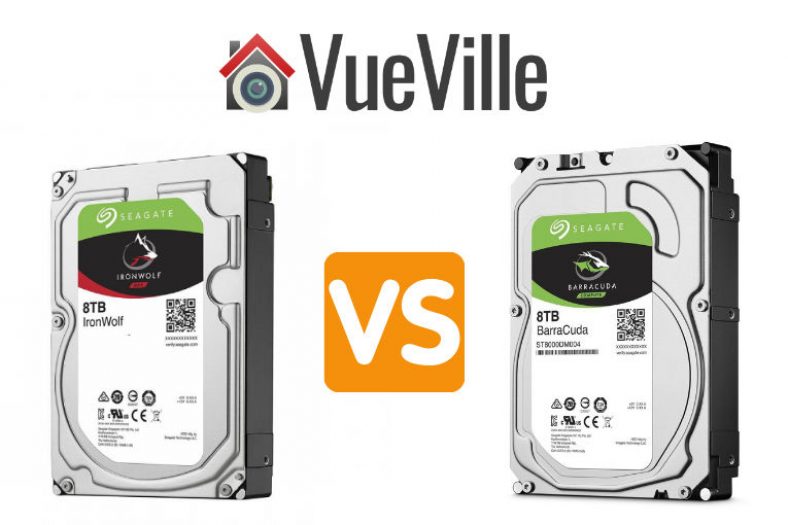
One of the common hard drive comparison requests I get from my readers is for the Seagate IronWolf vs. the Seagate Barracuda.
This is quite interesting because the IronWolf is a NAS-focused drive and the Barracuda is an internal hard drive for PCs. Both are available in 2.5″ and 3.5″ sizes and a wide range of capacities.
Let’s take a closer look at how the Seagate IronWolf differs from the Barracuda.
A quick note: As an Amazon Associate I earn from qualifying purchases. This post contains affiliate link(s). An affiliate link means I may earn advertising or referral fees if you make a purchase through my link, at no extra cost to you.
Seagate IronWolf NAS drive vs. Barracuda Internal Hard Drive – Comparison Table
(* = affiliate link / image source: Amazon Associates Program)
Biggest difference
The Barracuda uses the inferior SMR drive recording technology, whereas the IronWolf uses the much better CMR technology.
Performance
While comparing these drives, we should be mindful that these are very different drives, created for very different applications, and have different price points for the same capacity.
Comparing real-life benchmarks of the Ironwolf 4TB vs. Barracuda 4TB, overall the IronWolf is much faster with an effective speed advantage of 30%.
Reliability
While we may not have specific reliability data for the Barracuda drives, one cloud storage provider regularly publishes drive failure data for all the drives it uses including the Ironwolf – Backblaze.
Looking at the latest Backblaze data, we can see that Seagate’s reliability in general is a mixed bag. At lower capacities, they seem to be more reliable than other brands but at higher capacities they have higher failure rates.
Looking at the specs, the IronWolf has a much higher 27/7 operation workload of 180 TB/year vs the Barracuda’s 55 TB/year. Even if your data requirements are within the Barracuda’s rating, I wouldn’t recommend using it as a NAS drive. It uses SMR and that’s going to give you headaches when it comes to RAID rebuilding time.
The Barracuda doesn’t have rotational vibration sensors, which the IronWolf does have. Also worth noting is the similar non-recoverable Read Errors Rate of both drives.
Noise Levels
Seagate doesn’t say how loud the Barracuda’s get but as they are desktop hard drives you would expect them to be louder than the IronWolf drives.
VueVille Verdict
If you are looking for hard drives to use in a NAS, my advice is to stick with the NAS-specific models such as IronWolf. These have a much higher workload cycle and have features such as rotational vibration sensors to prolong the drive’s life. They also have a higher quality warranty if things do go wrong.
However if all you need is a desktop hard drive, the Seagate Barracuda will probably suffice. Just bear in mind that these drives are SMR. SMR technology renders these drives poor choices for heavy write applications. So if your application requires sustained write performance, go for CMR-based drives such as the IronWolf, IronWolf Pro, WD Red Plus or WD Red Pro.
I have stridently refused to let a smart speaker into my home. The reason is simple – I have a strong distrust of cloud-based products because most manufacturers are sneaky and use them to profile you and your home.
Now that the tech giants like Google and Amazon have wormed their way into most American homes, would they misuse the trust that millions of people have placed in them? Well according to Bloomberg, they have been silently collecting data every time a switch was turned on or off.
But now, they have started demanding a continuous stream of information such as which TV channel you are watching and whether someone’s at home. All of this data can be very valuable for their own advertising purposes or to sell on to any marketing department that will pay for it. After all, data is the new oil.
What do you think – are you concerned about your smart speaker selling not just your data but ‘you’ too? Leave a comment below! Have a great weekend everyone!
News
Your Smart Light Can Tell Amazon and Google When You Go to Bed – Bloomberg
Nest Secure had a secret microphone, can now be a Google Assistant – CSO Online
Amazon tops smart home speaker market as sales surge over the holiday season – SiliconAngle
LG set to “aggressively” expand voice-controlled smart home appliances in 2019 – Neowin
1 in 4 people plan to buy a smart lock this year, study says – Digital Trends
The Battle for the Smart Home Intensifies as Amazon Buys eero – Techpinions
Making smart homes less expensive with new technology – Digital Journal
Products & Services
Xiaomi unveils new smart home display hub – Android Pit
Litho: This finger worn device will let you control your smart home through gestures – SiliconCanals.nl
Samsung’s Galaxy Home smart speaker will finally arrive in April – Mashable
Smart switch? Psh. Leviton wants to smarten up your whole breaker box – CNET
Comment and opinion
The case for smart speakers being overhyped – The Drum
It’s time for Apple to get back into the smart home in a big way – Macworld
Did Apple just get serious about making smart home products? – Gearbrain
AIs could debate whether a smart assistant should snitch on you – New Scientist
Off our beat
Samsung’s ‘Galaxy Fold’ is the world’s first phone with a foldable screen
httpv://www.youtube.com/watch?v=NAOEerIbUe0
Weekend deals
Save $40 on Ring Alarm 5-Piece Home Security System
Save $30 on Ring Floodlight Cam
20% off Google Wi-Fi
40% off NETGEAR 16-Port Gigabit Ethernet Unmanaged Switch (GS316)
11% off NETGEAR 8-Port Gigabit Smart Managed Plus Switch (GS108PEv3)
Canary View IP WiFi Home Monitor + 1-Year Premium Service Plan
Every quarter, we take a look at what security cameras and accessories have been popular with VueVille readers over the past few months. What follows is a list of the most purchased security camera gear on Amazon – by our readers.
Most Popular Outdoor Security Cameras
Not surprisingly, the more affordable yet reliable brands such as Reolink top the list, followed by Hikvision, Dahua, Amcrest, Ubiquiti and Foscam.
Amcrest has been much stronger on indoor cameras than outdoor cameras and that’s reflected in our list below. Foscam has made a comeback recently but has not been able to dethrone Amcrest. Battery powered cameras are getting really popular – just look at the Arlo making it to the list for the first time.
So the one thing you thought would work 24/7 with absolutely zero down-time has just decided it can’t be bothered.
Before you chuck your seemingly malfunctioning IP camera out of the window, here are a few things you may want to check first. Because you know the VueVille family is frugal and nothing goes into the trash unless its well and truly beyond recovery!
Why does my IP camera keep going offline/disconnecting?
So the most obvious reason may just be that the poor thing’s time is up. A lot of electronic devices don’t just die one fine day; rather they die a slow painful death, dragging it out and adding to your frustration. A great example is wireless routers. Some IP cameras are just like that. But before jumping to this conclusion, here are a few things to check.
Check the strength of your camera’s wireless connection
If your IP camera is wireless, it is probably too far away from your Wi-Fi router. There are a few things you can do to improve the Wi-Fi connectivity of your camera. If at all possible, move the camera closer to the router or move the router closer to the camera. If this is not an option, make sure your camera is using the 2.4 GHz network, which has better range.
If this fixes the connection problems, you need to improve the strength of the Wi-Fi at your camera’s loaciton. You can achieve this by using a Wi-Fi extender like [easyazon_link identifier=”B0195Y0A42″ locale=”US” tag=”vueville.com-eaz-20″]this TP-Link model[/easyazon_link] or investigate mesh Wi-Fi options such as [easyazon_link identifier=”B01MAW2294″ locale=”US” tag=”vueville.com-eaz-20″]Google Wi-Fi[/easyazon_link].Still no joy? If the camera has an Ethernet port (RJ-45), temporarily plug it directly into your router using a LAN cable. If this fixes the connection problems, your camera’s Wi-Fi is dying. Yes this can happen! It’s happened to one of my older wireless IP cameras, but the wired LAN connection still works.
How fast is your home broadband’s upload speed?
If you are viewing your IP cameras remotely, two things are key – the upload speed of your home broadband and the download speed of your viewing device. Most home broadband connections are not symmetric – they have good download speeds but low upload speeds. When your camera is streaming you live-view video, its mostly using the upload your home broadband connection’s upload bandwidth.
Is your camera on the latest firmware?
Most of us are lazy when it comes to keeping our devices updated with the latest firmware. This is especially true for devices like IP cameras that are pretty much set and forget. After installing my first Hikvision IP camera, I didn’t touch it for over 2 years. And even then, I had to access it because I wanted to re-orient it. So make sure you upgrade the firmware to the latest available version, and see if the performance issues abate.
Are your Ethernet cables damaged?
If you are using Power over Ethernet to power your IP camera, try replacing your Ethernet cable. This is especially relevant if you use buried Ethernet cable. Bends or kinks in the cable can damage the copper wiring inside. If this is the issue, make sure you replace the cable with [easyazon_link identifier=”B01JAVMYLM” locale=”US” tag=”vueville.com-eaz-20″]burial grade Ethernet cables[/easyazon_link]
Check your networking equipment
How good is your router and other networking gear that you use in your home network? The most obvious culprits are your Wi-Fi router, network switches, and PoE switches. Remove each such equipment from the path between your IP camera and the Wi-Fi router to identify any faulty products.
Is the IP camera’s power source working properly?
If you are not using PoE, this is an often overlooked factor. Most IP cameras work at 12V and so the power supply used is a step down transformer. Cheaper power supply transformers probably won’t last more than a few years and may need replacement.
Did any of the above tips work for you? Or how did you confirm your IP camera has well and truly kicked the bucket? Let us know in the comments below!
So what if none of the above tips worked? Well, I am sorry to say that’s probably the end of the line for your IP camera. An IP camera that works intermittently is like a door lock that works only half the time. Useless. Time to hit up our recommended indoor or outdoor IP cameras list then!
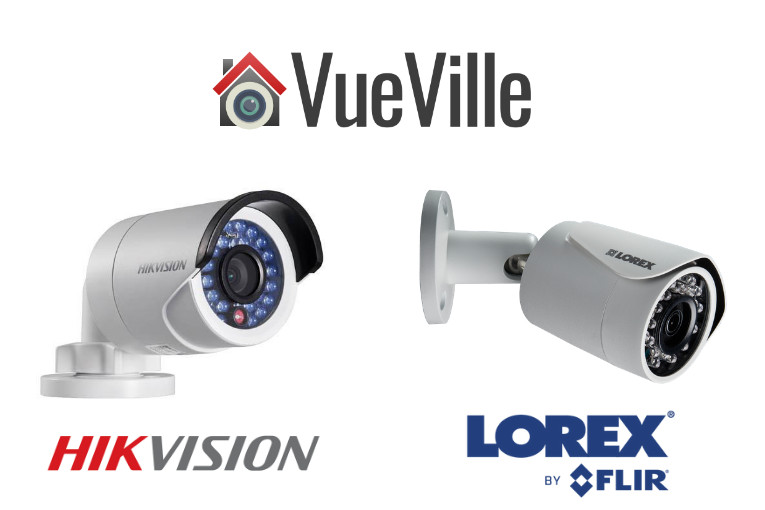
Hikvision and Dahua are the two most common brands that DIY IP camera enthusiasts flock to. But for those who are more budget conscious, there are other brands such as Lorex, Swann, Amcrest, Reolink. These are also some of the IP camera brands that I get the most questions about.
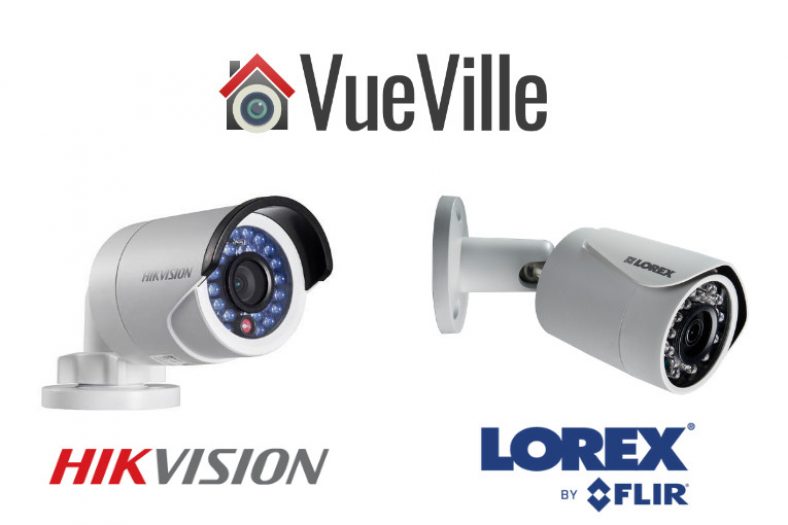
In this second post of the IP camera brand comparison series, I am going to do an in-depth comparison of Hikvision vs. Lorex. In case you missed the first post in this comparison series where I compared Hikvision vs. Dahua, do go and check that out too.
Lorex has a complex history of shifting strategies when it comes to IP cameras. For the longest time, their IP cameras were intended to be used only with their own NVRs. In other words, you were not allowed to venture outside their ecosystem. This was totally against the ethos of openness and inter-operability that I champion here at VueVille. That’s why I never recommended them in our best outdoor and indoor IP camera roundups.
Then in February 2018, Dahua acquired Lorex and soon afterwards Lorex cameras started supporting ONVIF and RTSP protocols. But recently they removed that support just as Dahua sold Lorex to Skywatch, a Taiwanese company.
So we have a somewhat strange comparison on our hands – Hikvision with their IP cameras that are compatible with other brands, and Lorex with their proprietary IP cameras that work only with their own NVRs.
A quick note: This article may contain affiliate links. If you click on one of these links and then purchase something, we may receive a fee. This does not cost you anything extra. Also note that Hikvision and Dahua do not consider certain platforms including Amazon as an authorized seller platform. So if you need warranty support please purchase from authorized resellers of Hikvision and Dahua products in your country.
Hikvision vs. Lorex – the Stories behind the Brands
Hikvision
Unlike Lorex, Hikvision is not a retail brand. They are an OEM and primarily cater to professional installers. They are not really interested in retailing to the general public. But their affordable DIY IP cameras with powerful motion detection features and great build quality attracted DIY-ers like crazy. That’s also the reason I bought my first IP camera, the Hikvision DS-2CD2032-I back in 2015.
A couple of years ago, they launched their retail brand EZVIZ. Confusingly, EZVIZ used to be the name of their cloud app as well. Anyway the EZVIZ models are dumbed down versions of the Hikvision cameras and are not worth spending any money on. What about HiLook? Same story. That’s why I am focusing on the main Hikvision brand.
The biggest concern I have with Hikvision is not so much about their cameras, but who owns the company. The Chinese government owns at least a partial stake in Hikvision. This creates a few ethical and moral quandaries that I won’t go into here – you know what I’m talking about.
If you live in the USA, there’s one more reason to avoid Hikvision cameras – the US government has recently banned the sale and import of new Hikvision products into the USA unless certain conditions are met. They are still being sold by their authorized retail seller BH Photo though. Of course, you can always get them from AliExpress as most of us have always done.
From a technical standpoint, you should treat any security camera the same way – with maximum suspicion that they may be ‘dialing home’ to their manufacturer’s own servers and leaking your data. So lock them down using Virtual LANs (VLAN) and strict firewall rules like I have in my DIY home security camera system.
Lorex
Lorex was founded in 1993 and has head offices in Markham, Ontario, Canada and in Linthicum, Maryland, USA. They have product warehouses in Markham, Indiana and California.
But first let’s start with the company FLIR, better known as the high-end camera manufacturer who revolutionized thermal imaging for the military and industrial markets. They acquired Lorex in 2012 for around $60 million seeking to lower the cost of thermal imaging and open it up to the retail market.
So for the next 6 years they tried to penetrate the DIY and SMB markets. During this period, their main OEM supplier was Dahua. In February 2018, however, FLIR exited the DIY security camera space by selling Lorex to Dahua. Until November 2022, they operated as a subsidiary of Dahua. So effectively, Lorex was a Dahua brand between February 2018 and November 2022.
As mentioned in my intro above, Dahua has now sold Lorex to Skytech, a Taiwanese cloud services company. The disappearance of ONVIF and RTSP support from recent Lorex models is probably a sign of things to come.
8MP 4K IP Camera Duel – Hikvision DS-2CD2085G1-I vs. Lorex E892ABW
Before we go any further, I need to point out that the biggest difference between Hikvision and Lorex is this: Hikvision cameras can work in standalone mode, or with Hikvision NVRs, or even any 3rd party NVR that is ONVIF compliant.
On the other hand, Lorex cameras will work only with Lorex NVRs and that too select Lorex NVRs. Simply put, Lorex cameras work only within the Lorex eco-system.
Hikvision cameras on the other hand which will work with any 3rd party ONVIF/RTSP compliant system. Okay now let’s get into the details.
Hardware features
The Hikvision camera I’ve selected has the term ‘Darkfighter’ in its marketing material and what gives it strong low light performance. This is really due to the 1/2″ sized CMOS sensor whereas the Lorex has a 1/2.8″ CMOS sensor. The Lorex is simply outclassed here by the much better Hikvision sensor.
The size of the sensor has a huge bearing on the low light ability of a camera, whether it be a camcorder or a security camera. The larger the sensor, the greater its ability to gather light and so do well in low light conditions. But as you cram in more and more pixels into the same size sensor, they get smaller and smaller, which adds noise. Noise is the bane of low light video and reduces the detail that you can get out of your video.
So while security camera manufacturers have pushed pixel count to 8MP and beyond, they have not always increased the sensor size proportionally. While the Hikvision has true 120dB Wide Dynamic Range (WDR) to help improve video quality, the Lorex doesn’t. This leaves the Lorex at somewhat of a disadvantage, even as it claims HDR support.
When it comes to minimum illumination required, again we see divergence. Hikvision can do a minimum illumination of 0.01 lux and 0 lux with IR on. Lorex doesn’t provide this information. Both cameras have an automatic IR cut filter that will switch to black and white infrared vision when it gets dark. So far, that’s standard IP camera behaviour.
However, Lorex claims a ‘colour night vision’ feature whereby you still get colour video under low light conditions. So this feature still requires external illumination. So I fail to see how this is something special – the Hikvision has a much larger sensor and probably even better low light colour vision ability! I see this so-called feature as a marketing gimmick and nothing more.
What about the Lorex’s LED lights though? They look like LED spotlights that you can leave permanently on through the night, but actually they are only warning LEDs that are motion-activated or activated on-demand in the mobile app. If these lights were at least proper spotlights, then Lorex’s colour night vision claim would make more sense (Hikvision has such models).
The Lorex has 2-way audio using an onboard microphone and speaker combo, with the speaker doubling up as a siren deterrent. This Hikvision model however has neither.
Both cameras have on-board SD card for local storage of video clips and snapshots.
Winner: Hikvision
Software features
The three most important software features that the Hikvision has are ONVIF support, the built-in NVR feature, and the advanced motion detection features that help reduce false alerts.
Hikvision cameras support ONVIF & RTSP. Lorex however has recently removed all mentions of ONVIF support on their product pages (their datasheets never mentioned it anyway). Lorex has also confirmed in their website Q&A section that this camera doesn’t support ONVIF.
Why is ONVIF support important? ONVIF support ensures that your camera will work with ONVIF-compliant equipment from 3rd party manufacturers. ONVIF ensures that your camera will work with standards-compliant equipment from 3rd party manufacturers. This is why you can add a Hikvision camera to your ONVIF-compatible NVR or DIY NAS NVR.
RTSP allows even non-ONVIF equipment (such as software) to access the security camera’s video stream. Examples are video players like the popular VLC player, and Blue Iris PC NVR software.
So this is a slam dunk for Hikvision.
Both Hikvision and Lorex have on-board storage but only Hikvision cameras have the built-in NVR feature – because Hikvision cameras are designed for standalone operation (don’t need an NVR).
The Hikvsion IP cameras can do basic motion detection, advanced motion detection, dace detection and can send email/push alerts – all without an NVR. This is local processing in action. The Lorex cameras cannot do any of this on its own. It is just an IP camera with no smart features unless its connected to an NVR.
Motion Detection ability
I classify motion detection ability into three categories:
Basic motion detection – this is detecting just simple pixel changes, results in false alerts.
Advanced motion detection – like line crossing, intrusion detection, which result in fewer false alerts.
Smart detection – person / face / vehicle / pet detection, the best method for eliminating false alerts.
Hikvision supports basic, advanced and 1 single smart motion detection method of face detection.
The Lorex doesn’t have the wide array of advanced motion detection alerts that Hikvision has, such as line crossing, intrusion detection etc. which are all great for reducing false motion detection alerts But it does have person and vehicle detection. These are equally effective at reducing false alerts.
But as mentioned earlier, the Hikvision is capable of standalone operation. It can record motion detection triggered clips, take snapshots, and send out email alerts and push notifications to the Hikvision app on mobile devices without an NVR or PC.
The Lorex can do none of this by itself, you have to buy a compatible Lorex NVR.
The Hikvision camera I have selected doesn’t have the AcuSense feature which reduces false alarms by ignoring birds, animals, lights and movement of trees.
As part of a DIY NVR system that uses QNAP QVR Pro, Blue Iris or Home Assistant, only Hikvision fits the bill.
Winner: Hikvision
Warranty
Hikvision products come with a 3-Year Warranty from authorized dealers only. Lorex has a 2 year warranty as standard, but can be extended to 3 years or 5 years for an extra fee.
Detailed Comparison Table
Here’s a summary in a nice and easy table:
Feature
Hikvision DS-2CD2085G1-I
Lorex E892ABW
Hardware features
Sensor
1/2″ 8MP CMOS Sensor
1/2.8″ 8 MP (4K) CMOS Sensor
WDR
Yes (120dB)
No, but has HDR
Night Vision
850nm IR, Black & white night vision, IR cut filter with auto switch
Black and white night vision, IR cut filter with auto switch, Colour night vision
IR Range
30m (98 feet)
Minimum illumination
Color: 0.008 Lux @ (F1.2, AGC ON), 0.0014 Lux @ (F1.6, AGC ON), B&W: 0 Lux with IR
[easyazon_link identifier=”B086BXC2R4″ locale=”US” tag=”vueville.com-eaz-20″]View on Amazon[/easyazon_link]
Verdict – Hikvision vs. Lorex
The Hikvision handily beats the Lorex thanks to its flexibility of operation modes in a DIY CCTV system – standalone, with a Hikvision NVR, or with any 3rd party NVR system. It also has advanced motion detection methods that Lorex doesn’t have.
Many a DIY enthusiast has discovered the joy of rack mount servers. Rack mount NVRs are great for all the same reasons:
rack mounting your NVR saves valuable space,
you will appreciate the unrivaled ease of adding and removing Ethernet PoE cables,
rack mount inside a lockable cabinet for extra security,
rack mounting provides improved ventilation, which should prolong the life of your NVR considerably.
Rack Mounting sizes and heights
The rack that you will mount your NVR on comes in standard 19″ or 23″ sizes. Manufacturers typically denote the height of their NVRs in Rack Units. A 1U NVR is 1 3⁄4 inches or 44.45 mm high. A 2U NVR will be twice as high. A typical full size rack is 42U, or just over 6 feet tall.
The 5 Best Rack Mount NVRs for your DIY Home Security Camera System
Qnap VS-8132U-RP Pro+ Viostar 32-channel Rack Mount NVR
The QNAP VS-8132U-RP Pro+ Viostar is a feature packed enterprise-grade 32-channel NVR that can record up to 10 MP. That’s more than 4K resolution! The high-end 2U RAID chassis houses a dual-core Intel Core i3 processor and 4GB of RAM. Out of the box, it supports up to 32 IP cameras with max throughput of 400 Mbps. You can purchase additional licenses to take this up to 48 channels. No PC required but if you must, you can use the free QSCM Lite app to pool QNAP NAS and NVRs into a single software interface.
Full specs:
– Dual Core Intel® Core™ i3 3.3GHz Processor
– 4GB DDR3 RAM
– 8 x 3.5” SATA 6Gb/s, SATA 3Gb/s hard drive
– 8 x hot-swappable and lockable tray
– 4 x Gigabit RJ-45 Ethernet port
– 10 GbE(reserved), Status, LAN, eSATA(reserved), hard drives
– 2 x USB 3.0 port (rear), 4 x USB 2.0 port (rear)
– Support USB pen drive, USB hub, and USB UPS etc.
– Mono-LCD display with backlight
– 32 IP camera channel licenses included, 48 channels max supported
– 2U, Rackmount NVR
– Dimensions: 88(H) x 439(W) x 520(D) mm, 3.46(H) x 17.28(W) x 20.47(D) inch
– Gross weight: 23.42 kg (51.63 lb)
– Temperature 0~40˚C/ 32~104˚F, Humidity 5~95% RH non-condensing, wet bulb: 27˚C.
– Power consumption: 130W Write/Read (with 8 x 1TB HDD installed)
– HDMI, VGA ports
– 3 x 6 cm smart cooling fan
[easyazon_link identifier=”B0083H5KBQ” locale=”US” tag=”vueville.com-eaz-20″]Check price on Amazon[/easyazon_link]
Synology Rackstation RS816 16-channel Rack Mount NVR
The Synology RackStation RS816 is a 4-bay rackmount NAS NVR that can record up to 16 channels. The maximum resolution supported is 5MP or 2591×1944, and 54 fps. The NAS NVR comes in a 1U rack mount chassis and can be deployed in a 2-post or wall-mount rack. The Marvell Armada 385 chipset that powers the NVR is dual-core and has 1 GB of DDR3 RAM. Note that this NAS comes with only 2x free IP channel licences.
Full specs:
– Dual Core Marvell Armada 385 88F6820 CPU
– 1GB DDR3 RAM
– 3.5″ SATA HDD, 2.5″ SATA HDD / SSD supported
– 4 x hot-swappable tray
– 2 x Gigabit RJ-45 Ethernet port with Link Aggregation & Failover support
– 1U, Rackmount
– Dimensions: 44 mm x 478 mm x 327.5 mm
– System fans: 40 mm x 40 mm x 3 pcs
– Power consumption: 27.9 W (Access), 12.4 W (HDD Hibernation)
[easyazon_link identifier=”B01K1JSKC4″ locale=”US” tag=”vueville.com-eaz-20″]Check price on Amazon[/easyazon_link]
The Alibi 5200 series rack mount NVR is a dedicated NVR supporting 32 IP cameras of up to 12 Megapixel resolution. It has 4 hard drive bays that can take a max 8TB drive each. Max incoming bandwidth is 256 Mbps. If you are looking for 4K HDMI display, this is the right NVR for you. H.265, H.264 and H.264 encoding is supported to reduce disk space required for CCTV footage. An interestign feature of this NVR is the integrated 16 PoE ports that are 802.3af and 802.3at compliant. Management is accomplished through the free Alibi CMS software.
Full specs:
– Incoming bandwidth of 256 Mbps supports up to 32 IP cameras
– Up to 12.0 megapixel recording resolution
– Delivers crisp 4K Ultra-High Definition images over HDMI
– Synchronous playback of 16 Channel @ 1080p, 4 Channel @ 4K
– 4 hard drive bays support up to 4 x 8TB hard drives
– 1 x Gigabit RJ-45 self-adaptive Ethernet interface, 16 independent 10 /100 Mbps PoE Ethernet interfaces (200 W max output)
– 1 x RS-485, 1 x RS232 ports
– Local video outputs include HDMI and VGA
– H.265, H.264 and H.264 codec video compression reduces file size, maximizes recording time, and saves hard drive space
– Integrated 16 port PoE switch supports 802.3af and 802.3at 3at reduces the need for additional network – switches and offers plugand-play auto connect feature for compatible Alibi cameras
– 16 alarm inputs and 4 alarm outputs to connect to external devices such as a siren or fire alarm
– Recording modes: Continuous, Motion Detection, POS, Schedule, and Event
– Recording features include event search, event log, and email notification
– Central Management Software helps centrally manage your devices and views up to 64 live cameras
– Free iOS and Android mobile app for remote viewing of live and recorded video
– Dimensions: 15.3 ” x 17.5″ x 2.8″ / 388.6 x 444.5 x 71.1mm
[easyazon_link identifier=”B077Z5NNT4″ locale=”US” tag=”vueville.com-eaz-20″]Check price on Amazon[/easyazon_link]
The Synology RackStation RS3618xs is a 12-bay rackmount NAS NVR that can record up to 75 channels. The maximum resolution supported is 8MP (3840×2160), at 900 fps using H.265 encoding. The NAS NVR comes in a 2U rack mount chassis. The 64-bit Intel Xeon D-1521 chip that powers the NAS NVR is quasd-core and is supported by the 8 GB of DDR4 ECC UDIMM RAM. Note that this NAS comes with only 2x free IP channel licences.
Full specs:
– Quad-core Intel Xeon D-1521 CPU
– 8 GB DDR4 ECC UDIMM
– 3.5″ SATA HDD, 2.5″ SATA HDD / SSD supported
– 12 x hot-swappable tray
– 4 x Gigabit RJ-45 Ethernet port with Link Aggregation & Failover support
– Optional 10GbE NIC support
– 2U, Rackmount
– Dimensions: 88 mm x 482 mm x 724 mm
– System fans: 80 mm x 80 mm x 4 pcs
– Power consumption: 142.76 W (Access), 55.05 W (HDD Hibernation)
[easyazon_link identifier=”B07B2XD3R7″ locale=”US” tag=”vueville.com-eaz-20″]Check price on Amazon[/easyazon_link]
The Owltech HD5328HC-L is an 8-bay rack mount NVR that can record up to 32 channels at max 6MP. The NVR supports ONVIF so that you can use any ONVIF-compatible IP camera.
Full specs:
– 32 channels at max incoming bandwidth of 200Mbps
– Decoding: 16ch.D1@30fps / 13ch.720P@30fps / 6ch.1080P@30fps
– ONVIF 2.3 supported
– 1x HDMI 1.3a, supports 1920×1080 output, 1 VGA
– 8x SATA bays ,each bay supports 4TB
– 1x e-SATA port
– Hard disk hibernation technology, HDD faulty alarm & RAID alarm
– Power Consumption : 20W (without HDD)
– 2 x Gigabit RJ-45 Ethernet ports
– 2U, Rackmount
– Dimension(W*D*H) : 2U, 17.32″ x 17.71″ x 3.54″
– Weight : 14.43 lbs (without HDD)
[easyazon_link identifier=”B06XCK4S9W” locale=”US” tag=”vueville.com-eaz-20″]Check price on Amazon[/easyazon_link]
Does the thought of laying hundreds of feet of Ethernet cable up and down your attic, around the house and under the eaves fill you with dread?
Outdoor security cameras paired with a video recorder are a great idea but is there a way to do it without the hassle of wires? In 2019 that’s a resounding yes, you can get a fully wireless security camera system without breaking the bank.
But putting together a full wireless system may prove to be a daunting task for most folks. That’s why we have done the research to present you the best pre-configured outdoor wireless security camera systems with DVRs (or NVRs).
Best Outdoor Wireless Security Camera System with DVR/NVR
[wpsm_toplist]
Best 4-channel Wireless Security Camera System with NVR
[wpsm_column size=”one-half”]
[wpsm_titlebox title=”NVR Features (NV2104-HS)” style=”3″]
4-channel recording @ 1080p supported
H.265 encoding & PoE-enabled
Max. 6TB hard drive supported
80 Mbps total bandwidth
Motion detection with email alerts and push notification
Remote smartphone access
ONVIF & RTSP support allows you to connect 3rd party cameras
[/wpsm_titlebox]
[/wpsm_column]
[wpsm_column size=”one-half” position=”last”]
[wpsm_titlebox title=”Wireless IP Camera Features (IP2M-852B4)” style=”3″]
3-axis black colour camera
2MP CMOS image sensor (1080p)
Night vision with 30m IR range, true IR-cut filter
RJ45 PoE ports
IP 67 Weather-rated
[/wpsm_titlebox]
[easyazon_link identifier=”B077XPNBW3″ locale=”US” tag=”vueville.com-eaz-20″]Read Amazon user reviews[/easyazon_link]
[/wpsm_column]
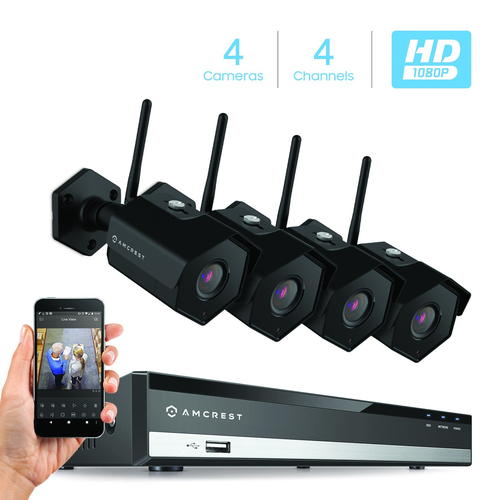
Amcrest is a frequent guest on our recommended outdoor and indoor IP camera lists. This wireless NVR security camera kit is an entry-level model at a super budget-friendly price. Amcrest bundles their NVRs and cameras in a dizzying array of combinations, so you are sure to find a kit that matches your exact needs.
The NV2104-HS NVR in this kit is a 4-channel model which can record all the channels simultaneously at up to 1080p. Motion detection is possible on all the channels and it can send motion triggered email alerts. An unfortunate trend in the industry recently is to try and lock down products to trap you in a manufacturer’s ecosystem. Happily, Amcrest is not one of those guys. Since the NVR supports the ONVIF standard, you can add any 3rd party camera from manufacturers like Hikvision, Dahua, Sony, Vivotek, and even Foscam (Amcrest’s nemesis whom they had a falling out with and the reason for the Amcrest brand being created). I hope Amcrest remains open to inter-operability which is a key feature for us DIY enthusiasts.
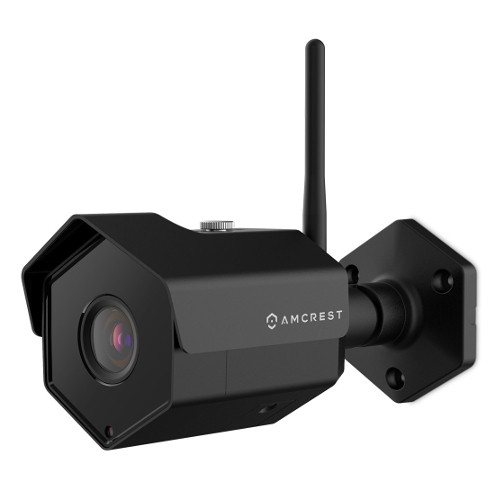
The camera included in this kit is the IP2M-852B4 model, which can also be purchased separately. These are 1080p (2MP) IP cameras that can do night vision and have a very good IP67 weather rating. The 128° field of view is very good and one of the advantages of a 2 MP sensor. They are also ONVIF compliant, so can work with 3rd-party ONVIF compliant NVRs or a DIY NAS NVR system. Using the Amcrest smartphone app, you can login in to the NVR from anywhere at any time to see a live feed of all the cameras as well as recorded CCTV footage.
No advanced motion detection methods such as line crossing, intrusion or dwell/linger/abandoned object detection
Free smartphone app could be better – it lacks basic features such as push notifications, paid version needed for this
No redundant storage due to single SATA interface, cannot write to network devices
No scheduled USB backup option
No alarm in/out connections
NVR doesn’t have built-in WiFi option
[/wpsm_cons][/wpsm_column]
Smart Home Checklist
Local storage available: Yes
Cloud reliant: No
Battery backup: No
Smart home compatibility: ONVIF, RTSP
Subscription fees: None
[easyazon_link identifier=”B077XPNBW3″ locale=”US” tag=”vueville.com-eaz-20″]Check Price on Amazon[/easyazon_link]
If you need only 4 wireless IP cameras but want the freedom to add more later, go with [easyazon_link identifier=”B076FKGPHD” locale=”US” tag=”vueville.com-eaz-20″]this Amcrest model[/easyazon_link] which supports 8 channels.
Great Value 4-ch Wireless NVR Kit: EZVIZ (A Hikvision brand) 1080p 4-channel NVR Kit with 4x 1080p Wi-Fi cameras
[wpsm_column size=”one-half”]
[wpsm_titlebox title=”NVR Features (X5C)” style=”3″]
4-channel recording @ 1080p supported
Built-in 2.4GHz Wi-Fi
Max. 6TB hard drive supported
One 10/100M adaptable Ethernet port
HDMI, VGA & USB ports
30/50 Mbps wireless/wired bandwidth
Motion detection with email alerts and push notification
Remote smartphone access
ONVIF & RTSP support allows you to connect 3rd party cameras
[/wpsm_titlebox]
[/wpsm_column]
[wpsm_column size=”one-half” position=”last”]
[wpsm_titlebox title=”Wireless IP Camera Features (CTQ3W)” style=”3″]
3-axis white colour Wi-Fi camera
2MP CMOS image sensor (1080p)
Night vision with 30m IR range, true IR-cut filter
Built-in stroke light and alarm siren for deterrence
2-way talk supported
IP 66 Weather-rated
[/wpsm_titlebox]
[easyazon_link identifier=”B07FDTR1LM” locale=”US” tag=”vueville.com-eaz-20″]Read Amazon user reviews[/easyazon_link]
[/wpsm_column]
Hikvision is a brand that most DIY fans are aware of. However they have never been keen on supporting retail customers. But it was still possible to buy their gear from the few authorised resellers Hikvision allowed (like B&H Photo). Recently, Hikvision launched their retail brand called EZVIZ. Old-timers may remember that once upon a time, Hikvision’s cloud P2P and DNS service was called EZVIZ.
The X5C ezNVR in this particular 4 camera kit is a 4-channel model which can record and playback all the channels simultaneously at up to 1080p. Motion detection is possible on all the channels and it can also send motion triggered email alerts. Hikvision has retained ONVIF support in EZVIZ products and so you can add any ONVIF compliant wired or wireless IP camera to this NVR.
One of the highlights of this kit is that the NVR has built-in 2.4GHz Wi-Fi. So the NVR can automatically connect and pair with the wireless cameras – no painful setup process for you to do! The claimed wireless range is up to 300 feet or 100 metres, but if you have solid concrete/steel in your walls, that range is going to be drastically reduced. Still, its great that the NVR has its own Wi-Fi network – your wireless cameras are on their own wireless network separate from that of your other wireless devices.
The 4 cameras included in this kit are the C3W ezGuard models, which can are also available for purchase separately. These support IEEE802.11 b/g/n 2.4GHz Wi-Fi. They support 1080p (2MP) resolution using a 1/2.7″ CMOS sensor. The focal length of the lens is 2.8mm, and the resulting 103° field of view is good but falls short of the Amcrest 2MP IP cameras. It still qualifies as wide-angle though. The camera does not support H.265, only H.264 encoding is present. Night vision of up to 30 metres range is standard.
Interestingly, you can add an SD card of up to 128GB. So even if the wireless connection to the NVR fails, the camera can still take motion detection images and clips. The other unique feature is the presence of a strobe light and siren which can be effective in scaring away intruders.
Since you cannot use PoE for these cameras, the only way to power them is using the included 12V power adaptors. But note the cord length of just 10 feet (3 metres). The cameras are IP66 rated for weather protection.
One of the common questions I get from readers is cloud backup – EZVIZ has a fature called ‘Cloud Play’ which is available in the US and UK. So you don’t have to worry about burglars stealing your NVR.
The smartphone app unsurprisingly called EZVIZ lets you connect to the NVR remotely and view recorded CCTV footage.
Since EZVIZ is a Hikvision brand, there is high quality documentation and user guides available on their web site.
[wpsm_column size=”one-half”]
[wpsm_titlebox title=”NVR Features (X5C)” style=”3″]
4-channel recording @ 5MP supported
Total 80 Mbps bandwidth
Max. birate of 20 Mbps per channel
Built-in 2.4GHz and 5 GHz Wi-Fi
WD 1TB Purple 3.5″ Surveillance Hard Drive (WD10PURX)
Max. 6TB hard drive supported
One 10/100M adaptable Ethernet port
HDMI, VGA & USB ports
30/50 Mbps wireless/wired bandwidth
Motion detection with email alerts and push notification
Remote smartphone access
ONVIF 2.4 & RTSP support allows you to connect 3rd party cameras
[/wpsm_titlebox]
[/wpsm_column]
[wpsm_column size=”one-half” position=”last”]
[wpsm_titlebox title=”Wireless IP Camera Features (CTQ3W)” style=”3″]
3-axis white colour Wi-Fi camera
1/3″ 4MP CMOS image sensor (2688 x 1520)
2.8 mm fixed lens with 106° field of view
H.264/H.265/H.265+ encoding
Night vision with 30m IR range, true IR-cut filter
2-way talk supported
2.4 GHz, IEEE 802.11a/b/g/n/ac
IP 67 Weather-rated
[/wpsm_titlebox]
[/wpsm_column]
Dahua is one of our favourite pro-DIY brands. This is mainly because they have ost of the features that Hikvision has, but typically at a lower price. This Wi-Fi kit is a proper starter kit and so misses out on some advanced features but has enough to keep us interested.
The Dahua NVR has a standout feature that should really be standard on all Wi-Fi NVR kits – Automatic Network Replenishment Technology (ANR). I have already mentioned in detail the biggest issue I have with Wi-Fi IP cameras – what happens when the Wi-Fi inevitably drops out? With cheaper kits, you will lose the video that the camera tried to send but which never reached the NVR. But with Automatic Network Replenishment Technology, the cameras store the video on the on-board SD card and when connection to the NVR is re-established the NVR will copy over the missed video to the hard disk. Brilliant, if you ask me!
Motion detection with email alerts and push notification
Remote smartphone access
ONVIF & RTSP support allows you to connect 3rd party cameras
[/wpsm_titlebox]
[/wpsm_column]
[wpsm_column size=”one-half” position=”last”]
[wpsm_titlebox title=”Wireless Camera (IP4M-1026B)” style=”3″]
3-axis black colour camera
4MP CMOS image sensor
Night vision with 30m IR range, true IR-cut filter
RJ45 PoE ports
IP 67 Weather-rated
[/wpsm_titlebox]
[easyazon_link identifier=”B077XPNBW3″ locale=”US” tag=”vueville.com-eaz-20″]Read Amazon user reviews[/easyazon_link]
[/wpsm_column]
If you would like 8 channels and the option to upgrade your cameras to 4K 8MP resolution (3840×2160) later on, this wireless NVR security camera kit is the best option.
The NV4108-HS NVR in this kit is an 8-channel model which can record all the channels simultaneously at up to 8MP (4K resolution). So if you don’t need 8MP today but 4MP is fine, you still have the freedom to upgrade your cameras later. Since Amcrest supports any ONVIF-compliant IP camera, you are not locked into Amcrest’s eco-system. Its important to note that no NVR sold in any wireless camera actually has Wi-Fi built-in. So your wireless IP camera will be connecting to your existing Wi-Fi router. My suggestion is to create a separate Wi-Fi network as I mentioned earlier.
The IP4M-1026B cameras included are 4MP IP cameras. Just like the other Amcrest Wi-Fi cameras, these have a very good IP67 weather rating and night vision. The bump from 2MP to 4MP means that the field of view drops but is still superb at 118°. Yes, the cameras are also ONVIF compliant, so can work with any 3rd-party ONVIF compliant NVRs or a DIY NAS NVR system. Using the Amcrest smartphone app, you can login in to the NVR from anywhere at any time to see a live feed of all the cameras as well as recorded CCTV footage.
No advanced motion detection methods such as line crossing, intrusion or dwell/linger/abandoned object detection
Free smartphone app could be better – it lacks basic features such as push notifications, paid version needed for this
No redundant storage due to single SATA interface, cannot write to network devices
No scheduled USB backup option
No alarm in/out connections
NVR doesn’t have built-in WiFi option
[/wpsm_cons][/wpsm_column]
Smart Home Checklist
Local storage available: Yes
Cloud reliant: No
Battery backup: No
Smart home compatibility: ONVIF, RTSP
Subscription fees: None
[easyazon_link identifier=”B077XPNBW3″ locale=”US” tag=”vueville.com-eaz-20″]Check Price on Amazon[/easyazon_link]
What is a Security Camera System
A security camera system consists of several security cameras connected to a central recording device such as a Digital Video Recorder (DVR) or Network Video Recorder (NVR). In the 90s, analog cameras were common but these days digital IP cameras are the way to go.
A security camera system is the easiest way to get started for most people – everything you need to set up your own DIY security cameras comes in one ready-to-use package.
DVR vs. NVR – What’s the difference?
Every NVR is a DVR, but not every DVR is an NVR! Confused? Let’s break this down a bit – there are a few different types of DVRs and NVRs around:
Digital Video Recorders for analog CCTV cameras
Before digital IP cameras came on the scene, if you wanted digital CCTV recordings you could get them even though there were no 100% digital CCTV cameras around. This was because a digital video recorder could digitise the analog signals from the analog camera, encode it into a digital file and save it to hard disks. Hence the term ‘digital video recorder’ or DVR. These DVRs had one analog video input (usually coaxial or BNC) per channel. So an 8 channel DVR would have 8 separate video inputs. Remember these cameras need power too. That’s a lot of cables to wire up!
DVRs with Network Connectivity
A 16 channel DVR-NVR hybrid – note the 16 analog video inputs on the left. But there’s an Ethernet port too which allows this NVR to connect to wired or wireless IP cameras on the same network.
So a bright engineer somewhere started thinking – what if we give a DVR network connectivity? Great idea actually – because this gives you all the benefits of accessing your CCTV footage remotely from a computer or mobile app. Some hybrid DVR-NVR systems like the first one above do support a limited number of wired or wireless IP cameras but they are aimed at those who want mainly analog cameras and a couple of wireless or wired IP cameras.
Network Video Recorders
And then one fine day, along came digital network cameras (or IP cameras). All of a sudden there was no need for the DVR to digitise signals from an analog camera anymore. Everything’s digital already! Moreover IP cameras are network devices and so the DVR simply needs to become part of your home network to access the IP cameras.
Or in other words, the IP cameras don’t even need to be physically connected to your DVR which now becomes a Network Video Recorder (NVR) that simply plugs into your home network. This is also why it is possible to have wireless IP cameras connecting to the NVR. By the way, IP cameras also have support way higher resolutions than analog cameras – I am talking 3 Megapixel plus.
A 16 channel pure NVR – note the absence of analog video inputs and the presence of a single network port. So this recorder supports only wired and wireless IP cameras!
Some NVRs come with Power over Ethernet ports built into them – this is why some NVR back panels have many Ethernet ports – each one runs to a separate IP camera and can not just pull data from it but power it too.
So in summary, if you go for a DVR-based system, you are going to (mostly) get analog wired cameras. If you opt for an NVR-based system, you will be using only IP cameras and you can go for wireless IP cameras.
DVR based systems are still available to purchase and are slightly cheaper than NVR based systems, but I suggest you give them a miss anyway. The price difference between a DVR-based system and NVR-based system is not much, and going with an NVR-based system means you are future-proofing your investment.
Wireless vs. Wired Security Camera Systems
Firstly, its important to realise that most NVRs sold in wireless kits do not have built-in Wi-Fi. They expect you to connect each wireless camera to your own Wi-Fi network. The NVR then connects to your router and thus can access the wireless cameras.
Now there are a few brands that do sell NVRs with built-in Wi-Fi. These NVRs create their own Wi-Fi network, to whcih the wireless cameras connect. So your CCTV system will be on its own wireless network. There is one chief advantage in this setup – the cameras can communicate with the NVR without sharing the bandwidth with the rest of your home network. However you will then be severely limited in the placement of your NVR. From a wireless point of view, the best place to install your NVR is where it can reach all your Wi-Fi cameras. Remember wireless signals are not great at passing through more than 1-2 walls before the speed and connection quality degrades. But the best wireless location for your NVR may not be where you want to hide your NVR, because remember you have to make your NVR hard to find for a burglar.
That said, I have a strong opinion on wireless security cameras – they are not the best solution for most people. Wi-Fi is by its very nature inferior to a wired connection. Wi-Fi is prone to drops in connectivity and speed. Consumer Wi-Fi was simply not designed for carrying real-time video signals from multiple IP cameras without missing a single frame. For any critical security application such as CCTV, I strongly recommend wired PoE connections.
However I acknowledge there may be situations where the only option is a fully wireless security system – if you are renting for example and are not allowed to run PoE Ethernet cables. For such use cases, as long as you have a reliable Wi-Fi network and keep the wireless IP cameras within range, you should be okay. Still, its not an ideal solution.For more information on wired systems, check out our comprehensive buying guide for Power over Ethernet (PoE) home security camera systems.
How do I set up a reliable high-performance Wi-Fi network for my wireless security cameras
Here are some tips on making your wireless security system work as reliably as it can:
Go for systems that can use your Wi-Fi network instead of just the NVR’s built-in network. Then use a mesh system like [easyazon_link identifier=”B01MAW2294″ locale=”US” tag=”vueville.com-eaz-20″]Google Wi-Fi[/easyazon_link].
If your cameras support edge recording, pop a good microSD card like the [easyazon_link identifier=”B073JYVKNX” locale=”US” tag=”vueville.com-eaz-20″]Sandisk Ultra[/easyazon_link] for those inevitable cases where the Wi-Fi drops out.
Which are the best security camera system brands?
Officially ONVIF-compliant brands:
Amcrest
EZVIZ
LaView
Hikvision
Dahua
Samsung Wisenet (Wi-Fi models now discontinued)
Brands that officially do not support ONVIF:
Reolink
Lorex
Swann
Conclusion
I hope this buyer’s guide to wireless NVR kits has been of help. Let us know in the comments below which system you picked and how you find it!










 [/wpsm_column][wpsm_column size=”one-half” position=”last”]
 [/wpsm_column]
 [/wpsm_column][wpsm_column size=”one-half” position=”last”]
 [/wpsm_column]

