Category: Home Security

  • Best Outdoor Wireless Security Camera System with DVR

    Best Outdoor Wireless Security Camera System with DVR

    Best Outdoor Wireless Security Camera System with DVR - VueVille

    Does the thought of laying hundreds of feet of Ethernet cable up and down your attic, around the house and under the eaves fill you with dread?

    Outdoor security cameras paired with a video recorder are a great idea but is there a way to do it without the hassle of wires? In 2019 that’s a resounding yes, you can get a fully wireless security camera system without breaking the bank.

    But putting together a full wireless system may prove to be a daunting task for most folks. That’s why we have done the research to present you the best pre-configured outdoor wireless security camera systems with DVRs (or NVRs).

    Best Outdoor Wireless Security Camera System with DVR/NVR

    [wpsm_toplist]

    Best 4-channel Wireless Security Camera System with NVR

    Budget 4-ch Wireless NVR Kit: Amcrest 1080p 4-channel NVR Kit with 4 1080p Wi-Fi cameras (Amcrest NV2104-IP2M-852B4)

    [wpsm_divider top=”20px” bottom=”20px” style=”clear”]

    [wpsm_column size=”one-half”]
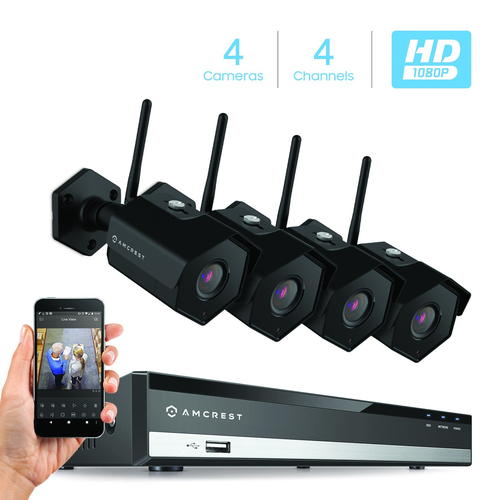
    Amcrest NV2104-IP2M-852B4 - Best Outdoor Wireless Security Camera System with DVR - VueVille[/wpsm_column][wpsm_column size=”one-half” position=”last”]
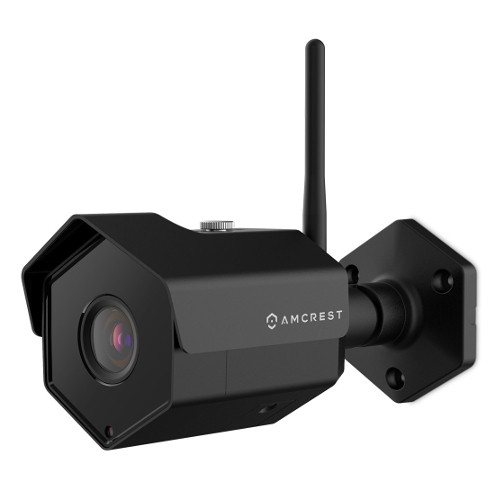
    Amcrest IP2M-852B4 Wi-Fi Security Camera - VueVille[/wpsm_column]

    [wpsm_divider top=”20px” bottom=”20px” style=”clear”]

    [wpsm_column size=”one-half”]
    [wpsm_titlebox title=”NVR Features (NV2104-HS)” style=”3″]

    • 4-channel recording @ 1080p supported
    • H.265 encoding & PoE-enabled
    • Max. 6TB hard drive supported
    • 80 Mbps total bandwidth
    • Motion detection with email alerts and push notification
    • Remote smartphone access
    • ONVIF & RTSP support allows you to connect 3rd party cameras

    [/wpsm_titlebox]
    [/wpsm_column]

    [wpsm_column size=”one-half” position=”last”]
    [wpsm_titlebox title=”Wireless IP Camera Features (IP2M-852B4)” style=”3″]

    • 3-axis black colour camera
    • 2MP CMOS image sensor (1080p)
    • Night vision with 30m IR range, true IR-cut filter
    • RJ45 PoE ports
    • IP 67 Weather-rated

    [/wpsm_titlebox]

    [easyazon_link identifier=”B077XPNBW3″ locale=”US” tag=”vueville.com-eaz-20″]Read Amazon user reviews[/easyazon_link]

    [/wpsm_column]
    Amcrest is a frequent guest on our recommended outdoor and indoor IP camera lists. This wireless NVR security camera kit is an entry-level model at a super budget-friendly price. Amcrest bundles their NVRs and cameras in a dizzying array of combinations, so you are sure to find a kit that matches your exact needs.

    The NV2104-HS NVR in this kit is a 4-channel model which can record all the channels simultaneously at up to 1080p. Motion detection is possible on all the channels and it can send motion triggered email alerts. An unfortunate trend in the industry recently is to try and lock down products to trap you in a manufacturer’s ecosystem. Happily, Amcrest is not one of those guys. Since the NVR supports the ONVIF standard, you can add any 3rd party camera from manufacturers like Hikvision, Dahua, Sony, Vivotek, and even Foscam (Amcrest’s nemesis whom they had a falling out with and the reason for the Amcrest brand being created). I hope Amcrest remains open to inter-operability which is a key feature for us DIY enthusiasts.

    The camera included in this kit is the IP2M-852B4 model, which can also be purchased separately. These are 1080p (2MP) IP cameras that can do night vision and have a very good IP67 weather rating. The 128° field of view is very good and one of the advantages of a 2 MP sensor. They are also ONVIF compliant, so can work with 3rd-party ONVIF compliant NVRs or a DIY NAS NVR system. Using the Amcrest smartphone app, you can login in to the NVR from anywhere at any time to see a live feed of all the cameras as well as recorded CCTV footage.

    [wpsm_column size=”one-half”]
    [wpsm_pros title=”PROS:”]

    • Good image quality with 1080p cameras
    • Wide 3rd party camera support through ONVIF standard
    • IR LEDs provide night vision capability
    • USB Backup feature for peace of mind
    • Very good value for money
    • 2-way audio (voice chat) possible

    [/wpsm_pros][/wpsm_column]

    [wpsm_column size=”one-half” position=”last”]
    [wpsm_cons title=”CONS:”]

    • No advanced motion detection methods such as line crossing, intrusion or dwell/linger/abandoned object detection
    • Free smartphone app could be better – it lacks basic features such as push notifications, paid version needed for this
    • No redundant storage due to single SATA interface, cannot write to network devices
    • No scheduled USB backup option
    • No alarm in/out connections
    • NVR doesn’t have built-in WiFi option

    [/wpsm_cons][/wpsm_column]

    Smart Home Checklist

    • Local storage available: Yes
    • Cloud reliant: No
    • Battery backup: No
    • Smart home compatibility: ONVIF, RTSP
    • Subscription fees: None

    [easyazon_link identifier=”B077XPNBW3″ locale=”US” tag=”vueville.com-eaz-20″]Check Price on Amazon[/easyazon_link]

    If you need only 4 wireless IP cameras but want the freedom to add more later, go with [easyazon_link identifier=”B076FKGPHD” locale=”US” tag=”vueville.com-eaz-20″]this Amcrest model[/easyazon_link] which supports 8 channels.

    Great Value 4-ch Wireless NVR Kit: EZVIZ (A Hikvision brand) 1080p 4-channel NVR Kit with 4x 1080p Wi-Fi cameras

    [wpsm_divider top=”20px” bottom=”20px” style=”clear”]

    [wpsm_column size=”one-half”]
    [easyazon_image align=”center” height=”500″ identifier=”B07FDTR1LM” locale=”US” src=”https://images-na.ssl-images-amazon.com/images/I/411X-U4nonL.jpg” tag=”vueville.com-eaz-20″ width=”500″][/wpsm_column][wpsm_column size=”one-half” position=”last”]
    [easyazon_image align=”center” height=”500″ identifier=”B07FDTR1LM” locale=”US” src=”https://images-na.ssl-images-amazon.com/images/I/41QgNTk0OhL.jpg” tag=”vueville.com-eaz-20″ width=”500″][/wpsm_column]

    [wpsm_divider top=”20px” bottom=”20px” style=”clear”]

    [wpsm_column size=”one-half”]
    [wpsm_titlebox title=”NVR Features (X5C)” style=”3″]

    • 4-channel recording @ 1080p supported
    • Built-in 2.4GHz Wi-Fi
    • Max. 6TB hard drive supported
    • One 10/100M adaptable Ethernet port
    • HDMI, VGA & USB ports
    • 30/50 Mbps wireless/wired bandwidth
    • Motion detection with email alerts and push notification
    • Remote smartphone access
    • ONVIF & RTSP support allows you to connect 3rd party cameras

    [/wpsm_titlebox]
    [/wpsm_column]

    [wpsm_column size=”one-half” position=”last”]
    [wpsm_titlebox title=”Wireless IP Camera Features (CTQ3W)” style=”3″]

    • 3-axis white colour Wi-Fi camera
    • 2MP CMOS image sensor (1080p)
    • Night vision with 30m IR range, true IR-cut filter
    • Built-in stroke light and alarm siren for deterrence
    • 2-way talk supported
    • IP 66 Weather-rated

    [/wpsm_titlebox]

    [easyazon_link identifier=”B07FDTR1LM” locale=”US” tag=”vueville.com-eaz-20″]Read Amazon user reviews[/easyazon_link]

    [/wpsm_column]
    Hikvision is a brand that most DIY fans are aware of. However they have never been keen on supporting retail customers. But it was still possible to buy their gear from the few authorised resellers Hikvision allowed (like B&H Photo). Recently, Hikvision launched their retail brand called EZVIZ. Old-timers may remember that once upon a time, Hikvision’s cloud P2P and DNS service was called EZVIZ.

    The X5C ezNVR in this particular 4 camera kit is a 4-channel model which can record and playback all the channels simultaneously at up to 1080p. Motion detection is possible on all the channels and it can also send motion triggered email alerts. Hikvision has retained ONVIF support in EZVIZ products and so you can add any ONVIF compliant wired or wireless IP camera to this NVR.

    One of the highlights of this kit is that the NVR has built-in 2.4GHz Wi-Fi. So the NVR can automatically connect and pair with the wireless cameras – no painful setup process for you to do! The claimed wireless range is up to 300 feet or 100 metres, but if you have solid concrete/steel in your walls, that range is going to be drastically reduced. Still, its great that the NVR has its own Wi-Fi network – your wireless cameras are on their own wireless network separate from that of your other wireless devices.

    The 4 cameras included in this kit are the C3W ezGuard models, which can are also available for purchase separately. These support IEEE802.11 b/g/n 2.4GHz Wi-Fi. They support 1080p (2MP) resolution using a 1/2.7″ CMOS sensor. The focal length of the lens is 2.8mm, and the resulting 103° field of view is good but falls short of the Amcrest 2MP IP cameras. It still qualifies as wide-angle though. The camera does not support H.265, only H.264 encoding is present. Night vision of up to 30 metres range is standard.

    Interestingly, you can add an SD card of up to 128GB. So even if the wireless connection to the NVR fails, the camera can still take motion detection images and clips. The other unique feature is the presence of a strobe light and siren which can be effective in scaring away intruders.

    Since you cannot use PoE for these cameras, the only way to power them is using the included 12V power adaptors. But note the cord length of just 10 feet (3 metres). The cameras are IP66 rated for weather protection.

    One of the common questions I get from readers is cloud backup – EZVIZ has a fature called ‘Cloud Play’ which is available in the US and UK. So you don’t have to worry about burglars stealing your NVR.

    The smartphone app unsurprisingly called EZVIZ lets you connect to the NVR remotely and view recorded CCTV footage.

    Since EZVIZ is a Hikvision brand, there is high quality documentation and user guides available on their web site.

    [wpsm_column size=”one-half”]
    [wpsm_pros title=”PROS:”]

    • Good image quality with 1080p cameras
    • Wide 3rd party camera support through ONVIF standard
    • IR LEDs provide night vision capability
    • USB Backup feature for peace of mind
    • Very good value for money
    • 2-way audio (voice chat) possible
    • NVR has built-in WiFi option
    • Cameras have strobe and siren features

    [/wpsm_pros][/wpsm_column]

    [wpsm_column size=”one-half” position=”last”]
    [wpsm_cons title=”CONS:”]

    • No advanced motion detection methods such as line crossing, intrusion or dwell/linger/abandoned object detection
    • No redundant storage due to single SATA interface, cannot write to network devices
    • No scheduled USB backup option
    • No alarm in/out connections

    [/wpsm_cons][/wpsm_column]

    Smart Home Checklist

    • Local storage available: Yes
    • Cloud reliant: No
    • Battery backup: No
    • Smart home compatibility: ONVIF, RTSP
    • Subscription fees: None

    [easyazon_link identifier=”B07FDTR1LM” locale=”US” tag=”vueville.com-eaz-20″]Check Price on Amazon[/easyazon_link]

    High-end 4-ch Wireless NVR Kit: Dahua 4-channel 5MP NVR Kit with 4x 3MP Wi-Fi cameras

    [wpsm_divider top=”20px” bottom=”20px” style=”clear”]

    [wpsm_column size=”one-half”]
    Dahua 5MP NVR 1U Wi-Fi - Best Outdoor Wireless Security Camera System with DVR - VueVille[/wpsm_column][wpsm_column size=”one-half” position=”last”]
    Dahua N41BD12-W - Best Outdoor Wireless Security Camera System with DVR - VueVille[/wpsm_column]

    [wpsm_divider top=”20px” bottom=”20px” style=”clear”]

    [wpsm_column size=”one-half”]
    [wpsm_titlebox title=”NVR Features (X5C)” style=”3″]

    • 4-channel recording @ 5MP supported
    • Total 80 Mbps bandwidth
    • Max. birate of 20 Mbps per channel
    • Built-in 2.4GHz and 5 GHz Wi-Fi
    • WD 1TB Purple 3.5″ Surveillance Hard Drive (WD10PURX)
    • Max. 6TB hard drive supported
    • One 10/100M adaptable Ethernet port
    • HDMI, VGA & USB ports
    • 30/50 Mbps wireless/wired bandwidth
    • Motion detection with email alerts and push notification
    • Remote smartphone access
    • ONVIF 2.4 & RTSP support allows you to connect 3rd party cameras

    [/wpsm_titlebox]
    [/wpsm_column]

    [wpsm_column size=”one-half” position=”last”]
    [wpsm_titlebox title=”Wireless IP Camera Features (CTQ3W)” style=”3″]

    • 3-axis white colour Wi-Fi camera
    • 1/3″ 4MP CMOS image sensor (2688 x 1520)
    • 2.8 mm fixed lens with 106° field of view
    • H.264/H.265/H.265+ encoding
    • Night vision with 30m IR range, true IR-cut filter
    • 2-way talk supported
    • 2.4 GHz, IEEE 802.11a/b/g/n/ac
    • IP 67 Weather-rated

    [/wpsm_titlebox]
    [/wpsm_column]
    Dahua is one of our favourite pro-DIY brands. This is mainly because they have ost of the features that Hikvision has, but typically at a lower price. This Wi-Fi kit is a proper starter kit and so misses out on some advanced features but has enough to keep us interested.

    The Dahua NVR has a standout feature that should really be standard on all Wi-Fi NVR kits – Automatic Network Replenishment Technology (ANR). I have already mentioned in detail the biggest issue I have with Wi-Fi IP cameras – what happens when the Wi-Fi inevitably drops out? With cheaper kits, you will lose the video that the camera tried to send but which never reached the NVR. But with Automatic Network Replenishment Technology, the cameras store the video on the on-board SD card and when connection to the NVR is re-established the NVR will copy over the missed video to the hard disk. Brilliant, if you ask me!

    [wpsm_column size=”one-half”]
    [wpsm_pros title=”PROS:”]

    • Great image quality with 4MP IP cameras
    • Wide 3rd party camera support through ONVIF standard
    • IR LEDs provide night vision capability
    • USB Backup feature for peace of mind
    • NVR has built-in WiFi option
    • Cameras support ONVIF and 802.11ac Wi-Fi
    • Automatic Network Replenishment Technology (ANR)
    • Very good value for money

    [/wpsm_pros][/wpsm_column]

    [wpsm_column size=”one-half” position=”last”]
    [wpsm_cons title=”CONS:”]

    • No redundant storage due to single SATA interface, cannot write to network devices
    • No scheduled USB backup option
    • No alarm in/out connections
    • No advanced motion detection methods such as line crossing, intrusion or dwell/linger/abandoned object detection

    [/wpsm_cons][/wpsm_column]

    Smart Home Checklist

    • Local storage available: Yes
    • Cloud reliant: No
    • Battery backup: No
    • Smart home compatibility: ONVIF, RTSP
    • Subscription fees: None

    View on BH Photo

    Best 8-channel Wireless Security Camera System with NVR

    8-ch Wireless NVR Kit: Amcrest 8MP 8-channel NVR Kit with 8x 4MP Wi-Fi cameras (Amcrest NV4108-HS-IP4M-1026B8)

    [wpsm_divider top=”20px” bottom=”20px” style=”clear”]

    [wpsm_column size=”one-half”]
    NV4108-HS-IP4M-1026B8 - Best Outdoor Wireless Security Camera System with DVR - VueVille
    [/wpsm_column]
    [wpsm_column size=”one-half” position=”last”]
    Amcrest IP4M-1026B Wi-Fi Security Camera - VueVille[/wpsm_column]

    [wpsm_divider top=”20px” bottom=”20px” style=”clear”]

    [wpsm_column size=”one-half”]
    [wpsm_titlebox title=”NVR (NV4108-HS) Features” style=”3″]

    • 8-channel recording @ 8MP supported
    • 4K, H.265 encoding & PoE-enabled
    • Max. 6TB hard drive supported
    • 80 Mbps total bandwidth
    • Motion detection with email alerts and push notification
    • Remote smartphone access
    • ONVIF & RTSP support allows you to connect 3rd party cameras

    [/wpsm_titlebox]
    [/wpsm_column]

    [wpsm_column size=”one-half” position=”last”]
    [wpsm_titlebox title=”Wireless Camera (IP4M-1026B)” style=”3″]

    • 3-axis black colour camera
    • 4MP CMOS image sensor
    • Night vision with 30m IR range, true IR-cut filter
    • RJ45 PoE ports
    • IP 67 Weather-rated

    [/wpsm_titlebox]

    [easyazon_link identifier=”B077XPNBW3″ locale=”US” tag=”vueville.com-eaz-20″]Read Amazon user reviews[/easyazon_link]

    [/wpsm_column]
    If you would like 8 channels and the option to upgrade your cameras to 4K 8MP resolution (3840×2160) later on, this wireless NVR security camera kit is the best option.

    The NV4108-HS NVR in this kit is an 8-channel model which can record all the channels simultaneously at up to 8MP (4K resolution). So if you don’t need 8MP today but 4MP is fine, you still have the freedom to upgrade your cameras later. Since Amcrest supports any ONVIF-compliant IP camera, you are not locked into Amcrest’s eco-system. Its important to note that no NVR sold in any wireless camera actually has Wi-Fi built-in. So your wireless IP camera will be connecting to your existing Wi-Fi router. My suggestion is to create a separate Wi-Fi network as I mentioned earlier.

    The IP4M-1026B cameras included are 4MP IP cameras. Just like the other Amcrest Wi-Fi cameras, these have a very good IP67 weather rating and night vision. The bump from 2MP to 4MP means that the field of view drops but is still superb at 118°. Yes, the cameras are also ONVIF compliant, so can work with any 3rd-party ONVIF compliant NVRs or a DIY NAS NVR system. Using the Amcrest smartphone app, you can login in to the NVR from anywhere at any time to see a live feed of all the cameras as well as recorded CCTV footage.

    [wpsm_column size=”one-half”]
    [wpsm_pros title=”PROS:”]

    • Great image quality with 4MP cameras
    • Wide 3rd party camera support through ONVIF standard
    • IR LEDs provide night vision capability
    • USB Backup feature for peace of mind
    • Very good value for money
    • 2-way audio (voice chat) possible

    [/wpsm_pros][/wpsm_column]

    [wpsm_column size=”one-half” position=”last”]
    [wpsm_cons title=”CONS:”]

    • No advanced motion detection methods such as line crossing, intrusion or dwell/linger/abandoned object detection
    • Free smartphone app could be better – it lacks basic features such as push notifications, paid version needed for this
    • No redundant storage due to single SATA interface, cannot write to network devices
    • No scheduled USB backup option
    • No alarm in/out connections
    • NVR doesn’t have built-in WiFi option

    [/wpsm_cons][/wpsm_column]

    Smart Home Checklist

    • Local storage available: Yes
    • Cloud reliant: No
    • Battery backup: No
    • Smart home compatibility: ONVIF, RTSP
    • Subscription fees: None

    [easyazon_link identifier=”B077XPNBW3″ locale=”US” tag=”vueville.com-eaz-20″]Check Price on Amazon[/easyazon_link]

    What is a Security Camera System

    A security camera system consists of several security cameras connected to a central recording device such as a Digital Video Recorder (DVR) or Network Video Recorder (NVR). In the 90s, analog cameras were common but these days digital IP cameras are the way to go.

    A security camera system is the easiest way to get started for most people – everything you need to set up your own DIY security cameras comes in one ready-to-use package.

    DVR vs. NVR – What’s the difference?

    Every NVR is a DVR, but not every DVR is an NVR! Confused? Let’s break this down a bit – there are a few different types of DVRs and NVRs around:

    • Digital Video Recorders for analog CCTV cameras
      Before digital IP cameras came on the scene, if you wanted digital CCTV recordings you could get them even though there were no 100% digital CCTV cameras around. This was because a digital video recorder could digitise the analog signals from the analog camera, encode it into a digital file and save it to hard disks. Hence the term ‘digital video recorder’ or DVR. These DVRs had one analog video input (usually coaxial or BNC) per channel. So an 8 channel DVR would have 8 separate video inputs. Remember these cameras need power too. That’s a lot of cables to wire up!
    • DVRs with Network Connectivity
      DVR Back Panel - Best Outdoor Wireless Security Camera System with DVR - VueVille
      A 16 channel DVR-NVR hybrid – note the 16 analog video inputs on the left. But there’s an Ethernet port too which allows this NVR to connect to wired or wireless IP cameras on the same network.

      So a bright engineer somewhere started thinking – what if we give a DVR network connectivity? Great idea actually – because this gives you all the benefits of accessing your CCTV footage remotely from a computer or mobile app. Some hybrid DVR-NVR systems like the first one above do support a limited number of wired or wireless IP cameras but they are aimed at those who want mainly analog cameras and a couple of wireless or wired IP cameras.

    • Network Video Recorders
      And then one fine day, along came digital network cameras (or IP cameras). All of a sudden there was no need for the DVR to digitise signals from an analog camera anymore. Everything’s digital already! Moreover IP cameras are network devices and so the DVR simply needs to become part of your home network to access the IP cameras.

      Or in other words, the IP cameras don’t even need to be physically connected to your DVR which now becomes a Network Video Recorder (NVR) that simply plugs into your home network. This is also why it is possible to have wireless IP cameras connecting to the NVR. By the way, IP cameras also have support way higher resolutions than analog cameras – I am talking 3 Megapixel plus.

      NVR Back Panel - Best Outdoor Wireless Security Camera System with DVR - VueVille
      A 16 channel pure NVR – note the absence of analog video inputs and the presence of a single network port. So this recorder supports only wired and wireless IP cameras!

      Some NVRs come with Power over Ethernet ports built into them – this is why some NVR back panels have many Ethernet ports – each one runs to a separate IP camera and can not just pull data from it but power it too.

    So in summary, if you go for a DVR-based system, you are going to (mostly) get analog wired cameras. If you opt for an NVR-based system, you will be using only IP cameras and you can go for wireless IP cameras.

    DVR based systems are still available to purchase and are slightly cheaper than NVR based systems, but I suggest you give them a miss anyway. The price difference between a DVR-based system and NVR-based system is not much, and going with an NVR-based system means you are future-proofing your investment.

    Wireless vs. Wired Security Camera Systems

    Firstly, its important to realise that most NVRs sold in wireless kits do not have built-in Wi-Fi. They expect you to connect each wireless camera to your own Wi-Fi network. The NVR then connects to your router and thus can access the wireless cameras.

    Now there are a few brands that do sell NVRs with built-in Wi-Fi. These NVRs create their own Wi-Fi network, to whcih the wireless cameras connect. So your CCTV system will be on its own wireless network. There is one chief advantage in this setup – the cameras can communicate with the NVR without sharing the bandwidth with the rest of your home network. However you will then be severely limited in the placement of your NVR. From a wireless point of view, the best place to install your NVR is where it can reach all your Wi-Fi cameras. Remember wireless signals are not great at passing through more than 1-2 walls before the speed and connection quality degrades. But the best wireless location for your NVR may not be where you want to hide your NVR, because remember you have to make your NVR hard to find for a burglar.

    That said, I have a strong opinion on wireless security cameras – they are not the best solution for most people. Wi-Fi is by its very nature inferior to a wired connection. Wi-Fi is prone to drops in connectivity and speed. Consumer Wi-Fi was simply not designed for carrying real-time video signals from multiple IP cameras without missing a single frame. For any critical security application such as CCTV, I strongly recommend wired PoE connections.

    However I acknowledge there may be situations where the only option is a fully wireless security system – if you are renting for example and are not allowed to run PoE Ethernet cables. For such use cases, as long as you have a reliable Wi-Fi network and keep the wireless IP cameras within range, you should be okay. Still, its not an ideal solution.For more information on wired systems, check out our comprehensive buying guide for Power over Ethernet (PoE) home security camera systems.

    How do I set up a reliable high-performance Wi-Fi network for my wireless security cameras

    Here are some tips on making your wireless security system work as reliably as it can:

    • Go for systems that can use your Wi-Fi network instead of just the NVR’s built-in network. Then use a mesh system like [easyazon_link identifier=”B01MAW2294″ locale=”US” tag=”vueville.com-eaz-20″]Google Wi-Fi[/easyazon_link].
    • If your cameras support edge recording, pop a good microSD card like the [easyazon_link identifier=”B073JYVKNX” locale=”US” tag=”vueville.com-eaz-20″]Sandisk Ultra[/easyazon_link] for those inevitable cases where the Wi-Fi drops out.

    Which are the best security camera system brands?

    Officially ONVIF-compliant brands:

    • Amcrest
    • EZVIZ
    • LaView
    • Hikvision
    • Dahua
    • Samsung Wisenet (Wi-Fi models now discontinued)

    Brands that officially do not support ONVIF:

    • Reolink
    • Lorex
    • Swann

    Conclusion

    I hope this buyer’s guide to wireless NVR kits has been of help. Let us know in the comments below which system you picked and how you find it!
  • Best 20 Megapixel CCTV Cameras

    Best 20 Megapixel CCTV Cameras

    Looking for the best 20 Megapixel CCTV cameras on the market? We have rounded up the best IP cameras on the market that offer both incredible daytime detail and outstanding night time performance with no compromises.

    The Best 20 Megapixel CCTV Cameras

    [toc]

    What to look for

    Here are the most important features to look for in a high-pixel count CCTV camera:

    • Indoor or Outdoor – Outdoor cameras should have at least an IP66 rating for weather protection
    • Wired connections – At 20 Megapixel resolution, you have to use a wired connection. PoE is fine but an SFP fibre-optic slot is even better due to its ability to cover long distances that fibre can cover.
    • Local storage or Cloud Storage – Local storage is more reliable vs. using only cloud storage in case of an Internet fault.
    • Smart home compatibility – Make sure the camera has ONVIF support for inter-operability

    Sony SNC-VM772R – The Outdoor Champion with Optical Zoom

    [easyazon_image align=”center” height=”500″ identifier=”B01350CKNQ” locale=”US” src=”https://m.media-amazon.com/images/I/31ScrSxxPkL.jpg” tag=”vueville.com-eaz-20″ width=”500″]

    httpv://www.youtube.com/watch?v=tuXuZ5K_b8Y
    [wpsm_divider top=”20px” bottom=”20px” style=”clear”]
    Sony’s IP cameras are legendary for their low light performance and the SNC-VM772R is no exception. This IP camera sports a large, highly sensitive 1.0-type back-illuminated Exmor R CMOS image sensor with 20 Megapixels and a minimum illumination level of 0.06 lux in full-colour. Although Sony bills it as a 4K camera that can do 3,840 x 2,160, you can go up to 5472 x 3648 resolution.

    Want a 20 Megapixel camera but with optical zoom? The SNC-VM772R has a motorized optical zoom lens with focal length from 8.8 mm to 25.7 mm. This is an effective 2.9x zoom. The f-stop varies from F1.8 at the wide end to F2.8 at the tele end. The viewing angle ranges from 70.7° to 27.5°.

    One feature frequently missing from high MP cameras is an on-board IR illuminator. Fear not, this Sony has 30x 850nm IR LEDs giving it a night vision range of 50m.

    I always prefer cameras with advanced motion detection ability. This Sony supports intrusion, passing, existing, disappearance, capacity, abandoned object, and removed object detection. So its on par with Dahua, Axis and Vivotek. Another interesting feature is a PTZ-like virtual tracking feature of up to 4 moving targets.

    Local storage of images and motion detection clips is supported with an SD card slot that takes up to 128GB cards. For cameras with such high pixel counts, the SD card is more suited as a failover video recording destination in case of network outage.

    What about connectivity? IEEE 802.3af PoE is present, as is microphone and line input. 2x alarm inputs and 2x alarm outputs are generous by IP camera standards. An HDMI port is a very unusual inclusion, but very welcome.

    [wpsm_divider top=”20px” bottom=”20px” style=”clear”][wpsm_column size=”one-half”]Features:

    • 20MP Exmor R CMOS image sensor
    • Optical zoom, 8.8 mm to 25.7 mm
    • Automatic IR cut filter
    • PoE support, 12V DC, or 24V AC
    • 2x alarm in/out ports
    • microSD card for Edge recording
    • IP66 and IK10 impact resistant housing
    • Works from -40 °C to +50 °C (-40 °F to +122 °F)
    • Dimensions – φ190 x 146.7 mm

    [/wpsm_column][wpsm_column size=”one-half” position=”last”]Verdict:

    • Local storage available: Yes
    • Cloud reliant: No
    • Battery backup: No
    • Smart home compatibility: ONVIF Profile S

    [/wpsm_column]

    [easyazon_link identifier=”B01350CKNQ” locale=”US” tag=”vueville.com-eaz-20″]View on Amazon[/easyazon_link]

    AXIS Q1659 – The Indoor Choice with DSLR features

    The Axis Q1659 is the perfect marriage of DSLR-level image quality from the Canon APS-C sensor and the surveillance prowess that Axis is famous for. The 22.4 x 15.0 mm CMOS sensor allows for a maximum resolution of 5472×3648 and a shutter speed down to 1/8000 seconds.

    Since the camera uses a Canon mount, you can use any Canon EF/EF-S lens with this camera.

    AXIS Q1659 - Best 20MP CCTV IP Cameras - VueVille

    Axis sells the camera with the following lenses:

    • AXIS Q1659 24 mm, f/2.8
    • AXIS Q1659 35 mm, f/2a
    • AXIS Q1659 50 mm, f/1.4a
    • AXIS Q1659 85 mm, f/1.2La
    • AXIS Q1659 100 mm, f/2.8L
    • AXIS Q1659 10–22 mm, f/3.5-4.5
    • AXIS Q1659 70–200 mm, f/2.8L
    • AXIS Q1659 55–250 mm f/4-5.6

    A major highlight is the Lightfinder technology which capture full-colour video in very low level light. Check out the video below to learn more:
    httpv://www.youtube.com/watch?v=77cN3LHdBQQ
    [wpsm_divider top=”20px” bottom=”20px” style=”clear”]

    The camera can be powered over conventional PoE. But on a high-end camera like this, it’s no surprise to find an SFP slot which allows you to connect the camera using a fibre optic cable. The main advantage is low latency and the ability to carry data over long distances. This gives you immense flexibility in camera installation. Axis also has a technilogy called ZipStream which lowers the bandwidth needed by up to 50%.

    The camera is not light on audio features – it support 2-way audio and has an external microphone input and audio line out. It can operate in freezing temperatures.

    [wpsm_divider top=”20px” bottom=”20px” style=”clear”][wpsm_column size=”one-half”]Features:

    • 20MP APS-C CMOS image sensor
    • Canon mount and EF/EF-S lenses
    • Automatic IR cut filter
    • PoE and SFP fibre-optic port
    • microSD/microSDHC/microSDXC card and NAS support
    • Works from 0 °C to 45 °C (32 °F to 122 °F)
    • Two-way talk with mic-input and line-out
    • Dimensions – Camera body: 176 x 102 x 75 mm (7 x 4 x 3 in)

    [/wpsm_column][wpsm_column size=”one-half” position=”last”]Verdict:

    • Local storage available: Yes
    • Cloud reliant: No
    • Battery backup: No
    • Smart home compatibility: Open API including VAPIX® and AXIS Camera Application Platform, AXIS Video Hosting System (AVHS), ONVIF Profile S and G

    [/wpsm_column]
    B073RC8R2B

    Arecont Vision AV20175DN-28 – The Surround Video star with WDR

    [easyazon_image align=”center” height=”500″ identifier=”B00ODB5FS4″ locale=”US” src=”https://m.media-amazon.com/images/I/41bUYJXw6lL.jpg” tag=”vueville.com-eaz-20″ width=”500″]

    Arecont Vision is a California-based company that specialises in video surveillance and machine vision tech. The AV20175DN-28 is a very unique multi-sensor camera that provides ‘surround’ video. The 4 independently controllable 5MP sensors have M12 lens mounts. Each mount can take a lens of 2.1mm, 2.8mm, 4mm, 6mm, 8mm, 12mm or 16mm focal length. The AV20175DN-28 model comes with 2.8mm lens and the AV20175DN-08 comes with 8 mm lens.

    The 360° track together with these 4 sensors means you get superb flexibility in defining the camera’s scene coverage, with up to 270° field of view. In case you are wondering the resolution this camera pushes out is an incredible 10240×1920 at 3.5 fps. At 5120×960, you can get 11 fps.

    The very high 20 Megapixel count allows for an intriguing feature – you can zoom into a recorded video and still maintain Full HD 1080p resolution. This virtually eliminates the need for PTZ cameras which anyway have the downside of missing out on details outside the zoomed in view.

    There is no audio support but there is alarm in/out support. The camera can be powered over PoE, via 12–48V DC or 24V AC. It is also IP66 outdoor rated with an IK-10 impact resistant housing. Did we say the camera is made in the USA?
    [wpsm_divider top=”20px” bottom=”20px” style=”clear”][wpsm_column size=”one-half”]Features:

    • 20MP total, 4x5MP CMOS image sensor
    • Multiple lens options from 2.1mm up to 16mm
    • Enhanced 100dB WDR
    • Automatic IR cut filter
    • PoE support, or 12–48V DC/24V AC
    • Alarm in/out ports
    • IP66 and IK-10 impact resistant housing
    • Works from -40°C (-40°F) to +50°C (122°F)
    • Dimensions – Ø 7.7″ (196mm) x 3.1″ H (78.5mm)

    [/wpsm_column][wpsm_column size=”one-half” position=”last”]Verdict:

    • Local storage available: No
    • Cloud reliant: No
    • Battery backup: No
    • Smart home compatibility: ONVIF Profile S

    [/wpsm_column]

    [easyazon_link identifier=”B00ODB5FS4″ locale=”US” tag=”vueville.com-eaz-20″]View on Amazon[/easyazon_link]

    Conclusion

    IP cameras with super high resolutions are great when you have a large area to cover, but need to be able to zoom in and make a positive ID. Be it day or night. With 20 Megapixels, you can have full 4K resolution even when zoomed in. So these cameras a great choice for DIY enthusiasts who want the best in CCTV technology.

    [text-blocks id=”5527″ slug=”earning-disclaimer”]

  • Best Budget IP Cameras – 2019 Recommendations

    Best Budget IP Cameras – 2019 Recommendations

    Best Budget IP Cameras - VueVille

    Looking for an affordable budget IP camera that won’t fall apart after a few months, doesn’t spy on your family and doesn’t cost a bomb in ‘subscription’ fees every month? Yes I have been there too.

    The market is awash with cheap generic Chinese IP cameras that are super cheap but are probably more trouble than they are worth.

    If you have just started researching and already feel like giving up, don’t worry we have got you covered. Your time is valuable, so we have separated the wheat from the chaff for you. Here’s our hand-picked list of the best budget IP cameras for 2019.

    Best Budget IP Cameras – 2019 Recommendations

    [wpsm_toplist]

    Best Budget Outdoor Bullet IP Camera: Reolink RLC-410 (PoE) & 410W (Wi-Fi)

    [wpsm_column size=”one-half”][easyazon_image align=”center” height=”500″ identifier=”B010LH48F4″ locale=”US” src=”https://images-na.ssl-images-amazon.com/images/I/416viZoNy7L.jpg” tag=”vueville.com-eaz-20″ width=”500″]
    [/wpsm_column]
    [wpsm_column size=”one-half” position=”last”][wpsm_titlebox title=”Features” style=”3″]

    • 4MP or 5MP models available, CMOS image sensor
    • 80° Viewing Angle
    • Infrared LEDs for night vision with 30m range
    • Power over Ethernet (PoE) on RLC-410
    • Dual band WiFi with 2T2R MIMO antenna (802.11ac 2.4 and 5.0 GHz) on RLC-410W
    • ONVIF and RTSP protocols supported
    • IP66 weatherproof rating

    [/wpsm_titlebox][/wpsm_column]
    Reolink is a solid mainstream brand that makes both budget and advanced IP cameras. The RLC-410 is a tried and tested model that is now in its third year. The RLC-410 and 410W variant are entry-level outdoor IP camera models. Unlike most cheap IP cameras which are made of plastic, these cameras have a full metal body. Both have on-board microphones and local storage by way of the on-board SD card slot. The only difference between them is that 410 is PoE-only and 410W is WiFi-only.

    The camera can be easily ceiling mounted and comes with elbow joints. There is a true IR cut removable filter (ICR) to ensure excellent night time videos and faithful colour reproduction during the day. Noise reduction and back-light compensation are also available. Wide Dynamic Range (WDR) which is a premium feature is predictably absent on these cameras.

    One of the features that budget IP cameras miss out on is our beloved built-in NVR feature. I am happy to report that both the RLC-410 and RLC-410W have the built-in NVR feature. This feature is great if you are just starting out and have a single camera or do not have a dedicated NVR. So you can set up the camera to do basic motion detection, and it will overwrite older videos automatically. But do note that Reolink cameras do not support advanced motion detection methods.

    However the camera doesn’t support continuous recording to the on-board SD card, which is fine because its not something I recommend anyway. You will just end up wearing out the SD card sooner. SD cards are best suited to intermittent motion detection clips being written, rather than continuous data recording. The cameras can instead record to a Reolink NVR or any 3rd party NVR or software that supports the ONVIF standard and RTSP protocol.

    [wpsm_column size=”one-half”][wpsm_pros title=”PROS:”]

    • 4MP or 5MP, very good image quality
    • On-board storage and built-in NVR features
    • Email notifications and push alerts
    • Great value for money
    • Works with any 3rd party ONVIF-compliant device such as Synology and QNAP NAS

    [/wpsm_pros]
    [/wpsm_column][wpsm_column size=”one-half” position=”last”][wpsm_cons title=”CONS:”]

    • No audio/alarm connections
    • Viewing angle of 80° is low
    • Ethernet connection needed for initial setup
    • No WDR
    • Lacks advanced motion detection methods
    • Can’t have both PoE and Wi-Fi

    [/wpsm_cons][/wpsm_column]

    Smart Home Checklist

    • Local storage available: Yes
    • Cloud reliant: No
    • Battery backup: No
    • Smart home compatibility: ONVIF, RTSP
    • Subscription fees: None

    [easyazon_link identifier=”B010LH48F4″ locale=”US” tag=”vueville.com-eaz-20″]Check price on Amazon[/easyazon_link]

    Best Budget Outdoor Dome IP Camera: Reolink RLC-422 (PoE) & 422W (Wi-Fi)

    [wpsm_column size=”one-half”][easyazon_image align=”center” height=”500″ identifier=”B076HLT53N” locale=”US” src=”https://images-na.ssl-images-amazon.com/images/I/41aJLUKg9rL.jpg” tag=”vueville.com-eaz-20″ width=”500″]
    [/wpsm_column]

    [wpsm_column size=”one-half” position=”last”][wpsm_titlebox title=”Features” style=”3″]

    • 5MP CMOS sensor
    • 33-98° Viewing Angle with 2.7-12mm Motorized Zoom
    • 30m IR night vision
    • SD card slot, Power over Ethernet (PoE)
    • Wi-Fi model available: RLC-422W
    • IP66 weatherproof rating

    [/wpsm_titlebox]
    [/wpsm_column]
    The RLC-422 has been continuously improved by Reolink and took the crown of best value dome IP camera in our annual IP camera rankings.

    Belying its budget-friendly pricing, the RLC-422 sports a 4x motorized vari-focal lens, which is really a premium feature. The camera also has a built-in NVR feature and together with the SD card slot, you can forego an NVR if you wish.

    The motion detection feature is a bit lacking as it supports only simple MD, but it does support zones and you can adjust the sensitivity in each zone. However advanced motion detection methods that would help cut down false alerts are not available. The Reolink mobile app is stable and lets you live view all your Reolink cameras simultaneously and access the built-in NVR feature of the timeline. The mobile app is a high quality affair and I use it daily as one of our baby monitor apps.

    The camera has a metal body and is IP66 weatherproof and IK10 vandal proof. In case you cannot conveniently wire the camera up at your installation location, you can get the Wi-Fi version – the RLC-422W which supports both 2.4 and 5 GHz bands. Unfortunately, Reolink does not make a model with both PoE and Wi-Fi features.
    [wpsm_column size=”one-half”][wpsm_pros title=”PROS:”]

    • 5MP sensor, good image quality
    • Easy to use with clear setup process
    • Great value

    [/wpsm_pros][/wpsm_column][wpsm_column size=”one-half” position=”last”][wpsm_cons title=”CONS:”]

    • No audio support at all
    • No WDR
    • Lacks advanced motion detection methods

    [/wpsm_cons][/wpsm_column]
    Smart Home Checklist

    • Local storage available: Yes
    • Cloud reliant: No
    • Battery backup: No
    • Smart home compatibility: ONVIF, RTSP
    • Subscription fees: None

    [easyazon_link identifier=”B076HLT53N” locale=”US” tag=”vueville.com-eaz-20″]Check price on Amazon[/easyazon_link]

    Best Budget Outdoor Turret IP Camera: Dahua IPC-HDW4431 (PoE)

    [wpsm_column size=”one-half”][easyazon_image align=”center” height=”500″ identifier=”B07BNP9T8M” locale=”US” src=”https://images-na.ssl-images-amazon.com/images/I/31X2YJIe-bL.jpg” tag=”vueville.com-ref-20″ width=”500″]
    [/wpsm_column]
    [wpsm_column size=”one-half” position=”last”][wpsm_titlebox title=”Features” style=”3″]

    • 4MP CMOS sensor with WDR
    • 104° Viewing Angle
    • 30m IR Range
    • True hardware WDR
    • Power over Ethernet (PoE)
    • IP67 weatherproof, IK10 vandal-proof rating
    • SD card slot on-board
    • Audio & alarm in/out on mini-dome model

    [/wpsm_titlebox]
    [/wpsm_column]
    The Dahua IPC-HDW4431 family comes is many different variants but all of them have the same core specifications of 4MP sensor, 104° field of view, PoE, SD card slot, great weatherproofing, H.265 encoding, and advanced motion detection. How do they differ? Only in their size and shape, IR range, and audio features:

    • Dahua IPC-HDBW4431E-AS: Mini-dome with audio and alarm in/out and 30 metres IR range
    • Dahua IPC-HDW4431EM-AS: Turret with onboard mic but no audio or alarm in/out and 30 metres IR range
    • Dahua IPC-HDBW4431F-AS: A smaller mini-dome with onboard mic but no audio or alarm in/out and 20 metres IR range
    • Dahua IPC-HDB4431C-AS: An even smaller mini-dome with onboard mic but no audio or alarm in/out and 20 metres IR range

    So depending on whether you need the audio and alarm in/out connections or prefer an on-board mic, and the available space you have, choose one of the models above. If you don’t want audio features at all, check out the IPC-HDW4431M model.
    [wpsm_column size=”one-half”][wpsm_pros title=”PROS:”]

    • Very good image quality
    • Good value for money
    • Advanced motion detection
    • Its quite rare to find a turret with local storage and a mic onboard

    [/wpsm_pros][/wpsm_column][wpsm_column size=”one-half” position=”last”][wpsm_cons title=”CONS:”]

    • No audio/alarm connections on the turrets
    • No full duplex 2-way audio support

    [/wpsm_cons][/wpsm_column]
    Smart Home Checklist

    • Local storage available: Yes
    • Cloud reliant: No
    • Battery backup: No
    • Smart home compatibility: ONVIF, RTSP
    • Subscription fees: None

    [easyazon_link identifier=”B01F9CP490″ locale=”US” tag=”vueville.com-ref-20″]Check price on Amazon[/easyazon_link]

    Best Budget Outdoor PTZ IP Camera: Reolink RLC-423 (PoE)

    [wpsm_column size=”one-half”][easyazon_image align=”center” height=”500″ identifier=”B016UCNP08″ locale=”US” src=”https://images-na.ssl-images-amazon.com/images/I/41pEQx9SW4L.jpg” tag=”vueville.com-eaz-20″ width=”500″]
    [/wpsm_column]

    [wpsm_column size=”one-half” position=”last”][wpsm_titlebox title=”Features” style=”3″]

    • 5MP CMOS sensor
    • 2.8-12mm motorized vari-focal lens
    • 33°-98° Viewing Angle
    • 60m IR Range
    • Power over Ethernet (PoE 802.3at)
    • IP66 weatherproof rating

    [/wpsm_titlebox]
    [/wpsm_column]

    The 4MP Reolink RLC-423 of 2017 has been upgraded to 5MP for 2019. When we first reviewed it, we were very impressed with the quality and features that Reolink managed to cram into this PTZ at a very affordable price.

    But this is a budget PTZ camera – it doesn’t have auto tracking or advanced motion detection, on-board storage/SD card, alarm connections or WiFi. But for the asking price, these are not deal-breakers at all.

    Check out our review of the 4MP RLC-423 PTZ here:

    [wpsm_top postid=4255]

    [wpsm_column size=”one-half”][wpsm_pros title=”PROS:”]

    • Very good image quality
    • Fast panning/slewing speed of up to 180°/second
    • Great value for money
    • 30 fps is available at 4MP resolution
    • There is an audio in socket

    [/wpsm_pros][/wpsm_column][wpsm_column size=”one-half” position=”last”][wpsm_cons title=”CONS:”]

    • No alarm connections
    • No SD card slot for local storage
    • No Wi-Fi option
    • Slow focus speed relative to PTZ speed
    • No advanced motion detection methods

    [/wpsm_cons][/wpsm_column]
    Smart Home Checklist

    • Local storage available: No
    • Cloud reliant: No
    • Battery backup: No
    • Smart home compatibility: ONVIF, RTSP
    • Subscription fees: None

    [easyazon_link identifier=”B016UCNP08″ locale=”US” tag=”vueville.com-eaz-20″]Check price on Amazon[/easyazon_link]

    Best Budget Indoor IP Camera: Amcrest ProHD IP3M-941B (Wi-Fi)

    [wpsm_column size=”one-half”]
    [easyazon_image align=”center” height=”500″ identifier=”B01M15WH9C” locale=”US” src=”https://images-na.ssl-images-amazon.com/images/I/71u%2B1vRRQBL._SL500_.jpg” tag=”vueville.com-eaz-20″ width=”500″]
    [/wpsm_column]
    [wpsm_column size=”one-half” position=”last”]
    [wpsm_titlebox title=”Features” style=”3″]

    • 3MP CMOS image sensor
    • 90° Viewing Angle, Pan-Tilt
    • 10m IR range
    • Built-in mic and speaker, half-duplex
    • Ethernet port, Wi-Fi
    • Audio and alarm in/out
    • SD card slot

    [/wpsm_titlebox]

    [easyazon_link identifier=”B01M15WH9C” locale=”US” tag=”vueville.com-eaz-20″]Read Amazon user reviews[/easyazon_link]

    [/wpsm_column]
    While Amcrest’s outdoor IP cameras are decent yet uninspiring, their indoor IP cameras such as the Amcrest ProHD 1080p Pan-Tilt WiFi Camera (IP2M-841B) are very reasonably-priced and well-made. Amcrest has this unique blend of high-quality hardware, reliable software, and great after-sales support.

    The IP2M-841B that I still use as one of our baby monitors has now been succeeded by the IP3M-941B. It has an Ethernet port, WiFi, built-in InfraRed LEDs for very good night vision, clear 2-way audio with mic and speaker, built-in SD card local storage, and on top of all this, very good low-light performance. One downside is that the pan-tilt motion is not super quiet.

    Amcrest has smartphone apps for both iOS and Android. 4 hours of free cloud storage comes free with every Amcrest camera, with more storage available on the purchase of a subscription. The camera does not need an Internet connection to be set up or for functioning normally.
    [wpsm_column size=”one-half”]
    [wpsm_pros title=”PROS:”]

    • Great image quality and 3MP resolution
    • 90 degree viewing angle, with Pan-Tilt
    • Very clear and loud two-way audio with mic and speaker built-in
    • WiFi and RJ-45 Ethernet port, so can use a PoE injector
    • IR LEDs provide night vision capability
    • Built-in NVR feature, support for SD card, NAS, NVR, FTP and Cloud storage locations
    • Home Automation compatible with ONVIF and RTSP support, works with any NVR also
    • Audio and alarm in/out connections
    • Very good value for money

    [/wpsm_pros][/wpsm_column]
    [wpsm_column size=”one-half” position=”last”]
    [wpsm_cons title=”CONS:”]

    • Audio is half-duplex only, you cannot hear and speak simultaneously
    • Smartphone apps could be better – free Amcrest apps lack basic features such as push notifications
    • Still no model with both PoE and Wi-Fi, unlike Hikvision

    [/wpsm_cons][/wpsm_column]
    Smart Home Checklist

    • Local storage available: No
    • Cloud reliant: No
    • Battery backup: No
    • Smart home compatibility: ONVIF, RTSP
    • Subscription fees: None

    [easyazon_link identifier=”B01M15WH9C” locale=”US” tag=”vueville.com-eaz-20″]Check Price on Amazon[/easyazon_link]

    Best Budget Indoor PTZ IP Camera: Amcrest IP2M-846E (PoE) & Amcrest IP2M-846 (Wi-Fi)

    [wpsm_column size=”one-half”]
    [easyazon_image align=”center” height=”500″ identifier=”B01MU0CU17″ locale=”US” src=”https://images-na.ssl-images-amazon.com/images/I/816VvKJcPIL._SL500_.jpg” tag=”vueville.com-eaz-20″ width=”500″]
    [/wpsm_column]
    [wpsm_column size=”one-half” position=”last”]
    [wpsm_titlebox title=”Features” style=”3″]

    • 2MP 1080p CMOS image sensor
    • 34.5°-116.5° Viewing Angle, Pan-Tilt-Zoom
    • 30m IR range
    • Ethernet port, PoE or Wi-Fi models
    • SD card slot
    • ONVIF and RTSP protocols supported

    [/wpsm_titlebox]
    [/wpsm_column]
    You can use outdoor PTZs indoors, but they have one major drawback: size. Indoor cameras should be discreet and unobtrusive, outdoor PTZs are anything but this. That’s why the Amcrest IP2M-846 is so brilliant – its a small indoor PTZ camera that you can tuck away in a corner of any room.

    Armed with a 2MP sensor, it has a motorized varifocal lens with 34.5°-116.5° viewing angle. Night vision is provided by EXIR LEDs that have a 30m range. It also has an SD card slot that works will with the built-in NVR feature.

    The Amcrest IP2M-846E is a PoE-only model and the Amcrest IP2M-846 is only Wi-Fi enabled.
    [wpsm_column size=”one-half”]
    [wpsm_pros title=”PROS:”]

    • Very good image and audio quality, PTZ
    • PoE or Wi-Fi available
    • Built-in NVR feature
    • Support for ONVIF & RTSP
    • On-board microSD storage, pre-record and post-record feature

    [/wpsm_pros][/wpsm_column]

    [wpsm_column size=”one-half” position=”last”]
    [wpsm_cons title=”CONS:”]

    • No audio or alarm connections
    • No PIR sensor
    • No model with both PoE and Wi-Fi

    [/wpsm_cons][/wpsm_column]

    Smart Home Checklist

    • Local storage available: No
    • Cloud reliant: No
    • Battery backup: No
    • Smart home compatibility: ONVIF, RTSP
    • Subscription fees: None

    [easyazon_link identifier=”B01MU0CU17″ locale=”US” tag=”vueville.com-eaz-20″]Check Price on Amazon[/easyazon_link]

    What to look for in a budget IP camera

    • Power source – Ethernet port preferable with PoE (Power over Ethernet) support, internal battery good for power backup purposes
    • Wireless – Most cheap IP cameras have only Wi-Fi support. The better IP cameras have an Ethernet port as well. Unless your Wi-Fi camera is very close to your router, you are bound to suffer from drop-outs and poor video/audio. In a bind, you can use Wi-Fi but for security critical purposes, do not use Wi-Fi. PoE make Ethernet an even better choice as you can run just one cable to the camera.
    • Continuous Video Recording instead of just automatic event triggered or manual recording. This requires a storage medium though, like an NVR which adds to the cost.
    • Software features – Built-in NVR feature, advanced motion detection methods to reduce false alerts, push notifications to smartphone apps
    • Local storage – A microSD card slot is great for recording motion detection clips in addition to continuous recording to an NVR or DIY NAS NVR.
    • Audio – Microphone built-in would be a nice to have, full-duplex capability is superb but hard to find in a budget IP camera
    • Advanced features:
      • API available for interfacing with home automation controllers such as the Vera Plus or Fibaro Home Centre
      • Full duplex 2-way audio support, built-in mic or audio and alarm connections
      • PIR sensor to reduce false alerts

    [text-blocks id=”4426″ slug=”earnings-disclaimer-incl-hivision-dahua”]

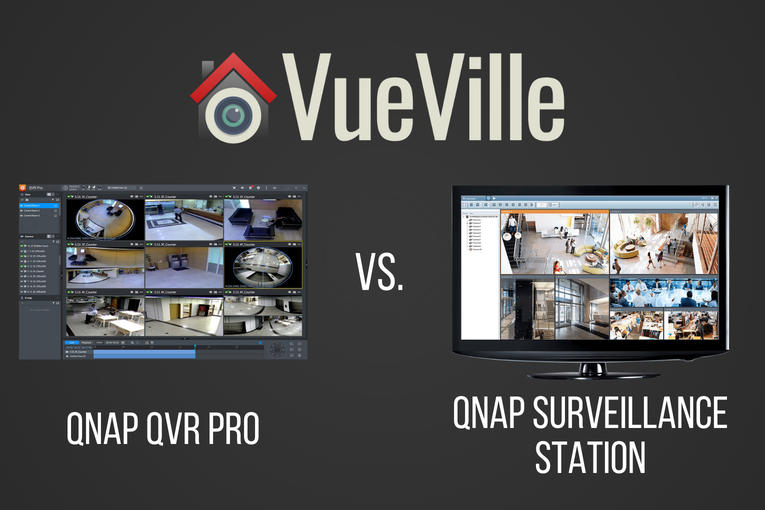
  • QNAP QVR Pro vs QNAP Surveillance Station – NAS NVR Software Comparison

    QNAP QVR Pro vs QNAP Surveillance Station – NAS NVR Software Comparison

    QNAP recently released QVR Pro, a new surveillance app for their beefier NAS models. So if your NAS makes the cut, you now have a choice between the default Surveillance Station app and the new QVR Pro app.

    But is it worth switching? Let’s find out in this head-to-head between the time-tested and functional Surveillance Station vs. the polished all grown-up QVR Pro.

    [wpsm_titlebox title=”Contents” style=”main”][contents h2][/wpsm_titlebox]

    QNAP QVR Pro vs Surveillance Station - VueVille

    QNAP QVR Pro vs. QNAP Surveillance Station – Comparison Table

    [table id=51 responsive=scroll /]

    QNAP QVR Pro vs QNAP Surveillance Station – Features

    What will probably draw most people into trying QVR Pro is the generous 8 IP camera licences that come with the software. Yes, you get 8 channels irrespective of how many Surveillance Station IP camera licences your NAS originally came with.

    QNAP has beefed up the motion detection feature in QVR Pro. With Surveillance Station, the NAS depended on the IP cameras to send a motion detection trigger. It did not have any motion detection ability of its own. But with QVR Pro, the NAS can perform motion detection on up to 2 channels and at a max resolution of 1080p. This is great if you have older IP cameras with poor motion detection features.

    The other major reason to try QVR Pro is the improved mobile app, QVR Pro Client. The Surveillance Station mobile app Vmobile is quite functional but nothing to write home about.

    I always felt that the maximum playback speed in Surveillance Station could be faster. My wish has come true – QVR Pro can playback videos in synchronized mode up to 10 times faster than Surveillance Station.

    There are some other interesting features such as fail-over recording, the ability to record events and continuous recording to different disks, and NAS pooling. If you have more than one NAS device capable of running QVR Pro, NAS pooling may be of interest. You can essentially run up to 8 IP cameras on each NAS and then view all these cameras in one single app, the QVR Pro Client on desktop, or mobile.

    QNAP QVR Pro vs QNAP Surveillance Station – Performance

    QNAP has designed QVR Pro to use the on-board GPU of Intel processors to perform hardware video decoding. QNAP claims that this will result in 10x faster playback and 5x faster video exporting.

    Can all QNAP NAS models run QVR Pro?

    All QNAP NAS models with at least 4GB of RAM will be able to run QVR Pro. Both Intel x86 and ARM-based processors are supported.

    Is QVR Pro free to use?

    Yes but with the limitation of 8 IP camera channels, and a maximum of 14 days video backup.

    What is QVR Pro Gold?

    If you want to use more than 8 IP camera channels, QVR Gold is the premium paid version of QVR Pro. You also get the following features:

    • unlimited recording playback via QVR Pro Client
    • camera channel scalability
    • enhanced QVR Center central management over QVR Pro servers
    • domain privilege management for Windows Active Directory and LDAP

    QVR Pro Gold also adds 8 extra camera channels, and the ability to activate additional QVR Pro Camera Channel Extension Licenses (1/4/8 channels).

    Can my existing Surveillance Station IP camera licences be used in QVR Pro?

    No. QVR Pro has its own IP camera licences which are different from the Surveillance Station ones that come bundled with QNAP NAS servers.

    What are the downsides of QVR Pro?

    QVR Pro is free to use but lets you play back only the last 14 days of recorded video.

    How do I install QNAP QVR Pro?

    Navigate to the QTS App Center on your QNAP NAS and you will find QVR Pro among the list of apps available for download.

    Which QNAP NAS models are best for QVR Pro?

    Any QNAP NAS model with more than 4GB RAM from our recommended NAS models will run QVR Pro like a champ.

  • How to view all your security cameras in one place

    How to view all your security cameras in one place

    Imagine having to open different apps to live-view your many different cameras from different brands. What a pain, right? Thankfully there is a better way!

    We started our home security journey with a single outdoor security camera. Soon, we were hooked and started buying more IP cameras to cover all 4 sides of our home.

    Before long, we had 4 IP cameras from Hikvision, Reolink and Amcrest. Opening and logging into each camera’s app to live-view each camera got old, fast.

    Want to watch 2 cameras on one screen? Or more? Thankfully, it’s not difficult to view all your security cameras in one screen. And there are several ways of doing it, so let’s dig in!

    [wpsm_titlebox title=”Contents” style=”main”][contents h2][/wpsm_titlebox]

    A quick note: As an Amazon Associate I earn from qualifying purchases. This post contains affiliate link(s). An affiliate link means I may earn advertising or referral fees if you make a purchase through my link, at no extra cost to you.

    Important Prerequisite – Remote access

    Please note that you will need remote access to your home network – I recommend setting up your own secure VPN tunnel using WireGuard. There are issues with the other 2 options: the port forwarding method is dangerous and there are privacy concerns with using a 3rd party P2P feature that comes built-in with most cameras and NVRs. I have written a blog article that can help you understand the various options you have to set up remote access. The rest of this article assumes you have set up remote access using one of these remote access methods.

    How to view all your security cameras in one place

    There are several different ways of accomplishing this:

    1. Use a 3rd party mobile app or desktop app
    2. Get a Network Video Recorder (NVR)
    3. Get a NAS to use as an NVR
    4. Use Frigate and Home Assistant

    Which of the 3 methods you should choose depends on your needs, your budget and how involved you want to get with your home security camera hobby.

    Use a 3rd party mobile app or desktop app

    This is the easiest method and something you can even do for free. There are 3rd party apps such as tinyCAM Monitor (Free & paid versions) for smartphones and Milestone XProtect Essential (Free version) that will let you add all your IP cameras and view them in one single screen.

    On smartphones and tablets

    For Android, we recommend the excellent tinyCAM Monitor app. This app has a wealth of features, including motion detection recording, thus turning your mobile device into a full-blown DVR.

    Here are the main features of the tinyCAM Monitor Pro version:

    • 2-way audio (selective models)
    • Motion detection (both in-app and on-camera), face detection
    • Video recording (local storage, time-lapse, FTP/FTPS, Amazon Drive, Dropbox, Google Drive, Microsoft OneDrive, ownCloud)
    • Background/DVR mode (background recording and background motion detection)
    • Internal web server for remote recordings playback and live view
    • Android Wear app
    • Google Cast (Chromecast)
    • TV support (Android TV, Amazon Fire TV)
    • Widgets
    • Floating windows
    • Tasker automation plugin

    Here’s what tinyCAM Monitor Pro looks like on my Samsung Galaxy A5:

    How to access your DIY security cameras remotely using a NAS VPN server - tinyCAM Monitor Pro - VueVille

    If you have Apple mobile devices, you could try the well-reviewed IP Cam Viewer Pro app.

    On desktop

    There is a good choice of free IP camera management and DVR software that will let you live-view a limited number of IP cameras, do basic motion detection, and recording. The most popular free versions are:

    If you are willing to pay for premium features such as a higher number of IP camera channels or advanced motion detection to reduce false alerts, these are the best options:

    Get a Network Video Recorder (NVR)

    If you haven’t bought a single IP camera yet or need additional IP cameras, then the EasyDIY approach is to get a complete security camera system that comes with everything you need in one package (see our picks).

    But if you have more than 1 IP camera, i.e. you are already heavily invested and do not want to buy a whole kit, just buy an NVR.

    NVR that works with most ONVIF-compliant cameras:

    Reolink: You can use their own cameras or 3-rd party cameras. You can also use Home Assistant with a Reolink NVR to fully integrate it into

    ProDIY – Get a NAS to use as an NVR

    If you want to interface your home security camera system with your home automation system like we have, increase data reliability by using disk mirroring, go for the DIY NAS NVR option.

    NAS servers from Synology & QNAP also have Surveillance Station mobile apps so that you can view the same simultaneous live-view and recordings on your mobile device.

    Here’s a screenshot from my QNAP TS-253A running Surveillance Station:

    Monitor - How to set up your own DIY NAS NVR using QNAP Surveillance Station - VueVille
    Our DIY Home Security System – QNAP QVR Client for Surveillance Station

    So what are the pros and cons of this method?

    We have written an extensive review of the best DIY NAS NVRs – this is a great place to start your research.

    Use Frigate NVR and Home Assistant – My Favourite Setup

    While this is probably more difficult to set up than the other options, its also the most rewarding. I personally went this route and now have AI person & object detection running 100% locally on my Home Assistant server.

    I use a very cheap power-sipping Coral AI USB dongle from Google to handle the AI motion detection part. And I mean it when I say power-sipping, it consumes just 2-3 Watts! This also means your Home Assistant server doesn’t need to have a powerful CPU or GPU to perform AI motion detection.

    Learn more how we built our own DIY security camera system around Frigate NVR.

    Conclusion

    As you can see, there are quite a few ways to get all your security cameras together in one place – each has its pros and cons but what’s life without some variety? Let us know which method you have chosen and why in the comments below!

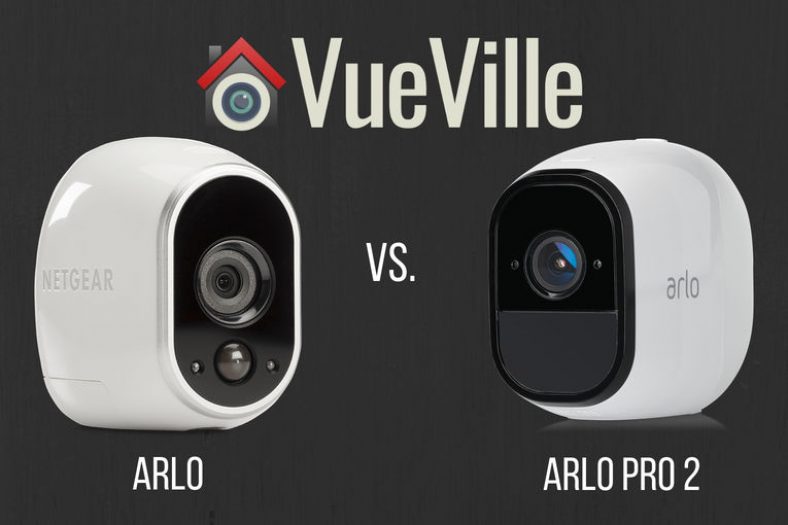
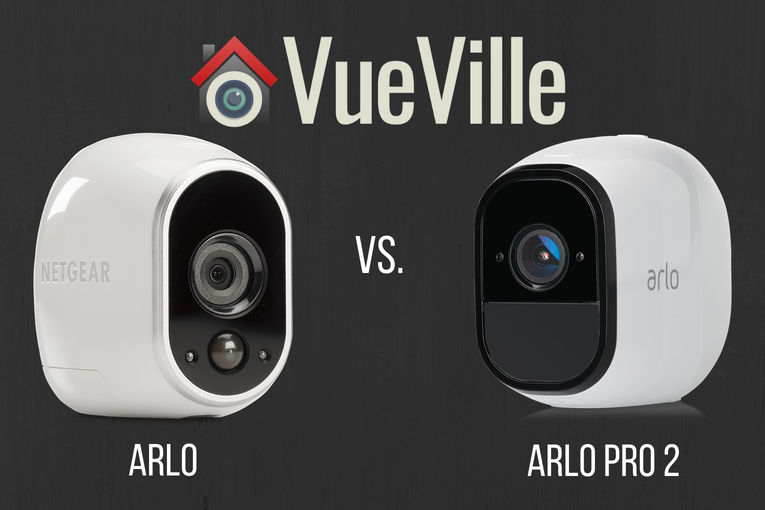
  • Arlo vs. Arlo Pro 2 – What’s the difference?

    Arlo vs. Arlo Pro 2 – What’s the difference?

    Is the Arlo Pro 2 worth getting over the plain vanilla Arlo? Let’s find out as we compare them in our detailed head-to-head.

    Arlo HD vs Arlo Pro 2 - VueVille

    [wpsm_titlebox title=”Contents” style=”main”][contents h2][/wpsm_titlebox]

    Arlo vs. Arlo Pro 2 – Comparison Table

    [table id=50 responsive=scroll /]

    Video Quality

    This is perhaps the single biggest difference between the entry-level Arlo and the range-topping Arlo Pro 2. The baby Arlo has only a 720p max video resolution, but the Arlo Pro 2 does Full HD.

    Arlo Pro vs. Arlo HD - Arlo Wire-Free - VueVille

    Full HD or 1080p is the minimum resolution you should go for. This is because 720p just doesn’t give you enough detail, especially at night time. So the Arlo Pro 2 has the edge here.

    Audio Quality

    The Arlo doesn’t have audio support at all. But the Arlo Pro 2 has both a mic and speaker, so it has 2-way audio capability.

    But note that the 2-way audio on offer here is only half-duplex, not full-duplex. So you cannot have a natural conversation. Rather you are limited to a walkie-talkie style of taking turns talking and listening.

    If you are wondering which cameras do support full-duplex audio, even most wired cameras do not have this feature. But there is one wire-free camera that does have full duplex audio – the Reolink Argus.

    Motion Detection

    There are a few different ways cameras do motion detection:

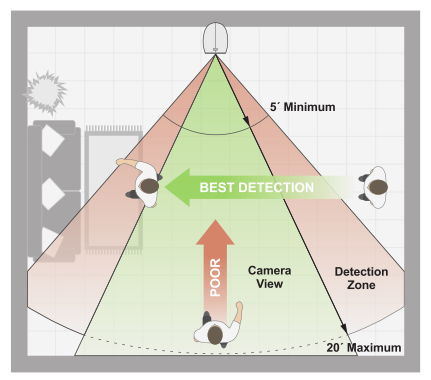
    • PIR based: Passive Infrared is the most reliable method of motion detection and the only one that the baby Arlo model supports. Its also easier on the camera’s processor.Arlo Pro vs. Arlo HD - PIR detection range - VueVillePIR motion detection works by detecting the warmer parts of a scene such as a moving person or animal. So clouds, shadows or moving vehicles will not trigger the motion detection.
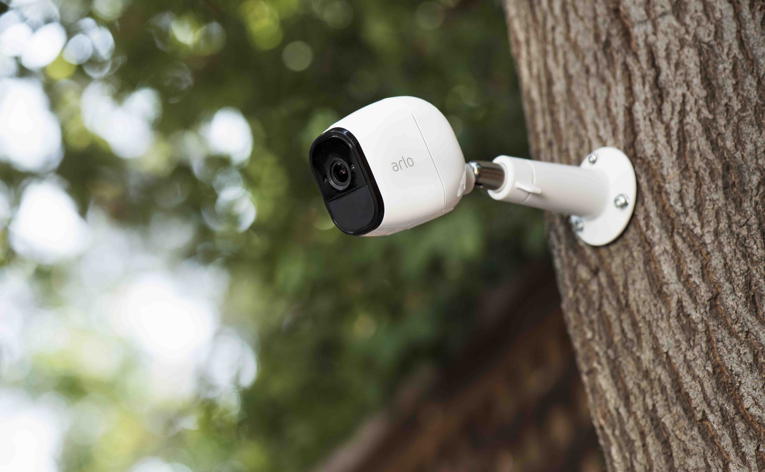
      While this is typically a more accurate motion detection method, you cannot define zones to restrict motion detection to. So any motion in the whole scene will trigger an alert.

      Both the Arlo and the Arlo Pro 2 support PIR motion detection.

    • Software based motion detection: While this can lead to false alerts if not properly configured, you do gain the ability to specify motion detection zones. Only the Arlo Pro 2 supports this method.In fact, the Arlo Pro 2 has a smart system. On battery power it uses only PIR based motion detection. But if plugged into AC power, it will use zone-based motion detection.

    httpv://www.youtube.com/watch?v=h-7mkPxQ8EQ

    Alert Notifications

    Since the Arlo Pro 2 has audio capabilities, you can get not just motion but sound triggered alerts also. These alerts can be in the form of emails or push notifications to the mobile app.

    The Arlo can do only motion detection alerts.

    Weatherproofing

    Both the Arlo Pro 2 and the Arlo Pro have an IP65 rating for weatherproofing. So you can use these cameras outdoors with confidence.

    Arlo Pro vs. Arlo HD - Arlo Pro - VueVille

    Battery life

    This is another major difference between the Arlo Pro 2 and the Arlo. The Arlo Pro 2 has a rechargeable battery whereas the Arlo Pro runs on four non-rechargeable CR123A batteries.

    Rechargeable batteries are more convenient but do they last longer than the CR123s of the Arlo?

    Let’s compare the energy capacities of the two cameras. The Arlo Pro 2’s rechargeable battery has 2440 mAh capacity whereas the Arlo’s four CR123A batteries will give it 6000 mAh (1500 mAh per battery). That is a huge difference in total energy capacity, so definitely something to keep in mind.

    Smart Home Compatibility

    Arlo Pro vs. Arlo HD - Arlo Wire-Free Inside - VueVille

    The Arlos range of cameras are cloud reliant and have little in the way of local processing capabilities. Amazon Alexa, IFTTT and Stringify are supported, but these are all Internet-reliant platforms.

    If you want battery powered cameras with local data processing, well we can but hope. At least we have battery powered cameras with local data storage like the Reolink Argus.

    Arlo vs. Arlo Pro 2 – The VueVille Verdict

    If you need 24/7 recording and are able to keep the camera plugged in, go for the Arlo Pro 2.
    Another reason to get the Arlo Pro 2 is for its audio support.

    If you don’t need the above features, the Arlo HD will do the job.

  • Secure Remote Viewing of Home Security Cameras – Port forwarding vs. P2P vs. VPN

    Secure Remote Viewing of Home Security Cameras – Port forwarding vs. P2P vs. VPN

    So you have bought security cameras to watch your home while you are away. You followed the manufacturer’s instructions to set up the camera. Voila, you are now able to view your cameras from anywhere in the world. Job done.

    Or is it?

    Most security camera manufacturers now use Peer-to-Peer (P2P) technology to make it very easy to set up their cameras. Of course, the beauty of this method is that you don’t even realise you are using P2P technology. But then you also may not be aware of the extent to which you are trusting the strength of the camera manufacturer’s network security.

    Let’s take a step back and look at the 3 different ways you can view your home security cameras remotely:

    1. Port Forwarding
    2. P2P
    3. VPN connection
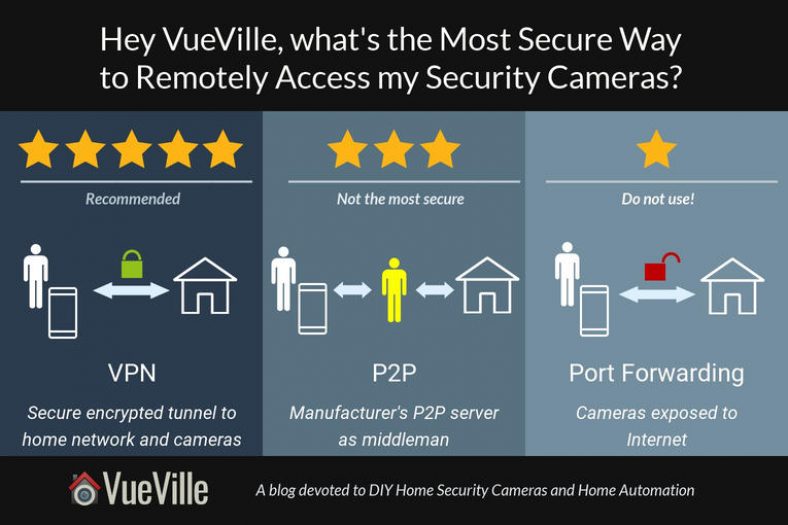
    Securely view security camera remotely - Port forwarding vs P2P vs VPN - VueVille

    [wpsm_toplist]

    Port forwarding

    This is the oldest and most common way of remotely connecting to devices on your home network. This is how it works – an external port is opened on your router and forwarded to the device in question, like a security camera. So these ports are always open on your network and your router is listening to incoming connections.

    In other words, it is like leaving the doors of your house not just unlocked, but wide open. Not the best strategy for security.

    Whenever the router detects an incoming connection on these opened ports, it routes the request straight to the security camera specified by the port forwarding rule active for that port.

    Since manually configuring port forwarding can be difficult for most home security camera users, manufacturers started using Universal Plug-n-Play (uPNP) to automatically do it for them. And this is where things start getting dicey.

    Poorly or maliciously written software running on dodgy no-name security cameras often open unnecessary ports on your router. If malicious, these open ports are a backdoor for 3rd parties or the government to monitor your camera. Unscrupulous camera makers may also program their cameras to make active connections to their own servers to keep tabs on how you are using your camera. This is called ‘dialing home’.

    Even if they only open ports and do not download anything to your network, unnecessarily open ports are great targets for hackers and botnet attacks. Just see what’s been going on recently:

    [wpsm_column size=”one-half”][wpsm_pros title=”PROS:”]

    • uPNP makes it easy for manufacturers to automatically set up port forwarding

    [/wpsm_pros][/wpsm_column]

    [wpsm_column size=”one-half” position=”last”][wpsm_cons title=”CONS:”]

    • Downright dangerous and nobody should be using it

    [/wpsm_cons][/wpsm_column]

    So in summary, do not forward ports from your security cameras to the Internet. It is simply not safe enough.

    P2P

    This is now the default way for most security cameras to let users remotely access them and live-stream video footage. It usually involves using the mobile app to scan a QR code on the camera and then everything is set up automatically.

    P2P is like closing the doors of your house and locking them, but with a guard who has the key and can let themselves or anybody else in at any time. You trust your guard not to do that though.

    So how does P2P work? P2P stands for peer-to-peer. There are two devices or peers that need to connect to each other – your security camera at home, and your remote mobile device. This may happen either directly using P2P and port forwarding OR using just P2P and a third-party server that negotiates the connection.

    If uPNP is enabled on your security cameras, watch out. The camera may still use port forwarding in combination with P2P. But disable uPNP and then the security camera is forced to rely on a method called NAT Traversal. Here’s how it all works in simple English:

    Your security camera makes an outgoing connection to the manufacturer’s P2P server and informs the server what your home network’s public IP address on the Internet is. This way, the P2P server knows exactly where your security camera can be found. If your router supports NAT (Network Address Translation), no port forwarding or special permissions are required. Most NAT routers allow all outgoing connections by default. So that’s the security camera side sorted.

    What about your mobile device which may be on a 3G or 4G wireless network? When you first set up the mobile app on your mobile device, you may have scanned the camera’s QR code. So the app knows the unique id of your camera and remembers this. So now the app connects to the manufacturer’s P2P server and does two things:

    1. It tells the P2P server your mobile device’s IP address, i.e. where the mobile app can be found, and
    2. It fetches your camera’s address from the P2P server using its unique id

    Now the mobile app knows everything it needs to connect to the security camera directly. No port forwarding occurs anywhere.

    [wpsm_column size=”one-half”][wpsm_pros title=”PROS:”]

    • Super easy to use

    [/wpsm_pros][/wpsm_column]

    [wpsm_column size=”one-half” position=”last”][wpsm_cons title=”CONS:”]

    • Only as secure as your manufacturer is

    [/wpsm_cons][/wpsm_column]

    VPN Connection

    Now we are talking. This is the most secure way to remotely connect to your security cameras and therefore my chosen method. There’s no middleman in this method, you connect directly to your home network.

    Using a VPN connection to connect to your home is like having just one door into your house, locking it when you leave and only you have the key. Nobody else. Makes sense doesn’t it?

    So how does this method work? For every VPN connection, you need a server and a client. So to dial into your home network, a device on your network has to act as the server. This device needs to be online 24/7. It also needs to be very secure because it will be exposed to the Internet.

    While I have used my DIY NAS NVR as the VPN server also in the past, this approach is no longer recommended due to security risks. Instead I recommend using a dedicated device on your network such as a Raspberry Pi4 or OrangePi Zero running PiVPN (my choice) to serve as the VPN server.

    So a small low-power Pi will act as your VPN server, and you have to forward just one UDP port from your router to your Pi. Yes you can’t avoid some port forwarding but its better to use it for a VPN and expose your PiVPN server to the Internet instead of your NAS or security cameras.

    The next choice you need to make is the VPN protocol to use. This one is easy – just use Wireguard. Most other the other common VPN protocols have been compromised either by hackers or governments. If you have a low-power device like the PiZero, Wireguard is ideal because it performs well on such low-power devices. But if you are using a Pi4 or better, you could choose OpenVPN also.

    When you set up the Wireguard server on your Pi, you will get a client configuration file that you need to load on your OpenVPN client apps. We have written a step-by-step tutorial on setting this up (currently outdated but will be updated soon).

    So you have set up your Wireguard server, but you need to know how to connect to it when you are away from home. You could use the public IP address of your router, but most ISPs use dynamic IP addresses which change every few days. You could pay for a static IP address to overcome this issue. But there’s a cheaper way – Dynamic DNS or DDNS. With DDNS, you can connect to your home network using a custom web address like mynetwork.ddns.net instead of the constantly changing dynamic IP address. How does DDNS work? A device on your network has to periodically update a third party DDNS server with your home network’s public IP address. The DDNS service will associate your selected web address with your home network’s public address.

    Your router may be able to perform the function of keeping your DDNS service updated with your home public IP address. My Unifi USG router has this feature.

    So you find yourself far away from home. Just fire up the Wireguard client app on your laptop or mobile, connect to your PiVPN server and that’s it. You are now virtually at home. All your apps including IP camera apps will think that you are at home and just work. You can also access other devices on your home network.

    Conclusion

    I personally use the Wireguard method to connect to my home network when I am out and about – I recommend this method as it is the most secure.

  • 15 Biggest Mistakes when buying DIY Home Security Cameras

    15 Biggest Mistakes when buying DIY Home Security Cameras

    Common Mistakes to Avoid while Buying DIY Home Security Cameras - VueVille

    Its not easy to decide which security camera to buy, is it? So many specs to understand and compare, so many brands to choose from, and so many watch outs. So its wise to take a little time to do your research. This is, after all, something that concerns your family’s safety and well-being.

    If you are brand new to security cameras or have been out of the game for a few years, there’s a lot to catch up on. But the key is to keep things simple – the core purpose of a security camera has not changed. You need to find something that is affordable, works reliably 24/7, and is well-made.

    So what are the biggest mistakes commonly made when buying DIY home security cameras?

    [wpsm_toplist]

    15 Biggest Mistakes to avoid when Buying DIY Home Security Cameras - Pinterest - VueVille

    Buying the cheapest security camera

    The temptation to cheap out and buy the cheapest security camera is very strong, what with the hundreds of generic no-name Chinese brands around.

    Don’t do this – not only do these cameras generally have a poor feature set but most of them also have poor security. They may compromise your home network by opening ports on your router (port forwarding), connecting to unknown servers on the Internet(dialing home), or serving as a backdoor for hackers or foreign governments.

    Solution: Stick with the trusted brands and know what to look for when buying a security camera.

    Buying the best-selling security camera

    Another equally common mistake is to base purchase decisions off your favourite online retailer’s best-sellers list. The cheap cameras mentioned above make up the bulk of these lists. Unsurprisingly people think they can save a buck by skimping, but you really get what you pay for.

    Solution: A far better way is to assess your needs, decide what features you want, and buy from a trusted brand. Check out our IP camera guide here.

    Picking a cloud-reliant security camera

    The latest trend is to strip a camera’s features right down to the bone, and sell it as a cloud camera. We can’t think of anything worse than this.

    These cameras are the very antithesis of security. The worst of the lot will simply not work unless there is an active connection to the manufacturer’s cloud servers. This is because they do not have local storage at all (for example, the Nest Cam Outdoor camera).

    So if an intruder has disabled your Internet or if the manufacturer’s servers are down, it cannot record the motion triggered clip anywhere. Absolutely useless.

    Ever so slightly better are the cameras that have a local recording backup but won’t let you access them – it is merely a temporary holding place in case the cloud server connection is lost (Netgear Arlo Security Camera System with Base Station).

    Solution: Refuse to buy a security camera that becomes an expensive paperweight without an Internet connection.

    Picking a security camera with no local storage

    Continuing in the same vein as cloud-reliance, cameras without local storage are totally useless if the cloud server is unreachable!

    Most DIY security cameras from the serious brands such as Hikvision, Dahua, Bosch, Sony, Canon, Axis, Vivotek, Amcrest and Reolink have on-board SD card slots. These are great for stand-alone use or as a backup location for motion recorded clips.

    Solution: Even if you believe your Internet connection and your cloud camera provider’s servers are infallible, get a camera with an SD card storage as a backup.

    Deciding to pay a monthly fee for cloud-recording

    Consumer behaviour has changed significantly with the advent of easy credit. People have fallen for the ‘pay a lower price upfront and then a little more every month’ instead of a one-off purchase price. This may sometimes make sense for leasing cars, but very rarely does for a security camera.

    A particularly egregious example is selling security cameras that are cloud-reliant, have no local storage, and do not have ONVIF or RTSP support. So you can’t connect them to a standards-compliant 3rd party NVR.

    They then force you to purchase a monthly cloud recording plan so that your neutered camera can actually do what it was supposed to. Oh and don’t forget the regular price increases.

    Solution: Say no to cameras that try to flog you a monthly payment. They are simply not needed and are a total rip-off. What you buy should be 100% yours, not for the manufacturer to cripple and hold you hostage as and when they feel like it.

    Picking only Wi-Fi cameras vs. wired cameras

    This is a big one – a surprisingly large number of people do not realise that Wi-Fi is not 100% reliable. Yes it has come a long way since the early 2000s when your laptop would struggle to maintain a Wi-Fi connection. But it is still nowhere near the reliability required for something as critical as protecting your family.

    Its easy to think why Wi-Fi is great if you are just thinking of browsing the net. But use it for real-time data transfer 24/7 at some distance from the router and it won’t be so reliable.

    The right way of doing it is to use wired cameras by default unless you have a location that you cannot run cables to and you use a wireless camera with on-board storage.

    Now, this may be the far end of your garden or some other similarly inaccessible location. Even so, if the location is a critical entry/exit point, it should be covered by a wired camera as well just in case you can’t access it remotely due to Wi-Fi failure.

    Solution: Use a mix of wired and wireless cameras, and wireless cameras should have on-board storage for the eventual Wi-Fi connection failure.

    Buying a low resolution security camera

    We recommend only security cameras with 1080p or 2 Megapixel resolution. Any lower and you are not going to get enough detail to identify faces.

    For this reason, 720p cameras have virtually disappeared from most security camera’s lineups. So imagine my surprise when we recently found a 720p camera in the best-sellers list.

    Solution: Go for at least 1080p (2 MP) resolution, 3 MP is even better.

    Choosing a camera with poor night vision

    Almost every IP camera these days has night vision, but the brightness and range of the InfraRed LEDs varies wildly. There are two types of IR LED systems:

    • the very common but inferior ring-type LED arrangement which is made of a few dozen small IR LEDs arranged in a ring around the camera lens
    • the superior EXIR LEDs which are fewer in number but brighter and do not have a flashlight effect

    Also make sure the camera has a true IR cut filter to avoid false colour during daytime. Automatic day/night switching is a standard feature, but in more expensive cameras you can control the switching behaviour.

    Not installing enough security cameras to cover your property

    A common mistake is to put up cameras only in areas around the house you want to watch. Instead, think about every entry/exit point into your property and cover those areas.

    Also consider covering the perimeter so that you can spot intruders scaling perimeter walls or fences.

    Not using an NVR

    So you have realised that you need more than one security camera. But now how do you view the feeds from all the cameras in one place?

    How can you record the footage from the cameras 24/7, and keep a 14 day history for example? You need an NVR.

    If you want to do it the simple way without getting into the nitty-gritties, do it the EasyDIY way of getting an all-in-one security camera package. Or if you like to customise and set up a smart home automation system, check out how we did it.

    Choosing the wrong type of camera for the installation location

    There are a wide range of IP camera form factors – bullets, domes, mini-domes, turrets, PTZs, indoor cube cameras and so on. Each one is designed for a specific use case.

    For example you should use a dome with a vandal-protection rating like IK10 in an area with high traffic and where the risk of vandalism is high.

    Bullets are a bit cheaper but are prone to being knocked off target by a projectile, so are better for locations where they are well out of reach.

    There are also motorized cameras, these can be a Pan-Tilt-Zoom (PTZ), a Pan-Tilt camera or one with just motorized zoom.

    Outdoor cameras with motorized zoom are great for narrow alleys or sides of the property. Pan-tilts are usually found on indoor IP cameras.  A PTZ is great for doing automatic tours of the scene, especially one where there is a large area to cover.

    Of course you should also have some non-zoomed in IP cameras covering the same scene so that the PTZ doesn’t miss anything while touring.

    Choosing a camera with narrow viewing angle

    The viewing angle of a camera depends on the focal length of its lens. The widest angle cameras have a 2.8mm lens which equates to a viewing angle of around 90-110 degrees.

    But some cameras have even wider viewing angles but this might introduce distortion to the recorded video. Of course you could choose a camera with a motorized lens to retain flexibility.

    Positioning the camera too high

    An incredibly common error is to place your security camera on the 2nd floor of the house, and then either pointed down over the driveway or just watching the whole neighbourhood.

    Remember, the main purpose of the camera is to record clearly the faces of people approaching the camera or entering the scene. For this to work, the camera has to be slightly above the average person’s head height.

    Not optimising installation location for motion detection

    Sticking with the theme of security camera installation, the bane of a security camera enthusiast’s life are false motion detection alerts. You want to get these alerts only where there is a real movement in places that you do not expect at times you do not expect.

    This is where a smart definition of motion detection rules come in. By carefully assessing the entry and exit points, the direction in which intruders can move, the way the shadows from clouds fall etc., you can virtually eliminate false motion detection alerts.

    Not having a plan for your home security

    We strongly recommend thinking about the following points before buying anything:

    • How many cameras will you need?
    • Do you need motion detection alerts?
    • Do you need 24/7 recording?
    • How will you view the camera recordings?
    • Do you want to view all your security cameras live feeds simultaneously on a single screen?
    • Do you want to playback all your security cameras simultaneously on a single screen?
    • Do you want push notifications, or will email alerts do?
    • Do you want to set up a smart home? Say, for viewing your cameras on any device around the house if motion is detected outside? Sounds good right?

    So once you have decided what you want, then start thinking of which security camera to buy. Check out our smart home strategy guide to guide you.

    Conclusion

    Security cameras are simply great, but it takes a little bit of work to learn about them. The benefit is that you can avoid the common mistakes we talked about and get the best bang for your buck!

    More resources

    Here are some starting points for your security camera research: