When I was choosing the hard drives for my DIY NAS NVR system, I did a ton of research. I wanted to record all my IP cameras 24/7, so reliability and performance were very important to me.
In this article, I will share all my findings so that you have all the information you need to make the right choice.
A quick note: As an Amazon Associate I earn from qualifying purchases. This post contains affiliate link(s). An affiliate link means I may earn advertising or referral fees if you make a purchase through my link, at no extra cost to you.
Seagate IronWolf vs. WD RED Plus – Comparison Table
[table id=78 responsive=scroll /]
Seagate IronWolf vs. WD RED Plus
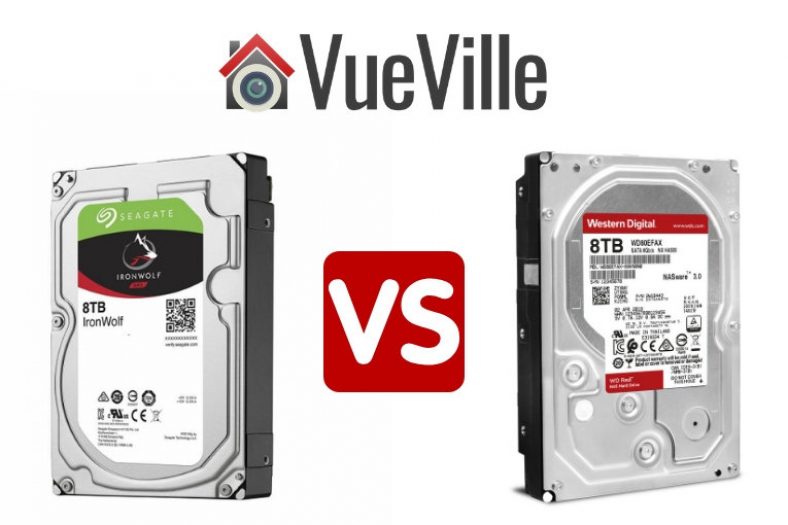
Since the inferior SMR-based WD Red drives have been officially discontinued and replaced by the newer CMR-based WD Red Plus drives, we will compare the Ironwolf vs the WD Red Plus drives.
Performance
Comparing real-life benchmarks & independent testing by other publications such as Toms Hardware have shown that the WD Red Plus drives are much faster than both the Ironwolf & older WD Red drives.
Reliability
While we may not have specific reliability data for the IronWolf and RED drives, one cloud storage provider regularly publishes drive failure data for all the drives it uses – Backblaze.
Please note that the Seagate hard drives they use are the Exos variety, not Ironwolf. Still, it gives us some sense of how reliable the Seagate brand is.
Looking at the latest Backblaze data, in general the WD drives appear to have less reliability than Seagate. But at lower capacities, Seagate seems to be much worse. So a real mixed bag. Although do note the sample size is much larger in Seagate’s case for most drive sizes, generally the higher the sample size, the more accurate the data becomes.
WD Red Plus drives’ lack of a vibration sensor is surprising given that the IronWolf has it on all its drive models. Also worth noting is that the WD RED’s Nonrecoverable Read Errors Rate of 1 in 10^14 is worse than that of the IronWolf’s 1 in 10^15.
So let’s call it a tie when it comes to reliability.
Noise levels
The IronWolf runs at higher RPMs compared to the WD RED, so its no surprise that the IronWolf is also louder on average than the WD RED drives.
I have been using the original CMR-based WD Red drives in my QNAP TS-253A and can confirm that these drives are super quiet. I have my NAS in my living room, inside the TV unit and can barely hear the drives when they are active.
Why you should not buy the discontinued WD Red drives – the CMR vs. SMR controversy
The biggest issue with the now discontinued WD Red drives is their SMR recording technology. CMR is widely recognised as the superior technology whereas SMR is a newer slightly inferior tech that especially suffers from poor random write speed.
Let’s start with Western Digital. A few years ago all WD drives used to be CMR. This was also how WD described their drives in their marketing material. These are the drives that are still spinning in my QNAP NAS.
But in early 2020, several users started complaining about unusually lengthy RAID building times or outright failures on adding their brand new WD RED drives to an existing RAID array (also called re-silvering).
When pressed, WD admitted that they had switched some of their drive models from CMR to SMR without notice. WD even settled a class action suit related to this matter and promised better communication. As part of the settlement, WD admitted that the SMR based RED drives are not suitable for NAS and RAID usage.
The whole controversy had one positive effect – WD is required to disclose the recording technology used in their drives for 4 years whereas Seagate is doing so in their marketing material and datasheets.
So where does that leave us today? Unfortunately, the WD Red drives are now all SMR. But thankfully, they have been discontinued, but some stores are still selling off old inventory, so buyer beware!
If you want CMR, you need to step up to the [easyazon_link identifier=”B08VH8C3WZ” locale=”US” tag=”vueville.com-eaz-hdd-20″]WD Red Plus model range[/easyazon_link]. While some users may be able to make do with the SMR-based WD RED drives, I suggest you give them a miss.
The VueVille Verdict
Drive technology – Tie because both Seagate IronWolf & the WD Red Plus drives use CMR recording technology instead of the inferior SMR. Performance – WD Red Plus has the edge. Reliability – Tie. Noise – WD Red wins.
Overall, the WD Red wins.
So which one did I choose?
I wanted to run a RAID 1 setup so that all my data would be backed up on 2 disk drives – for this reason I was not after absolute speed and the WD RED drives were available at a better price point. Also note that this was before WD started selling SMR drives without disclosing the change from CMR. So I am very happy with my old CMR-based WD REDs.
Soon it will be time to replace my NAS drives, and I will go with either the WD Red Plus or the WD Red Pro drives.
Visible outdoor security cameras are a great deterrent against would-be burglars. That’s why I have got prominently positioned cameras around my home. But there are two very valid objections to doing this.
“Won’t burglars just smash the cameras?” and “Won’t burglars just hide their faces?”
Its true, security cameras are not the be all and end all of home security and you need a well-planned strategy to protect your home. But placing hidden outdoor security cameras in unexpected places may lead to catching the act of the burglar destroying the visible cameras. You may even catch the burglar unmasking themselves because they do not see a camera around.
Or you could go the other way and just use hidden cameras only – that way you reduce the risk of the burglar masking themselves in the first place.
Check out this video caught by a hidden outdoor security camera: httpv://www.youtube.com/watch?v=4sy2OCWYePg [wpsm_divider top=”20px” bottom=”20px” style=”clear”] [wpsm_toplist]
What are the different types of Hidden Outdoor Security Cameras?
Depending on how they are powered and how they are connected, we can group them into the following categories:
Wirefree hidden outdoor security camera
These are totally wireless battery-powered cameras. They usually cannot be connected to mains power, but may have solar panel accessories. Ideal for locations where you can’t get power, Internet connectivity or both. Wi-Fi and/or 4G LTE connectivity.
Wireless hidden outdoor security camera with WiFi
AC powered, WiFi connectivity
Wireless PoE hidden outdoor security camera with WiFi
AC powered, WiFi and Power over Ethernet (PoE) connectivity
[text-blocks id=”5527″ slug=”earning-disclaimer”]
Best Wire-free Hidden Outdoor Security Camera
Panasonic Homehawk Home Monitoring Kit
[easyazon_image align=”center” height=”500″ identifier=”B078J2MH5X” locale=”US” src=”https://images-na.ssl-images-amazon.com/images/I/41aZWRQPG6L.jpg” tag=”vueville.com-eaz-20″ width=”500″] Panasonic has also joined the wire-free security camera wagon with its latest Homehawk DIY home monitoring range. The product consists of a base station (just like Arlo) but with a microSD card slot, a wireless battery powered front door camera unit and a wireless battery powered peripheral camera. Both cameras are IP65 rated weatherproof and run on rechargeable Panasonic batteries.
There are many positives to talk about here. This is a high quality product from a reputable brand. There is no cloud or Internet reliance here. All footage is stored locally on the microSD card. This means your data is truly yours. I am very happy to see Panasonic take this route instead of crippling their cameras unless you pay through the nose for a paid cloud subscription. Colour night vision is a recent innovation and is something I really recommend going for.
Full specs:
720P HD camera (172 degrees diagonal field of view)
Local storage and local processing
Day/night sensor
2-way intercom with built-in microphone, speaker.
Livestream video feed to mobile app
Smart motion detection with zones
Android, iPhone and tablet apps available
IP65 weatherproof
[easyazon_link identifier=”B078J2MH5X” locale=”US” tag=”vueville.com-eaz-20″]View on Amazon[/easyazon_link]
We reviewed the Reolink Argus last year and really liked it. It was the only non-cloud reliant wirefree camera at the time. The fact that it was a well-built full-HD camera only made the deal even better! The Reolink Argus 2 improves on the original Argus by adding a rechargeable battery and solar panel charging options.
Full specs:
1080P Full HD camera (120 degrees diagonal field of view)
Local microSD storage and local processing
Day/night sensor
2-way intercom with built-in microphone, speaker.
Livestream video feed to mobile app
PIR motion detection
Android, iPhone and tablet apps available
802.11b/g/n Wi-Fi
IP65 weatherproof
[wpsm_column size=”one-half”]
[easyazon_link identifier=”B0786XGM8M” locale=”US” tag=”vueville.com-eaz-bnvr17-20″]Check Price on Amazon[/easyazon_link]
The Kuna camera is the original big-daddy of the outdoor camera and light combination. This hidden camera looks like any other outdoor lamp and works just like one too. But look very closely and you just might see a hidden camera lurking within! This smart light with hidden camera can be fully controlled from your smartphone too.
However there are a few downsides. One key omission is night vision as there are no Infrared LEDs. Like most mainstream security cameras, this hidden camera is a closed system and is reliant on the cloud. The free plan lers you look back only 2 hours of video and allows only 3 video downloads per month. It also does not let you access its live video stream from any app other than the official Kuna app. You cannot use Blue Iris on other ONVIF recorders with this camera because there is no RTSP stream. There is no API either, so home automation control is limited to Alexa support.
Full specs:
720P HD camera (116 degree diagonal field of view)
Day/night sensor
2-way intercom with built-in microphone, speaker.
Loud alarm siren
PIR motion sensor
Livestream video feed to mobile app
Smart motion event detection
3 colour status LED (can be switched off)
Comes with a 16 watt LED bulb (colour temperature is 3000K)
Android, iPhone and tablet apps available
Weatherproof
[easyazon_link identifier=”B010FWU62E” locale=”US” tag=”vueville.com-eaz-20″]View on Amazon[/easyazon_link]
The Phylink covert camera is a small wonder. It is an IP camera that packs 720p HD resolution, WiFi, Power over Ethernet(PoE), and a microSD card slot. The camera sensor is separated from the rest of the camera which allows you to easily position the sensor unit in the desired position.
Full specs: – 720P HD video, H.264, MPEG4, MJPEG configurable streams – Windows and Mac compatible, Free software for PC – Free Apps for iOS and Android, view and hear remotely from anywhere – Quick setup within minutes, no complicated settings needed – Micro SD DVR supports cards up to 128GB (SD Card not included) – Motion record/alerts via Push Notifications/Email/FTP – Fully compatible connectivity, works over Wi-Fi, Ethernet, or Power over Ethernet (PoE).
[easyazon_link identifier=”B00N8DOAWA” locale=”US” tag=”vueville.com-eaz-20″]View on Amazon[/easyazon_link]
Titathink TT520PW 720P HD Wireless Micro Hidden PoE Pinhole Camera
The Titathink is a more polished version of the Phylink and has an external antenna. A generous 20ft long cable links the camera image sensor to the main unit.
Main specs: – Image Sensor Dimensions Φ 0.74 x 1 in – Main Unit Dimensions(W x D x H mm) 3.7 x 2.87 x 0.94 in – Cable lengths: 28ft From sensor to main unit. – High-Resolution 720P HD video streaming, H.264, MPEG4, MJPEG configurable stream. – 3-D Digital Noise Reduction (3-D DNR), Get exceptional image quality and video with less noise. – Works over Wi-Fi b/g/n, LAN or POE. WPS for easy wireless setup. – One Audio Line-in port for sound monitoring. – General I/O ports to connect external alarm devices. – Multi-zone Motion Detection, Email, Ftp, Push alarms to your phone. – MicroSD card slot up to 128GB, playback via our app or software. – ONVIF compliant, works with NVR, NAS or PC with surveillance software. – Free app for iOS & Android smartphones/tablets.
[easyazon_link identifier=”B01N11BR7Z” locale=”US” tag=”vueville.com-eaz-20″]View on Amazon[/easyazon_link]
Conclusion
Using a smart combination of the wired, wireless and wire-free outdoor hidden security cameras listed above, you have a far better chance of outsmarting a burglar. Why not share with us how you are using hidden cameras in your home?
Got a Hikvision camera because you have heard of its legendary motion detection features? Looking for a quick and easy guide to set it up? You are in the right place – here’s the VueVille tutorial on Hikvision motion detection setup.
In this tutorial, I assume you are using your Hikvision camera in standalone mode (using a microSD card) or with a NAS as the NVR.
If you are using a dedicated NVR from Hikvision, the setup should be done on the NVR, not from the camera’s web interface. The steps are very similar to this tutorial.
If you are using [easyazon_link identifier=”B00CE1F3NM” locale=”US” tag=”vueville.com-eaz-20″]BlueIris[/easyazon_link] or similar NVR software running on a PC, you can either follow the below steps on each Hikvision camera OR make BlueIris do motion detection. The cameras can send the basic ONVIF motion detection event to any ONVIF-compliant NVR.
Hikvision has separated motion detection recording into two halves – 1) events, and 2) actions triggered by those events. You activate and configure the events first, and then setup the actions the camera should take including recording.
Hikvision motion detection is very powerful and extremely customizable. That’s why they are great cameras for reducing false alerts due to shadows, clouds, insects, bugs, flies etc.
To cater to both beginners and advanced users, Hikvision have categorized motion detection as follows in most of their IP camera models:
Basic Event
Motion Detection
Normal Mode
Expert Mode
Smart Event (or advanced events)
Intrusion Detection
Line Crossing Detection
The above events become active only when you tick the ‘Enable’ checkbox at the top of each event’s page and configure them by setting at least the sensitivity.
The basic event is what most people have in mind when they think of motion detection. Here the camera uses software methods to compare video frames and thus detect motion. The smart or advanced events also compare frames but check whether certain virtual boundaries like a line, tripwire or area has been breached in addition to various conditions like direction of motion and dwell time.
Hikvision cameras that are equipped with a PIR motion sensor have true motion detection abilities and will fall under the basic event category.
In this tutorial we will look at setting up a basic motion detection event.
Hikvision Motion Detection – Basic Event
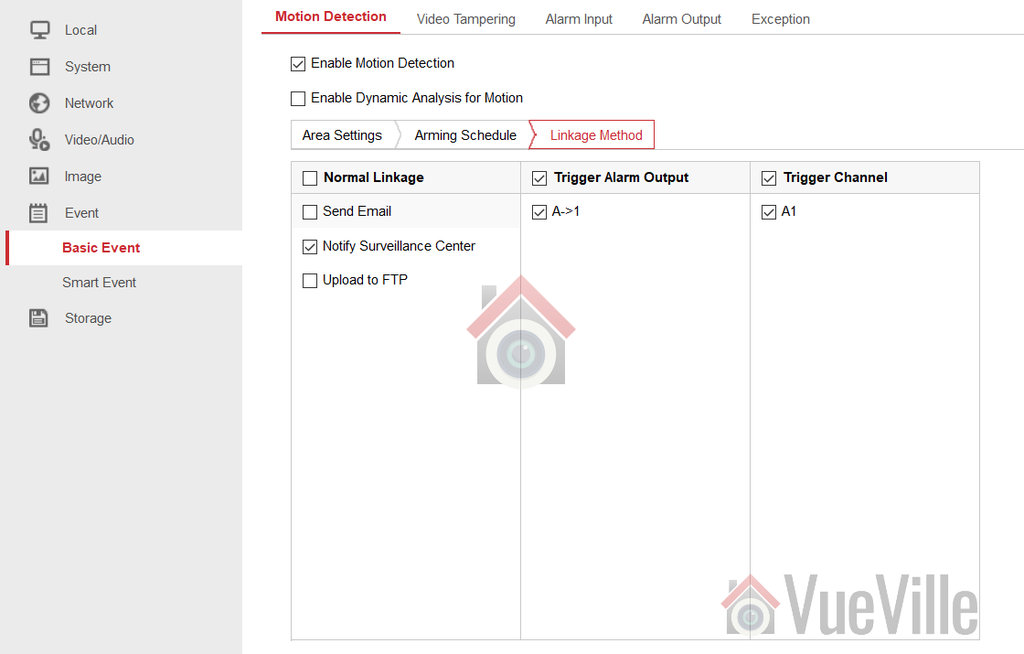
Login to your camera admin page and navigate to Configuration > Event > Basic Event. I will be using my DS-2CD2542FWD-IWS for this tutorial, but depending on your firmware and camera model the menus may be slightly different.
Enable Dynamic Analysis for Motion
If you want the recorded video to show the areas that triggered the motion detection event, tick this checkbox. I do not use this feature as it is fairly pointless.
STEP 1: Area Settings Tab
Within the basic event under the ‘Area Settings’ tab, you have a normal mode and expert mode. In both normal mode and expert modes, you can draw an ‘area’ or motion detection zone that the camera should monitor.
In normal mode the only other setting you can adjust is a simple sensitivity percentage slider. This controls the threshold of differences between subsequent video frames which triggers a motion detection event and subsequent alert.
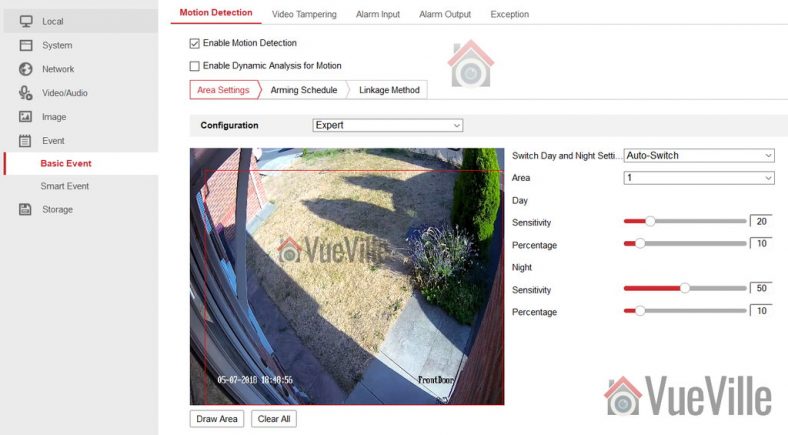
In expert mode, you are able to control sensitivity settings separately for daytime and night-time. You can also draw more than one area – my camera supports up to 8 distinct areas. Furthermore, you can either let the camera automatically switch between day and night according to light levels or create a schedule for daytime and night time. You can also define how large an object has to be for it to trigger a motion detection event. These are all great features and if you do not want to use the advanced methods (line crossing & intrusion detection) I strongly recommend using the expert mode of basic motion detection.
If you are using a 3rd party NVR or a NAS NVR such as QNAP or Synology, the only motion detection method you can use will be the basic events. I use a QNAP TS-253A NAS and the QNAP Surveillance Station app to integrate my security cameras with HomeSeer3. So I am forced to use the basic motion detection events only. You can see my settings above which minimize the number of false alerts massively.
Don’t forget to press the Save button before moving to the next step.
Hikvision Motion Detection Sensitivity
In my experience, you need a lower sensitivity percentage setting during the day time. I suggest 20% as a starting point. For night-time, increase the sensitivity so that movement in the shadows is not missed. I suggest 50% as a starting point for the night setting.
Hikvision Motion Detection Percentage
As I mentioned earlier, what Hikvision calls the ‘percentage’ setting actually means ‘how big should the object be to trigger the motion detection event’. It is calculated as the area covered by the object in the video frame divided by the total area of the video frame. This is why it is expressed as a % from 0 to 100, and also why Hikvision rather calls this setting ‘percentage’.
STEP 2: Arming Schedule
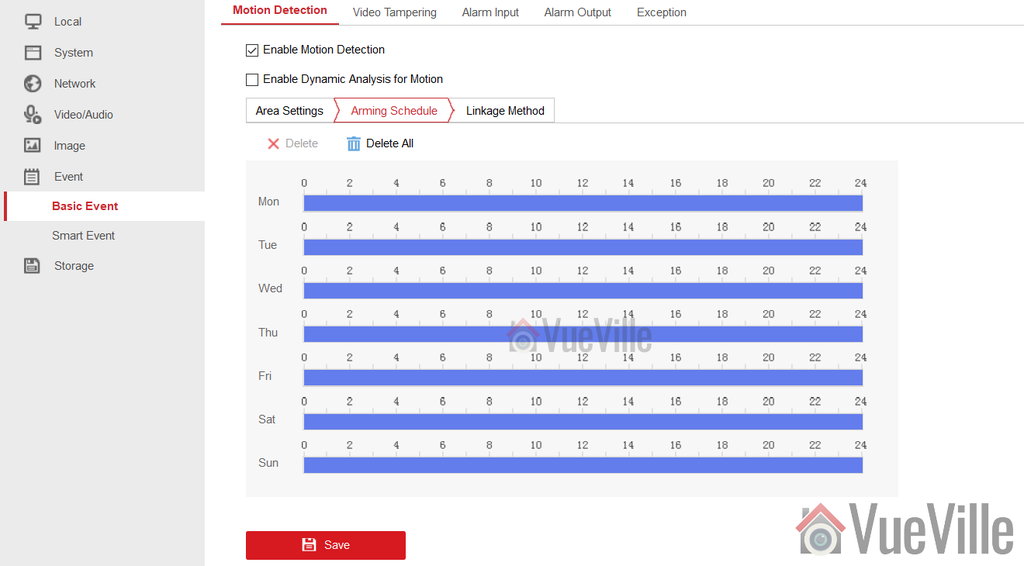
When you save the settings in step 1, the arming schedule should be automatically created for you. You can set it to be ‘armed’ during particular times of the day or night if you wish.
STEP 3: Linkage Method
This is where you can activate email alerts, and other actions such as uploading to FTP or triggering an external alarm if you have connected one to the camera. Hit Save when you are done and the basic motion detection event is now active.
Smart Motion Detection Events
You can have both basic and smart motion detection events active at the same time. My post on how to reduce false alerts using these advanced smart methods such as line crossing will show you how to set this up.
Picking a hidden camera is not easy, is it? There are a ton of brands and models to choose from and no easy way to tell them apart. So we created a quick and easy guide to help you choose the best hidden camera for your needs in 2024!
Please note that our hidden camera recommendations below are only for the purpose of complementing your existing CCTV camera setup, and not for illegal or unethical purposes.
While visible CCTV cameras are a great deterrent for the outside of your home, you may want discreet hidden cameras inside your home to capture the identities of burglars should the worst happen. Strategically placing hidden cameras outside your home to cover the visible security cameras is also a great idea in case burglars attack the more prominent cameras first.
A quick note: As an Amazon Associate I earn from qualifying purchases. This post contains affiliate link(s). An affiliate link means I may earn advertising or referral fees if you make a purchase through my link, at no extra cost to you.
Best Hidden Wireless Cameras with PIR Motion Detection and Night Vision
These cameras are great multi-purpose hidden cameras and can also be used as nanny spy cameras or in nursing homes.
The hidden camera market is filled with hundreds of products from dubious sounding Chinese manufacturers. So its useful to look for something that has been sold for quite some time and has lots of good reviews.
This is one such device – a 1080p digital video camera hidden inside a functional desk clock. It tells the time in a blue font and does a very good job of looking like an ordinary desk clock. Very close inspection can reveal the lens located to the right of the display, but only if you know where to look.
This hidden camera has a ton of features. Load it up with a microSD card and it can record video clips onto it. If the card gets full, it will over-write the oldest clips. Clips can either be recorded 24/7 (loop recording) or whenever the camera detects motion. There is a PIR sensor, so motion detection is accurate and you won’t get lots of useless clips recorded where nothing’s happening.
Night vision is standard with the built-in Infrared LEDs. Since this spy camera has Wi-Fi, you can connect to this camera anytime from anywhere and live-stream or access recorded clips. The mobile app is called HD Live Cam app. You can also add multiple cameras to the app and view them simultaneously like with an NVR! Pretty neat. The app can also send push notifications in real-time using P2P.
Power is provided through a standard 5V USB port, but there is a generously sized 3000 mAh battery that can provide backup power for up to 8 hours. But I suggest keeping it plugged in as much as possible.
What are the down-sides of this camera? There is no RTSP or ONVIF support, so you wont be able to connect it to an NVR, Blue Iris, Synology or QNAP NAS Surveillance Station.
[easyazon_link identifier=”B07GLTW936″ locale=”US” tag=”vueville.com-eaz-20″]Check Price on Amazon[/easyazon_link]
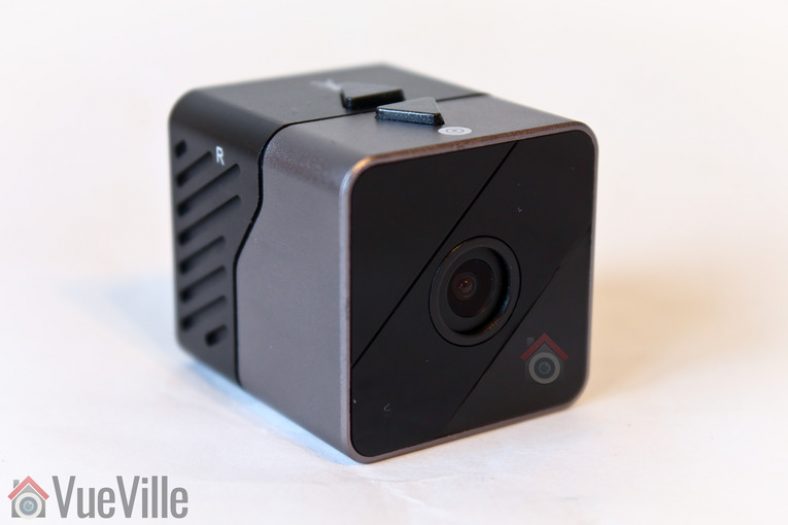
This is a very small 4K digital video camera that makes no effort to hide its true nature. The camera is a cube type with a prominent lens on one side. This is a camera that you will need to well and truly hide!
But what you get in return is a stupendous 160° wide-angle lens and 16 feet of true night vision range.
There’s no wireless connection on offer here, so the only way you can record and view clips is using an SD card. It is designed for quick deployment as evidence by the two dedicated buttons for activation loop recording or motion detection.
This impressive camera packs in not just Infrared LEDs for night vision, but also a PIR sensor for true heat-based motion detection.
Power is as usual provided through a standard 5V USB port, but there is also a large 3000 mAh battery on board giving 18 hours of operation time.
Since there is no wireless connection or Ethernet port on this camera, there is no mobile app, RTSP, or ONVIF support here. This camera is purpose-built for hiding inside an object and then being left alone to do its thing.
[easyazon_link identifier=”B086ZR7CGW” locale=”US” tag=”vueville.com-eaz-20″]Check Price on Amazon[/easyazon_link]
This hidden camera is the tiniest one we have found so far. The compact size doesn’t mean the camera compromises on quality as it sports a 1080p sensor and Wi-Fi! You also get motion detection or continuous recording that overwrites older clips when the microSD card gets full (loop recording).
Using the optional Wi-Fi connection, you can remote view this camera from anywhere in the world!
[easyazon_link identifier=”B09G6SJ64T” locale=”US” tag=”vueville.com-eaz-20″]Check Price on Amazon[/easyazon_link]
If you want to avoid physically accessing your hidden camera once it has been installed and there is no Wi-Fi available at the installation point, get this camera with Wi-Fi hotspot function.
You can use the camera in three ways:
Connect to the camera’s built-in hotspot to view recorded clips
Connect the camera to your Wi-Fi router (if available)
Record clips to an SD card
[easyazon_link identifier=”B09B7R361S” locale=”US” tag=”vueville.com-eaz-20″]Check Price on Amazon[/easyazon_link]
Best Hidden Cameras with Bluetooth
Best Hidden Camera with Bluetooth Speaker, Clock and FM Radio
Its not easy to find a multi-purpose hidden camera that can also do double duty as your FM radio. This 3 inch cube is a mini marvel packing in an invisible camera, night vision, a Bluetooth speaker, digital clock and FM radio. It supports loop recording and motion detection. The camera is AC powered but includes a rechargeable battery for when the power goes down. You can disable the digital clock.
Want a Bluetooth speaker with a hidden camera? Throw in a digital alarm clock & FM radio too! It even has Wi-Fi support and a mobile app for live remote viewing. Great idea and great execution in this product which has a virtually invisible camera hidden inside a fully functioning Bluetooth speaker.
[easyazon_link identifier=”B083SQSDVQ” locale=”US” tag=”vueville.com-eaz-20″]Check Price on Amazon[/easyazon_link]
The camera in this picture frame is designed for remaining hidden for extended periods of time thanks to its massive 10,000 mAh battery and low power requirements. This camera has a 1 year standby period when fully charged and in PIR motion detection mode!
Unusually this camera has Wi-Fi capability and a mobile app. So whenever motion is detected, it immediately sends a push notification to the mobile app. You can then view a live-stream of what the camera sees, from anywhere in the world.
The camera also has infrared LEDs and true night vision with a range of 5-8 metres.
[easyazon_link identifier=”B07ZH6TSJG” locale=”US” tag=”vueville.com-eaz-20″]Check Price on Amazon[/easyazon_link]
We reviewed the original Argus outdoor camera and really liked its design, features and impressive performance. The successor Argus 2 swapped out the CR123A batteries for a rechargeable Samsung battery back with a humongous 5200 mAh capacity. Now the Argus 3 is here with an even bigger 6000 mAh battery, colour night vision with built-in white LED, and smart detection of persons and vehicles.
The camera has a very good 122 degree field of view and a 1/3″ CMOS sensor. These specs set the Argus 3 Pro on a different level compared to most other portable cameras on the market. PIR based motion detection is very good even at night-time, but you also have person and vehicle motion detection available. 2-way audio is supported with the built-in speaker and microphone. Of course, this is a outdoor camera and so is IP65 rated.
Setting up the camera is a doddle and Wi-Fi support means that you can live-stream as well as access recorded clips remotely through the mobile app.
[easyazon_link identifier=”B08S6MMK9F” locale=”US” tag=”vueville.com-eaz-bnvr17-20″]Check Price on Amazon[/easyazon_link]
What if you need to install a hidden camera that has to be 100% self-sufficient and cannot be connected to Wi-Fi? That’s where the new Reolink Go Plus is the best choice. This battery powered waterproof camera has a 4G LTE radio that lets it work anywhere there is an LTE signal. It also supports 3G and WCDMA across Europe, America and Australia.
It shares most of its hardware features with the Reolink Argus 2, but has a beefier 7800 mAh battery to power its cellular radios. The battery should last 2 months or 500 minutes of live-view or PIR motion recording.
[easyazon_link identifier=”B098DWWXLQ” locale=”US” tag=”vueville.com-eaz-bnvr17-20″]Check Price on Amazon[/easyazon_link]
Perhaps the most important factor in choosing a hidden camera is its size. This depends on whether you want to hide the camera or leave it in plain sight because it is already disguised as an everyday object. The larger models tend to have more features.
Video resolution
You should look for 1080p or 2 Megapixel resolution but 720p may be acceptable if your target scene is not too far away from the camera.
SD Card recording
Virtually all hidden cameras have this feature. Just pop in a microSD card and the camera will record video and audio clips to it. Cameras usually let you choose between recording motion detection clips or continuous recording by overwriting old clips (called loop recording).
Motion-activated recording
This is a great feature which conserves both storage space on your SD card and battery life. PIR based motion detection is preferable because it leads to fewer false alerts/recordings than software based detection.
24/7 Recording
Also called loop recording, most hidden cameras can overwrite older clips when the SD card gets full. So the camera will never run out of storage space. The downside is you will have to access the camera frequently to copy off clips before they get overwritten.
Night vision
Infrared LEDs are used to provide true night vision. This is an essential feature that most hidden cameras have. What varies a lot is the range of the LEDs and how bright they get.
Audio support
Note that in some countries it is illegal to record audio without permission and so you may find cameras compliant with local law will not record audio. Make sure you do not break any local laws or regulations while using hidden cameras.
Battery life
Obviously, the larger the battery energy storage capacity expressed in mAh (milli Amp-hour), the longer it is going to last. Motion detection mode has lower power consumption than continuous recording. Disabling night vision will also lengthen battery life.
AC power support
However good the battery is, your hidden camera is not going to last forever. More so if you are placing it outside your home or in the garden where battery life will be negatively affected by low temperatures. That’s why its great if the camera can run on AC power and charge its battery while operating.
Wireless/Wi-Fi/Bluetooth
If you want to live-stream the camera video, you need to get a camera with Wi-Fi support. Bluetooth is usually used only for connecting a smartphone to a camera that has a bluetooth speaker, not to live stream or access recorded clips.
Live Streaming
This is a very useful feature whereby you can view the camera video feed in real time. While setting up the camera, its good to see what the camera is aimed at. If you want to remotely access the camera video feed, once again look for this feature.
Weather-proofing
If your camera is going to spend any time outside the home, make sure it is rated for weather and rain. IP65 is my preferred rating but anything better is great.
Conclusion
There is a hidden camera for every situation under the sun. We hope this guide has been useful in selecting your hidden camera. Let us know what you think – what or who have you caught using your hidden cameras?
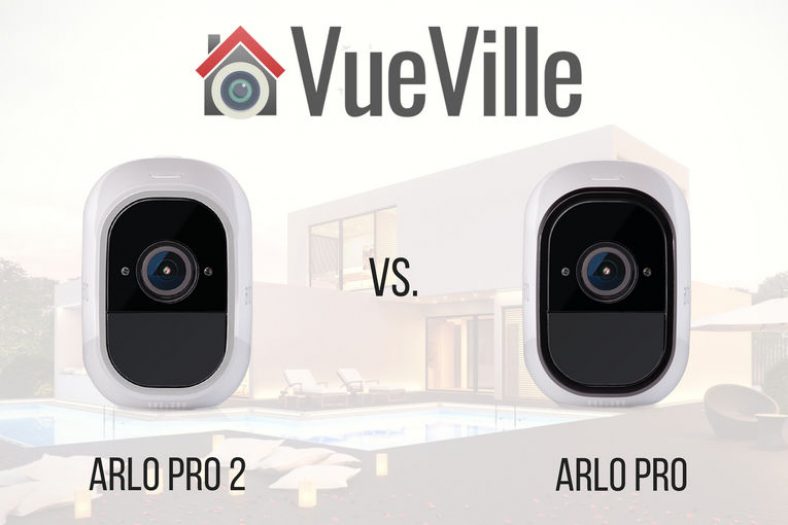
Netgear has now released an updated version of the Arlo Pro, the Arlo Pro 2. Is it worth paying a bit more to get the new model, or will the older model suffice?
We strongly recommend the [easyazon_link identifier=”B077S1YBXS” locale=”US” tag=”vueville.com-eaz-20″]Arlo Pro 2[/easyazon_link] over the Arlo Pro because it has:
higher 1080p resolution,
more accurate PIR based motion detection and
pre-recording for zero-lag motion triggered recording.
Read on for an in-depth comparison of these two high-end Arlo models.
A quick note: As an Amazon Associate I earn from qualifying purchases. This post contains affiliate link(s). An affiliate link means I may earn advertising or referral fees if you make a purchase through my link, at no extra cost to you.
The Arlo Wire-free
Often the most visible elements of a smart home, security cameras are also one of the most difficult to choose and set up. For the longest time, security cameras were not considered mainstream enough by large consumer electronics companies. Very capable cameras were available but setting them up proved too daunting a task for many a DIY amateur.
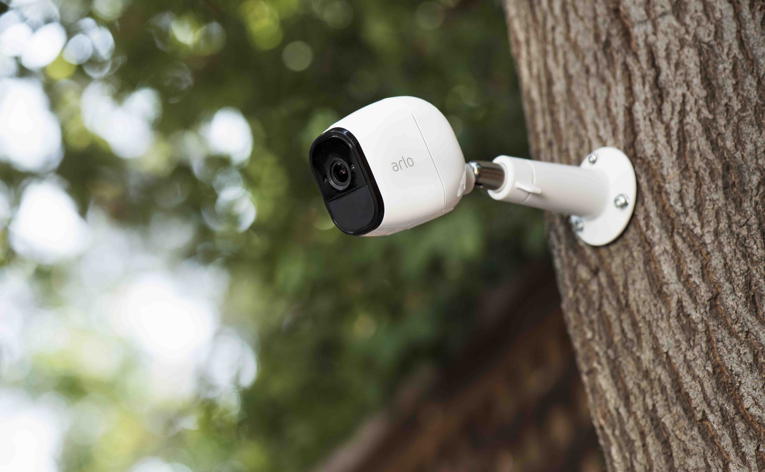
The Netgear Arlo changed all that. Netgear shook up the home security world with the battery powered 720p Arlo wire-free or as Netgear now calls it, just Arlo. It was soon followed up with the Arlo Pro which had 2-way audio support and optional AC power. The Arlo range of cameras are not standalone devices, they require the base station to function. The Arlo Q family does not need the base station and will connect directly to your router.
We are not the biggest fans of using only battery powered cameras, but as part of a well-planned security camera strategy, battery powered cameras can be invaluable.
Arlo Pro 2 vs. Arlo Pro – Comparison Table
[table id=52 responsive=flip /]
Video quality
This is perhaps the biggest difference between the two. The new Pro 2 model has a Full HD 1080p sensor that is significantly better than the 720p sensor of the Arlo Pro. This alone is reason enough in my mind to go for the Arlo Pro 2 instead of the Pro.
The encoding format is the same for both, H.264 instead of the newer and more efficient H.265 that you tend to find in cameras such as the newer models from Dahua and Hikvision.
Both cameras also feature auto-adaptive white/black balance and exposure adjustment.
Audio Quality
Both models support 2-way audio with a built-in mic and speaker. But here’s the rub: they are half-duplex only, meaning they are like walkie-talkies. Only one person is allowed to speak at a time, so you cannot carry on a conversation using these cameras.
Netgear does advertise the 2-way audio as push-to-talk, so at least they are not trying to hide this fact.
The lack of 2-way audio is disappointing because its such a great feature. The battery-powered Reolink Argus has it, albeit slightly laggy. So does the AC powered Reolink C1 Pro, again a bit laggy though.
Step up to the more expensive cameras such as the Vivotek IP8160 & Vivotek IP8160-W if you want to get true high-quality full-duplex audio.
Motion Detection
There are two kinds of motion detection: true motion detection using an Infrared sensor called a PIR (Passive InfraRed), and software based motion detection that analyses video frames to detect changes in the scene.
The first type, PIR-based, is highly accurate indoors, and the second one, software-based, is reasonably accurate indoors. But there is a measurable difference in accuracy between the two.
This is because the software running on the camera cannot distinguish between moving shadows and a moving person, they are both effectively the same to the camera. This is why you get more false alerts with software-based motion detection than the PIR method.
The Arlo Pro uses software-based motion detection whereas the Arlo Pro 2 has a new motion detection system that’s quite clever. In battery mode, it uses the PIR for detecting motion.
In AC power mode, it uses software based motion detection but you can mark up to 3 separate zones for it to monitor. This makes the motion detection capabilities of the Arlo Pro 2 more powerful.
But the main reason we prefer the Arlo Pro 2 is its 3-second lookback feature, which is a fancy marketing term for pre-recording.
Pre-recording is the feature whereby the camera is constantly recording what it sees and keeps the last few seconds in memory. This means there is virtually no lag between the camera detecting motion and the beginning of the recorded clip. This feature also overcomes the biggest complaint with Arlo cameras – the huge lag between motion and the camera starting to record.
The new Arlo Smart subscription adds the hottest feature right now, person detection. But the issue is that the actual person detection is performed not locally by the camera, but remotely in the cloud.
Notifications
Both Arlos are able to send email alerts with snapshots and push notifications based on motion or audio detection.
Weatherproofing
Both Arlo Pro 2 and the Arlo Pro have the same IP65 rating for water-proofing and dust ingress.
Battery-life
Both Arlos use the same VMA4400 rechargeable battery which has a healthy 2440 mAh rating.
Smart Home Compatibility
All Arlos support IFTTT and while this is not the best platform for smart home inter-connectivity, it is better than nothing.
The Arlo family of cameras are cloud-reliant, Internet-reliant security cameras that need a monthly subscription to work as proper security cameras with 24/7 recording on AC power. Even though they support IFTTT for smart home integration, the lack of local storage and cloud-reliance place them well outside of the VueVille Smart Home DIY Framework and are thus not recommended by us.
If you must have an Arlo, the Arlo Pro 2 is far better than the Arlo Pro. The improved image sensor is the primary difference between the two models and is worth paying the extra for.
Alternatives
We reviewed the Reolink Argus wirefree camera and were impressed with its slick setup, 1080p sensor, 2-way full duplex audio, lack of cloud reliance, and local microSD card storage.
Also consider the newer Argus 2 which adds color night vision (Starlight) and a rechargeable battery pack. Since these are purely battery powered cameras, they do not support any smart home integration such as Z-Wave smart hubs, IFTTT, Alexa, SmartThings etc. But at least they are not cloud-reliant.
If you have a lot of IP cameras in your home, how can you view their video streams all in one place? This is the job of the humble Network Video Recorder, or NVR. An NVR is a central device that can manage all your cameras, and even take a backup automatically in real-time. This is truly invaluable and a critical component of a well-planned smart home strategy.
So how do you choose the right NVR when you have a large number of security cameras, especially if they are from different brands? 32-channel NVRs hit the sweet spot between 8 and 64-channel NVRs. But they often have an incredibly wide range of prices and its not easy to figure out what the real differences are between them. There’s no industry standard way of comparing them and that’s why in typical VueVille fashion, we have done the in-depth objective research leading to recommendations you can trust.
If you are wondering what an NVR is, check out my in-depth NVR buying guide, which will also explain the basic difference between a DVR and an NVR.
I recommend selecting the cameras you want from a single manufacturer like Dahua or Lorex, and then finding a suitable NVR to go with it. This is because you should be picking the cameras you need for the intended installation location.
You may notice that the high-end NVRs in this article do not have PoE. What, Daniel you are cheating you say? 🙂 Well for more advanced installations, you don’t usually power the cameras from the NVR, instead a dedicated PoE switch is better. The advantage is that you avoid the NVR becoming a single point of failure for your cameras.
Best 32-Channel PoE NVR – Summary table
[table id=47 scroll=”responsive” /]
A quick note: This article may contain affiliate links. If you click on one of these links and then purchase something, we may receive a fee. This does not cost you anything extra. Also note that Hikvision and Dahua do not consider certain platforms including Amazon as an authorized seller platform. So if you need warranty support please purchase from authorized resellers of Hikvision and Dahua products in your country.
What to look for in a 32-channel NVR?
Whenever I evaluate an NVR, I look for the following:
Maximum resolution supported when recording 32 cameras: Some NVRs have a headline megapixel capability, but the fine print may reveal that it can achieve this resolution only with 8 cameras, not all 32! So watch out for this one.
Encoding: H.264 is the most common standard, but the more efficient H.265 standard can help reduce the file size of video recordings.
Number of PoE channels: Some NVRs may have on-board PoE ports which is very convenient. But no 32-channel NVR is going to have 32 PoE ports. If you need that many PoE ports, you may have to get a PoE switch and plug that into the NVR.
Advanced motion detection: The best NVRs support not just basic motion detection but advanced methods such as line-crossing or tripwire, intrusion detection and even face detection. You will have to ensure the NVR and camera brand are the same if you need the advanced motion detection methods. For example, Hikvision NVRs cannot access the advanced motion detection abilities of Dahua cameras even though you can plug in a Dahua camera into a Hikvision NVR as they both support the ONVIF standard. If there are no PoE ports, no worries, just get a PoE switch.
Pre-record: All NVRs can start recording after a motion detection event occurs. But what you really need is a pre-record feature where the NVR will also record the precious few seconds before motion was detected.
Storage capacity and disk mirroring (RAID support): Look for the ability to automatically record to mirror the data that is recorded to one hard drive to a second one. This is called redundant storage or RAID. The reason for doing this is so that you will have a copy of the data should one of the hard disks fail. Of course you should take a weekly USB backup to a separate drive that is ideally stored off-site.
3rd party camera support: Not all NVRs allow you to hook up 3rd party cameras. Look for ONVIF support and explicit 3rd party camera support on the specification list of any NVR you are considering.
Alarm in/out: This is essential to connect the NVR to the rest of your smart home, burglar alarm or office security system. You can connect it to the NVR so that it can start recording if the PIR motion sensors detect motion or if a door/window sensor is set off.
Audio in/out: You can use the audio out if you are using the VGA output of the NVR to live-view on a monitor. The audio in port is good for a microphone if you want to record audio other than from a camera source.
32 IP cameras would look great on this house.
How do I use all 32 channels of these NVRs?
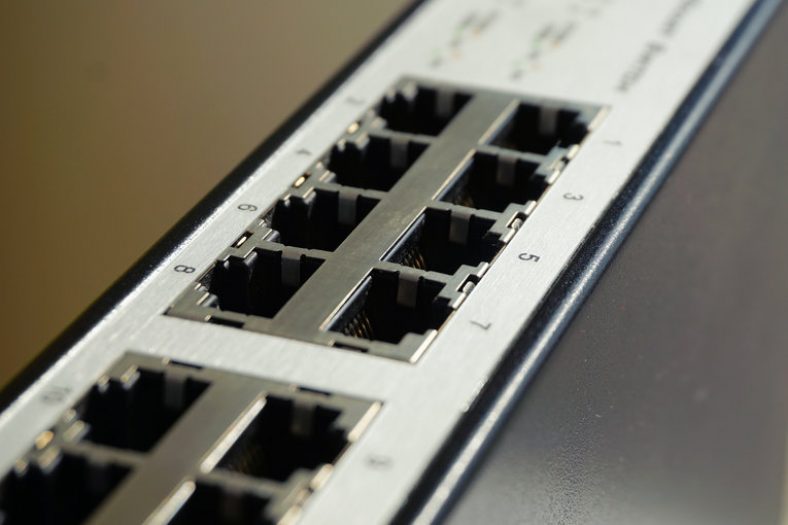
No 32-channel NVR is going to have 32 PoE ports, so you have to use a PoE network switch. First plug all your cameras into the PoE ports available on your NVR except one – we will need this for the PoE switch. Plug your remaining cameras into the PoE switch and then the switch into the NVR port you saved for the switch.
If your PoE switch is too far away from the NVR, just connect the switch to your network at any point. This is the beauty of IP camera systems, your NVR will be able to find and add the cameras as long as they are somehow connected on your network. They need not be physically attached to the NVR itself.
[/wpsm_cons][/wpsm_column] Amcrest security cameras and NVR kits are attractively priced good quality products and have become quite popular as a result. They also sell NVRs without any bundled cameras and the NV4432E-HS model is my pick for the best budget 32-channel PoE NVR.
This NVR can record Amcrest’s own security cameras and any ONVIF compatible IP camera from other brands. The maximum resolution supported is 8MP and it can record all 32 channels at this resolution along with audio. You can install up to 4 hard drives with a maximum capacity of 6TB, making a total storage capacity of 24TB. Now you may think this means the NVR supports redundant recording on these internal disks, but that’s not the case. You can assign different cameras to record to different disks, thus spreading the load over multiple hard drives.
You will also find 16 PoE ports on the back of the NVR. Other interfaces available include a serial port (RS-232), an eSATA port, VGA and HDMI out.
The standard recording modes of manual, scheduled and motion detection are available. Its worth noting that the motion detection is of the basic variety. You won’t find those fancy advanced methods such as line-crossing or face detection here. But then at this NVR’s price point, one shouldn’t be surprised. You can draw motion detection zones for each camera. There are a few different actions the NVR can take if it detects motion:
Trigger the 4 alarm channels
Send an email alert, or upload a snapshot to an FTP location
Send a push notification
Set a PTZ camera to a specific preset, or perform a PTZ tour action
Thanks to the 16 alarm in ports, you can also hook up motion detectors or other triggers from various zones too.
This NVR can display all 32 channels simultaneously when live-viewing and playing back recorded footage. Mobile apps are available for both iOS and Android.
Backups have not been forgotten with a backup manager that helps you to take periodic backups to a USB drive. Taking regular backups to a USB drive stored off-site is critical to ensuring your data remains safe and accessible at all times.
[/wpsm_cons][/wpsm_column] If you do not need advanced motion detection methods, but need drive mirroring (RAID), the Lorex is worthy of consideration. Lorex cameras and NVRs are mostly rebranded Hikvision and Dahua products. So quality generally tends to be on the higher side. However they do have an annoying policy of restricting their NVRs to work only with their own cameras. Even Lorex cameras that are just rebranded Dahuas often do not work with Lorex NVRs. So be aware of this before you invest.
The NR8326 model sits within the ‘Extreme Security’ product line and is a step up from their basic models. This model can record all 32 channels at 4MP resolution along with audio without breaking a sweat. Up to 4 internal drives are supported plus an external drive suing the eSATA port. The standout feature of this NVR is its ability to mirror hard drives. Lorex doesn’t call it RAID but practically that’s what it is. Another party trick is the ‘Real-time Backup’ feature which can record the live-view screen to an external USB drive.
There are 16 PoE ports at the rear, pretty standard for a 32-channel NVR. You will find a wealth of interfaces such as HDMI, VGA, audio in/out, serial port, and an additional USB port that can be used to add a mouse.
Let’s look at the software side of things now. The user interface is basic but functional. There is a quick menu which gives you access to the most frequently used actions and settings such as views, PTZ controls, and sequence mode. In live-view mode, you can display up to 16 channels at a time.
The different recording modes available are: continuous, motion, schedule and manual. When the hard drive(s) is full, the NVR will automatically start overwriting the oldest video recordings. However you can also set it to stop recording instead when the disks are full.
Just like the Amcrest above, motion detection is limited to simple motion detection which uses a software algorithm to determine motion in the defined areas of the scene. You can select motion detection zones for each camera. These are the actions the NVR can take when it detects motion in the defined zones:
Trigger the 4 alarm channels
Send an email alert, or upload a snapshot to an FTP location
Send a push notification
A custom display sequence can be activated
Set a PTZ camera to a specific preset, or perform a PTZ tour action
When you want to play back recorded video, you can either pick a point on the timeline or use the smart search feature. The smart search feature lets you define an area of the frame in the recorded clip to analyse for motion. This is a great time-saver if you record in continuous mode and want to check whether there was motion in a specific part of a camera’s scene.
Like any good NVR, the Lorex also supports backup on demand to a USB drive.
Sine FLIR Technology owns Lorex, the FLIR cloud app is used to connect to the NVR remotely. Some additional features are:
Live-view and playback
Event list
Push notifications
A custom display sequence can be activated
PTZ control and e-mapping
Access multiple Lorex and FLIR systems from one single app
[/wpsm_cons][/wpsm_column] So now we move up to the high-end options where you can get not just RAID but advanced motion detection like line crossing and intrusion detection. I have been using Hikvision stuff for many years now and my oldest Hikvision has been running non-stop for 3 years now.
The DS-9632NI-I8 model is a powerhouse of an NVR and is able to record all 32 channels at up to 12 Megapixels. However it can only display or playback 16 channels at a time, at 1080p each. Surprising especially as it has two HDMI outputs. Still being able to drive a 4K display is pretty sweet. You can set the exact order of channels in a multi-channel view.
Hikvision fully supports the ONVIF standard, so you can be sure that your non-Hikvision brand cameras will work with this NVR as long as they are ONVIF compliant. Some examples of supported third party brands are Acti, Arecont, Axis, Bosch, Brickcom, Canon, Panasonic, Pelco, Samsung, Sanyo, SONY, Vivotek and Zavio.
What about storage? Here once again this NVR’s premium nature shines through with up to 8 internal hot-swappable RAID drives and a hot spare option (n+1 mode) to provide fail-over for extreme reliability. RAID0, RAID1, RAID5, RAID6, and RAID10 modes are supported.
The various recording modes supported are: continuous, manual, alarm, motion detection, and scheduled. Hikvision calls the advanced motion detection methods VCA. You can also set 8 different time periods with different recording modes active for each of those 8 time periods. So you could have continuous recording during the night and motion detection recording during the day. Face detection, face recognition, vehicle detection, behaviour analysis (entering, exiting, loitering), people counting, parking detection, missing object, unwanted object and heat map are the fancy events that you just can’t find elsewhere.
Custom motion detection zones can be set for each camera, along with privacy masking to comply with local laws and regulations. The following actions are available whenever motion is detected:
Trigger the 4 alarm channels
Send an email alert, or upload a snapshot to an FTP location
Send a push notification
A custom display sequence can be activated
Set a PTZ camera to a specific preset, or perform a PTZ tour action
When its time to playback video, in addition to the timeline markers you can use the advanced search tools to help you find what you are looking for. These include face search, behaviour search, object search, people counting and heat map. The heat map function is used to analyse presence of people in the scene and how long they linger in a particular area.
Backing up data is handled exactly as you would imagine with USB and eSATA interfaces available.
Hikvision has a confusing range of mobile apps these days, but the one recommended for the DS-9632NI-I8 is the one that has been around the longest, iVMS-4500.
Samsung? Samsung makes NVRs? Yes they do. Well actually they acquired a company called Hanwha Techwin that makes NVRs. And pretty good ones too. So this is a brand to consider if you are venturing into the premium end of the pool.
The XRN-2011 has a very professional looking user interface which is what you would expect from a premium brand like Samsung.
Wrapping up
We hope the round-up above has made what is really a tough decision a bit easier to make. 32-channel NVRs are a significant investment, so if you have any questions please do leave a comment below or contact us on social media and we will try our best to assist you.
If you are looking into getting an IP camera system for your home or office, you must have come across the term PoE. What does PoE mean? Is it worth paying for? What are the alternatives? Can you use PoE for your existing IP cameras? These are some of the questions I often get from our readers, so I thought I would write a post dedicated to all things PoE. [wpsm_toplist] [wpsm_stickypanel][contents h2][/wpsm_stickypanel]
What is Power over Ethernet (PoE)?
Power over Ethernet or PoE for short, is a technology that lets you transmit power and data over a single Ethernet cable, without any negative effect on data speeds.
What is the difference between Active and Passive PoE?
Active PoE is where both the PoE power source and the PoE powered device are standards-compliant and talk to each other to negotiate the exact amount of power needed. If a device claims that it is PoE standards compliant to, say IEEE 802.3af, it is claiming that it is an active PoE device.
In contrast, you can piggy-back power over an Ethernet cable using a PoE injector and this is called passive PoE. The injector simply takes the power you provide and transmits it to the other end of the Ethernet cable in a dumb or passive fashion.
How does Power over Ethernet work?
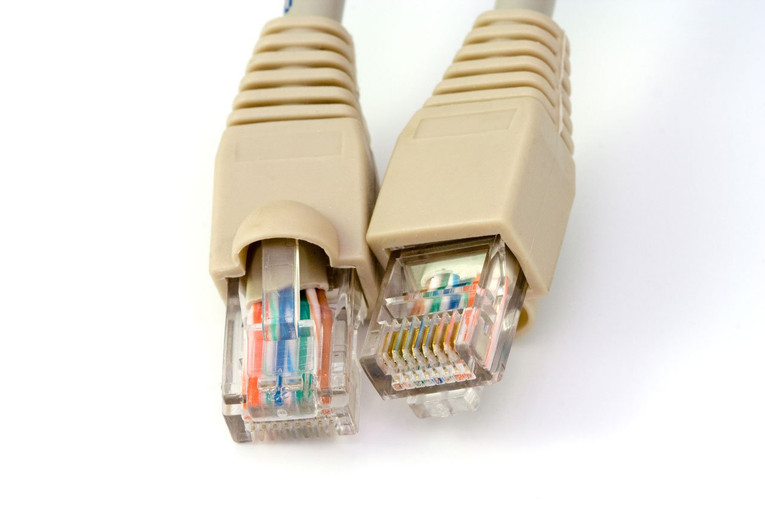
A typical Ethernet cable consists of 4 twisted pairs of 8 copper cables. Depending on the speed of data transmission (10/100 Mbps or Gigabit Ethernet), some or all of these pairs are used for sending and receiving data. These same copper pairs can also be used to send electricity. Which pairs exactly are used for sending power depends on the type of PoE (Active or Passive) and the specific PoE standard used.
PoE is not a one-way technology, it uses signalling between the PoE power source and the PoE powered device to:
Detect devices that need power
Determines the correct amount of power to be delivered to each device
When to start sending power
Detect device disconnections
When to stop sending power
When a PoE camera is connected to a PoE power source, the PoE power source will go through a multi-step process to discover and negotiate the required power level of a PoE powered device. Using a method called signature detection and classification, the PoE power source will start off with a low voltage and will raise the voltage until it meets the requirements of the powered device. It will then continue to monitor the power consumption of the device and accommodate any fluctuations.
The IEEE 802.3af standard is the most common type of PoE you will find. This standard provides for up to 15.4W of DC power per PoE port, that is a minimum of 44 V DC and 350 mA current on each port (Power = Voltage x Current). Due to voltage losses however only 12.95W is assured per port. Most PoE switches output up to 48V.
Most fixed lens cameras use around 7 W power only, so 802.3af compliance is plenty. However for motorised cameras the power requirements can easily go into the 20 W range, for example the Reolink RLC-423 PTZ requires 22 W power. This is why the 802.3at standard called PoE+ (or PoE Plus) was created which provides up to 25.5 W of power per port.
There are two newer standards that aim to increase the power available per PoE port, 802.3bt Type 3 (max. 51 W) and 802.3bt Type 4 (max. 71 W). I haven’t seen devices that support these standards yet.
What voltage is Power over Ethernet?
Typically the voltage used by PoE is 48 V. Copper wires are not just electricity conductors but have electrical resistance as well. This resistance causes some of the energy it conducts to be lost as heat and causes voltage drops. So the voltage at the PoE power source is higher (in the 44-57 V range) than the voltage at the powered device (37-57 V, depending on the PoE standard used).
A lower voltage device like a camera that needs only 12 V will then step down this voltage internally before it is used by the camera. The reason for the higher transmission voltage is that voltage losses are lower at higher voltages, which is also the reason that power companies transmit electricity across large distances at very high voltages of up to 765 kV even though domestic power supply may be only 110/230/440 V.
What are the advantages of using Power over Ethernet (PoE)?
The main advantage of PoE is that you don’t need to run separate power and data cables. But there are also several other reasons to use PoE:
Flexibility and lower installation costs – PoE removes the need of having an electrical power outlet at the camera installation location. Also you don’t need to run separate power cables to each camera installation location.
A standards-compliant PoE switch can discover and auto-negotiate power requirements for each device that is connected to it. This means you do not have to figure out how much voltage or power to provide to your devices, as long as the power requirements are lower than the rate output of each PoE port on the switch you are fine.
Voltage losses over long Ethernet runs are automatically adjusted for by the PoE auto-power negotiation process.
PoE provides overload protection as it constantly monitors the power requirement of a device and can adjust it as required.
Centralised power management and troubleshooting becomes possible because you can monitor the power usage of each device through a smart PoE network switch.
Centralised power backup – My PoE switch is hooked up to a UPS and that’s it, all my PoE cameras now have instant power backup!
Simpler, neater and faster installation possible, especially if you are thinking of running Ethernet through your attic or basement.
How to connect an IP camera using PoE?
There are a few different ways you can achieve this:
Use a PoE NVR and Ethernet cable: If you are following the EasyDIY approach of just getting an all-inlclusice packaged security camera kit, your cameras will plug straight into the included NVR using the included Ethernet cables. It’s that simple. Read more about these all-in-one packages here.
Using a PoE switch: Ethernet switches with Power over Ethernet support are the easiest way to power a PoE camera. I use a TP-LINK TL-SG1008P gigabit switch with 4 PoE ports to connect my PoE IP cameras. Installation is simple and straight forward – connect the camera to a PoE port on the network switch using a Cat 5/5e/6 Ethernet cable. If you are connecting outdoor cameras, use an outdoor and burial rated Ethernet cable. This should last longer and be resistant to critters that like to gnaw away at your cables.[easyazon_image align=”center” height=”177″ identifier=”B00M1C03U2″ locale=”US” src=”https://images-na.ssl-images-amazon.com/images/I/417nhw5tq4L.jpg” width=”500″ localize=”n”]
Using a PoE injector: These devices are great if you want to use PoE for just one camera and don’t want to buy a PoE network switch OR if you want to use PoE for a non-PoE IP camera. Yes you read that right! You can use PoE even for an older camera that doesn’t support PoE. You have two further options here: a smart PoE injector or a dumb/passive PoE injector/splitter combo.
A smart PoE injector includes its own power source and will function just like a PoE switch. It will take your Ethernet cable that carries only data into its input port, and you connect its output port straight to your IP camera. When the camera is powered on, the PoE injector will discover and auto-negotiate the required voltage and power levels for your camera. Smart, isn’t it? [easyazon_image align=”center” height=”500″ identifier=”B001PS9E5I” locale=”US” src=”https://images-na.ssl-images-amazon.com/images/I/41E4a%2B2wjeL.jpg” width=”500″ localize=”n”]
A passive PoE injector/splitter combo (or dumb as I call it) can be used for adding PoE capability to a non-PoE camera where you already have a power source. [easyazon_image align=”center” height=”398″ identifier=”B004UBUB7C” locale=”US” src=”https://images-na.ssl-images-amazon.com/images/I/31ajAs0Y-dL.jpg” width=”500″ localize=”n”] Another use case is where you have a PoE camera but don’t have a PoE network switch and want to keep costs low. Just use something like this: [easyazon_image align=”center” height=”500″ identifier=”B00NRHNPUA” locale=”US” src=”https://images-na.ssl-images-amazon.com/images/I/41BwdyA6PML.jpg” width=”500″ localize=”n”]
How far can you run a PoE camera?
Usually Ethernet cable runs of more than 100 metres or 328 feet are not recommended when you are using it for just data. I recommend the same for PoE Ethernet cable runs because any more than this and you are going to have significant voltage drops which can affect the reliability of your IP cameras.
Can I use PoE for my existing IP cameras?
Yes! Just use a passive PoE injector and splitter combo, this way you can use your existing camera power adapter to keep costs down.
Which camera manufacturers support PoE?
All major camera manufacturers including Hikvision, Dahua, Axis, Bosch, Vivotek, Sony, Amcrest and Reolink have models that support PoE. Moreover their PoE cameras are always standards-compliant. Ubiquiti is one notable exception – along with stadards-compliant PoE they also have a proprietary passive PoE injection solution that uses a lower voltage of 24V. Be aware of which PoE is supported by a Ubiquiti device before you buy!
If you would like to learn more about how I use PoE in my home security camera system, I have written a full guide to my DIY setup. Let me know what you think!
Conbrov is one of the more prolific hidden camera manufacturers out there. I reviewed the DV9 book camera last year and that was a very well designed camera that could be hidden in plain sight. The latest model that Conbrov has kindly provided for us to review is the minuscule [easyazon_link identifier=”B076V2KKGV” locale=”US” tag=”vueville.com-eaz-20″]T33[/easyazon_link] 1080p HD portable video recorder, which on the contrary is definitely meant to be hidden but is portable thanks to its built-in battery.
You could use the T33 in a variety of ways: a portable video recorder, webcam, or a mini home security camera. Since it can be powered by AC power or the built-in battery, you have a lot of flexibility in where and how you can use it.
Please note that we do not endorse any illegal use of the equipment we write about. All testing carried out using this camera features the authors of this blog only. Make sure you follow all local and national laws in your jurisdiction while operating this camera.
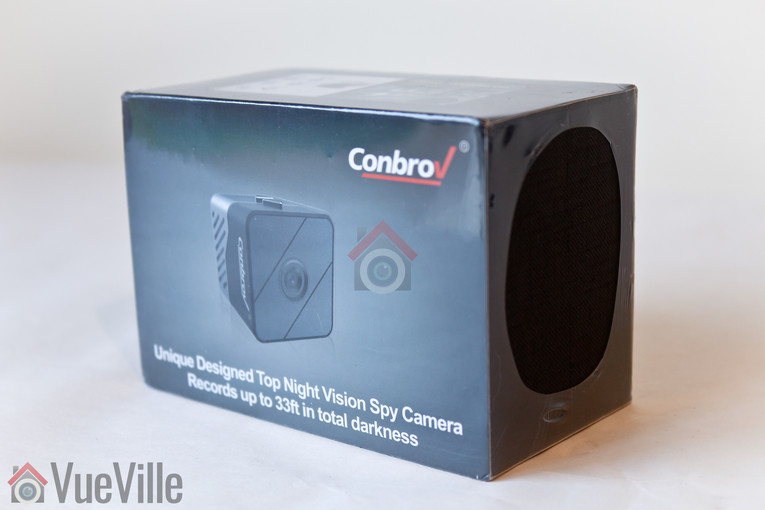
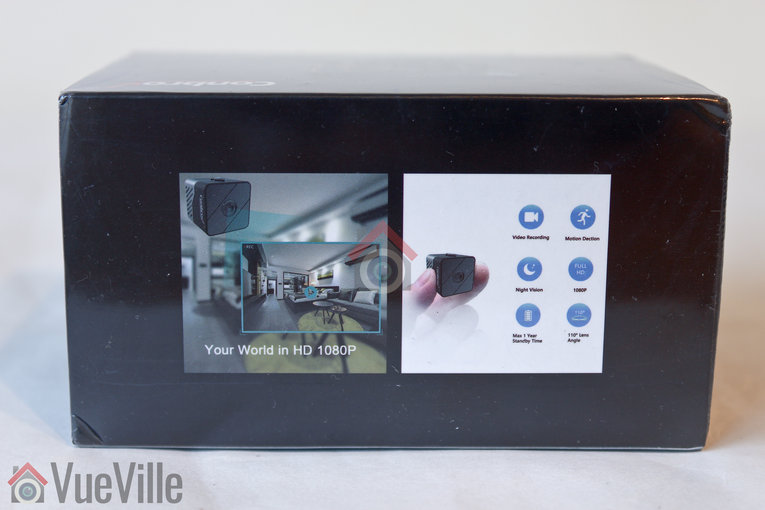
The Conbrov T33 comes in a smartly branded box that lists its main features on the back.
What’s in the box
T33 Hidden Spy Camera
User manual
Pin for resetting the camera
Magnetic bracket
1 x USB cable
1 x USB Card reader
VIP membership card
Warranty card
UNICEF donation card
Main Specifications
[table id=45 responsive=scroll /]
Design and Features
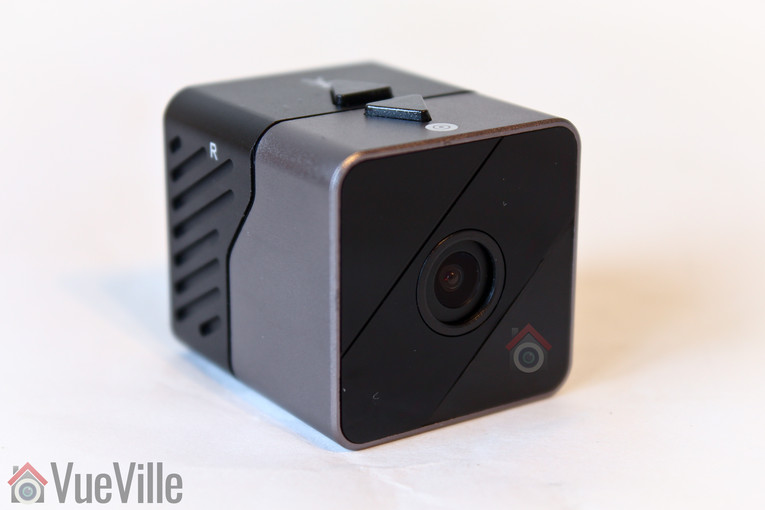
The Conbrov T33 is impressively small for the crazy amount of features it packs, measuring just 1.18 inches on each side. The two-tone cubic shell has a polished bronze front half and a plastic black half.
Hardware Features
The front of the camera houses the lens, the PIR sensor and the Infrared LED. But only the lens is visible making the camera very discreet.
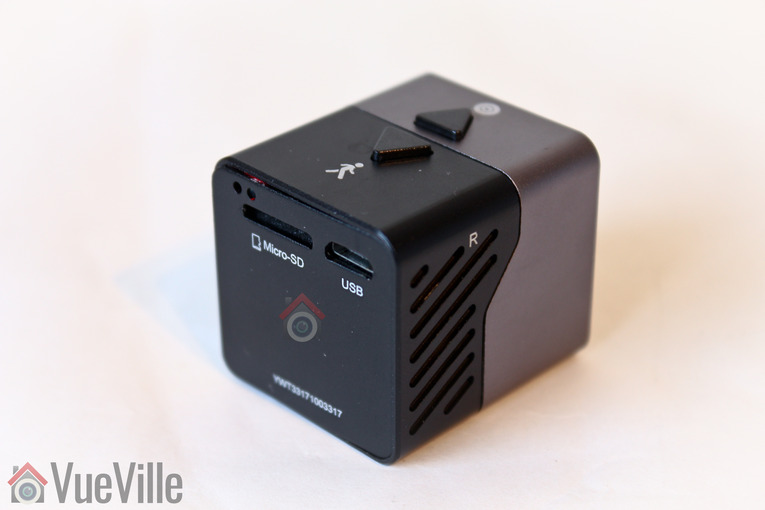
The rear of the camera has the micro SD card slot, the USB port and the activity LED lights. The top of the camera has two buttons – one for starting and stopping motion recording and another button for starting and stopping manual recording. There is also a reset button on the side of the camera. The camera has audio recording but it was not evident where the microphone is located.
Software Features
The camera can operate in two modes – manual recording that you start and stop or motion detection recording triggered by the on-board PIR motion sensor. Clips can be recorded at 1080p, 720p or VGA resolution. It can also add a date and time watermark to recorded clips. The camera can record while being powered over the USB port – this is a great feature and makes it possible to leave the camera in position for long periods of time without worrying about the battery dying.
PIR-based motion detection is more reliable than software-based detection and so top marks to Conbrov here. However I was disappointed to find that there is no pre-record feature, even on AC power. This is the feature whereby the camera records the few seconds before the actual event takes place. Its possible only if the camera is continuously recording to its video buffer, and I can understand this is too energy intensive when in battery mode, but could have been a great feature when the camera is powered over USB.
Loop recording or automatic overwriting is available when the SD card gets full, see the storage capacity section below to get an idea of how long a 32GB card would last. 32GB is the largest SD card capacity the camera supports.
Even though this camera can work off AC power, it doesn’t support the RTSP protocol or the ONVIF standard. So integrating this into an existing CCTV system is not an option. Which is a shame because a tiny camera like this can be very discreet indeed!
Audio is also recorded on the video clips – you can disable this feature in the camera settings screen – see below.
Camera Setup
The manual is written in good English and is very detailed. There are clear illustrations showing the different parts of the T33 camera and a helpful summary of the setup instructions. Then there are further sections that describe the setup process in detail.
A very helpful table of various LED indicator statuses is also provided at the end of the user manual.
So as per the instructions in the T33 user manual, I followed the steps below to set up the spy camera:
I used the provided USB cable to plug the camera into my laptop USB port and charge the battery. Charging took a few hours and the yellow LED stays lit during this process. When the yellow LED goes off, it means the battery is fully charged.
When the camera was fully charged and the yellow LED went off, I inserted a [easyazon_link identifier=”B007JTKLEK” locale=”US” tag=”vueville.com-eaz-20″]32GB Sandisk Class 10 microSD[/easyazon_link] card. When I first tried to insert the SD card the right way up as shown on the back of the camera, it didn’t go in. I had to insert it upside down – contacts side up. However the user manual correctly shows which way you need to insert the SD card in. Push it in all the way until you hear a click. On my review unit, the SD slot didn’t line up perfectly with the outside casing and so I had to angle the SD card a bit to get it in properly.
The third step is to set the camera parameters or in other words adjust the settings. Connect the camera to your computer using the USB cable. Press and hold the manual recording button for 2 seconds to turn on the camera and put it into USB disk mode. A blue LED at the back of the T33 will flash continuously and the microSD card will then show up as a removable disk on your computer.
Open the SD card and you will see a file called SetCamera.exe, open this file. Make the desired changes, click Save and then Exit. You will now see a new file created called CONFIG.INI which stores your settings.
That’s it – there are really no other software settings you can control. On the camera itself, the only thing you can do is choose the recording mode – manual or motion detection.
The next challenge is positioning the camera. As with most spy cameras, there is no Wi-Fi or live stream feature. So you can’t know whether you are getting everything you want in your scene until you record and then play back the video. But that’s just a one-time exercise.
Performance
You can power the camera either using a DC 5V power source and a USB cable, or by using the built-in 1000mAh battery. Its interesting that Conbrov doesn’t shout about two of the best features of this camera – that it can be powered externally and so you don’t need to worry about running out of juice. What’s the other one? The PIR sensor that it uses instead of the more commons software based motion detection method. The PIR range is easily 5 metres or 16 feet and the Infrared LED is also very powerful. It does have a flashlight effect though.
Video clips are recorded in 1 minute intervals, so stitching together longer recordings could become a bit of a chore.
Daytime video quality
Daytime video was of decent quality at the default 1080p resolution. Motion was smooth and did not have any artifacts, if anything it was slightly grainy. There seems to be a true IR-cut filter, so colour during the day time was accurate unlike the DV9 model we tested previously.
As there is no pre-record feature and motion detection is PIR-based, the camera starts recording only 1-2 seconds after I opened the door and entered the room.
Night-time video was soft and quite grainy. There is an ambient light sensor, so the Infrared LED switches on automatically in low light conditions. Again the first 1-2 seconds of the event are not available.
Audio quality was acceptable and I found the microphone of the T33 to be quite sensitive.
Battery life
The battery takes 3-4 hours to recharge fully and the yellow charging indicator LED will go off when its done. The charging speed depends on how much amperage your charging source puts out. I used my Samsung mobile phone charger which is rated at 1.5 Amps. Conbrov says the 1,000 mAh battery should provide a standby time of up to 12 months in motion detection mode, but of course we couldn’t test that.
There is no battery meter so if you are relying on the battery, be aware that it is rated for 6 hours of daytime usage and 3 hours of night time usage.
Storage capacity
The high bitrate of the recorded clips limits the number of hours the camera can record. I found that it needs approximately 2.15 Megabytes per second of video and audio in night mode and around 2.4 Megabytes per second for daytime clips. So a microSD card with the maximum supported size of 32 GB can store up to 4.1 hours of night-time video or 3.7 hours of day-time video before the loop recording feature kicks in and starts over-writing older clips.
Where can I buy one?
[easyazon_link identifier=”B076V2KKGV” locale=”US” tag=”vueville.com-eaz-20″]Check Price on your local Amazon Site[/easyazon_link]
(* = affiliate link / image source: Amazon Associates Program)
Verdict
The Conbrov T33 is a very compact camera that combines great features and practicality to make it one of the best hidden mini spy cameras available right now.