Blog

  • Hands-on Review: Aeotec Multisensor 6 Z-Wave Gen 5 (ZW100)

    Hands-on Review: Aeotec Multisensor 6 Z-Wave Gen 5 (ZW100)

    As my baby son suffers from a mild case of dry skin, we need to ensure the environment in his nursery is always at optimum levels. The main factor that I need to monitor and control is the humidity. That’s where the Aeotec Multisensor 6 comes in.

    Aeon Labs Aeotec Multisensor 6 Review - VueVille

    You can use the Multisensor 6 with any Z-Wave hub such as my favourite the Vera Plus or the Samsung SmartThings hub.

    I already use the Fibaro Sensor for my living room but it lacks the one sensor type I need for the nursery – humidity. So I looked around and found the Aeotec Multisensor 6 which is the successor of the Aeotec Multisensor 5. Compared to the previous version, the Multisensor 6 is 70% smaller and 50% lighter at 2.6 oz.

    [text-blocks id=”earning-disclaimer”]

    [wpsm_titlebox title=”Contents” style=”main”][contents h2][/wpsm_titlebox]

    Aeotec Multisensor 6 – Specifications

    The Multisensor 6 has, you guessed it, 6 different sensors:

    1. Motion sensor
    2. Temperature sensor
    3. Light (lux) sensor
    4. Humidity sensor
    5. Vibration sensor
    6. Ultraviolet sensor

    In case you were wondering, the Gen 5 in the sensor’s model name refers to the Gen 5 Z-Wave standard it works on.

    Detailed Spec

    [table id=34 /]

    Unboxing the Aeotec Multisensor 6 Z-Wave Sensor

    The Aeotec Multisensor 6 comes in an attractive packaging and comes with an instruction manual and the following:

    • Battery cover
    • Back-mount arm
    • Double sided tape
    • 2x screws
    • Micro USB cable.

    Design

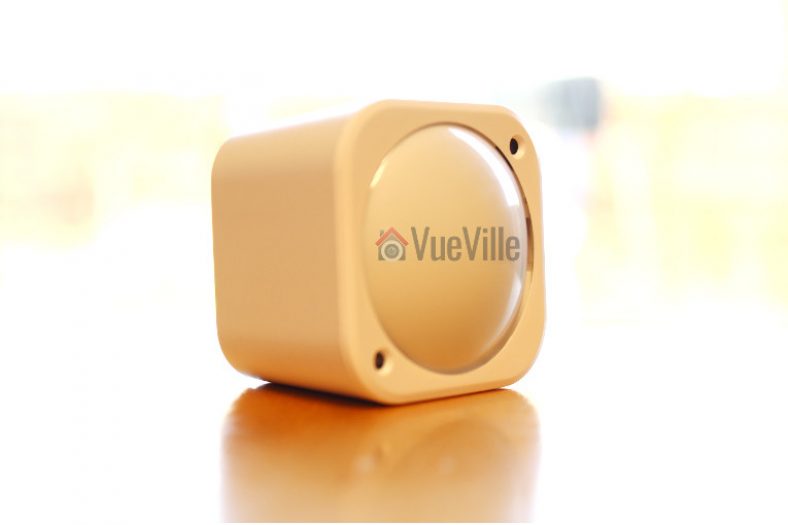
    The Multisensor 6 has a conventional cuboid form which makes it easy to place on flat surfaces. This was one thing that bugged me about the Fibaro motion sensor which likes to keep rolling about because of its spherical shape.

    Aeotec has made the sensor very compact and is just a bit larger than a CR123A battery as can be seen below.

    Aeon Labs Aeotec Multisensor 6 Review - Size Comparison - VueVille

    On the front face, we find the very traditional-looking PIR sensor cover and just two other components – the lux sensor and an indicator LED which flashes green whenever motion is detected.

    Aeon Labs Aeotec Multisensor 6 Review - Back View - VueVille

    On the back side, the battery cover reveals a cover lock slider, the back-arm mount hole, a Z-Wave Action button, and some technical information about the multisensor.

    Aeon Labs Aeotec Multisensor 6 Review - Battery Cover Opened - VueVille

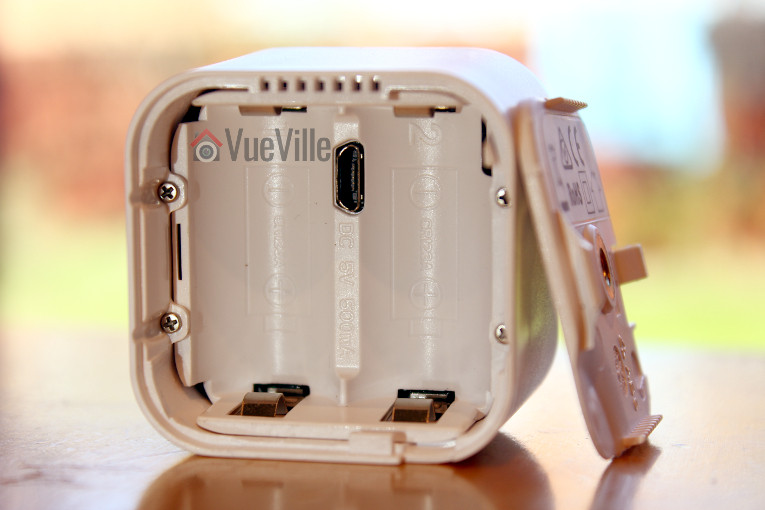
    Taking the battery over off reveals the battery compartment that takes the two CR123A batteries (not supplied), the microUSB port and the rest of the Z-Wave Action button. While the Fibaro motion sensor could be powered only by batteries, the Aeotec Multisensor 6 can use either batteries or the supplied USB cable for power. The advantage of USB power is that you can get real-time sensor data instead of once every few minutes with the batteries.

    Installing and configuring the sensor

    The Z-Wave Action button is a multifunction button that can be used to put the sensor into network inclusion mode (adding the sensor to your Z-Wave network), exclusion mode (removing the sensor from your Z-Wave network), enable/disable the 10 wake-up mode, and reset it to factory defaults.

    I first put my Vera Plus Z-Wave hub into ‘add device’ mode and then put the multisensor into inclusion mode by pressing the action button once. Immediately the Vera Plus detected the Multisensor and added the various sensors to the Vera dashboard.

    Features & Performance

    Let’s look at the various sensors and how they performed in my home Z-Wave network.

    Motion Detection

    The claimed motion detection range of the Multisensor 6 is 120 degrees horizontally with a 5 metres range. I have placed the sensor on the chest of drawers in the nursery and it does indeed have good coverage and a range of at least 5 metres. It is sensitive, reacts instantaneously to motion and has never missed a motion event.

    Thinking of using the Multisensor 6 outdoors? While this is not the intended use of this sensor, you can adjust the sensitivity of the Multisensor 6’s sensor settings. The parameter that controls this setting is Parameter 4 [1 byte]. The various values for this parameter are:

    • 0 = Disable
    • 1 = Very Low Sensitivity
    • 2 = Low Sensitivity
    • 3 = Medium Sensitivity
    • 4 = High Sensitivity
    • 5 = Max Sensitivity

    By default, the sensitivity setting is set to the maximum sensitivity value of 5.

    You can also control the time gap between sensor activations by using Setting Parameter 3 [2 byte]. For example if you set the value to 10, the PIR sensor timeout will become 10 seconds – so for 10 seconds after detecting motion it will ignore all further motion. After that, it will then again be ready to detect motion.

    These two settings can be used to control and reduce false motion alerts.

    Temperature

    I compared the temperature sensor’s readings to the Fibaro’s putting both sensors side by side. The two devices agreed within 0.1% of each other which was quite reassuring. When the temperature in the room changes slightly, I noticed that by default the sensor reports it only once every 10 minutes or so.

    However when there were larger variations in temperature, the Multisensor seemed to inform the Vera Plus quickly – I am happy with this behaviour.

    Light level and humidity sensors

    The light level sensors and humidity sensors work very well. According to Aeotec, the MultiSensor 6 comes with a digital light sensor that’s capable of sensing lighting between 0 lux to 30000 lux in real-time.

    I used the excellent advanced scene control plugin PLEG to create a scene based on the reported humidity level. Whenever the humidity level as reported by the Multisensor goes above 65%, the Vera Plus switches off my humidifier connected to a Greenwave Z-Wave power plug. This way the room does not get too damp.

    Vibration and Ultraviolet sensors

    My Vera Plus firmware did not support these two sensors at the time of writing this article. But as is usually the case, Vera is quick to support new Z-Wave devices and the UV sensor support has already been added in UI7 firmware version 7.0.15.

    Battery Life

    While the Fibaro needs only 1 CR123A battery and has only 1 battery slot, the Aeotec’s battery compartment has two battery compartments. Interestingly the sensor will work off just one battery, but having two of them will double the battery life.

    One niggle I observed was that the sensor initially showed the battery status as 50%, even though the batteries were brand new. 4 months in, the battery level is at 47%. So absolute battery consumption seems to be fine but the battery gauge seems to be a bit off. Now this could be down to the specific batteries I use with the device.

    Wireless range

    The Multisensor 6 has very strong wireless range and was able to stay in touch with the Z-Wave network wherever I took it in the house.

    Verdict

    I love the Aeotec Multisensor 6 and highly recommend it. It has every sensor you will ever need to monitor the environment in your house.
    [review]

    Where to buy

    [easyazon_link identifier=”B0151Z8ZQY” locale=”US” tag=”vueville.com-eaz-20″]Check Price on your local Amazon site[/easyazon_link]

    [text-blocks id=”5527″ slug=”earning-disclaimer”]

  • Hands-on Review: Vera Plus Z-Wave Smart Home Controller

    Hands-on Review: Vera Plus Z-Wave Smart Home Controller

    I have always wanted a smart home. Even back when I was a kid, I dreamt about being able to just say things and then have it happen. A bit like Knight Rider, but with my house. Thanks to the rapid advancement of technology resulting in amazing gadgets like the Vera Plus, that dream is now coming true for me and many other tech geeks.

    I have been writing this post over a few months. I started writing it when I first purchased the Vera Plus. But as I knew very little about home automation back then, I decided I would first use it extensively, see if it could do everything I wanted it to do and then write a detailed review about my experience. And that time has come, 6 months on.

    So what did I want my Vera Plus to do? And how did it do?

    • Zone-based fully automatic thermostat-based smart heating that I can control from anywhere in the world – Check*
    • Report on the motion/temperature/humidity/light levels of various rooms and then take action based on it – Check
    • Turn on and off appliances using smart plugs – Check
    • Be able to interface with my IP cameras and take snapshots, record videos – Check
    • Create fancy scenes for my home theatre at the push of a button – Check
    • Have a tablet on the wall showing the vital stats of my smart home – Check
    • Be able to control everything from my smartphones anywhere in the world – Check
    • Speak to my phone and make things happen around the house – Check 😀
    • Regular updates to support new devices – Check
    • No monthly fees – Check

    *Using additional paid PLEG plugin

    [toc]

    Z-Wave – my Home Automation standard of choice

    As explained in my Home Automation 101 article, never before has there been so much choice if you are looking to make your home ‘smart’. Z-Wave, ZigBee, Wi-Fi, Lightwave RF, WeMo, Apple HomeKit, Amazon Echo (Alexa), and it goes on and on. I will quickly summarize my advice: not all home automation products can talk to each other and work well together. So consider carefully all the systems that you want to automate in your home and choose a HA standard that is:

    • Mature, tried-and-tested, and reliable
    • Wireless so that you don’t need to rip up walls
    • Low power usage so that you don’t need to change batteries often
    • Enjoyes wide industry support
    • Wide variety of affordable products that support it

    Z-Wave is emerging as the industry standard that meets all of the above. The  Vera HA controllers are the best in my opinion because they can communicate over not just Z-Wave but Bluetooth and ZigBee also.

    MiCasaVerde, Vera Control – Who are they?

    MiOS Ltd. is a Hong Kong-based business that owns Vera Control Ltd., the company that owns the Vera brand. It was started in 2008 by co-founders Aaron Bergen and Lewis M. Brown.

    Vera Control Ltd. used to be known as MiCasaVerde and you may find references to this name across the Internet and even on this very blog. Vera got in touch with me after this post was published and commented that three years ago they changed their name to Vera Control.

    What’s in the box

    The Vera Plus comes in an attractive green box packaging that prominently highlights some of its main selling points:

    • No monthly fees
    • Supports 1500+ devices
    • Z-Wave/ZigBee/Bluetooth and Wi-Fi compatibility
    Vera Plus - Box Package - VueVille

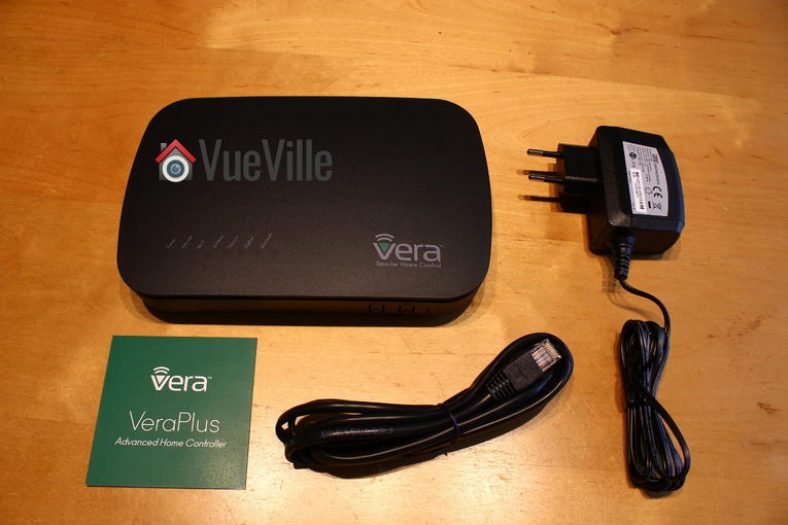
    On unboxing, you will find the following contents:

    • Vera Plus Controller
    • Power adaptor
    • RJ-45 Ethernet cable
    • A quick start instruction leaflet
    Vera Plus -Box Contents - VueVille

    Specifications

    [wpsm_comparison_table id=”11″ class=”hover-col1 “]

    Installation & Setup

    Vera Plus

    To start the setup process, I followed the Quick Start Guide, plugged it into my Netgear network switch with the supplied RJ-45 ethernet cable an powered it up. In no time, the Vera Plus booted up and I went to https://home.getvera.com as instructed by the guide.

    I was then presented with the T&Cs which I accepted. I then chose Vera Plus from the list of devices, and it found the Vera automatically on my network. For some reason, it didn’t work the first time for me, so if it fails the first time, just wait for 2-3 minutes and click retry.

    I was then asked to continue setting up my account while the device software was being updated. This is where I hit the first roadblock. I didn’t appreciate being forced to enter not just my full name, email address, and password, but my full street address and mobile number as well! Absolutely unnecessary to require this level of personal information for a home automation controller that claims to protect users’ privacy by not needing the cloud to work. Since the Vera wouldn’t let me continue without entering all this private information, I obliged by entering some fake information. If you force people to part with their privacy to use your product, there’s every chance users enter gibberish. Not only does that mess up a company’s CRM data accuracy, it also undermines the main selling point of the Vera – security conscious people like me choose the Vera because it can work without the cloud, and we don’t want to part with any more data than we need to. There’s no monthly subscription fee, so then why does Vera need my personal details? This is the main reason I didn’t go for Samsung Smart Things, it is crippled without cloud access.

    After about 5 minutes, the software update completed, and a ‘Go to Dashboard’ button appeared at the top right (it is easy to miss!).

    This took me to a dashboard with the Vera listed and a ‘Complete Setup’ button. Clicking this takes you to the UI7 dashboard and asks you to verify your contact details and email address. I skipped the part where it wanted to verify my mobile number by SMS. Then you get to name your Vera, yay!

    Adding devices to your Z-Wave network

    The next step in the wizard is adding devices. In Z-Wave lingo, this is called inclusion. Essentially before you can use a device, it has to be paired with the Vera controller, just like a Bluetooth headset needs to be paired to your phone before you can use it.

    Vera Plus - Add ZWave Device - VueVille

    If you want to remove a device from your Z-Wave network, you will need to ‘exclude’ it. There’s a step-by-step wizard for that too.

    Adding a Fibaro Motion Sensor

    The first sensor I bought to go with the Vera Plus is the Fibaro 4-in-1 multi-sensor (which I reviewed recently), but it was not yet in the list of devices supported by Vera. I could choose to add it as a generic Z-Wave device, but I chose the closest option, a 3-in-1 Fibaro sensor. This meant that the vibration sensor was not detected and added as a Vera sensor, but this was fixed in subsequent software updates. The Z-Wave inclusion process went very smoothly, but I was a bit baffled why the sensors didn’t seem to show any data, but after a minute or two, the temperature showed up, albeit in Fahrenheit. Motion was also detected and reported in the form of a motion icon.

    Another thing I noticed is that the default temperature unit was Fahrenheit even though I had chosen the UK time zone and set my location to UK. I expected the unit to then change to Celsius. I was able to change this in the settings, but the Fibaro temperature was still in Fahrenheit. As I was quickly learning, I just needed to wait for a few minutes again. The F symbol was soon replaced with a C, so my temperature weirdly became 72C. Again, sure enough, in another 2 or 3 minutes, the temperature was reported as 23.2 deg C. Being an absolute newbie to Z-Wave, I realised that some settings don’t immediately take effect, presumably as the sensors touch base with the Vera only every few minutes.

    So all was good, my motion and temperature sensors were up and running. What about the lux sensor of my Fibaro? All this time, there was just nothing there. Blank. After some googling, I found that putting it under a bright source of light helps speed up the calibration process. Sure enough, after around 30 mins, I started getting a lux reading.

    Adding IP Cameras

    Next I added my Hikvision IP cameras. The Vera Plus doesn’t support RTSP streams but it supports only the MJPEG protocol. All the cameras were added successfully but the camera images seemed a bit slow to load. That’s when I got a notification to install the latest firmware. Once that was done, the first thing I did was return to the camera sections and immediately everything worked so much faster.

    Vera Plus - IP Cameras Screen - VueVille

    The Vera Plus can record the camera streams or take snapshots based on rules (scenes) that you can create.

    The Imperihome app I use can pull RTSP streams directly from the cameras instead of pulling MJPEG streams from the Vera Plus. So this is the way to go if you absolutely need RTSP streams.

    Adding non Z-Wave devices

    One of the interesting features of UI7 is that it can send http commands. This means you can control devices on your network that are not Z-Wave based but have the ability to receive http commands. For example, my Panasonic smart TV and my Denon AVR support http commands. So I have integrated them into my smart home network very easily. This is also how it sends voice alerts to my Imperihome tablet announcing that the boiler is being switched on, or that its time to close a door that has been open for too long.

    Features

    UI7

    MCV calls its latest operating system the UI7. This is the software that runs on its Vera devices including the Vera Plus. It is a web-based interface which is very modern and user-friendly. Various options are laid out logically and in a very intuitive manner. The thing with home automation is that once you set up your devices and schedules, you rarely need to go into UI7. You will most likely monitor and operate devices from your smartphone or a wall-mounted tablet.

    You can access the UI7 interface by typing in the IP address if you are inside your network, or remotely through Vera’s cloud servers if you are outside your home network.

    Vera House Modes

    Since the Vera Plus can also be used to either control your existing home alarm system or become your smart alarm system, it naturally supports the arm/disarm feature. This is achieved by having modes that your smart home can be in – by default the system is in Home mode. Which translates to disarmed.

    Arming is achieved by using one of the other modes – Away, Night or Vacation. All your smart devices are aware of the house modes and you can use these in the scene wizard or any of your plugins.

    Vera UI7 Plugins

    Just as most modern platforms, MiOS has a core of supported plugins and a huge number of plugins created by individuals. Since the Vera supports uPnP, plugins are available for almost any device you can think of. For example, my GC-100 Ethernet to Infrared hub is not supported by the Vera but there is a 3rd party plugin that does. So you can use plugins to extend the functionality of your Vera Plus.

    Geo-fencing

    This is a much hyped feature that many people desire. It goes like this – you pull up into your drive and your smart home knows you are near, and will trigger a welcome home scene – turn on the porch light, disarm the alarm system, turn up the heating or cooling based on the time of the year, turn on the coffee machine, you get the idea.

    Vera uses the app on your phone to detect when you are within range of your home network. So the moment your phone logs onto the Wi-Fi at home, the Vera Plus knows you are home. I personally don’t use this feature but its quite cool – I may start doing it soon.

    Programming the Vera Plus

    The primary method of programming the Vera Plus in UI7 to do things is by creating rules or scenes as UI7 calls them. Scenes are basically if-this-then-that type of scenarios where a trigger causes a device or set of devices to perform specific actions. The trigger may be a device in your network and/or a particular time of the day. You can create scenes using the excellent scene creation wizard or write your own LUA code which is the engine that powers Vera’s scenes.

    Vera Plus and sensors

    You can get very creative with a home automation controller like the Vera Plus and sensors. One of the scenes I have created is based on the hallway Fibaro Sensor detecting motion between the hours of 11PM and 6AM in the living room as a trigger. This then fires an action of turning on the hallway light for someone hankering for a midnight snack!

    Since the Vera also knows when it is day and night anyway, I could also just set the time restriction as ‘day time’ or ‘night time’ or ‘1 hour after sunset till 1 hour before sunrise’, and the Vera won’t skip a beat. This sort of functionality is what makes the Vera Plus so easy to use for anybody.

    Vera Plus and IP Cameras

    I haven’t set up any specific scenes for cameras, I added them to the Vera just to quickly see all the streams in one Imperihome page. You can however use the LUA code feature to automate arming and disarming of the cameras, integrate the Surveillance Station of your QNAP NAS, and so on.

    Vera Plus and home heating controls

    One of the main reasons I got the Vera Plus was to add smart heating to my home. I had just replaced my dodgy old boiler with a spanking new one and it seemed to be the right time to go fully smart. Extensive research led me to the Secure SSR302 2-channel Boiler Receiver which has been well received by the Z-Wave community.

    It has two separate channels, so I can control my central heating and hot water channels separately. Installation was plug and play and I was soon on my way creating scenes to schedule hot water and central heating.

    But I soon realized that my vision of an ultra-automated zone-based smart heating system that automatically maintains the set temperature across my home was beyond the reach of Vera’s scene wizard. This is because the scene wizard does not have the ability to program using logical AND operations. This severely limits your ability to create complex scenes.

    Hours of research ensued and culminated in me stumbling across the excellent PLEG plugin. PLEG allows for conditional logic on steroids and transforms the Vera Plus from a capable HA controller to a fire-breathing monster. Mastering PLEG is a steep learning curve but oh the smart heating system that I was able to build with Vera and PLEG was worth the effort. I have since published a post on how I built it with all the logic rules so that you can just copy and paste it into your Vera!

    Mobile Apps

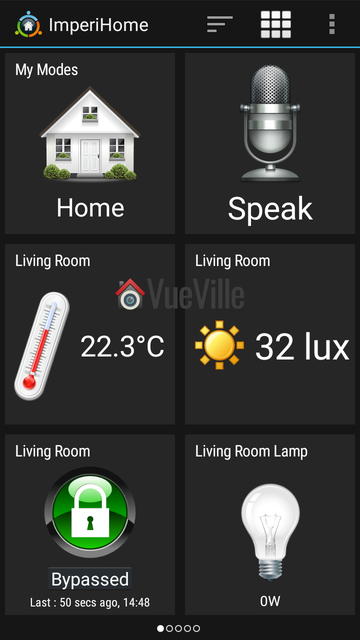
    Although the Vera smartphone app is perfectly adequate, after some research I decided to use the Imperihome app to control my smart home. The Imperihome app has been around for some time and is a visually appealing way to easily build a dashboard to monitor and control your smart devices. Did I say it supports audio alerts through Text to Speech? So you can set up the Vera to push audio notifications to devices around the home! This is very cool and never fails to impress friends and visitors.

    Here are some screenshots of my Imperihome dashboard pages:

    [wpsm_column size=”one-half”]Vera Plus Review - Imperihome - VueVille[/wpsm_column]

    [wpsm_column size=”one-half” position=”last”]Vera Plus Review - Imperihome - VueVille[/wpsm_column]

    [wpsm_divider top=”20px” bottom=”20px” style=”clear”]

    [wpsm_column size=”one-half”]Vera Plus Review - Imperihome Heating - VueVille[/wpsm_column]

    [wpsm_column size=”one-half” position=”last”]Vera Plus Review - Imperihome - IP Cameras - VueVille[/wpsm_column]

    Performance

    As my first Z-Wave controller, I didn’t really know what to expect from the Vera Plus. Having used it over 6 months, I can say that I am very please with the Vera Plus. I have since added many devices to my Z-Wave network: the Fibaro Z-Wave 4-in-1 sensor, an Aeotec MultiSenor 6-in-1, five GreenWave Node smart power plugs to control lamps , three Hikvision cameras, an Amcrest PTZ Wi-Fi camera, the Secure SSR302 2-channel Boiler Receiver and the Global Cache GC-100 Infrared Network Adaptor (to control older units in my home theatre via Infrared).

    The Vera Plus has seamlessly integrated all these devices transforming my home into a truly smart home. Everything has just simply worked with no issues whatsoever. Reliability has been a 100% and any changes I make from the Imperihome app instantaneously take place. For example, there is virtually no delay between pressing the switch to turn the lamp on and the lamp actually turning it on.

    On that note, one of the wonderful things about Z-Wave is that it is always aware of the actual state of a device, or in other words Z-Wave supports 2-way communication or status reporting. So if a lamp is on, it actually shows that the lamp is on and using the GreenWave power plug’s power meter feature, it can measure actual power consumption and do things with it.

    You may think, duh status reporting is a necessary feature to know the state of a device without actually being in front of it to see it. I agree, a big part of home automation depends on knowing the current state of a device! Well my friend, you may be surprised to hear that while all home automation protocols can only send an on/off command, some cannot actually then query the status to see if the command was successfully received. For example Lightwave RF does not support status reporting.

    Remote Access

    What about accessing the Vera Plus from outside the home? By default, the Vera Plus registers itself with MiCasaVerde’s cloud platform. So you can login to your Vera from any where in the world and check on or control your smart home. Since I run my own OpenVPN server at home, I haven’t needed to rely on this but it has worked very well when I tested it remotely.

    Verdict

    I strongly believe that Z-Wave is the best Home Automation protocol and that the Vera Plus is the best Home Automation controller for beginners to home automation. With HA, you want a mature technology that you and your family can depend on day and night. That’s what Vera Control has delivered with the Vera Plus. It is indeed a wonderful time to be alive, where such awesome technology costs just a few hundred dollars!

    I have since moved to the HomeSeer HS3 software as the level of complexity that my smart home has to deal with was difficult to attain with Vera. But the Vera Plus is a lot more accessible if you are new to smart homes and home automation.

    [review]

    Where to buy

    [easyazon_link identifier=”B01BX9P89Y” locale=”US” tag=”vueville.com-eaz-20″]Check Price on your local Amazon site[/easyazon_link]

    The Competition

    Samsung SmartThings vs. Vera Plus

    A smart hub that started out strongly but under Samsung’s watch has become a total mess. The culprit is its reliance on the cloud for processing rules/scenes. Just head over to the Smart Things forum and have a look at what the owners are going through. The poor extremely poor and unreliable cloud platform and utter disregard for existing users is what put me off Samsung SmartThings and I am glad.

    Heck, it doesn’t even have a proper rules/scenes engine after the excellent 3rd party developer of Rules Engine was forced to stop development!

    [wpsm_quote author=”Business Insider” float=”left” width=”100″]
    SmartThings, Samsung’s smart home subsidiary, has had a large number of complaints about glitches with its smart home hub posted on its community message board and Reddit in recent weeks. Users called the system “fatally flawed,” and reported that their devices randomly disconnect from the system or turn on or off without command. One user, Shelley Powers, wrote that the hub repeatedly made her lights switch on and her home alarm system go off for no reason, CNET reported.

    Rule Machine, a smart home app for making smart home devices perform complex tasks, withdrew support for SmartThings last week, citing these technical problems.
    [/wpsm_quote]

    Read more about the reasons I wouldn’t recommend Samsung SmatThings to anybody. There are several questionable bloggers out there pushing the SmartThings hub as the best smart home hub, but as you can see, I beg to differ!

    Vera Plus vs. Fibaro HomeCentre 2

    This is another Z-Wave smart home controller that is often compared to the Vera Plus. Even if performance, features and reliability were comparable (and they are not), the Vera Plus costs a fraction of the HC2. So the Vera Plus is much better value of money.
    [text-blocks id=”4426″]

  • 8 Best NAS for Home Surveillance – My 2024 Recommendations

    8 Best NAS for Home Surveillance – My 2024 Recommendations

    When I first started using a NAS as my DIY NVR, it was more of an experiment than anything else. I originally purchased the NAS for backing up all our devices and for media serving duties. But I soon realised it could also serve as an NVR. With QNAP now including 8 NVR channels for free in their new QVR Pro NVR app, I have been very happy with my QNAP NAS in my DIY NAS NVR setup.

    If you are interested in a similar setup, here are my 2024 picks for a multi-purpose low-power all-in-one DIY NAS NVR.

    BEST 2-BAY
    QNAP TS-262
    QNAP Turbo NAS TS-262-4G SAN/NAS Storage System
    ×
    Product prices and availability are accurate as of the date/time indicated and are subject to change. Any price and availability information displayed on https://www.amazon.com/ at the time of purchase will apply to the purchase of this product.
    2 drive bays
    4 GB RAM
    8 camera licences included
    Smart motion detection
    HDMI 2.0 port
    BEST 4-BAY
    QNAP TS-462
    QNAP TS-462-4G-US 4 Bay Multimedia Desktop NAS with Intel Celeron Dual-core Processor with M.2 PCIe Slots and PCIe expandability and 2.5GbE (2.5G/1G/100M) Network Connectivity (Diskless)
    ×
    Product prices and availability are accurate as of the date/time indicated and are subject to change. Any price and availability information displayed on https://www.amazon.com/ at the time of purchase will apply to the purchase of this product.
    4 drive bays
    4 GB RAM
    8 camera licences included
    Smart motion detection
    HDMI 2.0 port
    BEST 8-BAY
    QNAP TS-873A
    QNAP TS-873A-8G 8 Bay High-Performance NAS with 2 x 2.5GbE Ports and Two PCIe Gen3 Slots
    ×
    Product prices and availability are accurate as of the date/time indicated and are subject to change. Any price and availability information displayed on https://www.amazon.com/ at the time of purchase will apply to the purchase of this product.
    8 drive bays
    8 GB RAM
    8 camera licences included
    Smart motion detection
    HDMI 2.0 port

    (* = affiliate link / image source: Amazon Associates Program)

    A quick note: As an Amazon Associate I earn from qualifying purchases. This post contains affiliate link(s). An affiliate link means I may earn advertising or referral fees if you make a purchase through my link, at no extra cost to you.


    Best NAS for Home Surveillance – 2024 Recommendations Summary & Comparison

    [table id=69 responsive=scroll /]

    (* = affiliate link / image source: Amazon Associates Program)


    Best NAS for Home Surveillance - VueVille

    Why use a NAS NVR instead of a regular NVR?

    If you have IP cameras from different brands in your home and they all support industry standards/protocols such as ONVIF or RTSP, finding an NVR to record all these cameras is a pain. Most NVRs are designed to support only their own brand cameras, such as Lorex or Reolink. Some companies such as Amcrest, Annke, Hikvision support 3rd party cameras but often this is very limited and won’t support AI person or vehicle detection features of the camera.

    This is where a NAS NVR really shines – they tick all the boxes for a household that has multiple camera brands and need everything to just work seamlessly:

    1. All major IP camera brands are supported, including AI and smart motion detection methods such as person or vehicle.
    2. The NAS NVR can record to more than 1 disk drive so you always have a redundant copy of CCTV footage.
    3. You can interface the NAS NVR directly to smart home automation software such as Home Assistant, HomeSeer, Hubitiat, Google Home, Alexa etc.
    4. You can keep all your IP cameras and the NAS 100% local-only with no internet access and everything would still work. Only your home automation PC/device needs to have Internet access for notifications etc. Firewall rules using Unifi gear is the solution here.

    Choosing the right NAS NVR

    The modern household is a tech-heavy environment. Every family member probably has at least a smartphone, and a tablet or a laptop. Sharing media and documents across the home is a challenge without a central media server. This is where a NAS typically comes into the picture.

    Providing redundant RAID storage, a NAS can serve up documents, stream music and movies to any device through the DLNA standard. But the humble NAS can do so much more.

    A NAS is basically a computer that runs a custom Linux operating system created by the manufacturer (Synology, QNAP, Asus etc.). Most manufacturers offer various apps that can be installed on their devices to add or extend its abilities. These apps are usually called ‘stations’. Examples of such ‘stations’ apps include Photo stations, Video stations, and Backup stations.

    Almost every NAS sold today has a surveillance camera feature, but only two companies have software that can really pull it off – QNAP and Synology. NAS manufacturers call each IP camera slot a licence in their software. So 1 licence = 1 channel = 1 IP camera slot.

    QNAP currently has two apps for CCTV surveillance – QVR Pro and QVR Elite which are both very capable successors of the old QNAP Surveillance Station app. QVR Pro is aimed at the standard retail user whereas QVR Elite is a more corporate offering. So I will focus only on QVR Pro in this article. Synology has their Surveillance Station app which has been around for ages.

    Feature-wise, both QVR Pro and Synology Surveillance Station are broadly comparable, and both support advanced smart motion detection. So I consider them to be equally good. For those who may not be aware of the QNAP QVR Pro app, I have explored the differences between QNAP QVR Pro and QNAP’s original older Surveillance Station in detail here.

    However there is 1 big issue with Synology’s offer that makes QNAP a significantly better deal most of the time:

    • QNAP QVR Pro by default comes with 8 free QVR Pro camera licences, but these have a small limitation. With these 8 ‘free’ licences, you can view only 14 days of recorded clips inside the app. Any clip older than that needs to be viewed through the File Station app, which is a minor inconvenience.
    • With Synology, you get only 2 licences (no other constraints though). But you need to pay another ~$350 for an 8-camera licence pack which substantially increases costs or buy into Synology’s own brand cameras (which kinda defeats the whole point of going for a NAS NVR platform).

    So to summarize, this is what the NAS NVR landscape looks like:

    1. The best QNAP NAS models are the ones with at least 4GB RAM to run QVR Pro and additionally have 8 fully-fledged QVR Pro camera licences included.
    2. All other QNAP NAS models with at least 4GB RAM can run QVR Pro which by default has 8 free QVR Pro camera licences but with the 14 day viewing limit.
    3. All Synology NAS models come with 2 fully-fledged IP camera licences included, but to add more you need to spend another ~$350 for 8 more channels.

    I have considered this very important aspect in my recommendations – hence QNAP being at the top and Synology being more down the list taking value for money into consideration.

    How many drive bays do you need in your NAS?

    The simple answer is: as many as you can afford! Because you don’t need to fill all the bays for the NAS to work, so its good to have the option to expand later on if needed. You can even start out with 1 drive and add more later, although I strongly recommend going with a clear plan from the start. Most people will be fine with a 2-bay NAS in a RAID1 array (disk mirroring), but you probably have other media storage needs which necessitate a 4-bay NAS. With 4-bays or more, you can have a dedicated RAID-1 array which allows for NVR-focused hard drives but still having NAS-focused hard drives in another RAID array for all other needs.


    QNAP Turbo NAS TS-262-4G SAN/NAS Storage System
    ×
    Product prices and availability are accurate as of the date/time indicated and are subject to change. Any price and availability information displayed on https://www.amazon.com/ at the time of purchase will apply to the purchase of this product.

    Click image to view on Amazon*

    Features
    • QVR Pro with 8 free channels
    • Smart motion detection
    • Max. 12 IP Cameras (160 Mbps)
    • Dual Core 2.0 GHz, 4 GB RAM
    • 1x 2.5 Gigabit Ethernet port
    • 2x USB 3.2 Gen 1 ports
    • DLNA, Hardware transcoding, Virtualization
    • Hardware encryption, Hot-swappable slot loading HDDs
    • HDMI 2.0, PCIe slot
    • 2 years warranty, extendable to 5

    We used to have the QNAP TS-251+ as our personal favourite on this list for quite some time. But times have changed. Starting off with QNAP’s Home and Personal product line offerings, the TS-262 improves upon the now superseded TS-251+ model. If you want a powerful Intel chip in your NAS, the x62 series are the go-to QNAP models.

    I would suggest using both drive bays to create a RAID-1 array for data redundnacy. If a drive fails (and they eventually will), just pop it out and pop a new one in. The NAS will then copy all the data automatically from the existing good drive to the new drive in a few hours. Since QNAP NAS’ all support hot-swapping, you dont even need to shut down the NAS to do all this.

    The aging dual-core Celeron J4005 (J4025 in some countries) from the TS-251 has been replaced by the Celeron N4505 which has improved graphics and memory bandwidth.

    The 4 GB RAM gives your NAS more headroom and performance when running intensive tasks like 4K UHD transcoding or using QVR Pro.

    The TS-262 also supports virtualization, so you can run virtual machines. This is great for running different operating systems on your NAS, such as testing/development on Linux or Android.

    There is only one 2.5 Gigabit Ethernet port, so link aggregation/failover for network connections is not possible out of the box. But there is a PCIe slot allows you to extend the NAS capabilities by adding 10GbE support, SSD caching, or even a wireless card.

    You can run Plex Media Server on this NAS and it supports hardware-accelerated transcoding up to 1080p. But bear in mind that only the QNAP apps work over the HDMI port.

    Moving on to the NVR features of this NAS, 8 IP camera licences are included for the QVR Pro NVR app. These are not the time-limited free channels that lesser NAS models have, but proper full-fat licences. An extra 8-camera license pack is also available for purchase if you want even more NVR channels.

    QNAP has recently launched the QVR Elite app which offers 2 IP camera channels for free. However this product is subscription-based which I don’t recommend.

    Now that QVR Pro supports the advanced motion detection of Hikvision, Dahua, Reolink and all the popular IP cameras, I don’t really need Blue Iris anymore for tying into my home automation system! There is also a Home Assistant integration for QVR Pro that provides smart home compatibility. Super low power consumption of just 15W under load makes this the ideal DIY NAS NVR.

    You can live view your IP cameras over the HDMI 2.0 port, unfortunately this feature works only if you upgrade the NAS to 8 GB RAM.

    QNAP TS-464-8G-US 4 Bay High-Performance Desktop NAS with Intel Celeron Quad-core Processor, M.2 PCIe Slots and Dual 2.5GbE (2.5G/1G/100M) Network Connectivity (Diskless)
    ×
    Product prices and availability are accurate as of the date/time indicated and are subject to change. Any price and availability information displayed on https://www.amazon.com/ at the time of purchase will apply to the purchase of this product.

    Click image to view on Amazon

    Features
    • QVR Pro with 8 free channels
    • Smart motion detection
    • Max. 16 IP Cameras (200 Mbps)
    • Quad Core Intel N5095, 8 GB RAM
    • 2x 2.5 Gigabit Ethernet ports
    • 2x USB 3.2 Gen1, 2x USB 2.0
    • Hardware encryption, Hot-swappable slot loading HDDs
    • DLNA, Hardware Transcoding, Virtualization
    • HDMI 2.0, PCIe slot
    • 3 years warranty, extendable to 5

    Stepping up to the small business and office product offerings, we find the QNAP TS-464 series. It builds upon the rich feature set of the TS-262, but offers 4 bays, a stronger CPU, and an extra Ethernet port.

    The main advantage of 4 drive bays in a NAS NVR is that you can set up two RAID-1 arrays. The first RAID 1 array is for your regular data hoard (using 4 NAS specific drives like the WD RED Plus NAS drive*) and a separate RAID-1 for your NVR (using 2 NVR specific drives such as WD Purple Surveillance drive*). This way, you get the best disks suited for your needs, the NAS focused drives for regular data storage and the Surveillance drive for NVR usage. In this setup you can tolerate 1 disk failure for each array.

    The dual Ethernet ports make a few things possible – link aggregation to double network speeds is one option. Another is failover that lets the NAS remain online in case one of the two network ports fail. But probably the use case that is most relevant to a NAS NVR is that your can dedicate 1 network interface to the NVR application. This means that interface can be in the same subnet as the IP cameras, thus maximising network security. See this guide on how I isolate my IP cameras from the Internet using Unifi firewall rules.

    There is also a Home Assistant integration for QVR Pro that provides smart home compatibility.

    Finally you get a really good 3 year warranty on this NAS.

    QNAP TS-462-4G-US 4 Bay Multimedia Desktop NAS with Intel Celeron Dual-core Processor with M.2 PCIe Slots and PCIe expandability and 2.5GbE (2.5G/1G/100M) Network Connectivity (Diskless)
    ×
    Product prices and availability are accurate as of the date/time indicated and are subject to change. Any price and availability information displayed on https://www.amazon.com/ at the time of purchase will apply to the purchase of this product.

    Click image to view on Amazon

    Features
    • QVR Pro with 8 free channels
    • Smart motion detection
    • Max. 12 IP Cameras (160 Mbps)
    • Dual Core Intel N4505, 4 GB RAM
    • 1x 2.5 Gigabit Ethernet ports
    • 2x USB 3.2 Gen1, 2x USB 2.0
    • Hardware encryption, Hot-swappable slot loading HDDs
    • DLNA, Hardware Transcoding, Virtualization
    • HDMI 2.0, PCIe slot
    • 3 years warranty, extendable to 5

    The TS-462 is the 4-drive bay version of the TS-262 we saw earlier. It is identical to the TS-262 in all other respects and is a great choice for an affordable 4-bay NAS that can still do hardware accelerated transcoding.

    The Home Assistant integration for QVR Pro provides smart home compatibility.

    QNAP TS-464-8G-US 4 Bay High-Performance Desktop NAS with Intel Celeron Quad-core Processor, M.2 PCIe Slots and Dual 2.5GbE (2.5G/1G/100M) Network Connectivity (Diskless)
    ×
    Product prices and availability are accurate as of the date/time indicated and are subject to change. Any price and availability information displayed on https://www.amazon.com/ at the time of purchase will apply to the purchase of this product.

    Click image to view on Amazon

    Features
    • QVR Pro with 8 free channels
    • Smart motion detection
    • Max. 24 IP Cameras (160 Mbps)
    • Quad Core Intel N5095, 4 GB RAM
    • 2x 2.5 Gigabit Ethernet ports
    • 2x USB 3.2 Gen1, 2x USB 2.0
    • Hardware encryption, Hot-swappable slot loading HDDs
    • DLNA, Hardware Transcoding, Virtualization
    • HDMI 2.0, PCIe slot
    • 3 years warranty, extendable to 5

    The TS-464 is the 4-drive bay version of the TS-264 we saw earlier. It is identical to the TS-262 in all respects but has only 4 GB RAM instead of 8 GB. Still it is a great choice for a powerful 4-bay NAS that can handle pretty much anything you can throw at it.

    The Home Assistant integration for QVR Pro once again provides easy smart home compatibility.

    QNAP TS-664-8G-US 6 Bay High-Performance Desktop NAS with Intel Celeron Quad-core Processor, M.2 PCIe Slots and Dual 2.5GbE (2.5G/1G/100M) Network Connectivity (Diskless)
    ×
    Product prices and availability are accurate as of the date/time indicated and are subject to change. Any price and availability information displayed on https://www.amazon.com/ at the time of purchase will apply to the purchase of this product.

    Click image to view on Amazon

    Features
    • QVR Pro with 8 free channels
    • Smart motion detection
    • Max. 24 IP Cameras (160 Mbps)
    • Quad Core Intel N5095, 4 GB RAM
    • 2x 2.5 Gigabit Ethernet ports
    • 2x USB 3.2 Gen1, 2x USB 2.0
    • Hardware encryption, Hot-swappable slot loading HDDs
    • DLNA, Hardware Transcoding, Virtualization
    • HDMI 2.0, PCIe slot
    • 3 years warranty, extendable to 5

    The QNAP TS-664 is the 6-bay version of the TS-464 above.

    The main advantage of 6 drive bays in a NAS NVR is that you can set up a RAID 10 array for your regular data hoard (using 4 NAS specific drives like the WD RED Plus NAS drive*) and a separate RAID-1 for your NVR (using 2 NVR specific drives such as WD Purple Surveillance drive*). RAID-10 for your regular data storage is preferable to RAID-1, 5 or 6 because of the performance boost offered by RAID-10. In this setup you can tolerate 1 disk failure for each array.

    Another option is a RAID-50 array which offers the excellent performance of RAID-10 but with better data redundancy and more usable disk space. Up to 2 disks can fail and the array can still recover all its data.

    It supports M.2 NVMe 2280 SSD slots that you can use for SSD cache acceleration. Basically the SSD acts as a cache to speed up data transfer from the NAS to your networked devices.

    This NAS has an Intel Celeron CPU that allows for virtualization. Using the multiple 2.5 Gigabit Ethernet ports, you can assign different VMs to different ports for maximum bandwidth. But from a NAS NVR point of view, you could assign one network interface to NVR traffic only.

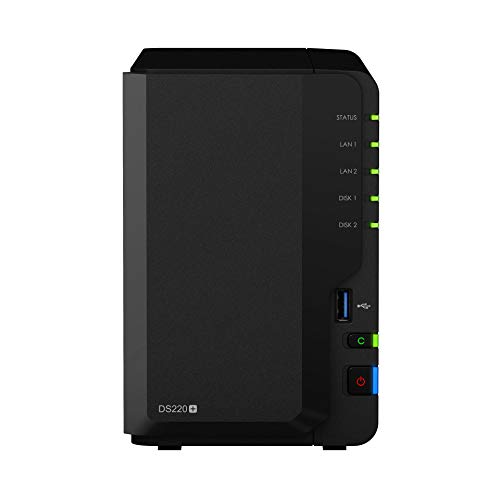
    Synology 2 bay NAS DiskStation DS220+ (Diskless),Black
    ×
    Product prices and availability are accurate as of the date/time indicated and are subject to change. Any price and availability information displayed on https://www.amazon.com/ at the time of purchase will apply to the purchase of this product.

    Click image to view on Amazon

    Features
    • Synology Surveillance Station with 2 channels included
    • Smart motion detection
    • Max. 25 IP Cameras
    • Quad Core Intel J4025, 2 GB RAM
    • 2x Gigabit Ethernet ports
    • 2x USB 3.2 Gen1
    • Hardware encryption, Hot-swappable slot loading HDDs
    • DLNA, Hardware Transcoding, Virtualization
    • 2 years warranty, extendable to 4

    Synology is well-known for its high-quality hardware and very intuitive OS called DSM. The Synology DS220+ is a popular model that was launched in 2020 during the depths of the pandemic.

    The DS220+ can serve as your file server, stream media across the home, automatically backup your devices, set up your own private cloud for file-sharing and monitor your IP cameras as well.

    The quad-core Intel processor substantially improves performance over the DS220j which is the cheapest Synology product.

    While 2 GB RAM is much lower than what QNAP offers in its products, bear in mind that these NAS boxes are basically extremely energy efficient Linux PCs. Linux doesn’t need as much RAM as Windows and so 2 GB RAM is good enough for recording up to 25 IP cameras.

    Only 2 IP camera channels are included though, and extra channels cost around $50 each. So factor this into the total cost of ownership. This is also the reason you find this otherwise very good NAS so far down this list.

    There is no ready-made Home Assistant integration for Surveillance Station, but manually setting up sensors to detect Synology events is not difficult.

    QNAP TS-873A-8G 8 Bay High-Performance NAS with 2 x 2.5GbE Ports and Two PCIe Gen3 Slots
    ×
    Product prices and availability are accurate as of the date/time indicated and are subject to change. Any price and availability information displayed on https://www.amazon.com/ at the time of purchase will apply to the purchase of this product.

    Click image to view on Amazon

    Features
    • QVR Pro with 8 free channels
    • Smart motion detection
    • Max. 60 IP Cameras (550 Mbps)
    • Quad Core AMD V1500B, 8 GB RAM
    • 2x 2.5 Gigabit Ethernet ports
    • 3x USB 3.2 Gen2 10 Gbps, 1x USB Type-C 5 Gbps
    • Hardware encryption, Hot-swappable slot loading HDDs
    • DLNA, Virtualization
    • HDMI 2.0, PCIe slot for adding GPU
    • 3 years warranty, extendable to 5

    The TS-873A replaces the TVS-873 from last year. It uses a fast and powerful AMD processor with on-board Radeon graphics. This makes the NAS particularly suited to multimedia and surveillance duties.

    Even though the NAS is aimed at small businesses, the multimedia features are what makes this NAS box shine. On offer are optional HDMI output, audio in and audio out which can be very useful for surveillance applications, and powerful hardware to keep everything chugging along nicely.

    Synology 4-Bay DiskStation DS923+ (Diskless)
    ×
    Product prices and availability are accurate as of the date/time indicated and are subject to change. Any price and availability information displayed on https://www.amazon.com/ at the time of purchase will apply to the purchase of this product.

    Click image to view on Amazon

    Features
    • Synology Surveillance Station with 2 channels included
    • Smart motion detection
    • Dual Core AMD R1600, 4 GB RAM
    • 2x Gigabit Ethernet ports
    • 2x USB 3.2 Gen1, 1x eSATA
    • Hardware encryption, Hot-swappable slot loading HDDs
    • DLNA, Virtualization
    • 3 years warranty, extendable to 5

    If you are a fan of Synology’s DSM OS, need the Surveillance Station app and don’t mind paying up to $350 extra for more NVR channels, the DS923+ is a decent 4-bay option to consider.

    Even though there is no integrated GPU, the CPU is powerful enough to handle Plex and some CPU transcoding as needed.


    Conclusion

    So there you have it, these are my recommendations to build the best DIY NAS NVR in 2024. Leave your thoughts below!

  • Best DIY Home Security Camera System – My 2024 Recommendations

    Best DIY Home Security Camera System – My 2024 Recommendations

    There was a time long long ago when a professionally installed home security camera system was the only option for mere mortals such as us. But today we live in the golden age of DIY. Why pay a ‘professional’ when you can select, buy and build your own custom DIY home security camera system for far less money like I did by picking the best components?

    But not everybody has the time or inclination to assemble such a system themselves, and that’s where ready-made NVR and camera kits come in. So in my opinion, these are the best DIY home security camera kits without monthly fees:

    BUDGET PICK
    Reolink RLK8-520D4
    REOLINK Smart 5MP 8CH Home Security Camera System, 4pcs Wired PoE IP Cameras Outdoor with Person/Pet/Vehicle Detection, 4K 8CH NVR with 2TB HDD for 24-7 Recording, RLK8-520D4-5MP
    ×
    Product prices and availability are accurate as of the date/time indicated and are subject to change. Any price and availability information displayed on https://www.amazon.com/ at the time of purchase will apply to the purchase of this product.
    8-channel 5MP PoE NVR
    4x 5MP IP cameras
    Smart Person/Vehicle detection
    BEST OVERALL
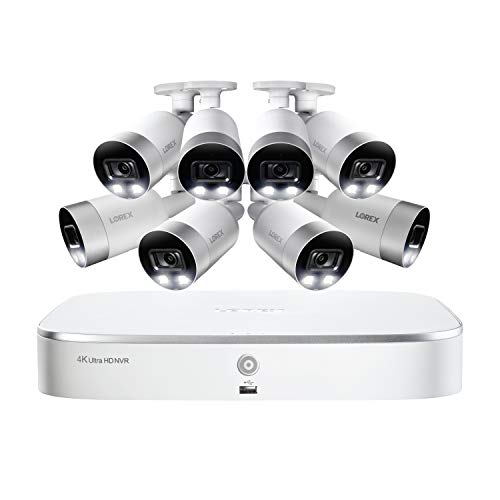
    Lorex TN81828B8
    Lorex 4K Security Camera System,8-Channel 2TB NVR with 8 Indoor/Outdoor Wired IP POE Metal Bullet Cameras with Smart Motion Detection Surveillance, Active Deterrence and Color Night Vision
    ×
    Product prices and availability are accurate as of the date/time indicated and are subject to change. Any price and availability information displayed on https://www.amazon.com/ at the time of purchase will apply to the purchase of this product.
    8-channel 8MP PoE NVR
    8x 8MP 4K IP cameras
    Smart Person/Vehicle detection
    BEST PREMIUM
    Reolink RLK16-410B8-5MP
    REOLINK 16CH 5MP Home Security Camera System, 8pcs Wired Outdoor PoE IP Cameras with Smart Detection, 8MP 16CH NVR with 4TB HDD for 24-7 Recording, High Bitrate & Clear Stream, RLK16-410B8-5MP
    ×
    Product prices and availability are accurate as of the date/time indicated and are subject to change. Any price and availability information displayed on https://www.amazon.com/ at the time of purchase will apply to the purchase of this product.
    16-channel 4K PoE NVR
    8x PoE 5MP IP cameras
    Smart Person/Vehicle detection

    A quick note: As an Amazon Associate I earn from qualifying purchases. This post contains affiliate link(s). An affiliate link means I may earn advertising or referral fees if you make a purchase through my link, at no extra cost to you.

    (* = affiliate link / image source: Amazon Associates Program)


    [wpsm_titlebox title=”Contents” style=”main”][contents h2 h3][/wpsm_titlebox]

    Best DIY Home Security Camera System: 2024 Recommendations List

    I spent many hours researching home security camera kits and documenting what I learnt in this article. But I know such long articles are tiresome to navigate, so here’s a handy table of all the recommendations in this post. Just click on each kit to jump to why I think you should buy it.

    [table id=71 responsive=scroll /]


    Why go DIY instead of a monitored CCTV service?

    Going the DIY route means you get flexibility – you can choose the features you think you need to start off, then upgrade as you learn more. You also save money by not paying a monthly fee. Yes you will still get alerts on your phone and you can live-view the cameras any time from anywhere. If anything, the problem is choice. There are different types of technologies to choose from and then there are dozens of brands across the price spectrum.

    The first decision you need to make is: do you want to spec each component in your system (I call this Pro-DIY) OR get a ready-to-use packaged kit that has all the equipment you need along with installation instructions (I call this Easy-DIY). This article explores the various ready-to-use kits that fall under the Easy-DIY category.

    If you know you need an Easy-DIY kit, you will find a summary of my Easy-DIY recommendations above in a handy table. If you are unsure, I will help you decide, just keep reading!


    Best 8-channel NVR Kits

    Reolink RLK8-520D4 – For those on a budget

    REOLINK Smart 5MP 8CH Home Security Camera System, 4pcs Wired PoE IP Cameras Outdoor with Person/Pet/Vehicle Detection, 4K 8CH NVR with 2TB HDD for 24-7 Recording, RLK8-520D4-5MP
    ×
    Product prices and availability are accurate as of the date/time indicated and are subject to change. Any price and availability information displayed on https://www.amazon.com/ at the time of purchase will apply to the purchase of this product.

    Click image to view on Amazon

    NVR Features (RLN8-410):

    • 8-channel recording @ 5MP supported
    • PoE-enabled
    • 2TB hard drive included, max single 4TB HDD
    • Smart Motion detection (People, Vehicle)
    • Email alerts and push notification
    • Remote smartphone access

    IP Camera Features (RLC-D500):

    • 5MP CMOS image sensor (2560×1920)
    • 80° viewing angle at 4mm focal length
    • 30m IR range, true IR-cut filter
    • RJ45 PoE ports
    • Built-in mic
    • IP66 Weather-rated

    For 2024, Reolink has upgraded this 5MP 8-channel NVR kit to support smart motion detection to reduce false alerts. Meaning it can detect persons or vehicles and send the right alert to the mobile app or your email. The RLC-D500 IP camera included is the 5MP model which can record at up to 8Mbps.

    While I recommend 1080p (2MP) as a minimum resolution for security camera footage, 3MP is better for getting additional detail. This is especially useful if your cameras cover a large area like a yard. Every little bit of detail helps. That’s why 5MP is even better. While the cameras can do bitrates of up to 8Mbps, you can set it to around 4-6Mbps to get more days of storage from the included 2TB hard drive.

    These cameras do not have on-board storage either and so cannot function as standalone cameras, but they can be used with any ONVIF compliant NVR or DIY NAS system.

    The NVR is limited to playing back only 4 channels at 4MP resolution synchronized with each other. The NVR doesn’t officially support the ONVIF standard, but you can try the port change workaround mentioned earlier.

    From a Pro-DIY point of view, the system has local storage and local processing but smart home connectivity is again missing. There are no alarm in/out ports (preferred option), nor is there support for Alexa, IFTTT, Google Assistant etc.

    (* = affiliate link / image source: Amazon Associates Program)


    Lorex TN81828B8 – The Best Value 4K-ready Kit

    Lorex 4K Security Camera System,8-Channel 2TB NVR with 8 Indoor/Outdoor Wired IP POE Metal Bullet Cameras with Smart Motion Detection Surveillance, Active Deterrence and Color Night Vision
    ×
    Product prices and availability are accurate as of the date/time indicated and are subject to change. Any price and availability information displayed on https://www.amazon.com/ at the time of purchase will apply to the purchase of this product.

    Click image to view on Amazon

    NVR Features (N841):

    • 8-channel recording @ 8MP supported, H.265 encoding
    • 4K HDMI Output (3840×2160)
    • 8 PoE-enabled RJ45 ports
    • 2TB HDD included, max. 1x 6TB HDD
    • Smart Motion detection (People, Vehicle)
    • Email alerts and push notification
    • Remote smartphone access
    • Lorex Fusion Smart Home supported

    IP Camera Features (E891AB):

    • 8MP 1/1.8″ CMOS image sensor (3840×2160)
    • 111° Viewing angle, 2.8mm lens
    • IR & Colour Night Vision, HDR
    • Deterrence LED, Siren, Mic & speaker
    • ONVIF compliant, PoE supported
    • Max 8Mbps bitrate
    • 30m IR night vision, true IR-cut filter
    • IP67 Weather-rated, Cold climate capability (-4°F / -20°C)

    Lorex has recently started opening up their IP cameras by supporting ONVIF. Yes, their NVRs still do not support 3rd-party IP cameras but they do offer an interesting mix of features at a great price point.

    For example, the NVR in this kit can record 8MP on all channels simultaneously, albeit at 15fps. And while doing this, you can also live-view or play back 4 channels from the included 2TB hard drive.

    In the new Fusion series of NVRs you gain smart motion detection events and smart speaker support but lose a whole host of features: alarm in/out connections, drive mirroring, and Lorex’s pentaplex operation (backup while also managing remote viewing). In my opinion this is a step backwards.

    The Fusion NVR supports basic motion detection, customizable motion zones, push notifications to your smartphone and email alerts with snapshot attachment.

    The four IP cameras included are 8MP PoE models and are surprisingly capable. Not only do they have HDR but true Wide Dynamic Range (WDR) also at 100dB. Unlike the Lorex NVRs, most Lorex IP cameras are now ONVIF compliant and support RTSP.

    So the downsides of this Lorex kit are the NVR’s lack of ONVIF support, the missing advanced motion detection methods, loss of drive mirroring and alarm in/outs. No ONVIF support means you are locked into buying additional cameras from Lorex only. Lorex is now owned by Dahua, so I still hold out hope that they will add advanced motion detection to Lorex NVRs soon.

    From a Pro-DIY point of view, smart home connectivity is not great. There are no alarm in/out ports (my preferred option), but there is support for Alexa, Google Assistant and Lorex’s proprietary smart home solution Lorex Fusion.


    Best 16-channel NVR Kits

    Reolink RLK16-410B8-5MP – The Best Budget 16-Channel Kit

    REOLINK 16CH 5MP Home Security Camera System, 8pcs Wired Outdoor PoE IP Cameras with Smart Detection, 8MP 16CH NVR with 4TB HDD for 24-7 Recording, High Bitrate & Clear Stream, RLK16-410B8-5MP
    ×
    Product prices and availability are accurate as of the date/time indicated and are subject to change. Any price and availability information displayed on https://www.amazon.com/ at the time of purchase will apply to the purchase of this product.

    Click image to view on Amazon

    NVR Features (RLN16-410):

    • 16-channel recording @ 5MP supported
    • PoE-enabled
    • 3TB hard drive included, max. possible are 2x4TB hard drives
    • Motion detection with email alerts, push notifications
    • Remote smartphone access

    IP Camera Features (B500):

    • 5MP 1/2.7″ CMOS image sensor (2560×1920)
    • 80° Viewing angle, 4mm lens
    • 30m IR range, true IR-cut filter
    • RJ45 PoE ports
    • On-board mic
    • IP66 Weather-rated

    Reolink is once again the budget option for 16 channel home security camera systems with their unbeatable price points. Support for 5MP cameras is impressive at this price level, but note that it cannot simultaneously play back more than 4 channels. The hardware is not powerful enough to simultaneously playback 16x 5MP streams.

    It is still a great option if you are on a budget but I would encourage you to look at our best value recommendation below.

    From a Pro-DIY point of view, smart home connectivity is missing. There are no alarm in/out ports (my preferred option), nor is there support for Alexa, IFTTT, Google Assistant etc.

    (* = affiliate link / image source: Amazon Associates Program)


    Lorex 4KHDIP1610 – The Best 4K-Ready 16-Channel Kit

    Lorex Technology Lorex 4KHDIP1610 2 4K Nocturnal IP System with 16 Channel 3TB NVR and Ten 4K Smart Detection Audio IP Security Bullet Cameras, 150ft Night Vision
    ×
    Product prices and availability are accurate as of the date/time indicated and are subject to change. Any price and availability information displayed on https://www.amazon.com/ at the time of purchase will apply to the purchase of this product.

    Click image to view on Amazon

    NVR Features (N862D63B):

    • 16-channel recording @ 8MP supported, H.265 encoding
    • Automatic drive mirroring
    • 4K HDMI Output (3840×2160)
    • 16 PoE-enabled RJ45 ports
    • 4 Alarm in / 2 ALARM out connections
    • 3TB hard drives included, max. possible is 2x8TB hard drives
    • Person & vehicle motion detection with email alerts and push notification
    • Remote smartphone access

    IP Camera Features (E861AB):

    • 8MP 1/2.5″ CMOS image sensor (3840×2160)
    • 111° Viewing angle, 4mm lens
    • Colour Night Vision, HDR, 100dB WDR
    • ONVIF compliant, PoE supported
    • Max 8Mbps bitrate
    • 40m IR range, true IR-cut filter
    • 16x RJ45 PoE ports
    • IP67 Weather-rated, Cold climate capability (-40°F / -20°C)

    Just like the 8-ch kit featured earlier, this 16-channel NVR can also record all channels simultaneously at 8MP. The pentaplex operation capability is retained even at the higher workload of 16 channels.

    The NVR supports basic motion detection, customizable motion zones, push notifications to your smartphone and email alerts with snapshot attachment. But with this kit, you also get smart cameras that can perform smart motion motion detection. Its smart in that the cameras can distinguish between a person, a vehicle and anything else like trees moving in the wind. This should help reduce false motion detection alerts massively.

    Since the NVR sports 4 alarm in and 2 alarm out ports, you can easily switch from easyDIY to ProDIY. Just hook up the alarm out port to a Z-Wave binary sensor and you have instant integration with your Home Automation system. You can even get the NVR to record on demand based on PIR motion sensors this way.

    The IP cameras included are 8MP PoE models and are surprisingly capable. Not only do they have HDR but true Wide Dynamic Range (WDR) also at 100dB. Unlike the Lorex NVRs, most Lorex IP cameras are now ONVIF compliant and support RTSP.

    The only downsides of this Lorex kit are the lack of ONVIF support and the missing advanced motion detection methods. No ONVIF support means you are locked into buying additional cameras from Lorex only. Lorex is now owned by Dahua, so I still hold out hope that they will add advanced motion detection to Lorex NVRs soon.

    From a Pro-DIY point of view, smart home connectivity is pretty good. There are alarm in/out ports (my preferred option), but no support for Alexa, IFTTT, Google Assistant etc.

    (* = affiliate link / image source: Amazon Associates Program)


    Which DIY route – Easy-DIY or Pro-DIY?

    A home security camera system consists of the following essential parts:

    • The heart of the system, the Network Video Recorder (NVR)
      • Before the advent of network cameras, the equivalent of the NVR would have been called a DVR which works only with analogue security cameras. An NVR works only with network-based cameras. So remember a DVR works with analogue cameras. and an NVR works with network cameras only. In this article, I will be looking only at NVR based systems.
      • This is because DVR-based analogue systems are on their way out, they simply cannot compete with the quality and convenience of network cameras and NVRs.
    • Cameras – Network cameras (a.k.a IP cameras) are fully digital – the image is sent digitally to the NVR through a network cable instead of an analogue BNC cable as in a DVR-based system. This enables resolution higher than 1080p(2MP), and currently you can go up to even 12MP.
    • The hard drive that will store the recorded video and images – read my detailed guide to selecting the right hard drive.
    • The Ethernet cables needed to connect the cameras to the NVR
    • The power adaptors for the cameras (read on to see how you can avoid these)

    If you don’t want to deal with different brands for home security and cameras, you should go with Easy-DIY and just get an all-in-one kit. Otherwise there are two ways of choosing the different parts above for your dream DIY home security camera kit – what I call going Pro-DIY.

    Easy-DIY – A pre-packaged solution where cameras are bundled with the NVR system

    You leave the tough work of building the CCTV kit to somebody else but you pay for the convenience. This is recommended for novices or even experts if you don’t have the time or inclination to do the research. Just pick a brand you are comfortable with, look for the options you want and push the button.

    Any NVR kit from a decent manufacturer will use the Power over Ethernet standard. If you are looking for the best PoE security camera system, all the kits I recommend below are PoE-enabled. I wouldn’t have it any other way.

    However, bear in mind that there are varying levels of smart home integration features. For example Reolink & Lorex NVRs are more for price-sensitive customers and so have little or no smart home integration at all. On the other hand, Lorex, Hikvision and Dahua have alarm in/out ports that you can hook up to a home automation hub.

    Pro-DIY – A fully custom solution where you pick NVR and cameras separately

    This is what I have done – I built my DIY NAS-based NVR system, the benefits being maximum flexibility, power and economy. The downside is having to read up on the essentials and ensuring compatibility between all the different bits (but that’s why I am writing this blog: to help you make sense of it all).

    A huge advantage of going Pro-DIY is that you can also set up a home automation system that can fully integrate with your CCTV setup (like Home Assistant)!


    How to choose your Easy-DIY home security camera system

    So you have chosen to go the Easy-DIY Home CCTV route. That’s a great choice if you want to get started right away and don’t want the hassle of researching and understanding how to put a home CCTV system together.

    First off, lets get the confusion about names out of the way. Home Security Camera System, Home Surveillance System, NVR Surveillance System, NVR Security System, NVR kit, IP Camera Surveillance Kit – these all typically mean the same, a complete kit that includes everything you need to get up and running.

    Choosing your digital network-based home security system depends on the following:

    • How many cameras do you need?
      Security camera systems are commonly specified by the number of separate channels they support. This simply indicates how many separate camera video streams they can record. They start from single channel devices going all the way up to 32.
    • What level of video quality or resolution do you need?
      My usual recommendation of at least 1080p (2 Megapixels) applies. There are tons of substandard 720p (HD-Ready) systems you can get, but none of them will have the resolution needed to allow law enforcement positive identification of an intruder.
    • Do you want the ability to use wireless cameras as well?
      While I generally do not recommend using wireless for critical home systems such as security, there are some situations where a wireless camera makes sense. Now you don’t need a WiFi enabled NVR to use a Wi-Fi camera – this is a common misconception. A Wi-Fi camera can simply connect to your Wi-Fi router and thus be connected to the NVR.
    • Do you intend to upgrade by adding more cameras later on?
      If you think you need only 2 cameras now, get a 4-channel system. If you think you need just 4 cameras right now, go for the 8-channel. Once you start enjoying the security provided by your spanking new CCTV system, you will enjoy the option to add more cameras. But if you want that luxury, plan ahead.
    • Do you want automatic redundant storage?
      Most NVRs can record only to one hard disk. This means data storage is not redundant – a hard disk failure or theft of the NVR would mean that you lose all your recorded footage. USB backup is supported on most NVRs to mitigate against this risk but ideally the NVR should have at least 2 hard disk bays and automatically write a copy of the footage to the second hard drive. The other option to explore is whether the NVR can write the footage to a remote network location such as a NAS. To learn more about surveillance hard drives, check my latest guide.
  • How to keep spider webs off your security camera lens

    How to keep spider webs off your security camera lens

    If you have outdoor security cameras with night vision, you must have come across this pesky problem. Lovely, beautiful (yeah, right) spider webs right in front of your cameras lens obscuring the whole view! Add in a little breeze and you have the perfect storm – spider webs setting off false motion detection alerts and filling your inbox with email alerts.

    [toc]

    How to get rid of spider webs in front of camera lens - VueVille.com
    Incy Wincy Spider has been up to no good at the VueVille residence

    What attracts spiders to security cameras?

    Its the flying insects. Get rid of the insects and you get rid of the spiders. Let me explain.

    Contrary to popular opinion, most web-spinning spiders are actually blind.((http://www.spiders.us/faq/how-many-eyes-do-spiders-have/)) They cannot sense the Infrared LEDs.

    I have been running CCTV cameras at my home since 2014 and my constant challenge has been to keep the blasted spiders and their webs away. The main reason these critters are attracted to the cameras are because of the abundance of food. Yup food, tasty flying food. So its not the spiders that are attracted to the camera’s IR lamps, but the flying insects they feed on.

    It is thought that some flying insects are sensitive to infrared light and get attracted to the camera’s IR LEDs. Now these spiders are not dumb. So even though they don’t even know that there is InfraRed on the camera, they do know that they can get lots of food easily. So that’s where the web gets built.

    So what’s the solution?

    Now that we know why it happens, we can look at how to solve the problem of spider webs. We either need to keep the flying insects away or prevent the spiders from building their webs regardless of the flying insects.

    The permanent solution – Disable the on-board IR LEDs and use external IR lamps

    This method has worked very well for me. By moving the source of IR light away from the camera, the flying insects and hence the spiders move base from the camera lens to the external IR lamp.

    Most IP cameras will let you disable the on-board IR. If your cameras don’t, its time to consider new security cameras.

    Pro tip: Put the external IR lamp inside your house shining its beam of light through a window and you get the ultimate revenge – they can see it but they can’t get to it!

    There are different types of IR LED lamps. Expanding upon my comments on a related /r/HomeDefense post, there are two types of Infrared lamps – the more common type where the IR LEDs are arranged in a ring, and the less common but brighter longer-lasting EXIR LEDs. Just like you can find cameras with either type of LEDs, you can find IR lamps with either type of LED:

    1. Standard IR LED lamp – These are the ones I use because they are cheap and surprisingly durable. The downside is the narrow beam angle of 60 deg or so. I don’t think they are weather-proof but I use them inside through a window. I have not had any noticeable fading or dimming after 1 year of use, which is the most common complaint about these LEDs.

      [easyazon_image align=”center” height=”500″ identifier=”B01D73XM24″ locale=”US” src=”https://m.media-amazon.com/images/I/41wy2Zd9hwL._SL500_.jpg” tag=”vueville.com-eaz-20″ width=”500″]
    2. EXIR IR LED lamp – Now I haven’t tried these but they have a wider beam angle of 90 degrees and are IP65 weather-rated.[easyazon_image align=”center” height=”500″ identifier=”B075F7NV56″ locale=”US” src=”https://m.media-amazon.com/images/I/51lXOLzMI5L._SL500_.jpg” tag=”vueville.com-eaz-20″ width=”500″]

    The “do it once in two weeks” solution – Use bug sprays or insect repellents

    I tried many different bug sprays from many different brands before finally finding something that would keep the nosy spiders and their webs at bay:

    [easyazon_image align=”center” height=”500″ identifier=”B004H89KFC” locale=”US” src=”https://m.media-amazon.com/images/I/41GhgzNf6rL._SL500_.jpg” tag=”vueville.com-eaz-20″ width=”500″]

    Make life difficult for spiders – use a lubricant

    This is a method I came across on Reddit and seems to have helped some folks. Basically you are making the camera housing and the area surrounding the camera slippery so that the spider can’t even spin its web.

    [easyazon_image align=”center” height=”500″ identifier=”B07SKXXPMZ” locale=”US” src=”https://m.media-amazon.com/images/I/41hgOtiEv5L._SL500_.jpg” tag=”vueville.com-eaz-20″ width=”500″]

    Is there anything else I can do?

    If false motion detection alerts are the problem, you can try and use Intrusion detection or dwell detection instead of simple motion detection. This way an alert is set off only when something of a certain size and larger is in the scene for a certain period (say, 1 second). See how you can do this with Hikvision cameras.

    This is a useful thing to do in any case and could be combined with the methods described above.

    So what have you found to be the most effective way to deal with spider webs in front of your camera lens?

    A quick note: This article contains affiliate links from Amazon. I don’t like ads and I’m sure you don’t either. So this is how we pay the bills and ensure a distraction-free experience for you, my dear reader. If you click on one of these links and then purchase something from Amazon, I will receive affiliate income for referring you to Amazon. This goes towards the costs of hosting and running this website and does not affect you in any way. Thanks for your understanding!

  • Best Indoor IP Camera 2017 Recommendations

    Best Indoor IP Camera 2017 Recommendations

    [wpsm_box type=”red” float=”none” text_align=”left”]

    This article is outdated – please check out the latest version here.
    [/wpsm_box]

    While reviewing the articles we published in 2016, my wife and I realized that we did not write much about indoor IP security cameras. For the most part, this was because we did not have indoor security cameras set up in our home. At the time, our priority was to fully secure the outdoor yard and the garden. Well this year is going to be different.

    Why? Because in 2016 we realized that no home security system can be complete without properly planned indoor cameras. It all started with the arrival of our newest family member, our little baby boy. We started looking up and researching indoor IP cameras and baby monitors. And then we entered the magical world of home automation, building our own smart home in the process (I will write about it soon I promise!). So no matter what you are looking for today – a spy camera, a baby monitor or a camera to look at your pets while they are alone at home, we hope this complete indoor IP camera guide for 2017 will be helpful.

    Our top recommendation for an indoor security camera – View [easyazon_link identifier=”B0145OQTPG” locale=”US” tag=”vueville.com-eaz-afold-bipc17-20″]Amcrest IP2M-841B[/easyazon_link] on Amazon.

    At the end of this post, you will also find my recommendations for specific purposes and thoughts on the other popular cameras and why they didn’t make the cut.

    [wpsm_stickypanel][contents h2][/wpsm_stickypanel]

    Best Indoor IP Camera 2017 Recommendations List

    So here’s a handy summary of all my indoor IP camera recommendations for 2017, split by form factor:

    [wpsm_comparison_table id=”6″ class=”hover-col1 “]

    [text-blocks id=”4426″]

    What to look for

    The most important must-have features to look for in an indoor security camera are:

    • Video Resolution – 720p resolution is so 2016. In 2017, you shouldn’t settle for a resolution of less than 1080p or 2 Megapixels. This is important because law enforcement have a very high threshold for the quality of video needed to positively identify a suspect. Unless the person is right in front of the camera, 720p is just not enough. Higher the resolution the better, but the biggest improvement comes from going 1080p Full HD.
    • Field of view or horizontal viewing angle – This depends on the focal length of the camera lens. The wider the horizontal viewing angle, the more flexible the camera is going to be for placement in a tricky place such as a living room. Some manufacturers quote the diagonal angle which can be misleading as its always going to be better than the horizontal one! All viewing angles in this article are horizontal unless noted.
    • Night vision – InfraRed night vision is crucial for getting good quality night shots. A true IR cut filter helps to produce true colour images during the day and high quality images at night. EXIR LEDs are brighter and have longer lifespans than the typical IR LEDs used in cheaper cameras.
    • Cloud reliance – This is something I feel very strongly about. The trend in recent years has been to create ‘cloud’ cameras that are reliant on the manufacturer’s cloud servers to do even basic things such as motion detection and event recording. Why? Because the cloud subscriptions that we are then forced to pay generate a steady stream of income for the manufacturer for years to come.The worst of the lot are absolutely crippled without an internet connection – these are the most dangerous because the whole point in having a security camera is to catch troublemakers. Since many manufacturers still don’t have reliable cloud servers, how can you be assured that your camera will notify you in time if a break-in is in progress? What you want is a camera that does not need any outside help to do its job – use a UPS to provide backup power in case the burglars cut the power.


    The nice-to-have features to consider are:

    • Wireless – While an Ethernet cable connection is more stable and hence more reliable, support for WiFi and/or Bluetooth is great if you have to install the camera in a spot you can’t run a data cable to.
    • Continuous Video Recording – Instead of just automatic event triggered recording, continuous video recording will capture everything in the scene. Typically a Network Video Recorder (NVR) or NAS is needed for this function. You can specify how many days worth of storage you want to keep, and the older video will then be automatically overwritten.
    • Software features – Email alerts on motion detection, and push notifications to smartphone apps are very useful features
    • Local storage – Pure cloud cameras will not have any local storage, but some cloud cameras like the Arlo Q Plus now feature local storage in case the cloud connection is lost. This is a decent compromise. The best cameras are the ones whose cloud features are strictly optional and let you access the video stream using 3rd part apps.
    • Motion detection method – While software based image change detection is the most common motion detection method, a PIR motion sensor is preferable to cut down on false alerts
    • Power source – A wired Ethernet port is preferable over wireless connections for the best reliability. PoE (Power over Ethernet) support is ideal since then you don’t need two cables to each camera. An internal battery for power backup purposes is great if a burglar cuts the power supply to disable your home defences.
    • Audio – A built-in microphone for recording incriminating evidence is a nice to have
    • Advanced features:
      • Preferably a full API should be available for interfacing with home automation controllers such as the Vera Plus
      • Preferably RTSP stream capable so that you can access the video stream from a 3rd part app such as tinyCam Monitor Pro or IP Cam Viewer. ONVIF support is ideal so that you can connect the camera to an NVR like Amcrest NVRs which can support any ONVIF compatible camera.

    Methodology

    I have divided this list into two – cameras I recommend and the ones that didn’t make the cut. Every camera I recommend below meets the must-have features described above. So why did I bother with the ones that didn’t meet them – because due to clever marketing those cameras have managed to become very popular among consumers.

    Best Indoor IP Cameras – 2017 Recommendations

    Best Value / Budget IP Camera: Amcrest ProHD 1080p Pan-Tilt Wi-Fi Camera (IP2M-841B) – Best Value Camera with Pan-Tilt

    [wpsm_column size=”one-half”]
    [easyazon_image align=”center” height=”500″ identifier=”B0145OQTPG” locale=”US” src=”https://www.vueville.com/wp-content/uploads/2016/12/41YqG0OR2RL.jpg” tag=”vueville.com-eaz-bipc17-20″ width=”500″]
    [/wpsm_column]

    [wpsm_column size=”one-half” position=”last”]
    [wpsm_titlebox title=”Features” style=”3″]

    • 2MP CMOS image sensor
    • 90° Viewing Angle
    • 10m IR range
    • Ethernet port, Wi-Fi or PoE available
    • ONVIF and RTSP protocols supported

    [/wpsm_titlebox]

    [easyazon_link identifier=”B0145OQTPG” locale=”US” tag=”vueville.com-eaz-bipc17-20″]Read Amazon user reviews[/easyazon_link]

    [/wpsm_column]

    Amcrest is one of the few companies that we can recommend without hesitation. They have this unique blend of high-quality hardware, reliable software, and great after-sales support. The Amcrest ProHD 1080p Pan-Tilt WiFi Camera (IP2M-841B) is our current baby monitor and we are well pleased with it. It has an ethernet port, WiFi, built-in InfraRed LEDs for very good night vision, clear 2-way audio with mic and speaker, built-in SD card local storage, and on top of all this, very good low-light performance. We can even see our little one’s chest rising and falling as he breathes – I can’t believe how clear the video is.

    A non-WiFi PoE-enabled IP2M-841EB version is also [easyazon_link identifier=”B01H2JFE5W” locale=”US” tag=”vueville.com-eaz-bipc17-20″]available on Amazon[/easyazon_link]. 4 hours of free cloud storage comes free with every Amcrest camera, with more storage available on the purchase of a subscription. The camera does not need an Internet connection to be set up or for functioning normally.

    Read our full review of this wonderful IP camera below:
    [wpsm_top postid=1461]

    [wpsm_column size=”one-half”]
    [wpsm_pros title=”PROS:”]

    • Good image quality and 1080p resolution
    • Very clear and loud two-way audio with mic and speaker built-in
    • WiFi and RJ-45 Ethernet port
    • IR LEDs provide night vision capability
    • 360 degree Pan-Tilt feature
    • Support for SD card, NAS, NVR, FTP and Cloud storage locations
    • Very good value for money

    [/wpsm_pros][/wpsm_column]

    [wpsm_column size=”one-half” position=”last”]
    [wpsm_cons title=”CONS:”]

    • Audio is half-duplex only, you cannot hear and speak simultaneously
    • Smartphone apps could be better – free Amcrest apps lack basic features such as push notifications
    • No model with both PoE and Wi-Fi, unlike Hikvision

    [/wpsm_cons][/wpsm_column]

    [easyazon_link identifier=”B0145OQTPG” locale=”US” tag=”vueville.com-eaz-bipc17-20″]Check Price on Amazon[/easyazon_link]

    Back to comparison table

    Great Value: Foscam R2 – Great Value Wide-Angle Camera with Pan-Tilt

    [wpsm_column size=”one-half”]
    [easyazon_image align=”center” height=”500″ identifier=”B01DJ1FTTS” locale=”US” src=”https://www.vueville.com/wp-content/uploads/2016/12/31f82BhvD2BOL.jpg” tag=”vueville.com-eaz-bipc17-20″ width=”500″]
    [/wpsm_column]

    [wpsm_column size=”one-half” position=”last”]
    [wpsm_titlebox title=”Features” style=”3″]

    • 2MP CMOS image sensor
    • 110° Viewing Angle
    • Ethernet port, Wi-Fi available
    • ONVIF and RTSP protocols supported

    [/wpsm_titlebox]

    [easyazon_link identifier=”B01DJ1FTTS” locale=”US” tag=”vueville.com-eaz-bipc17-20″]Read Amazon user reviews[/easyazon_link]

    [/wpsm_column]

    Foscam based in Shenzen China, used to be king of the hill once upon a time dominating the indoor security camera market worldwide. But Foscam lost their way when they fell out with their American distributor Foscam US who set themselves up as Amcrest Technologies. Amcrest is now one of the top retailers of indoor security cameras. Can Foscam Shenzen still compete with innovative new players like Amcrest and Reolink?

    I think they can. For quite some time Foscam faded into the background as they bled customers. But now they are back with a new product range and very compelling price points. The Foscam R2 is a direct competitor to the Amcrest ProHD 1080p IP2M-841B.

    The R2’s features of a 1080p sensor, Pan-Tilt, Wi-Fi are almost exactly the same as the Amcrest but with a much wider angle of view at 110° instead of 90°. There is no free cloud service included but a paid cloud service is available should you need it.

    [wpsm_column size=”one-half”]
    [wpsm_pros title=”PROS:”]

    • Good image quality and 1080p resolution
    • Wide-angle lens lets you cover a large area
    • Very good value for money
    • Home Automation compatible with ONVIF and RTSP support

    [/wpsm_pros][/wpsm_column]

    [wpsm_column size=”one-half” position=”last”]
    [wpsm_cons title=”CONS:”]

    • Audio is half-duplex only, you cannot hear and speak simultaneously
    • No PoE feature available
    • No free cloud service available

    [/wpsm_cons][/wpsm_column]

    [easyazon_link identifier=”B01DJ1FTTS” locale=”US” tag=”vueville.com-eaz-bipc17-20″]Check Price on Amazon[/easyazon_link]

    Back to comparison table

    [wpsm_column size=”one-half”]
    [easyazon_image align=”center” height=”500″ identifier=”B01LS71KNO” locale=”US” src=”https://www.vueville.com/wp-content/uploads/2016/12/41iAz7CMb7L.jpg” tag=”vueville.com-eaz-bipc17-20″ width=”500″]
    [/wpsm_column]

    [wpsm_column size=”one-half” position=”last”]
    [wpsm_titlebox title=”Features” style=”3″]

    • 4 MP CMOS image sensor
    • 92° Viewing Angle
    • Ethernet port, Wi-Fi available
    • ONVIF and RTSP protocols supported

    [/wpsm_titlebox]

    [easyazon_link identifier=”B01LS71KNO” locale=”US” tag=”vueville.com-eaz-bipc17-20″]Read Amazon user reviews[/easyazon_link]

    [/wpsm_column]

    If all you want is an indoor camera with Pan-Tilt, you will be just fine with the Amcrest or Foscam above. But what if you want to go the whole hog – Pant-Tilt & Zoom? You would have struggled to find anything affordable but with Reolink on the scene, that’s not the case any more.

    The C2 has a very high resolution of 4MP which is very unusual for an indoor camera currently. The higher pixel count however leads to a slightly lower viewing angle of 92°, which while not in the three figures, is still is great for any camera. Local storage is available as an SD card slot which can take cards up to 128GB in capacity.

    2-way audio is available thanks to the built-in mic and speaker. However just like most cameras, it is half-duplex. This means it works like a walkie-talkie. You have to take turns speaking and listening. As far as I know there is only one affordable camera which has full-duplex audio ability – the Hikvision which is our choice for best full-featured camera.

    All Reolink cameras support the ONVIF standard so you can use them with any 3rd party NVR, NAS NVR or Blueiris which supports the ONVIF standard. They also support the RTSP protocol , so you can easily integrate them with your home automation system such as my MiCasaVerde Vera Plus.

    [wpsm_column size=”one-half”]
    [wpsm_pros title=”PROS:”]

    • Excellent image quality with 4 MP resolution
    • Very good value for money
    • Home Automation compatible with ONVIF and RTSP support

    [/wpsm_pros][/wpsm_column]

    [wpsm_column size=”one-half” position=”last”]
    [wpsm_cons title=”CONS:”]

    • Audio is half-duplex only, you cannot hear and speak simultaneously
    • No PoE feature available
    • No cloud service available at all if you need it

    [/wpsm_cons][/wpsm_column]

    [easyazon_link identifier=”B01LS71KNO” locale=”US” tag=”vueville.com-eaz-bipc17-20″]Check Price on Amazon[/easyazon_link]

    Back to comparison table

    Great Value: Amcrest UltraHD Hex Shield IP3M-HX2 – High-Res Wide-Angle Camera

    [wpsm_column size=”one-half”]
    [easyazon_image align=”center” height=”500″ identifier=”B01LX7PRMQ” locale=”US” src=”https://www.vueville.com/wp-content/uploads/2017/01/414JycoAnwL.jpg” tag=”vueville.com-eaz-bipc17-20″ width=”351″]
    [/wpsm_column]

    [wpsm_column size=”one-half” position=”last”]
    [wpsm_titlebox title=”Features” style=”3″]

    • 3 MP CMOS image sensor
    • 140° Viewing Angle
    • 10m IR range
    • Ethernet port, Wi-Fi available
    • ONVIF and RTSP protocols supported

    [/wpsm_titlebox]

    [easyazon_link identifier=”B01LZHOILC” locale=”US” tag=”vueville.com-eaz-bipc17-20″]Read Amazon user reviews[/easyazon_link]

    [/wpsm_column]

    Amcrest has a wildly popular 1080p indoor camera already, the Amcrest ProHD 1080p camera which is our choice for best indoor IP camera in 2017 for most people. But what if you want more resolution and a wider angle of view at the same time? That’s where the Amcrest UltraHD Shield, or Hex as it is also called, comes in. It has 3 Megapixels of resolution available and a wide angle of view at the same time. This is an unusual combination – as resolution increases, the field of view typically reduces. But Amcrest has figured out a way to get both high resolution (3MP) and high field of view (140 degrees).

    The brains of the Shield is an ARM Cortex A9 CPU coupled with the Ambarella S2Lm IP Camera chip in a System-on-a-Chip (SoC) setup. By the way it has a magnetic bracket which can give you more installation options. Coming to night vision, the camera has InfraRed LEDs and a true IR cut filter. This gives it very good night vision ability. Audio in and out are supported in the form of 3.5mm plugs. The speaker is at the back of the camera, along with the RJ-45 port, the AC in socket, and a reset button. The SD card slot is on the side.

    The camera features the much sought after NVR feature which lets you use it independently without any other hardware. This means you can set up motion detection or audio detection triggers to record clips to the on-board SD card, and then view them on a nice timeline interface. There are also up to 4 configurable privacy zones that you can mask off.

    [wpsm_column size=”one-half”]
    [wpsm_pros title=”PROS:”]

    • Excellent image quality with 3 MP resolution
    • Super-wide 140 degree field of view
    • Very good value for money
    • Built-in NVR feature
    • Home Automation compatible with ONVIF and RTSP support, works with any NVR also

    [/wpsm_pros][/wpsm_column]

    [wpsm_column size=”one-half” position=”last”]
    [wpsm_cons title=”CONS:”]

    • Audio is half-duplex only, you can only use it like a walkie-talkie
    • No PoE feature available

    [/wpsm_cons][/wpsm_column]

    [easyazon_link identifier=”B01LX7PRMQ” locale=”US” tag=”vueville.com-eaz-bipc17-20″]Check Price on Amazon[/easyazon_link]

    Back to comparison table

    Full Featured: Hikvision DS-2CD2432F-IW – PoE Camera

    [wpsm_column size=”one-half”]
    [easyazon_image align=”center” height=”438″ identifier=”B00JWCV9CU” locale=”US” src=”https://www.vueville.com/wp-content/uploads/2017/01/31ahyWDFlsL.jpg” tag=”vueville.com-ref-20″ width=”412″]
    [/wpsm_column]

    [wpsm_column size=”one-half” position=”last”]
    [wpsm_titlebox title=”Features” style=”3″]

    • 3 MP CMOS image sensor
    • 98.5° Viewing Angle
    • 10m InfraRed range
    • PIR Motion Sensor
    • Full-duplex 2-way audio
    • PoE, Ethernet port, and Wi-Fi available
    • ONVIF and RTSP protocols supported

    [/wpsm_titlebox]

    [easyazon_link identifier=”B01LZHOILC” locale=”US” tag=”vueville.com-ref-20″]Read Amazon user reviews[/easyazon_link]

    [/wpsm_column]

    Some cameras seem to have been on the market forever. This Hikvision DS-2CD2432F-IW model is one such camera. Launched in 2014, it is one of the few cameras that are still on sale. And there’s a very good reason – its a genuinely high-end camera at a decidedly mid-level price. Its got all the features you could ever ask for in an indoor security camera – PoE, Wi-Fi, a PIR sensor, true full-duplex 2-way audio, night vision, RTSP and ONVIF compliance, advanced motion detection algorithms, a built-in NVR, and I could go on and on.

    With its 3MP sensor, it still fares well against much younger opponents such as the Amcrest models. Only the Reolink C2 does better when it comes to resolution. This is definitely a camera that is still worth considering in 2017!

    [wpsm_column size=”one-half”]
    [wpsm_pros title=”PROS:”]

    • Excellent image quality with 3 MP resolution
    • Has a real PIR sensor to cut down false alerts
    • Built-in NVR feature
    • Full-duplex audio enables true 2-way audio
    • Home Automation compatible with ONVIF and RTSP support, works with any NVR also

    [/wpsm_pros][/wpsm_column]

    [wpsm_column size=”one-half” position=”last”]
    [wpsm_cons title=”CONS:”]

    • Some tweaking needed to get the best image and video quality
    • Wi-Fi performance can be pretty average

    [/wpsm_cons][/wpsm_column]

    [easyazon_link identifier=”B00JWCV9CU” locale=”US” tag=”vueville.com-ref-20″]Check Price on Amazon[/easyazon_link]

    Please note that Hikvision doesn’t recognise the warranty for products sold on online marketplaces like Amazon, so if you want an official warranty please buy from an authorized Hikvision reseller / OEM re-seller.

    Back to comparison table

    Full Featured: Samsung SmartCam SNH-V6410PN – Pan-Tilt Wi-Fi Camera with Auto-Object Tracking

    [wpsm_column size=”one-half”]
    [easyazon_image align=”center” height=”500″ identifier=”B01IDM5TZC” locale=”US” src=”https://www.vueville.com/wp-content/uploads/2017/01/51KAexg8QYL.jpg” tag=”vueville.com-eaz-bipc17-20″ width=”500″]
    [/wpsm_column]

    [wpsm_column size=”one-half” position=”last”]
    [wpsm_titlebox title=”Features” style=”3″]

    • 2 MP CMOS image sensor
    • 96.1° Viewing Angle
    • 5m InfraRed range
    • 2.4GHz Wi-Fi
    • RTSP protocol supported

    [/wpsm_titlebox]

    [easyazon_link identifier=”B01IDM5TZC” locale=”US” tag=”vueville.com-eaz-bipc17-20″]Read Amazon user reviews[/easyazon_link]

    [/wpsm_column]

    I am a bit conflicted about calling this camera full-featured as it lacks a somewhat basic feature – an RJ-45 ethernet port. Forgiving this glaring omission, it has a very unique feature that I am very excited about – the futuristic and very creepy automatic object tracking feature. So with motion detection on, the camera will use its pan-tilt feature to detect and follow a moving object or person around the room. Now that is super cool. The only downside is that it works only if you have NOT defined your own motion detection zones.

    Power over Ethernet is naturally missing and the WiFi is only of the 2.4GHz variety, so be gentle with the bitrate setting if you use the 1080p resolution option. I personally do not use 5GHz at home as my fibre broadband tops out at 55Mbps which is absolutely within reach of 2.4GHz 802.11n speeds throughout the house. I am yet to find a router that can simultaneously handle both 2.4GHz and 5GHz devices without dropping one or the other occasionally.

    The camera has true night vision with infrared LEDs and a true IR cut filter, but its on the lower side with a claimed range of 5 metres. But this should be sufficient for all but the longest of rooms. While ONVIF is not supported (you can’t chuck this camera into just any NVR), RTSP is. So you can pull up the camera stream from apps like tinyCam Monitor/IP Camera Monitor, or a home automation system such as my Vera Plus (read review).

    [wpsm_column size=”one-half”]
    [wpsm_pros title=”PROS:”]

    • Pan-Tilt with automatic object tracking feature makes it a great surveillance camera
    • Supports audio-triggered alerts
    • Unique auto object tracking feature works well
    • Home Automation compatible with RTSP support

    [/wpsm_pros][/wpsm_column]

    [wpsm_column size=”one-half” position=”last”]
    [wpsm_cons title=”CONS:”]

    • No ethernet port
    • Only 2.4 GHz Wi-Fi, 5GHz not supported
    • Auto object tracking disabled when motion zones are defined

    [/wpsm_cons][/wpsm_column]

    [easyazon_link identifier=”B01IDM5TZC” locale=”US” tag=”vueville.com-eaz-bipc17-20″]Check Price on Amazon[/easyazon_link]

    Back to comparison table

    Full Featured: Netatmo Welcome – Full-featured Wide-Angle Camera with Face Recognition

    [wpsm_column size=”one-half”]
    [easyazon_image align=”center” height=”500″ identifier=”B00X5X1XPU” locale=”US” src=”https://www.vueville.com/wp-content/uploads/2017/01/31yHTPtP0L.jpg” tag=”vueville.com-eaz-bipc17-20″ width=”400″]
    [/wpsm_column]

    [wpsm_column size=”one-half” position=”last”]
    [wpsm_titlebox title=”Features” style=”3″]

    • 2 MP CMOS image sensor
    • 130° Viewing Angle
    • InfraRed LEDs for night vision
    • SD card slot
    • 2.4GHz Wi-Fi
    • Has a speaker, IFTTT supported

    [/wpsm_titlebox]

    [easyazon_link identifier=”B00X5X1XPU” locale=”US” tag=”vueville.com-eaz-bipc17-20″]Read Amazon user reviews[/easyazon_link]

    [/wpsm_column]

    There are not many security cameras on the market that boast face recognition. Notice I said face recognition, not detection. While it does seem a bit creepy to me and evokes thoughts of computers taking over the world and subjugating humans, it is a rather cool feature. The Welcome can recognise your family members, and tell if a stranger enters your home.

    I particularly like the Netatmo from among the current crop of all-in-one smart home devices because they do not insist on storing everything in the cloud. There is an SD card slot where you can store video clips or you can use your personal Dropbox account.

    It has a 4MP sensor, but strangely does only 1080p (2MP) videos. Maybe Netatmo will upgrade the software some day and enable super high resolutions? In any case, 1080p is fine for most people. The lens is wide angle with a generous 130° Viewing Angle, which gives you more placement flexibility. Another design faux pas is that while the Welcome has a speaker, it is missing a microphone. I can’t see why they would do that. It cant cost much to add a decent mic these days.

    There is an ethernet port but no PoE support. The Wi-Fi support is limited to 2.4GHz as well. When it comes to home automation, IFTTT is supported which I suppose is better than nothing.

    [wpsm_column size=”one-half”]
    [wpsm_pros title=”PROS:”]

    • Face recognition and tagging
    • Not cloud reliant, records videos even if the internet connection is down
    • Home Automation compatible with IFTTT support

    [/wpsm_pros][/wpsm_column]

    [wpsm_column size=”one-half” position=”last”]
    [wpsm_cons title=”CONS:”]

    • No PoE
    • Only 2.4 GHz Wi-Fi, 5GHz not supported
    • No RTSP stream
    • No microphone

    [/wpsm_cons][/wpsm_column]

    [easyazon_link identifier=”B00X5X1XPU” locale=”US” tag=”vueville.com-eaz-bipc17-20″]Check Price on Amazon[/easyazon_link]

    Back to comparison table

    High-End: Netgear Arlo Q Plus – High-end PoE Wide-Angle Camera

    [wpsm_column size=”one-half”]
    [easyazon_image align=”center” height=”478″ identifier=”B01DNFE25C” locale=”US” src=”https://www.vueville.com/wp-content/uploads/2017/01/41HvqY2Ju2L.jpg” tag=”vueville.com-eaz-bipc17-20″ width=”500″]
    [/wpsm_column]

    [wpsm_column size=”one-half” position=”last”]
    [wpsm_titlebox title=”Features” style=”3″]

    • 2 MP CMOS image sensor
    • 130° Viewing Angle
    • 15m/50ft InfraRed LEDs for night vision
    • PoE Ethernet Port, IFTTT supported
    • SD card slot and microUSB local backup storage option
    • 2-way audio with a speaker and mic

    [/wpsm_titlebox]

    [easyazon_link identifier=”B01DNFE25C” locale=”US” tag=”vueville.com-eaz-bipc17-20″]Read Amazon user reviews[/easyazon_link]

    [/wpsm_column]

    When the Netgear Arlo Q first came out, I thought “you know what it really needs? Power over Ethernet!”. And a short while later, Netgear had the same thought. So here we have the Netgear Arlo Q Plus which has an external PoE port box. Not surprising as they bolted it on to the original Q.

    While the original Q was a WiFi only affair, the Plus version adds the aforementioned PoE box and a microSD slot too. So is it still slavishly dependent on the cloud? Now there is a free offer of up to 7 days free cloud recording, but this doesn’t enable the Continuous Video Recording (CVR) 24-hour feature where the Q records continuous video to a USB hard drive locally. You need to subscribe to cloud recording to enable this CVR feature.

    What about the SD card slot? Netgear says that whenever an SD card is present in the slot, motion and sound detected clips will be recorded to it till it gets full and started getting overwritten. You can take the SD card out put it in your computer and view the clips. That’s a nice touch – so if your internet connection fails, you still have a local backup of your clips.

    So the Q Plus is a feature-rich IP camera from a mainstream vendor, which is bound to be expensive. So while its not great value, if you need a reliable cloud recording feature but don’t want to forsake PoE, this is your choice.

    [wpsm_column size=”one-half”]
    [wpsm_pros title=”PROS:”]

    • PoE feature
    • Not cloud-reliant, can always record videos to the SD card, even if the internet connection is down
    • Home Automation compatible with IFTTT support

    [/wpsm_pros][/wpsm_column]

    [wpsm_column size=”one-half” position=”last”]
    [wpsm_cons title=”CONS:”]

    • Continuous video recording feature available only as a paid cloud subscription
    • No RTSP stream

    [/wpsm_cons][/wpsm_column]

    [easyazon_link identifier=”B01DNFE25C” locale=”US” tag=”vueville.com-eaz-bipc17-20″]Check Price on Amazon[/easyazon_link]

    Back to comparison table

    The ones that didn’t make the cut

    [wpsm_box type=”dashed_border” float=”none” text_align=”left”]
    [wpsm_column size=”two-third”]
    Nest Indoor Security Camera:
    Probably the most over-rated security camera there is. Imagine a security camera that does not record videos out of the box, unless you pay up for a cloud subscription that starts at $10/month. Yup, that’s the Nest Camera. Pretty much useless isn’t it? So don’t waste your money, there are plenty of real security cameras from less greedy companies.
    [/wpsm_column]
    [wpsm_column size=”one-third” position=”last”]
    [easyazon_image align=”center” height=”160″ identifier=”B00WBJGUA2″ locale=”US” src=”https://www.vueville.com/wp-content/uploads/2017/01/31ahww36bqL.SL160.jpg” tag=”vueville.com-eaz-bipc17-20″ width=”160″]

    [easyazon_link identifier=”B00WBJGUA2″ locale=”US” tag=”vueville.com-eaz-boipc17-20″]View on Amazon[/easyazon_link]

    [/wpsm_column]
    [/wpsm_box]

    [wpsm_box type=”dashed_border” float=”none” text_align=”left”]
    [wpsm_column size=”two-third”]
    Logitech Circle:
    Following hot on the heels of the successful Netgear Arlo battery powered cameras, here’s Logitech’s rather over-priced attempt. Powered by battery or AC power, the Circle is a decent attempt but is 100% cloud reliant. It simply doesn’t work without the Internet. Sorry that’s a deal-breaker for me. I cannot recommend something that can be so easily disabled! What you need in a security camera is reliability – and hoping your cloud CCTV provider to be a 100% reliable is just that, hope. Misplaced hope I might add. At this price point, local recording option is a must and the Circle doesn’t have it.
    [/wpsm_column]
    [wpsm_column size=”one-third” position=”last”]
    [easyazon_image align=”center” height=”160″ identifier=”B01645FHFC” locale=”US” src=”https://www.vueville.com/wp-content/uploads/2017/01/41DTcT9PnmL.SL160.jpg” tag=”vueville.com-eaz-bipc17-20″ width=”129″]

    [easyazon_link identifier=”B01M66NWOQ” locale=”US” tag=”vueville.com-eaz-boipc17-20″]View on Amazon[/easyazon_link]

    [/wpsm_column]
    [/wpsm_box]

    [wpsm_box type=”dashed_border” float=”none” text_align=”left”]
    [wpsm_column size=”two-third”]
    Canary All-in-One Home Security:
    I am not a big fan of all in one security devices, mainly because they are full of compromises made to still keep the device within a reasonable price point. The Canary is one of many such I-can-do-it-all devices in the market today. Not only does it do home security, it now does home health as well with sensors to monitor air quality. Now if I could do something useful with this sort of information locally such as turn on my dehumidifier or air filter, I would have been mildly interested. But making something a 100% cloud reliant is not the way to go Canary! I do not want to be locked into your eco-system and then end up paying you a cloud subscription fee! So in short, the Canary is crippled if the cloud servers decide to take a hike – not great when it comes to protecting your family.
    [/wpsm_column]
    [wpsm_column size=”one-third” position=”last”]
    [easyazon_image align=”center” height=”160″ identifier=”B00NW31YSE” locale=”US” src=”https://www.vueville.com/wp-content/uploads/2017/01/31kmdDdME9L.SL160.jpg” tag=”vueville.com-eaz-bipc17-20″ width=”160″]

    [easyazon_link identifier=”B00NW31YSE” locale=”US” tag=”vueville.com-eaz-boipc17-20″]View on Amazon[/easyazon_link]

    [/wpsm_column]
    [/wpsm_box]

    [wpsm_box type=”dashed_border” float=”none” text_align=”left”]
    [wpsm_column size=”two-third”]
    Piper NV All-in-One Home Security:
    Yet another all in one security devices, but this one comes with a twist – the promise of no monthly fees. Yet it is a 100% reliant on the cloud becacuse it has no local storage options. No SD card or USB drive support here. Yes it has a unique ability – its a ZWave hub as well. So its less locked-in and proprietary than others of its ilk. But it still can do only 100 recorded clips of up to 35 seconds each.

    That’s not a whole lot especially if for some reason you get a lot of false alerts. Its very interesting that while the Piper NV has battery backup in case of power loss, it has absolutely nothing to protect it from an Internet outage or if their cloud servers go down. What would happen in such a situation? A burglar breaks in, the Piper motion detection is activated, but the cloud servers are unavailable so the Piper cant record its video clip! Great for the burglar, not so great for you.

    If these companies expect us to trust them 100% for our home security, the least they can do is publish statistics of the up-time of their cloud servers. This website is hosted on a server that has a Service Level Agreement that promise a 99.9% up-time for example. No cloud server has a 100% up-time, so what happens when the inevitable service disruption happens? Well folks, don’t rely on anybody’s cloud. Build your own local DIY home security system like I have!
    [/wpsm_column]
    [wpsm_column size=”one-third” position=”last”]
    [easyazon_image align=”center” height=”160″ identifier=”B00V0D0URE” locale=”US” src=”https://www.vueville.com/wp-content/uploads/2017/01/31sx0qzuuL.SL160.jpg” tag=”vueville.com-eaz-bipc17-20″ width=”160″]

    [easyazon_link identifier=”B00V0D0URE” locale=”US” tag=”vueville.com-eaz-boipc17-20″]View on Amazon[/easyazon_link]

    [/wpsm_column]
    [/wpsm_box]

    [wpsm_box type=”dashed_border” float=”none” text_align=”left”]
    [wpsm_column size=”two-third”]
    Zmodo Pivot:
    The Pivot’s party trick is its body that can rotate 360 degrees and be able to monitor temperature and humidity too. This is a lot like the Samsung SmartCam featured above and the Pivot even has local storage in the form of 16GB onboard memory. This means its not reliant on the cloud. However its not better than the recommended cameras above – it has no PoE and is fully locked down. You cannot get it to work with any of your Home Automation equipment.
    [/wpsm_column]
    [wpsm_column size=”one-third” position=”last”]
    [easyazon_image align=”center” height=”160″ identifier=”B01A52KLTC” locale=”US” src=”https://www.vueville.com/wp-content/uploads/2017/01/41xdh7N6SML.SL160.jpg” tag=”vueville.com-eaz-bipc17-20″ width=”160″]

    [easyazon_link identifier=”B01A52KLTC” locale=”US” tag=”vueville.com-eaz-boipc17-20″]View on Amazon[/easyazon_link]

    [/wpsm_column]
    [/wpsm_box]

    [wpsm_box type=”dashed_border” float=”none” text_align=”left”]
    [wpsm_column size=”two-third”]
    Yi Home Cam:
    The Yi camera is possibly the cheapest IP camera you can get. At nearly half the price of the cheapest mainstream brands, it naturally set off alarm bells. Yes being a Chinese brand, designed and owned by a Chinese company (Xiaoyi) does help keep costs down but surely there must be some trade-offs?

    There’s no such thing as a free lunch. The Yi family of cameras work only with their smartphone apps and are 100% reliant on the cloud servers, these cameras don’t even have a web interface! Moreover, the company has been severely criticized by its users for its draconian terms and conditions of use. My recommendation – steer well clear.
    [/wpsm_column]
    [wpsm_column size=”one-third” position=”last”]
    [easyazon_image align=”center” height=”160″ identifier=”B016F3M7OM” locale=”US” src=”https://www.vueville.com/wp-content/uploads/2017/01/31lJDIiW2BwL.SL160.jpg” tag=”vueville.com-eaz-bipc17-20″ width=”160″]

    [easyazon_link identifier=”B016F3M7OM” locale=”US” tag=”vueville.com-eaz-boipc17-20″]View on Amazon[/easyazon_link]

    [/wpsm_column]
    [/wpsm_box]

  • Review: Ubiquiti Unifi Switch 8 Gigabit POE+ Switch (US‑8‑150W)

    Review: Ubiquiti Unifi Switch 8 Gigabit POE+ Switch (US‑8‑150W)

    Are you looking for a managed PoE network switch to complement your existing Ubiquiti kit? Or like me, are you just wondering what all the hype is about Ubiquiti? I have seen Ubiquiti users rave about how good their products are, so I decided to have a look at the Ubiquiti UniFi Switch 8.

    Review Ubiquiti Unifi Switch 8 port Gigabit POE+ Switch US‑8‑150W - VueVille.com

    The Ubiquiti Unifi Switch 8 is a popular 8-Port Gigabit PoE+ managed switch from Ubiquiti Networks, and it is a perfect entry point into the world of Ubiquiti if you have never tried them before.

    [wpsm_toplist]

    Ubiquiti Gigabit PoE Switches

    The Ubiquiti Unifi Switch 8 is the baby of the Unifi managed PoE switch range which all feature gigabit ethernet, PoE+, and SFP. The same switch is also available in 16, 24 and 48 port versions.

    Ubiquiti is unique in that they created their own power over Ethernet standard which operates at 24V instead of the 802.3 af/at standard of 48V. So if you are already invested in the Ubiquiti eco-system but also need a way to power 802.3af or at devices, this switch is definitely worth a look.

    [easyazon_image align=”center” height=”193″ identifier=”B01DKXT4CI” locale=”US” src=”https://www.vueville.com/wp-content/uploads/2016/12/31aXt5lLT1L.jpg” tag=”vueville.com-eaz-20″ width=”500″]

    Ubiquiti Unifi Switch 8 (US-8-150W) – Features

    Although the lower end of the Ubiquiti network switch product range is primarily aimed at the SOHO market, many prosumers and DIYers have found them to be excellent for reliability and ease of use. The following network topology map shows how the Ubiquiti Unifi Switch 8 integrates with other Ubiquiti products.

    Ubiquiti Unifi Switch 8 - Network topography - VueVille.com

    Main specifications

    [table id=28 /]

    For more information, please refer to the official datasheet.

    PoE features

    More and more devices that have an Ethernet port are sporting the ability to be powered over the RJ-45 Ethernet port. This is incredibly convenient for devices like IP cameras and IP phone because you can carry both data and power over a single network cable. The most important PoE feature that you should look for in a switch is 802.3af compatibility because these devices have the ability to auto-negotiate the voltage that they need from a PoE power source. A maximum of 48V is possible under the standard.

    The PoE standard (802.3af) is limited to a max 15.4W per port, whereas the PoE+ standard (802.3at) can provide up to 25.5W. So the only difference between these two standards is how much power they can transmit over a standard CAT network cable. For standard IP cameras such as the Amcrest or Hikvision, 15.4W is plenty enough. But some PTZ cameras may need more power and hence will require a PoE source that is 802.3at compatible. That’s where the Ubiquiti Switch 8 is perfect.

    The Ubiquiti Switch 8 obviously supports Ubiquiti’s own proprietary 24V PoE standard, but also supports the standard PoE (802.3 af) and PoE+(802.3 at) implementation:

    • IEEE 802.3af and 802.3at compliant – auto detects and switches voltage as needed
    • Supports PoE power up to 34.2W for each PoE port – note this is more than the maximum of the 802.3at standard but is needed for some Ubiquiti-specific products
    • 150W can be provided in total across all 8 PoE ports

    What’s in the box

    Ubiquiti Unifi Switch 8 - Box Contents - VueVille.com

    The Ubiquiti Switch 8 packaging consist of the following:

    • Unifi switch
    • Power cord
    • Mounting brackets (2 sets)
    • Bracket screws (M4, 8 pcs)
    • Mounting screws (M4, 4 pcs)
    • Screw anchors (M4, 4 pcs)
    • Quick start guide

    Everything you need to wall mount the switch is included.

    Look and Feel

    Just like the TP-Link TL-SG1008P PoE switch and the Netgear GS308P, the Ubiquiti Switch 8 has an all-metallic chassis. This together with the fanless design helps it to stay cool even when all 8 PoE ports are drawing the maximum possible 150W. This is a great feature and will make life more comfortable if you are going to share an office room with a network switch.

    Ubiquiti Unifi Switch 8 - Front Panel Ports - VueVille.com

    The front panel consists of a prominent on/off power switch, the 8 RJ-45 PoE+ ports, 2 SFP ports for fibre connectivity and a reset button. A legend for the LED activity lights is also thoughtfully provided above the ports (more on that below).

    Ubiquiti Unifi Switch 8 - Back Panel - VueVille.com

    The Ubiquiti Unifi Switch 8 has very prominent ventilation holes all over the back panel and the sides. The only port you will find at the rear is the AC power plug socket.

    Ubiquiti Unifi Switch 8 - Front Panel LEDs - VueVille.com

    The above image shows all the lights that the front panel has. Starting with the power switch, it will glow blue when the switch is on. Each network port has an LED indicating PoE status and a separate LED for link, speed and activity (blinks). The SFP ports also have an LED showing the link, speed and activity (blinks).

    Installation

    The UniFi requires that you have two things before you can install it:

    1. A DHCP server to assign the UniFi an IP address
    2. A UniFi cloud key or management station running the UniFi controller software version 5 or above

    While the UniFi is wall mountable, it is not rack-mountable as Ubiquiti claims in the datasheet.

    1. Once it is mounted using the supplied screws, connect the power and all required network cables.
    2. Then install the UniFi controller software.
    3. Ubiquiti devices need to be adopted by a controller before you can configure and starting them. So this is the next step.
    4. The UniFi controller will show a list of devices it detects and with one click you can adopt them. The System LED on the switch will turn blue when this is successful.
    5. You can then configure the PoE ports to to Off, 24V Passive (Ubiquiti’s own standard) or PoE+.That’s it, your new switch is now ready for use.

      Operation


      The switch is fanless and so totally silent during operation.


      Verdict


      We hope you enjoyed this review. Let us know your thoughts and experiences.
      [review]


      Where to buy


      [easyazon_link identifier=”B01DKXT4CI” locale=”US” tag=”vueville.com-eaz-20″]Check Price on your local Amazon site[/easyazon_link]


      Also consider


      Nearest alternative:


    [easyazon_image align=”center” identifier=”B00M1C03U2″ locale=”US” src=”https://images-na.ssl-images-amazon.com/images/I/81pMCI9pniL._SX522_.jpg” tag=”vueville.com-eaz-20″]

    [text-blocks id=”5527″ slug=”earning-disclaimer”]

  • Best Outdoor IP Camera 2017 Recommendations

    Best Outdoor IP Camera 2017 Recommendations

    [wpsm_box type=”red” float=”none” text_align=”left”]

    This article is outdated – please check out the latest version here.
    [/wpsm_box]

    When I sat down to write my list of the best IP cameras last year, I wanted to bring you an easy to follow guide to the best technology in the home security market. That post took months of research but I wanted to give you the best advice on the Internet. This year I intend to do the same.

    But boy oh boy, has it been tough! There are even more brands and models to choose from in 2017. But there is a flipside – we, the consumers, get even more choice, more features and better quality digital security cameras. So I hope through this year’s list, I will continue to help you make the right choices for your family and home.


    [wpsm_box type=”yellow” float=”none” text_align=”left”]

    [wpsm_column size=”one-fifth”]
    [text-blocks id=”4945″]

    [/wpsm_column]
    [wpsm_column size=”four-fifth” position=”last”]

    My top recommendations for the Best Outdoor Security Camera are:

    1. [easyazon_link identifier=”B01BN1FD7E” locale=”US” tag=”vueville.com-eaz-boipc17-20″]View Amcrest IP3M-9549E on Amazon[/easyazon_link]
    2. [easyazon_link identifier=”B01E7LXPT0″ locale=”US” tag=”vueville.com-eaz-boipc17-20″]View Amcrest IP2M-844EB on Amazon[/easyazon_link]
    3. [easyazon_link identifier=”B01DZWK8WE” locale=”US” tag=”vueville.com-eaz-boipc17-20″]View Hikvision DS-2CD2342WD-I on Amazon[/easyazon_link] and
    4. [easyazon_link identifier=”B016UCNP08″ locale=”US” tag=”vueville.com-eaz-boipc17-20″]View Reolink RLC-423 on Amazon[/easyazon_link].

    [/wpsm_column]


    [/wpsm_box]

    At the end of this post, you will also find my recommendations for specific purposes and thoughts on the other popular cameras and why they didn’t make the cut.

    [wpsm_stickypanel][contents h2][/wpsm_stickypanel]

    Best Outdoor IP Camera 2017 Recommendations List

    So here’s a handy summary of all my outdoor IP camera recommendations for 2017, split by form factor:

    [wpsm_comparison_table id=”2″ class=”hover-col1 “]

    [wpsm_comparison_table id=”3″ class=”hover-col1 “]

    [wpsm_comparison_table id=”4″ class=”hover-col1 “]

    [wpsm_comparison_table id=”5″ class=”hover-col1 “]
     

    [text-blocks id=”4426″]

    What to look for

    The most important must-have features to look for in an outdoor security camera are:

    • Video Resolution – at least 1080p Full HD resolution (2MP) for increased chance of positive identification of faces.
    • Field of view – at least 90 degrees, depends on focal length of camera lens
    • Night vision – should at least have InfraRed LEDs for true night vision with true IR cut filter
    • Weather proofing – Expressed in IP ratings, the first digit is the solid ingress rating and the second digit is the water ingress rating (higher is better always). An X instead of a number indicates a product is unrated for that component. An IP weather-proof rating is preferable, IP66 is the standard for good security cameras.
    • Cloud reliance – Can the security camera function without an internet connection? Do you have to pay a monthly subscription for core features such as recording video clips, storing them, accessing them later on, for motion detection?

    The nice-to-have features to consider are:

    • Wireless – Support for WiFi and/or Bluetooth if you have to install the camera in a spot you can’t run an ethernet cable to
    • Continuous Video Recording instead of just automatic event triggered or manual recording
    • Software features – Live view capability, Email alerts on motion detection, Push notifications to smartphone app ideal
    • Local storage – in the form of a microSD card slot, or internal flash storage
    • Motion detection method – PIR motion sensor is preferable to cut down on false alerts
    • Power source – Ethernet port preferable with PoE (Power over Ethernet) support, internal battery good for power backup purposes
    • Audio – Microphone built-in would be a nice to have
    • Advanced features:
      • Preferably API available for interfacing with home automation controllers
      • Preferably RTSP stream capable, ONVIF support ideal so that you can connect it to an NVR like the Amcrest which can support any ONVIF compatible camera.

    Methodology

    IP cameras come in all shapes and sizes. The most common way to categorise them is location – outdoor or indoor. Another common way of differentiating between them is by form-factor: bullet style, dome style or mini-dome. Your choice of camera will depend ultimately on a few factors such as the location of installation and how visible you want the camera to be.

    If you feel overwhelmed by all the choices you need to make, it might be a good idea to read up on IP cameras in general and how to choose one. We wrote our in-depth IP camera buying guide for this reason – it contains all the frequently asked questions about IP security cameras.

    We will split this camera round-up into outdoor/indoor camera and by form-factor. This was the format of our 2016 guide and was well-received, so let’s not break what obviously works eh!

    Bullet style IP cameras

    This is the natural choice for a home CCTV system because it is highly recognisable and thus a very visible deterrent. If a burglar or scumbag sees one of these, he knows its not worth risking jail time to break into your house. But do make sure that your bullet cameras are high up and out of reach of vandals, because a well-aimed missile can potentially knock it off target.

    Best Value: Amcrest IP3M954E Bullet-style IP Camera

    [wpsm_column size=”one-half”]
    [easyazon_image align=”center” height=”300″ identifier=”B01BN1FD7E” locale=”US” src=”https://www.vueville.com/wp-content/uploads/2015/11/Amcrest-Qcam-3MP-Bullet-300p.jpg” tag=”vueville.com-eaz-boipc17-20″ width=”300″]

    [easyazon_link identifier=”B01BN1FD7E” locale=”US” tag=”vueville.com-eaz-boipc17-20″]Read Amazon user reviews[/easyazon_link]

    [/wpsm_column]

    [wpsm_column size=”one-half” position=”last”]
    [wpsm_titlebox title=”Features” style=”3″]

    • 3MP CMOS image sensor
    • 81° Viewing Angle
    • 30m IR range
    • Ethernet port with Power over Ethernet (PoE)
    • ONVIF and RTSP protocols supported
    • IP67 weatherproof rating

    [/wpsm_titlebox]
    [/wpsm_column]

    Amcrest is no stranger to our best IP camera round-ups and is a brand that we wholeheartedly recommend. Amcrest cameras are usually priced between the Reolinks and Hikvision/Dahua. They have one key feature that lets me wholeheartedly recommend them – ONVIF compatibility which means you can add this camera to your ONVIF compliant NVR, regardless of which brand it is. It is interesting that all of Amcrest’s cameras also support ONVIF and RTSP, even though they don’t shout about it. In my opinion this is something that they can be proud of.

    The lack of on-board local storage means you either need an NVR, a NAS or use the cloud account to record video clips. FTP is supported so you can set it up to save still images to an FTP server on motion detection. Since this camera supports ONVIF and RTSP, it is compatible with many 3rd party devices that also support these standards.

    4 hours of free cloud storage comes free with every Amcrest camera, with more storage available on the purchase of a subscription. The camera does not need an Internet connection to be set up or for functioning normally.

    This camera doesn’t have a PoE version.

    [wpsm_column size=”one-half”][wpsm_pros title=”PROS:”]

    • Good image quality and low light performance
    • Superb value
    • Email alerts for motion detection
    • Works with any 3rd party ONVIF-compliant device such as Synology and QNAP NAS

    [/wpsm_pros]
    [/wpsm_column]

    [wpsm_column size=”one-half” position=”last”][wpsm_cons title=”CONS:”]

    • Average field of view
    • No audio/alarm connections
    • No Wide Dynamic Range (WDR)
    • No advanced motion detection methods such as line crossing, intrusion detection
    • No SD card slot but can save video to a local network share
    • No built-in NVR enables standalone operation
    • No model that has both WiFi and PoE

    [/wpsm_cons][/wpsm_column]

    [easyazon_link identifier=”B01BN1FD7E” locale=”US” tag=”vueville.com-eaz-boipc17-20″]View on Amazon[/easyazon_link]

    Back to comparison table

    Great Value: Reolink RLC-410S & RLC-410WS

    [wpsm_column size=”one-half”][easyazon_image align=”center” height=”375″ identifier=”B019MMABCI” locale=”US” src=”https://www.vueville.com/wp-content/uploads/2016/12/31mUZtCES4L.jpg” tag=”vueville.com-eaz-boipc17-20″ width=”500″]

    [easyazon_link identifier=”B019MMABCI” locale=”US” tag=”vueville.com-eaz-boipc17-20″]Read Amazon user reviews[/easyazon_link]

    [/wpsm_column]

    [wpsm_column size=”one-half” position=”last”][wpsm_titlebox title=”Features” style=”3″]

    • 4MP CMOS image sensor
    • 80° Viewing Angle
    • Infrared LEDs for night vision with 30m range
    • 120dB WDR
    • Ethernet port with Power over Ethernet (PoE)- RLC-410S
    • Dual band WiFi with 2T2R MIMO antenna (802.11ac/b/g/n, 2.4 and 5.0 GHz)- RLC-410WS
    • ONVIF and RTSP protocols supported
    • IP66 weatherproof rating

    [/wpsm_titlebox][/wpsm_column]

    Reolink is quickly becoming our new favourite for budget IP cameras. In fact, we chose the Reolink RLC-410WS as our best outdoor IP camera with a microphone. The 410S also has the on-board mic. Both the RLC-410S and the RLC-410WS have local storage in the form of an on-board SD card slot. The difference is that the 410S is PoE-only and 410WS is WiFi-only.

    The camera can be easily ceiling mounted and comes with elbow joints as opposed to the ball and socket joint that Hikvision bullets use.

    There is a true IR cut removable filter (ICR) to ensure excellent night time videos and faithful colour reproduction during the day. Noise reduction and backlight compensation are also available.

    These cameras have a built-in NVR feature which is useful if you have a single camera or do not have a dedicated NVR. So you can set up the camera to do basic motion detection, and it will overwrite older videos automatically. Another interesting feature is an automatic reboot timer which will restart the computer at a time you determine.

    The camera doesn’t support continuous recording to the on-board SD card, which is fine because its not something I recommend anyway. You will just end up wearing out the SD card soon. SD cards are best suited to motion detection clips being written.

    [wpsm_column size=”one-half”][wpsm_pros title=”PROS:”]

    • 4MP, good image quality
    • Decent viewing angle of 80° with the standard 4mm lens
    • Onboard storage and built-in NVR features
    • Email notifications and push alerts
    • Great value for money
    • Works with any 3rd party ONVIF-compliant device such as Synology and QNAP NAS

    [/wpsm_pros]
    [/wpsm_column]

    [wpsm_column size=”one-half” position=”last”][wpsm_cons title=”CONS:”]

    • No WDR
    • No audio/alarm connections
    • Ethernet connection needed for initial setup
    • Needs computer to be kept on for continuous recording feature
    • No built-in NVR facility like Hikvision and Dahua have
    • No model with both PoE and Wifi

    [/wpsm_cons][/wpsm_column]

    [easyazon_link identifier=”B017C53TI0″ locale=”US” tag=”vueville.com-eaz-boipc17-20″]View on Amazon[/easyazon_link]

    Back to comparison table

    Enthusiast’s Choice: Hikvision DS-2CD2042FWD-I (Also re-branded as LTS, LaView, HDView, Q-See, Swann, Oco Pro, KT&C)

    [wpsm_column size=”one-half”][easyazon_image align=”center” height=”300″ identifier=”B01694H3VY” tag=”vueville.com-ref-20″ locale=”US” src=”https://www.vueville.com/wp-content/uploads/2015/11/Hikvision-DS-2CD2032-I-300p.jpg” width=”300″]

    [easyazon_link identifier=”B017C53TI0″ locale=”US” tag=”vueville.com-eaz-boipc17-20″]Read Amazon user reviews[/easyazon_link]

    [/wpsm_column]

    [wpsm_column size=”one-half” position=”last”][wpsm_titlebox title=”Features” style=”3″]

    • 4MP CMOS image sensor
    • 83° Viewing Angle, 3-axis adjustment
    • 30m IR range
    • 120dB WDR
    • Ethernet port with Power over Ethernet (PoE)
    • ONVIF and RTSP protocols supported
    • IP66 weatherproof rating
    • Metal body construction

    [/wpsm_titlebox]
    [/wpsm_column]

    Hikvision is once again the most popular IP camera brand on VueVille.com, and its easy to see why. These guys make some very high quality cameras with full metal bodies, very good image quality, advanced motion detection algorithms and great prices. Have a look at our revised 2017 Hikvision product guide to learn more about their product range.

    We have been using the 3MP predecessor of this IP camera, the Hikvision DS-2CD2032F-IW and we have written about how impressed we have been. The 4MP Sony sensor with True Wide Dynamic Range (WDR) brings great daytime and night-time image quality. A full metallic body comes as standard. In addition to the 4mm lens, you can also go for a 6mm lens for a closer look at your scene. The superbly capable built-in NVR feature is great if you are aiming at a single-camera setup but bear in mind that there is no SD card slot, so you will need a network storage location if you want to record motion triggered recordings. It also does not have audio or alarm features.

    See how you can set up motion detection alerts for any Hikvision camera.

    [wpsm_column size=”one-half”][wpsm_pros title=”PROS:”]

    • 4MP, excellent image quality
    • Superb value
    • True Wide Dynamic Range (WDR)
    • Advanced motion detection methods like line crossing, intrusion detection
    • Built-in NVR enables standalone operation – no NVR needed
    • Works with any 3rd party ONVIF-compliant device such as Synology and QNAP NAS

    [/wpsm_pros]
    [/wpsm_column]

    [wpsm_column size=”one-half” position=”last”][wpsm_cons title=”CONS:”]

    • No audio/alarm connections
    • No internal storage
    • No WiFi

    [/wpsm_cons][/wpsm_column]

    Since Hikvision doesn’t support their cameras unless purchased through an authorised reseller, I recommend going through one. However, you can get the same camera re-branded by LTS(LT Security) on Amazon.

    [easyazon_link identifier=”B01694H3VY” locale=”US” tag=”vueville.com-ref-20″]View on Amazon[/easyazon_link]

    Back to comparison table

    Enthusiast’s Choice: Dahua DH-IPC-HFW4421S (Also re-branded as FLIR/Lorex/EYEsurv)

    [wpsm_column size=”one-half”][easyazon_image align=”center” height=”300″ identifier=”B00MUMRJMI” locale=”US” tag=”vueville.com-ref-20″ src=”https://www.vueville.com/wp-content/uploads/2015/11/Dahua-IPC-HFW4300S-300p.jpg” width=”300″]

    [easyazon_link identifier=”B00MUMRJMI” locale=”US” tag=”vueville.com-ref-20″]Read Amazon user reviews[/easyazon_link]

    [/wpsm_column]

    [wpsm_column size=”one-half” position=”last”][wpsm_titlebox title=”Features” style=”3″]

    • 4MP CMOS sensor with 20fps
    • 84° Viewing Angle with 3.6mm lens
    • 2.8mm, 3.6mm and 6mm lens options
    • 30m IR range
    • 120dB WDR
    • Power over Ethernet (PoE)
    • IP67 weatherproof rating
    • Metal body construction

    [/wpsm_titlebox]
    [/wpsm_column]

    After Hikvision, my choice of IP camera manufacturer has typically been Dahua. Improving on the original 3MP Dahua IPC-HFW4300S, the IPC-HFW4421S has a 4 megapixel sensor. An interesting feature of these cameras is their ability to provide 3 separate video streams simultaneously, not 2 like most other cameras in this price range. A new feature is support for true 120dB WDR, so they are keeping up with Hikvision who has made WDR standard on all their 2-line camera models.

    The Dahua DH-IPC-HFW4421S also has a few tricks like face detection, and abandoned/missing object detection which Hikvision or other brands don’t have.

    Also consider the Dahua IPC-HFW5421E-Z which adds a 2.7-12mm varifocal lens, audio/alarm connections and an SD card slot.

    [wpsm_column size=”one-half”][wpsm_pros title=”PROS:”]

    • 4MP, good image quality
    • 120dB true WDR
    • Advanced motion detection like tripwire / intrusion detection
    • Smart features such as abandoned/missing item detection, Face detection and Audio detection

    [/wpsm_pros][/wpsm_column]

    [wpsm_column size=”one-half” position=”last”][wpsm_cons title=”CONS:”]

    • No audio/alarm connections
    • No SD card slot

    [/wpsm_cons][/wpsm_column]

    [easyazon_link identifier=”B00MUMRJMI” locale=”US” tag=”vueville.com-ref-20″]View on Amazon[/easyazon_link]

    Back to comparison table

    High-end: Ubiquiti Unifi G3

    [wpsm_column size=”one-half”][easyazon_image align=”center” height=”500″ identifier=”B01EZYTYLC” locale=”US” src=”https://www.vueville.com/wp-content/uploads/2016/12/41wSp13EkL.jpg” tag=”vueville.com-eaz-boipc17-20″ width=”500″][/wpsm_column]

    [wpsm_column size=”one-half” position=”last”][wpsm_titlebox title=”Features” style=”3″]

    • 2MP CMOS sensor
    • 85° Viewing Angle with 3.6mm lens
    • InfraRed LED with IR-cut filter
    • Power over Ethernet (PoE)
    • Weather resistant

    [/wpsm_titlebox]

    [easyazon_link identifier=”B01EZYTYLC” locale=”US” tag=”vueville.com-eaz-boipc17-20″]Read Amazon user reviews[/easyazon_link]

    [/wpsm_column]

    Ubiquiti is one of those brands that its fans swear by but is largely unknown outside enthusiast circles, which is a crying shame. After transforming the enterprise WiFi market with its remarkably straight-forward management systems, Ubiquiti has started launching more affordable products for home users such as the Ubiquiti AC Lite. Their expertise lies in creating high performing WiFi and wired networks across large spaces and this is of great interest to home users who are tired of crappy WiFi from consumer grade hardware.

    So what does one do after launching WiFi access points, PoE switches, and even WiFi modem routers such as the Amplifi HD Home Router? Of course, you step into the next thing home users are interested in these days – home security and surveillance. Thus the Unifi G3 line of security cameras was born!

    The G3 looks the business with a distinctive Ubiquiti-like design made of injection-moulded polycarbonate and die-cast Aluminum. Its not all looks either, there is a 4MP sensor on board and an Ambarella S2L chipset with 512 Mb RAM. These are great specs and shows the quality that you get for the money. There are some unique features – the G3 line of cameras is the only one I have seen at this end of the market to feature HDR. There is also a useful IR range extender accessory which adds 25 metres to the night vision range. The camera can be powered by either 802.3af PoE or Ubiquiti’s proprietary 24V Passive PoE if you are already part of Ubiquiti’s ecosystem. On-board microphones are standard. Oh wait, what about WiFi? Nope no WiFi on offer here, strangely!

    Naturally, you may want to record the video from the camera for posterity. That’s taken care of too – just get the Unifi NVR. This is the great pull of Ubiquiti products, they are like the Apple of enterprise-level WiFi. When you buy their stuff, you know its just going to work.

    [wpsm_column size=”one-half”][wpsm_pros title=”PROS:”]

    • Good image quality
    • Supports RTSP streaming
    • Great choice if you have Ubiquiti equipmemt
    • IR range extender accessory

    [/wpsm_pros][/wpsm_column]

    [wpsm_column size=”one-half” position=”last”][wpsm_cons title=”CONS:”]

    • Only 2MP resolution
    • No alarm connections
    • No specific weather rating
    • No SD card slot
    • No Wi-Fi

    [/wpsm_cons][/wpsm_column]

    [easyazon_link identifier=”B00MUMRJMI” locale=”US” tag=”vueville.com-eaz-boipc17-20″]View on Amazon[/easyazon_link]

    Back to comparison table

    High-end: Vivotek IB8381

    [wpsm_column size=”one-half”][easyazon_image align=”center” height=”500″ identifier=”B00W8FW6JS” locale=”US” src=”https://www.vueville.com/wp-content/uploads/2016/12/41WMUObKeL.jpg” tag=”vueville.com-eaz-boipc17-20″ width=”500″][/wpsm_column]

    [wpsm_column size=”one-half” position=”last”][wpsm_titlebox title=”Features” style=”3″]

    • 5MP CMOS sensor with WDR
    • P-Iris, Motorized varifocal lens with 67° Viewing Angle
    • 30m IR range
    • Power over Ethernet (PoE)
    • IP67 weatherproof rating
    • Metal body construction

    [/wpsm_titlebox]

    [easyazon_link identifier=”B00W8FW6JS” locale=”US” tag=”vueville.com-eaz-boipc17-20″]Read Amazon user reviews[/easyazon_link]

    [/wpsm_column]

    Vivotek is a high-quality Taiwanese brand with a dizzying range of products. I picked out this particular model because it is a high-end model with a ton of features such as 5MP videos, vari-focal lens, a P-iris, motorized focus, etc. One feature in particular is the camera’s full-duplex 2-way audio ability. Most cameras that can do 2-way audio are only half-duplex, they can send audio only in one direction at a time, like a walkie-talkie. So conversations over a half-duplex camera are like, well, using a walkie-talkie, not fun at all! But since this camera is full-duplex, you can use it like a real intercom.

    Power over ethernet is supported and the camera enclosure is rated IP67, which is really as good as it gets.

    [wpsm_column size=”one-half”][wpsm_pros title=”PROS:”]

    • Superior image quality
    • Full duplex audio
    • SD card slot

    [/wpsm_pros][/wpsm_column]

    [wpsm_column size=”one-half” position=”last”][wpsm_cons title=”CONS:”]

    • No alarm connections
    • Limited viewing angle

    [/wpsm_cons][/wpsm_column]

    [easyazon_link identifier=”B00LC7OLIW” locale=”US” tag=”vueville.com-eaz-boipc17-20″]View on Amazon[/easyazon_link]

    Back to comparison table

    Best New Entry: Netatmo Presence

    [wpsm_column size=”one-half”][easyazon_image align=”center” height=”455″ identifier=”B01L25GOGA” locale=”US” src=”https://www.vueville.com/wp-content/uploads/2016/12/Netatmo-Presence-VueVille.com_.jpg” tag=”vueville.com-eaz-boipc17-20″ width=”375″][/wpsm_column]

    [wpsm_column size=”one-half” position=”last”][wpsm_titlebox title=”Features” style=”3″]

    • 2MP 1080p sensor
    • 100° Viewing Angle
    • 30m IR range
    • Wi-Fi
    • HXO (~IP67) weatherproof rating
    • On-board storage – SD Card

    [/wpsm_titlebox]

    [easyazon_link identifier=”B01L25GOGA” locale=”US” tag=”vueville.com-eaz-boipc17-20″]Read Amazon user reviews[/easyazon_link]

    [/wpsm_column]

    Netatmo made a splash when they moved from weather stations into home security by launching the Netatmo Welcome, their first indoor security camera. They then followed it up with an outdoor camera, the Netatmo Presence. The standout feature of these cameras is their groundbreaking video analysis software which can detect people, animals and vehicles with startling accuracy.

    While the Welcome has face recognition, the Presence has only face detection. Make sure you understand the distinction to avoid disappointment – recognition is recognising and putting the right name to the right person, whereas detection simply detects that a person is in the frame. The Presence has a feature that no other security camera has – a built-in floodlight in addition to its IR LEDs.

    [wpsm_column size=”one-half”][wpsm_pros title=”PROS:”]

    • Built-in floodlight in addition to IR LEDs is a great plus
    • People, animal and car detection works well
    • SD card slot reduces delays that the cloud suffers from

    [/wpsm_pros][/wpsm_column]

    [wpsm_column size=”one-half” position=”last”][wpsm_cons title=”CONS:”]

    • No speaker or alarm connections
    • Doesn’t support ONVIF or RTSP, for direct HA integration

    [/wpsm_cons][/wpsm_column]

    [easyazon_link identifier=”B01L25GOGA” locale=”US” tag=”vueville.com-eaz-boipc17-20″]View on Amazon[/easyazon_link]

    Back to comparison table

    [wpsm_divider top=”20px” bottom=”20px” style=”solid”]

    Dome style cameras

    When we think about CCTV, a dome style camera is what typically comes to mind. These cameras are designed to be both vandal-proof and a good deterrent to would-be thieves. Vandal resistance is indicated by the IK rating (eg. IK-08 or IK-10).

    Best Value: Amcrest IP2M-844EB

    [wpsm_column size=”one-half”][easyazon_image align=”center” height=”500″ identifier=”B01E7LXPT0″ locale=”US” src=”https://www.vueville.com/wp-content/uploads/2016/12/515CpNs2BcbL.jpg” tag=”vueville.com-eaz-boipc17-20″ width=”500″][/wpsm_column]

    [wpsm_column size=”one-half” position=”last”][wpsm_titlebox title=”Features” style=”3″]

    • 2MP CMOS sensor
    • 93° Viewing Angle
    • 30m IR range
    • Power over Ethernet (PoE)
    • IP67 weatherproof rating
    • Metal body construction

    [/wpsm_titlebox]

    [easyazon_link identifier=”B01E7LXPT0″ locale=”US” tag=”vueville.com-eaz-boipc17-20″]Read Amazon user reviews[/easyazon_link]

    [/wpsm_column]

    Amcrest cameras are available in the popular dome style as well. The IP2M-844EB is a model that is quickly gaining ground on Hikvision and Dahua. You get a lot of camera for your money, so we awarded it the “Best Value” dome camera title. The viewing angle is especially generous, and should easily cover a corner. Night vision is provided by 12 standard InfraRed LEDs controlled by a day/night sensor. Amcrest cameras have very good weather resistance and this trend is continued here with an IP67 rating.

    This camera doesn’t have a WiFi version.

    [wpsm_column size=”one-half”][wpsm_pros title=”PROS:”]

    • Good image quality
    • Easy to use with clear setup process
    • Great value

    [/wpsm_pros][/wpsm_column]

    [wpsm_column size=”one-half” position=”last”][wpsm_cons title=”CONS:”]

    • No audio support
    • Lacks advanced motion detection methods

    [/wpsm_cons][/wpsm_column]

    [easyazon_link identifier=”B01E7LXPT0″ locale=”US” tag=”vueville.com-eaz-boipc17-20″]View on Amazon[/easyazon_link]

    Back to comparison table

    Great Value: Amcrest IP3M-956EB/IP3M-956B

    [wpsm_column size=”one-half”][easyazon_image align=”center” height=”447″ identifier=”B01E7QO3AA” locale=”US” src=”https://www.vueville.com/wp-content/uploads/2016/12/41M6siK60L.jpg” tag=”vueville.com-eaz-boipc17-20″ width=”500″][/wpsm_column]

    [wpsm_column size=”one-half” position=”last”][wpsm_titlebox title=”Features” style=”3″]

    • 3MP CMOS sensor
    • 81° Viewing Angle
    • 30m IR range
    • Power over Ethernet (PoE) or WiFi models only
    • IP67 weatherproof rating
    • IK10 vandal-proof rating
    • Metal body construction

    [/wpsm_titlebox]

    [easyazon_link identifier=”B01E7QO3AA” locale=”US” tag=”vueville.com-eaz-boipc17-20″]Read Amazon user reviews[/easyazon_link]

    [/wpsm_column]

    Like most Amcrest models, the 956 comes in two variants. The IP3M-956EB is PoE only while the IP3M-956B has only WiFi. The B refers to the colour of the camera – B for black, W for white and S for silver. With 30 IR LEDs, this camera has powerful night vision to go with its sleek professional looks. There’s no doubt – Amcrest makes some fine cameras. This 3MP PoE camera also features IK10 vandal-resistance which is great if you plan to install the camera in an area that could see the camera taking some abuse. The camera does motion detection email alerts although to get push notifications, you need to buy the Pro version of the Amcrest app.

    [wpsm_column size=”one-half”][wpsm_pros title=”PROS:”]

    • Ambarella chipset gives great image quality
    • Easy to use with clear setup process
    • Decent value

    [/wpsm_pros][/wpsm_column]

    [wpsm_column size=”one-half” position=”last”][wpsm_cons title=”CONS:”]

    • No audio support
    • Lacks advanced motion detection methods
    • Doesn’t have both Wi-Fi and PoE

    [/wpsm_cons][/wpsm_column]

    [easyazon_link identifier=”B01E7QO3AA” locale=”US” tag=”vueville.com-eaz-boipc17-20″]View on Amazon[/easyazon_link]

    Back to comparison table

    Full-Featured: Hikvision DS-2CD2142FWD-IS (Also re-branded as LTS, LaView, HDView, Q-See, Swann, Oco Pro, KT&C)

    [wpsm_column size=”one-half”][easyazon_image align=”center” height=”447″ identifier=”B0145XJYYK” locale=”US” src=”https://www.vueville.com/wp-content/uploads/2016/02/DS-2CD2132F-I_Optim_VueVille.com_.jpg” tag=”vueville.com-ref-20″ width=”500″]

    [easyazon_link identifier=”B0159ZJYF2″ locale=”US” tag=”vueville.com-eaz-boipc17-20″]Read Amazon user reviews[/easyazon_link]

    [/wpsm_column]

    [wpsm_column size=”one-half” position=”last”][wpsm_titlebox title=”Features” style=”3″]

    • 4MP CMOS sensor with true 120dB WDR
    • Max. 106° Viewing Angle
    • 30m IR range
    • Power over Ethernet (PoE), WiFi
    • IP66 weatherproof rating
    • IK08 vandal-proof
    • Metal body construction
    • Audio & Alarm connections
    • 128GB SD card slot

    [/wpsm_titlebox]
    [/wpsm_column]

    The predecessor of this camera was a 3MP model and was one of Hikvision’s most popular models ever. The current 4MP version maintains the same impressive feature set while providing a nice resolution bump from 3MP to 4MP. Brimming with features that are found only in higher end cameras, the DS-2CD2142FWD-IS is the obvious choice if you are not sure which features you need right now or in the future, or if you like to move cameras around the house at will!

    [wpsm_column size=”one-half”][wpsm_pros title=”PROS:”]

    • Extremely feature-filled camera
    • Supports both WiFi and PoE which is very rare in cameras from Amcrest and Reolink
    • Supports up to 128GB SD card for local storage and edge recording

    [/wpsm_pros][/wpsm_column]

    [wpsm_column size=”one-half” position=”last”][wpsm_cons title=”CONS:”]

    • A bit difficult to install
    • Limited flexibility in adjusting once installed

    [/wpsm_cons][/wpsm_column]

    Since Hikvision doesn’t support their cameras unless purchased through an authorised reseller, I recommend going through one. However, you can get the same camera re-branded by HDView on Amazon:

    [easyazon_link identifier=”B0145XJYYK” locale=”US” tag=”vueville.com-ref-20″]View on Amazon[/easyazon_link]

    Back to comparison table

    Enthusiast Choice: Dahua IPC-HDBW4431R-ZS

    [wpsm_column size=”one-half”]Dahua IPC-HDBW4431R-ZS - VueVille.com[/wpsm_column]

    [wpsm_column size=”one-half” position=”last”][wpsm_titlebox title=”Features” style=”3″]

    • 3MP CMOS sensor
    • 2.7 – 12mm motorized vari-focal lens, max 81° Viewing Angle
    • 50m IR range
    • Power over Ethernet (PoE)
    • IP67 weatherproof rating
    • IK10 vandal-proof
    • Metal body construction

    [/wpsm_titlebox][/wpsm_column]

    As the -ZS in the model name suggests this Dahua is a very flexible IP camera. The motorized lens lets you zoom in and out remotely. Most IP cameras that advertise a zoom feature only have a digital zoom. This means that all the camera does is blow up the image for you, which does not add extra information to the image – it just makes the image bigger. But an optical zoom like this Dahua’s actually changes the focal length to zoom in.

    Where could this be of use? Well in some installation locations like a narrow alleyway, you may not need pan-tilt ability, but zooming in is of great use. This is then the perfect choice for such situations, you pay for only what you need while getting a very good 50 metres of InfraRed range.

    [wpsm_column size=”one-half”][wpsm_pros title=”PROS:”]

    • Motorized varifocal lens lets you optically zoom in and out, this is better than digital zoom
    • Excellent value
    • Supports up to 128GB SD card for local storage of recorded clips

    [/wpsm_pros][/wpsm_column]

    [wpsm_column size=”one-half” position=”last”][wpsm_cons title=”CONS:”]

    • No audio support
    • No alarm connections

    [/wpsm_cons][/wpsm_column]

    [easyazon_link identifier=”B073XLFHD4″ locale=”US” tag=”vueville.com-ref-20″]View on Amazon[/easyazon_link]

    Back to comparison table

    High-End: Ubiquiti UniFi G3 Dome

    [wpsm_column size=”one-half”][easyazon_image align=”center” height=”500″ identifier=”B01D2OOODY” locale=”US” src=”https://www.vueville.com/wp-content/uploads/2016/12/41Z8rAP93SL.jpg” tag=”vueville.com-eaz-boipc17-20″ width=”500″][/wpsm_column]

    [wpsm_column size=”one-half” position=”last”][wpsm_titlebox title=”Features” style=”3″]

    • 4MP CMOS sensor with HDR
    • 100.4° Max. Viewing Angle with 2.8mm lens
    • InfraRed LED with IR-cut filter
    • Power over Ethernet (PoE)
    • Weather resistant

    [/wpsm_titlebox]

    [easyazon_link identifier=”B01D2OOODY” locale=”US” tag=”vueville.com-eaz-boipc17-20″]Read Amazon user reviews[/easyazon_link]

    [/wpsm_column]

    This dome camera is also from the G3 line of surveillance cameras. The features are very similar to the bullet version we saw earlier, except for the much wider viewing angle. This camera is also PoE only, and a WiFi option would have been great to have for those who prefer it.

    [wpsm_column size=”one-half”][wpsm_pros title=”PROS:”]

    • Good image quality
    • Allows you to keep your existing Ubiquiti devices

    [/wpsm_pros][/wpsm_column]

    [wpsm_column size=”one-half” position=”last”][wpsm_cons title=”CONS:”]

    • Only 2MP resolution available
    • Doesn’t support Wi-Fi

    [/wpsm_cons][/wpsm_column]

    [easyazon_link identifier=”B01D2OOODY” locale=”US” tag=”vueville.com-eaz-boipc17-20″]View on Amazon[/easyazon_link]

    Back to comparison table

    High-End: Vivotek FD8181

    [wpsm_column size=”one-half”][easyazon_image align=”center” height=”476″ identifier=”B00TY9K9HW” locale=”US” src=”https://www.vueville.com/wp-content/uploads/2016/12/41rwM1d45RL.jpg” tag=”vueville.com-eaz-boipc17-20″ width=”500″][/wpsm_column]

    [wpsm_column size=”one-half” position=”last”][wpsm_titlebox title=”Features” style=”3″]

    • 5MP CMOS sensor with WDR
    • P-Iris, Motorized varifocal lens with 67° Viewing Angle
    • 30m IR range
    • Power over Ethernet (PoE)
    • IP67 weatherproof rating
    • Metal body construction

    [/wpsm_titlebox]

    [easyazon_link identifier=”B00TY9K9HW” locale=”US” tag=”vueville.com-eaz-boipc17-20″]Read Amazon user reviews[/easyazon_link]

    [/wpsm_column]

    The FD8181 is the dome equivalent of the Vivotek IB8381 bullet camera I described above. Using Smart Stream technology, it can reduce the bandwiith needed without affecting image quality in regions of interest.

    [wpsm_column size=”one-half”][wpsm_pros title=”PROS:”]

    • Superior image quality
    • Full duplex audio
    • SD card slot

    [/wpsm_pros][/wpsm_column]

    [wpsm_column size=”one-half” position=”last”][wpsm_cons title=”CONS:”]

    • No alarm connections

    [/wpsm_cons][/wpsm_column]

    [easyazon_link identifier=”B00TY9K9HW” locale=”US” tag=”vueville.com-eaz-boipc17-20″]View on Amazon[/easyazon_link]

    Back to comparison table

    High-End Panoramic IP Camera: Axis M3007-PV

    [wpsm_column size=”one-half”][easyazon_image align=”center” height=”500″ identifier=”B0084LESFU” locale=”US” src=”https://www.vueville.com/wp-content/uploads/2016/12/41m1H5cEIyL-1.jpg” tag=”vueville.com-eaz-boipc17-20″ width=”500″][/wpsm_column]

    [wpsm_column size=”one-half” position=”last”][wpsm_titlebox title=”Features” style=”3″]

    • 5MP CMOS sensor with WDR
    • 360°/180° Panoramic Viewing Angle
    • Power over Ethernet (PoE)
    • IP42 weatherproof rating
    • VK08 vandal-proof rating

    [/wpsm_titlebox]

    [easyazon_link identifier=”B0084LESFU” locale=”US” tag=”vueville.com-eaz-boipc17-20″]Read Amazon user reviews[/easyazon_link]

    [/wpsm_column]

    Moving onto the premium end of the market, Axis is a Swedish IP camera manufacturer that prides itself on its top quality IP cameras. I picked this particular camera as it has something more and more people are asking me about – a 360°/180° panoramic IP camera. It has a very high pixel count of 5MP which together with the high-quality fish-eye lens produces clean images.

    Another unique feature is the full duplex audio feature which is again found only on cameras in this price range.

    [wpsm_column size=”one-half”][wpsm_pros title=”PROS:”]

    • Superior image quality
    • Full duplex audio
    • SD card slot

    [/wpsm_pros][/wpsm_column]

    [wpsm_column size=”one-half” position=”last”][wpsm_cons title=”CONS:”]

    • No alarm connections

    [/wpsm_cons][/wpsm_column]

    [easyazon_link identifier=”B0084LESFU” locale=”US” tag=”vueville.com-eaz-boipc17-20″]View on Amazon[/easyazon_link]

    Back to comparison table

    [wpsm_divider top=”20px” bottom=”20px” style=”solid”]

    Turret or Mini-dome style cameras

    Best Value: Hikvision DS-2CD2342WD-I (Also re-branded as LTS, LaView, HDView, Q-See, Swann, Oco Pro, KT&C)

    [wpsm_column size=”one-half”][easyazon_image align=”center” height=”500″ identifier=”B01DZWK8WE” locale=”US” src=”https://www.vueville.com/wp-content/uploads/2016/12/511755D88XL.jpg” tag=”vueville.com-ref-20″ width=”500″][/wpsm_column]

    [wpsm_column size=”one-half” position=”last”][wpsm_titlebox title=”Features” style=”3″]

    • 4MP CMOS sensor with WDR
    • Max. 106° Panoramic Viewing Angle
    • 30m IR Range
    • Power over Ethernet (PoE)
    • IP67 weatherproof rating

    [/wpsm_titlebox]

    [easyazon_link identifier=”B01DZWK8WE” locale=”US” tag=”vueville.com-ref-20″]Read Amazon user reviews[/easyazon_link]

    [/wpsm_column]

    Hikvision produces cameras of all the major types including the turret style. I like this design a lot because the camera looks more like a motio activated light than a high resolution IP camera! So its very discreet and this lets you put it in plain sight without being too prominent. The night vision is provided by an EXIR LED which is very bright and lasts much longer than the standard IR LED.

    This is a no-frills camera without on-board storage or audio features, but is still great value for money. Its also extremely vandal resistant due to its small size.

    [wpsm_column size=”one-half”][wpsm_pros title=”PROS:”]

    • Very good image quality
    • Great value for money
    • Very easy to install with 3-axis adjustment

    [/wpsm_pros][/wpsm_column]

    [wpsm_column size=”one-half” position=”last”][wpsm_cons title=”CONS:”]

    • No audio or alarm connections
    • No SD card slot for local storage
    • No Wi-Fi option

    [/wpsm_cons][/wpsm_column]

    Since Hikvision doesn’t support their cameras unless purchased through an authorised reseller, I recommend going through one. However, you can get the same camera re-branded by LTS or KT&C on Amazon.

    [easyazon_link identifier=”B01KK5E73A” locale=”US” tag=”vueville.com-ref-20″]View on Amazon[/easyazon_link]

    Back to comparison table

    Great Value: Dahua IPC-HDW4421EM-AS

    [wpsm_column size=”one-half”][easyazon_image align=”center” height=”300″ identifier=”B01F9CP490″ locale=”US” src=”https://www.vueville.com/wp-content/uploads/2016/12/31H7XbqJC1L.jpg” tag=”vueville.com-ref-20″ width=”360″][/wpsm_column]

    [wpsm_column size=”one-half” position=”last”][wpsm_titlebox title=”Features” style=”3″]

    • 4MP CMOS sensor with WDR
    • Max. 110° Panoramic Viewing Angle
    • 30m IR Range
    • Power over Ethernet (PoE)
    • IP67 weatherproof rating
    • SD card slot on-board
    • Built-in mic

    [/wpsm_titlebox]

    [easyazon_link identifier=”B01F9CP490″ locale=”US” tag=”vueville.com-ref-20″]Read Amazon user reviews[/easyazon_link]

    [/wpsm_column]

    This Dahua IPC-HDW4421EM-AS is very similar to the Hikvision above but has two crucial additional features: on-board storage in the form of an SD card slot and an on-board mic.

    [wpsm_column size=”one-half”][wpsm_pros title=”PROS:”]

    • Very good image quality
    • Good value for money
    • Its quite rare to find a turret with local storage and a mic onboard

    [/wpsm_pros][/wpsm_column]

    [wpsm_column size=”one-half” position=”last”][wpsm_cons title=”CONS:”]

    • No alarm connections
    • No Wi-Fi option

    [/wpsm_cons][/wpsm_column]

    [easyazon_link identifier=”B01F9CP490″ locale=”US” tag=”vueville.com-ref-20″]View on Amazon[/easyazon_link]

    Back to comparison table

    Full-Featured: Hikvision DS-2CD2542FWD-IWS (Also re-branded as LTS, LaView, HDView, Q-See, Swann, Oco Pro, KT&C)

    [wpsm_column size=”one-half”][easyazon_image align=”center” height=”160″ identifier=”B06WVCYDMN” locale=”US” src=”https://www.vueville.com/wp-content/uploads/2016/12/218aYRMWDjL-1.jpg” tag=”vueville.com-ref-20″ width=”160″]

    [easyazon_link identifier=”B0175R6VIK” locale=”US” tag=”vueville.com-eaz-boipc17-20″]Read Amazon user reviews[/easyazon_link]

    [/wpsm_column]

    [wpsm_column size=”one-half” position=”last”][wpsm_titlebox title=”Features” style=”3″]

    • 4MP CMOS sensor with true 120dB WDR
    • Max. 106° Panoramic Viewing Angle
    • 10m IR Range
    • Power over Ethernet (PoE) and Wi-Fi
    • IP67 weatherproof rating
    • IK08 vandalproof rating
    • SD card slot on-board
    • Built-in mic

    [/wpsm_titlebox][/wpsm_column]

    I use the DS-2CD2542FWD-IWS as my front door camera because of its discreet size and wealth of features. I did a detailed review based on my experiences here:

    [wpsm_top postid=2525]

    [wpsm_column size=”one-half”][wpsm_pros title=”PROS:”]

    • Excellent good image quality
    • Good value for money
    • A camera that has almost everything you could want

    [/wpsm_pros][/wpsm_column]

    [wpsm_column size=”one-half” position=”last”][wpsm_cons title=”CONS:”]

    • Weak IR LEDs
    • WDR feature doesn’t work as expected

    [/wpsm_cons][/wpsm_column]

    [easyazon_link identifier=”B06WVCYDMN” locale=”US” tag=”vueville.com-ref-20″]View on Amazon[/easyazon_link]

    Back to comparison table

    PTZ IP Cameras

    Best Value: Reolink RLC-423

    [wpsm_column size=”one-half”][easyazon_image align=”center” height=”500″ identifier=”B016UCNP08″ locale=”US” src=”https://www.vueville.com/wp-content/uploads/2016/12/41GdAvjwDHL.jpg” tag=”vueville.com-eaz-boipc17-20″ width=”500″][/wpsm_column]

    [wpsm_column size=”one-half” position=”last”][wpsm_titlebox title=”Features” style=”3″]

    • 4MP CMOS sensor
    • 2.8-12mm motorized vari-focal lens
    • 36°-100° Viewing Angle
    • 60m IR Range
    • Power over Ethernet (PoE 802.3at)
    • IP66 weatherproof rating

    [/wpsm_titlebox]

    [easyazon_link identifier=”B016UCNP08″ locale=”US” tag=”vueville.com-eaz-boipc17-20″]Read Amazon user reviews[/easyazon_link]

    [/wpsm_column]

    Pan-Tilt-Zoom (PTZ) cameras are generally quite expensive and so I was very surprised to see the very affordably priced Reolink RLC-423. At this price, there must be a catch right? Well there isn’t, this PTZ camera is a well featured beginner PTZ model. No it doesn’t have an on-board SD card, alarm connections or WiFi but these are not dealbreakers for those who are considering PTZs.

    [wpsm_column size=”one-half”][wpsm_pros title=”PROS:”]

    • Very good image quality
    • Fast panning/slewing speed of up to 180°/second
    • Great value for money
    • 30 fps is available at 4MP resolution
    • There is an audio in socket

    [/wpsm_pros][/wpsm_column]

    [wpsm_column size=”one-half” position=”last”][wpsm_cons title=”CONS:”]

    • No alarm connections
    • No SD card slot for local storage
    • No Wi-Fi option

    [/wpsm_cons][/wpsm_column]

    [easyazon_link identifier=”B016UCNP08″ locale=”US” tag=”vueville.com-eaz-boipc17-20″]View on Amazon[/easyazon_link]

    Read our full review of this very affordable PTZ IP camera below:
    [wpsm_top postid=4255]

    Back to comparison table

    Best Outdoor IP Cameras for specific purposes

    Best PoE Outdoor IP Camera with Mic and Speaker

    [wpsm_box type=”dashed_border” float=”none” text_align=”left”]
    [wpsm_column size=”one-half”]
    D-Link DCS-2310L Outdoor Camera:
    The DCS-2310L was my top PoE choice in our recent round-up of the best outdoor IP cameras with audio. It is a 720p camera with a PIR sensor and an IP65 weather-proof rating. The camera can work independent of the cloud and record continuous video as it has the required processing power and local storage.

    The camera is also Home Automation and NVR friendly, with support for both the ONVIF and RTSP protocols.

    The only downside is the low resolution of 720p. However this is the case with most non-enthusiast brands such as D-Link, Kuna, Toucan, and Ring

    [/wpsm_column]
    [wpsm_column size=”one-half” position=”last”]
    [easyazon_image align=”center” height=”500″ identifier=”B0092KZA0E” locale=”US” src=”https://www.vueville.com/wp-content/uploads/2016/12/4199fsJ3EZL.jpg” tag=”vueville.com-eaz-boipc17-20″ width=”500″]

    [easyazon_link identifier=”B0092KZA0E” locale=”US” tag=”vueville.com-eaz-boipc17-20″]View on Amazon[/easyazon_link]

    [/wpsm_column]
    [/wpsm_box]

    Best Battery-Powered Outdoor IP Camera

    [wpsm_box type=”dashed_border” float=”none” text_align=”left”]
    [wpsm_column size=”one-half”]
    Ring Stick-Up Cam:
    While I am not a fan of IP cameras powered by batteries alone, the Ring Stick-Up Cam is an exception. This ingenious camera can work both on AC power and off batteries. The built-in battery is a very generous 5200mAh and has enough juice to provide live streaming which is an absolute battery-killer. Attach the optional solar panel and you have a sustainable solution, in a stylish package which has night vision with a true IR-cut filter.

    The downsides are those that are typical of a big brand IP camera – low resolution of 720p, no PoE, limited field of view, no local storage, and there’s no RTSP and ONVIF support.

    [/wpsm_column]
    [wpsm_column size=”one-half” position=”last”]
    [easyazon_image align=”center” height=”498″ identifier=”B01C6DXMX0″ locale=”US” src=”https://www.vueville.com/wp-content/uploads/2016/12/31KZ6y6zDbL.jpg” tag=”vueville.com-eaz-boipc17-20″ width=”500″]

    [easyazon_link identifier=”B01C6DXMX0″ locale=”US” tag=”vueville.com-eaz-boipc17-20″]View on Amazon[/easyazon_link]

    [/wpsm_column]
    [/wpsm_box]

    Smallest Battery-Powered Outdoor IP Camera

    [wpsm_box type=”dashed_border” float=”none” text_align=”left”]
    [wpsm_column size=”one-half”]
    Canary Flex:
    The Flex is a brand new indoor and outdoor security camera. Marketed as the ‘most versatile’ HD security camera, it actually has a 1080p FullHD sensor. I called it the smallest battery powered outdoor camera because it is just 4.35 in (110.5 mm) tall and 1.9 in (48.3 mm) wide. The viewing angle is very wide at 116° and the camera supports both dual-band Wi-Fi (802.11 a/b/g/n) and Bluetooth. The 6700 mAh battery has even more capacity than the Ring Stick-Up Cam’s 5200mAh.

    What about smart features? This is a cloud based camera and this affords some interesting features such as presence detection and auto-away settings. Canary calls its cloud service a ‘membership’ but its one of the most generous ones around with 24-hour shared video history (4 devices) & unlimited data and downloads included for free. Upgrade to the paid membership to get 30 day video history.
    [/wpsm_column]
    [wpsm_column size=”one-half” position=”last”]
    [easyazon_image align=”center” height=”500″ identifier=”B01L1F9RRY” locale=”US” src=”https://www.vueville.com/wp-content/uploads/2016/12/31tIeM6AouL.jpg” tag=”vueville.com-eaz-boipc17-20″ width=”500″]

    [easyazon_link identifier=”B01L1F9RRY” locale=”US” tag=”vueville.com-eaz-boipc17-20″]View on Amazon[/easyazon_link]

    [/wpsm_column]
    [/wpsm_box]

    Smallest Outdoor PoE IP Camera

    [wpsm_box type=”dashed_border” float=”none” text_align=”left”]
    [wpsm_column size=”one-half”]
    Axis P1224-E Outdoor Pinhole Camera:
    If you are looking for the smallest yet high quality PoE IP camera that is rated for outdoor use, you will struggle to find anything better than the Axis P1224-E Outdoor Pinhole Camera. The sensor unit is 20.0 mm (0.8 in) in diameter and is IP66 weather-proof. It is made of NEMA 4X-rated aluminium casing. 720p resolution is available with a very wide 145° horizontal viewing angle. H.264 and Motion JPEG are also supported.

    The sensor unit is connected to the main electronics unit by an 8 metre (26 feet) cable. This makes it easy to position the sensor unit wherever you want even if its exposed to the elements.

    The main unit has a polycarbonate casing and measures 104 mm (4.1 in) x 18 x 76 mm (3 in) x 31 mm (1.2 in). It has an SD card slot for local storage.

    [/wpsm_column]
    [wpsm_column size=”one-half” position=”last”]
    [easyazon_image align=”center” height=”498″ identifier=”B00J2QTVAI” locale=”US” src=”https://www.vueville.com/wp-content/uploads/2016/12/Axis-P1224-E-VueVille.com_.jpg” tag=”vueville.com-eaz-boipc17-20″ width=”500″]

    [easyazon_link identifier=”B00J2QTVAI” locale=”US” tag=”vueville.com-eaz-boipc17-20″]View on Amazon[/easyazon_link]

    [/wpsm_column]
    [/wpsm_box]

    The ones that didn’t make the cut

    [wpsm_box type=”dashed_border” float=”none” text_align=”left”]
    [wpsm_column size=”two-third”]
    Nest Outdoor Security Camera:
    I wrote a detailed review of the Nest outdoor Cam recently and I was not happy with it. The gist of it is that they have crippled the camera by forcing you to pay for a cloud service to make use of the great hardware. Nest seems to be the worst of the lot when it comes to exorbitant monthly fees – no, I just won’t stand for it, and neither should you.
    [/wpsm_column]
    [wpsm_column size=”one-third” position=”last”]
    [easyazon_image align=”center” height=”160″ identifier=”B01M66NWOQ” locale=”US” src=”https://www.vueville.com/wp-content/uploads/2016/12/31gKSafrk6L.SL160.jpg” tag=”vueville.com-eaz-boipc17-20″ width=”147″]

    [easyazon_link identifier=”B01M66NWOQ” locale=”US” tag=”vueville.com-eaz-boipc17-20″]View on Amazon[/easyazon_link]

    [/wpsm_column]
    [/wpsm_box]

    [wpsm_box type=”dashed_border” float=”none” text_align=”left”]
    [wpsm_column size=”two-third”]
    Oco Pro:
    Why would I not recommend the Oco Pro? Because Oco Pro cameras are just re-branded Hikvisions. Why pay double the money just for the warranty from Oco, when you can get the same camera directly from Hikvision?
    [/wpsm_column]
    [wpsm_column size=”one-third” position=”last”]
    [easyazon_image align=”center” height=”118″ identifier=”B01LWP2AGR” locale=”US” src=”https://www.vueville.com/wp-content/uploads/2016/12/41t1JFQS29L.SL160.jpg” tag=”vueville.com-eaz-boipc17-20″ width=”160″]

    [easyazon_link identifier=”B01LWP2AGR” locale=”US” tag=”vueville.com-eaz-boipc17-20″]View on Amazon[/easyazon_link]

    [/wpsm_column]
    [/wpsm_box]

    [wpsm_box type=”dashed_border” float=”none” text_align=”left”]
    [wpsm_column size=”two-third”]
    Netgear Arlo:
    I am not a fan of battery powered security cameras – I consider the very term to be an oxymoron. How reliable is something that relies only on batteries? Especially if they need to be in unfavourable conditions outdoors? I don’t want to tell my family that the reason we have no evidence of a break-in is because the batteries failed unexpectedly.
    [/wpsm_column]
    [wpsm_column size=”one-third” position=”last”]
    [easyazon_image align=”center” height=”151″ identifier=”B00P7EVST6″ locale=”US” src=”https://www.vueville.com/wp-content/uploads/2016/12/41ziVbEZ8L.SL160.jpg” tag=”vueville.com-eaz-boipc17-20″ width=”160″]

    [easyazon_link identifier=”B00P7EVST6″ locale=”US” tag=”vueville.com-eaz-boipc17-20″]View on Amazon[/easyazon_link]

    [/wpsm_column]
    [/wpsm_box]

    [wpsm_box type=”dashed_border” float=”none” text_align=”left”]
    [wpsm_column size=”two-third”]
    Blink XT Outdoor Wireless Camera:
    This is another brand new security camera and follows in the vein of the Arlo in being solely battery powered. However there seems to be no monthly fees, so at least you don’t pay anything after the initial purchase. Once it starts shipping and more details are known, I will update this review.
    [/wpsm_column]
    [wpsm_column size=”one-third” position=”last”]
    Blink-XT - VueVille.com
    [/wpsm_column]
    [/wpsm_box]

    Conclusion

    0So what are you planning to build in 2017? Have I missed a camera that really ought to be on this list? Please leave a comment below – I love hearing from you!