Category: Blog

  • How-to: Automatically shutdown Linux using UPS on power failure

    How-to: Automatically shutdown Linux using UPS on power failure

    Whether you run Home Assistant/PiHole/PiVPN like in my DIY Smart Home, or run any critical software on any Linux-based system or your homelab, you need to plan for that one scenario none of us like to think about. What if the power fails, especially when you are not around to perform disaster recovery?
    How-to automatically shutdown Linux using UPS on power failure - VueVille
    Photo credit: Image by Tom from Pixabay

    A quick note: As an Amazon Associate I earn from qualifying purchases. This post contains affiliate link(s). An affiliate link means I may earn advertising or referral fees if you make a purchase through my link, at no extra cost to you.

    [wpsm_titlebox title=”Contents” style=”main”][contents h2 h3][/wpsm_titlebox]

    Why you need a UPS

    Even if you live in a city where power failures are unheard of, I highly recommend getting a UPS for your networking gear and any systems that are running 24/7.

    Here are a few reasons why:

    1. Data corruption – This is usually the most overlooked reason to get a UPS. A power failure can cause what Linux calls an “unclean shutdown” or in other words a sudden power loss that can cause data loss or database corruption quite easily. You may have backups, but you still will need to restore the backups and check if everything is up-to-date manually.
    2. Downtime – While you are fixing the corrupted database and restoring the backup, your systems are down, your smart home automation is down, your CCTV system may be down, you get the picture.
    3. Hardware damage – Power surges can quite literally fry your hardware. UPS’ can protect you because they are basically surge protectors with battery backup.
    4. Automatic graceful shutdown – A UPS can gracefully shut down your PC.
    5. Automatic reboot / startup – When power returns, your PC can boot right up and resume duties immediately, without you having to do anything!

    What you need

    1. A Linux based PC, running a distribution such as Debian, Ubuntu, Red Hat Enterprise, Fedora, CentOS or openSUSE. I use an Intel NUC.
    2. UPS software – Cyberpower provides the Powerpanel Linux software for free.
    3. A Cyberpower UPS that supports USB port communications. Here are some recommendations based on my experience:
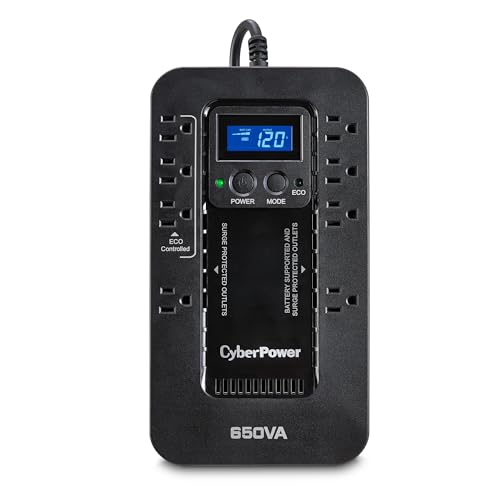
    CyberPower EC650LCD Ecologic UPS Battery Backup and Surge Protector, 650VA/390W, 8 Outlets, ECO Mode, Compact, UL Certified
    ×
    Product prices and availability are accurate as of the date/time indicated and are subject to change. Any price and availability information displayed on https://www.amazon.com/ at the time of purchase will apply to the purchase of this product.

    Check Amazon Price*

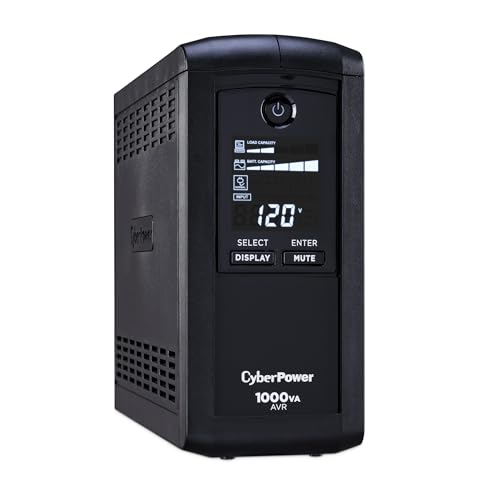
    CyberPower CP1000AVRLCD Intelligent LCD UPS Battery Backup and Surge Protector, 1000VA/600W, 9 Outlets, AVR, Mini-Tower, UL Certified
    ×
    Product prices and availability are accurate as of the date/time indicated and are subject to change. Any price and availability information displayed on https://www.amazon.com/ at the time of purchase will apply to the purchase of this product.

    Check Amazon Price*

    CyberPower CP1000PFCLCD PFC Sinewave UPS Battery Backup and Surge Protector, 1000VA/600W, 10 Outlets, AVR, Mini-Tower, UL Certified
    ×
    Product prices and availability are accurate as of the date/time indicated and are subject to change. Any price and availability information displayed on https://www.amazon.com/ at the time of purchase will apply to the purchase of this product.

    Check Amazon Price*

    (* = affiliate link / image source: Amazon Associates Program)

    Steps

    The Powerpanel user manual suggests changing each setting 1 by 1 through the CLI, I dont recommend this because its far easier to just edit the config file as I explain below.

    1. Plug in power cables and USB cable from the UPS to the PC.
    2. Download and install Powerpanel from here
      1. Through the Ubuntu desktop GUI (downloaded and opened the .deb file) – the software sets itself up as a service with a default config file, so thats it really, the auto graceful shutdown is now ready.
      2. Through the CLI.
    3. Read and understand the default Powerpanel config file, its very helpful and has notes for each setting. You can access this config file using this command: sudo nano /etc/pwrstatd.conf
    4. Default behaviour in this config file is: when the UPS detects power loss, it waits for 1 minute (setting is powerfail-delay) and then sends the shutdown command to the PC.
    5. On receiving this shutdown command from the UPS, Ubuntu asks the running services to close gracefully. The UPS will wait for 10 minutes by default for the shutdown to complete (setting is shutdown-sustain).
      • OPTIONAL: I have already set each of my systemd services to wait for a maximum of 9 minutes before force closing to avoid any potential DB corruptions.
    6. Reload the service file and the pwrstatd service OR simply reboot your PC for all of the above to take effect.
    7. Set your PC power option to Always ON in the BIOS. Note that not all motherboards have this option – the Intel NUC does and you can find the setting in the NUC BIOS manual.
    8. Check the UPS status and configuration status by using this command: pwrstat -status

    If you are interested in email notifications, the Powerpanel user manual has instructions on setting it up.

    Testing and results

    So the only deviation I made from the default config is setting the UPS power off delay to 11 minutes instead of 10.

    These are the results of my testing:

    1. My NUC with Ubuntu 20.04 LTS is running as normal, and I turn off the power at the wall.
    2. The UPS kicks in, the Cyberpanel software gets a powerfail signal from the UPS through USB, it waits for 60 seconds (default powerfail-delay setting) then sends a graceful shutdown command to the PC.
    3. Ubuntu PC shuts down fully in <60 seconds. Rarely it takes up to 5 minutes but that’s OK.
    4. Because the UPS will wait and keep running for another 10 minutes (default shutdown-sustain setting) OR until battery remaining is 35% (default low battery threshold), and only then will it switch itself off fully. In my case the UPS runtime is 60+ mins fully charged, so after 10 minutes it is down to only around 90% (self-reported by UPS).
    5. I pretend the power failed for different durations (say 2 minutes, 15 minutes, 1 hour), then turn the power on at the wall. Note that if the power returns after the set 1 min (PC shutdown point) but before the 10 min UPS power off delay period is up, the UPS will still cut the power to the PC after the 10 mins are up. But then it will immediately turn the power back on to the PC so that it can boot right up. Otherwise the PC that is already shut down will never have its power cut off and restored and then boot up automatically – it would just stay shut down.
    6. UPS turns on and instantaneously Ubuntu PC powers on and all services resume.

    As a failsafe if for any reason the PC fails to turn on when power returns to make sure the PC turns on after a power failure event, I have also set the PC’s BIOS to start the PC everyday in the morning at a particular time (there is an RTC setting in the NUC BIOS).

    Let me know if you have any doubts or questions using the comments section below!

  • Reolink launches Keen Ranger PT Wire-free Trail Camera

    Reolink launches Keen Ranger PT Wire-free Trail Camera

    Reolink launches Keen Ranger PT Wire-free Trail Camera - VueVille

    What do you need in a trail camera? Strong low-light performance, reliable motion detection, lots of storage, and long-lasting battery power.

    How about all that and remote 4G wireless connectivity, pan-tilt control, person and animal detection app notifications, solar panel, 2-way audio speaker and mic, remote live-view and clip viewing? Surely you can’t get all of this in a single camera?

    Well, Reolink has done it – their new Keen Ranger Pan-Tilt Wire-free trail camera features all of the above and then some. This camera is the first offering in the new line-up called Keen camera. The Keen camera line is aimed at nature-enthusiasts who need a reliable yet powerful camera for observing wildlife, protecting herds or for hunting purposes.

    [text-blocks id=”earning-disclaimer-non-amazon”]

    [wpsm_titlebox title=”Contents” style=”main”][contents h2][/wpsm_titlebox]

    Features

    The Keen Ranger PT has a maximum resolution of 2K (2560 x 1440) at 15fps. The wide fixed lens has a focal length of 2.8mm which enables a solid 95° field of view horizontally. The 12PCs of 940nm no-glow IR LEDS has a range of 30 metres, helps the camera to be discreet and not draw attention to itself.

    To set up the camera, you can use the provided 6000mAh rechargeable batteries which is good for 1-4 weeks of normal usage. You can charge the batteries through a 5V 2A USB charger or use the optional solar panel as a fully self-sufficient power source. Using the mobile app, connect the camera to a 3G or 4G network and you are in business!

    So once you have set up the Keen Ranger, what can you do through the mobile app?

    • Remote realtime live-view and on demand recording of clips to the on-board SD card or optional Reolink cloud
    • PIR motion detection to automatically record clips based on standard/person/human detection
    • Receive mobile notifications with indication of whether it was a person or human
    • Set up time-lapse mode
    • Listen in on the camera and talk in realtime to anyone near the camera using the 2-way audio feature

    Where to Buy

    The Reolink Keen Ranger PT is now available to pre-order at the official Reolink store.

  • Reolink Cameras can do Person Detection without the Internet

    Reolink Cameras can do Person Detection without the Internet

    The biggest issue I’ve had with my IP cameras are false motion detection alerts. Of course, I have devised ways to minimise this problem using advanced motion detection methods like line-crossing and intrusion detection.

    While this works very well, I have been tempted by the smart detection features of the Nest and Ring cameras that can identify people and vehicles automatically. That level of intelligence is impossible to replicate without buying expensive high-end Hikvision or Dahua cameras. The affordable ones like Nest and Ring all rely on the Internet or cloud servers to do this and that’s unacceptable in my book.

    Here at VueVille, we focus on local-processing and local-data storage. That’s why I was very happy to learn that Reolink has released 4K 8MP cameras and NVRs that can do smart detection without an Internet connection! This is a day I have long been waiting for!

    Four new models have been released:

    • RLC-510A – 5MP IP camera
    • RLC-810A – 8MP IP camera
    • RLK8-510B4-A – 5MP NVR Kit with 4x 5MP IP cameras
    • RLK8-810B4-A – 4K 8MP NVR Kit with 4x 8MP IP cameras

    Let’s take a closer look at these new cameras and NVR kits.

    RLC-510A and RLC-810A

    The standout feature of these cameras is the smart detection ability without an Internet connection. These cameras support both RTSP and ONVIF, so you can integrate them with your smart home system.

    Reolink RLC-810A - VueVille

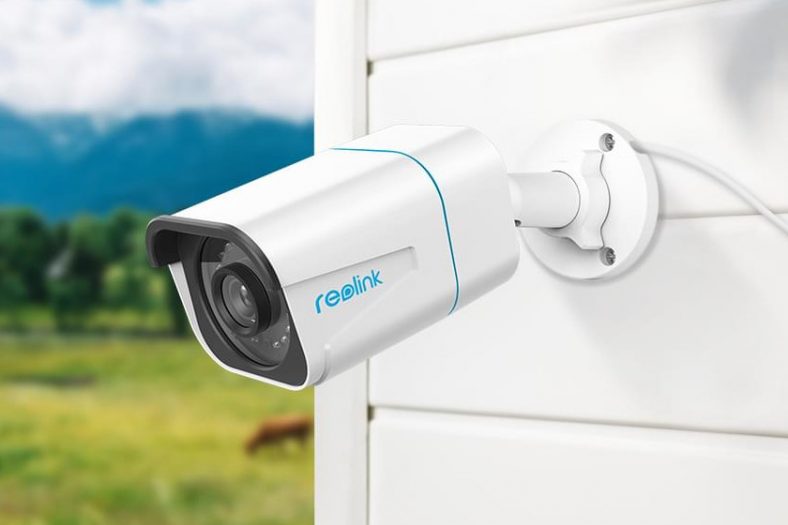
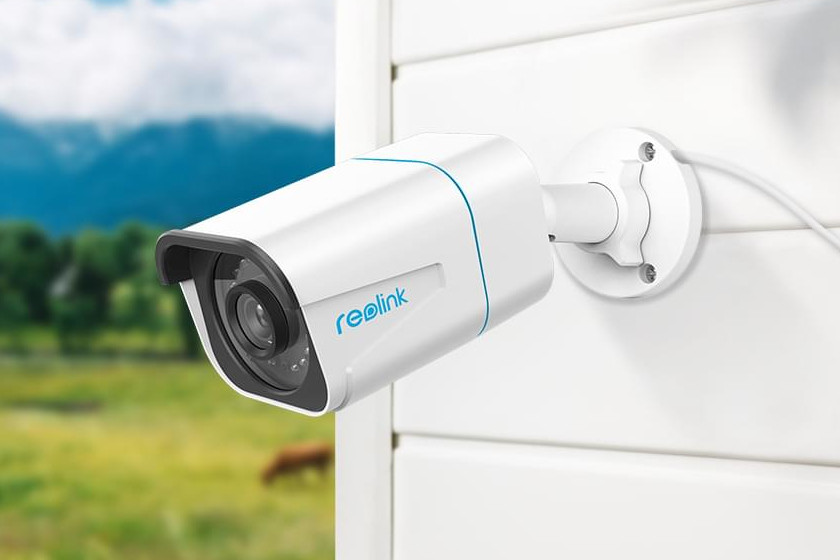
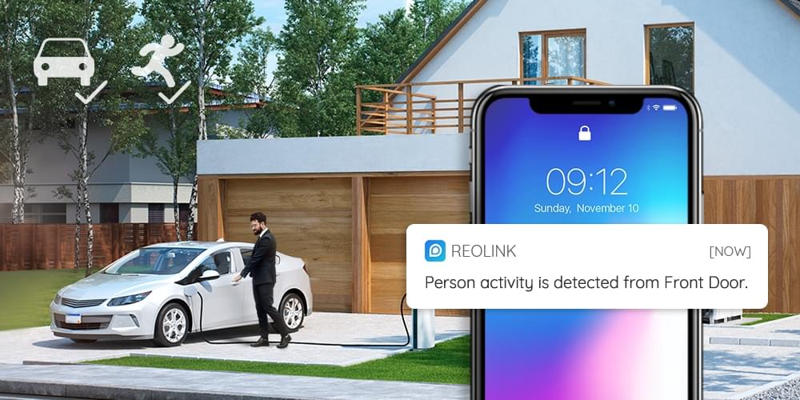
    The smart detection algorithm can identify persons or vehicles and send a corresponding alert to the Reolink app. Moreover there is no subscription required to use this feature.

    The 8MP 4K resolution of the RLC-810A is great – this is the first standalone IP camera from Reolink that supports 8MP resolution. The 5MP RLC-510A has the same feature set but a lower maximum 5MP resolution.

    Reolink RLC-810A Smart Person Detection - VueVille

    New NVR Kits RLK8-810B4-A and RLK8-510B4-A

    If you prefer having an NVR to go along with the new smart detection abilities, you can pick up one of these new NVR kits. Both come with 4 cameras and a 2TB hard drive pre-installed.

    Where to buy

    The new models are not available on Amazon yet, so the best place to pick them up is over at the Reolink web site.

    Also the early Black Friday sale is on, so its a good time to snag some holiday bargains!


    [text-blocks id=”5527″ slug=”earning-disclaimer”]

  • 5 Reasons you should Self-host your DIY Smart Home

    5 Reasons you should Self-host your DIY Smart Home

    I have been building and enjoying my DIY smart home for over 8 years now, with smart CCTV and smart home automation.

    Back when I started, almost all IP cameras worked perfectly without any connection to the Internet. They also had local storage for recording video clips.

    The only reason for the camera to connect to the manufacturer’s servers was if the customer activated the P2P option.

    This made sense – the best way to let customers access their IP cameras remotely was using P2P servers. Port forwarding is not user-friendly, especially for those who are less tech-savvy. This also enabled easy push notifications.

    Then security camera makers hit upon a great plan to boost their profits – make their products reliant on their ‘cloud’.

    Hmm, how did they do this?

    Why you should self-host your DIY Smart Home

    Simple, take a perfectly fine IP camera and cripple it. First, make it so that you cannot set it up without an Internet connection. Also make it require an active Internet connection for the camera to work and record clips to the local SD card.

    Why stop there, right? Human greed knows no bounds. Just get rid of the local storage and offer a free cloud recording plan which allows you to see clips from the past few days.

    And so today we have reached a state where your mainstream security cameras like Nest, Ring, Wyze, Arlo are all dependent on the Internet and sometimes even the manufacturer’s cloud servers to function.

    Some go even so far as to make you pay a monthly fee for things that used to be free a few years ago – like the ability to store data locally, create motion detection zones, advance motion detection, and even smart home integration (like with Alexa, Google Home, Apple kit etc.).

    The crafty strategy that businesses have devised is this : gain market share by hyping up cheap under-powered hardware with attractive features at very low prices, force customers to pay a monthly fee to use said advertised features, lock customers into the manufacturer’s walled-garden product eco-system, and profit.

    I have steadfastly avoided getting sucked into this mess of hardware that is useless without an Internet connection. I have done this by hosting my own smart home, instead of outsourcing my data and privacy to some ‘cloud’ servers that sit who knows where.

    [wpsm_toplist]

    [text-blocks id=”5527″]

    1. Protect your family

    Here’s an unpopular opinion: the only thing a security camera should need to work is power. Not a ‘cloud recording plan’, and not even an active Internet connection.

    A security camera has a critical job – no matter what happens, keep recording. It is as simple as that. If you have set up motion detection, then record when motion is detected.

    Your outdoor smart lights have a simple job – when motion is detected, light up.

    None of the above should require an Internet connection.

    An example: The uber popular cheap Wyze cam cannot do motion detection unless it is ‘online’, in other words it needs an active connection to Wyze cloud servers.

    Your smart home hub has a simple job – if an alarm is triggered, let you know through push notifications or an email. This should not be conditional on a 3rd party cloud server halfway across the world.

    Why Self-host your Smart Home - VueVille

    If your smart home cannot function independently, then its not fit for purpose.

    This is the main reason I did not opt for Samsung SmartThings back then because it didn’t have local processing. This led to various issues such as smart lights that turn on by themselves, service outages, and even people getting locked out of their homes because Samsung’s cloud servers failed.

    With the v2 Hub released in 2018, Samsung got better at local processing because it was obvious even to them that a cloud-reliant smart home is useless.

    Unfortunately, it has since emerged that even the new hub is reliant on Samsung’s cloud servers staying online for the most part. Something they regularly fail to do.

    2. Protect your privacy

    When you place your data on the cloud, it is shipped electronically to data centers around the world. The cloud is just a layman’s term for the massive data centers that most tech companies use to store user data.

    You probably haven’t realized that you have outsourced the responsibility of protecting your data to multiple companies you don’t even know. Some of these data centers may be in countries where there are very poor privacy protections laws.

    And we all know how good tech companies are at protecting our data: The infamous Apple iCloud hack where celebrities found their secrets made public, and now the revelation that Apple secretly dropped end-to-end encryption on their iCloud 2 years ago under pressure from the FBI.

    Now when it comes to your smart home and security cameras, things can become very sinister.

    Here’s a list of recent hacks and privacy issues that have plagued the most popular cloud-based smart home hubs:

    Please do not buy cloud-reliant gear. Buy smart home devices that do not require to be connected to the Internet at all.

    3. Save money

    The biggest issue with Internet and cloud-reliant smart home gear is that to make full use of the hardware, you often need to pay a monthly fee.

    The hall of shame:

    What do you do when your cloud-reliant smart home hub manufacturer goes bust? Ask Revolv (now Google Nest) or even Wink customers.

    Any smart home gear that is reliant on a cloud service leaves you to the whims and fancies of the manufacturer.

    Buy only smart home hear that is not reliant on a cloud service.

    4. Defeat planned obsolescence

    The Sonos fiasco is the best example of unbridled corporate greed taking advantage of gullible customers. There used to be a time when high-end audio equipment would last a generation, if not more.

    A few days ago, Sonos in its infinite wisdom decided that you shall not use a product of theirs if its more than a few years old. Some of the affected products are hardly 5 years old. It’s also worth noting that the whole USP of Sonos speakers is the ease of use and reliability.

    To rub it in, not only will they not provide software updates for the ‘obsolete’ speaker, but all your other newer Sonos speakers would also be blacklisted and stop receiving security updates.

    Yes, how dare you buy a brand new Sonos speaker and use it alongside a previous generation Sonos speaker at the same time! Dump that old speaker pronto. Who cares if its still perfectly functional? The environment? Bah! Nothing can stand in the way of profits and that all important share price!

    The naked greed of Sonos was exposed when they made this announcement.

    After severe backlash from existing customers, they walked it back a bit. Now they say your ‘legacy’ hardware will have to be spun off to a different network.

    The irony here is that the whole reason people got Sonos gear was to build whole-house audio. It just doesn’t make sense to have different audio networks in the same house which don’t work with each other!

    Before Sonos apologists come at me with their pitchforks, let me say that most tech companies behave this way.

    The only reason Sonos are trying on this nonsense is because they are planning obsolescence into their products.

    Also I am reminded of Apple deliberately slowing down old phones so that customers would upgrade to newer models. So shady.

    I am sure we will soon hear of such cases with security cameras as well – if your security camera is cloud-reliant, you are at the mercy of the manufacturer. They can turn your camera into a brick whenever they please.

    Don’t buy cloud-reliant or Internet-reliant cameras. Would you buy a TV that wouldn’t work without a cloud server? How much more important then is something that protects your family?

    5. Create your own customized smart home

    If you pick a DIY smart home hub like the HomeAssistant like I did, you get a lot of flexibility.

    You can keep things super-simple or opt for features like powerful integration with your home security system. It’s up to you!

    To learn more about the best way to get started with a DIY Smart home, have a look at my easy-to-follow guide to smart homes.

    If you would like some inspiration, check out my own DIY smart home build.

  • Best-Selling Wireless Home Security Cameras

    Best-Selling Wireless Home Security Cameras

    As the dust settles from Black Friday and Cyber Monday is about to begin, what are the best-selling wireless security cameras? We saw very healthy levels of traffic on our website this weekend and we hope you got some great deals.

    Wireless security cameras are great for home monitoring and surveillance. They can be used as baby monitors, pet monitors, or simply to watch your property for peace of mind, especially when you are away. Most of the best-sellers here are indoor cameras, but can also be potentially used outdoors under a porch or somewhere it is not exposed to the elements.

    Best Wireless Home Security- Cameras - VueVille

    Well, if a lot of people are buying a particular camera, you are going to find a lot more user reviews on the Internet. Also, Amazon who provides the information used in this best-sellers list is bound to have more user reviews as well.

    All those users will be using their cameras in different ways for different applications and this will give you a more varied and better understanding of the product than any controlled test or single review can. So check out the list below and we hope you find a camera that suits your needs the most. As always, if you need help choosing a camera for your specific needs, just get in touch with us through the comments section and we would be glad to assist.

    Unless otherwise noted, all these cameras are wireless(usually WiFi) and support email alert notifications and/or push notifications.

    We have not mentioned prices as they would quickly become outdated. This is because the selling price varies day-to-day and also depends on the deals available. You can click on the ‘Check price on Amazon’ link to see the current offer price and check out detailed user reviews.

    [wpsm_toplist]
    [text-blocks id=”5527″ slug=”earning-disclaimer”]

    Sricam Wireless Baby Monitor and Indoor Home Security Camera

    [easyazon_image align=”center” height=”500″ identifier=”B075VPKKRJ” locale=”US” src=”https://m.media-amazon.com/images/I/31zhN3VsfxL.jpg” tag=”vueville.com-eaz-20″ width=”500″]

    Sricam Baby Monitor and Home Security Camera is the best-seller this November and you can see why. Its a 720p HD IP Camera with built-in IR LEDs for night vision, a microSD card slot, a built-in microphone and speakers. It has Wi-Fi and supports the Onvif 2.4 protocol, which makes it possible to add it to an existing DVR/NVR system. As a baby monitor, you will need to use your smartphone to view the video stream. It can also send motion detection email alerts and push notification alerts to your smartphone. The Sricam Baby monitor also has an SD card slot has very good reviews on Amazon.

    [easyazon_link identifier=”B075VPKKRJ” locale=”US” tag=”vueville.com-eaz-20″]View on Amazon[/easyazon_link]

    Amcrest ProHD 1080P WiFi Indoor Wireless IP Security Camera

    [easyazon_image align=”center” height=”500″ identifier=”B0145OQTPG” locale=”US” src=”https://m.media-amazon.com/images/I/41THVlwAuhL.jpg” tag=”vueville.com-eaz-20″ width=”500″]
    [easyazon_image align=”center” height=”500″ identifier=”B0145OQTPG” locale=”US” src=”https://m.media-amazon.com/images/I/41eDmKEnACL.jpg” tag=”vueville.com-eaz-20″ width=”500″]

    The Amcrest ProHD security camera is a massively popular camera and has a 4.5/5 review rating over 455 reviews. The free Amcrest View Lite app lets you easily set up the camera using the QR code on the camera. The high quality Sony image sensor is responsible for the very good image quality this camera can produce. It comes with 4 hours of free cloud storage at the moment but also supports microSD cards which is great if you do not want to use the cloud.

    [easyazon_link identifier=”B0145OQTPG” locale=”US” tag=”vueville.com-eaz-20″]View on Amazon[/easyazon_link]

    Infant Optics DXR-8 Video Baby Monitor with wireless screen and PTZ

    [easyazon_image align=”center” height=”498″ identifier=”B00ECHYTBI” locale=”US” src=”https://m.media-amazon.com/images/I/41YMe3DHAZL.jpg” tag=”vueville.com-eaz-20″ width=”500″]
    This baby monitor is a complete set – it comes with a camera and a wireless monitor. The camera is quite unique – it comes with interchangeable lenses. This means that you can choose the lens most appropriate for the area you are trying to cover. A lens with lower focal length will give you a wider area of coverage whereas a lens with a higher focal length will let you zoom in on a specific area. The DXR-8 camera also supports Pan Tilt and Zoom functions from the monitor.

    [easyazon_link identifier=”B00ECHYTBI” locale=”US” tag=”vueville.com-eaz-20″]View on Amazon[/easyazon_link]

    D-Link Indoor Wireless Network Camera (DCS-932L)

    [easyazon_image align=”center” height=”500″ identifier=”B004P8K24W” locale=”US” src=”https://m.media-amazon.com/images/I/41hxnTc4BSL.jpg” tag=”vueville.com-eaz-20″ width=”500″]
    D-link is a company that has been around for a long time producing branded affordable wireless home security cameras. This model has a local recording option in the form of either an SD card or a dedicated mini-NVR. If you are confident that you do not need a more elaborate home CCTV system based on industrial grade cameras such as a Hikvision, we recommend the D-Link Camera and Video Recorder kit which lets you:

    • simultaneously record video and
    • view real-time or play back recorded video from up to 4 mydlink cameras.

    [easyazon_link identifier=”B004P8K24W” locale=”US” tag=”vueville.com-eaz-20″]View on Amazon[/easyazon_link]

    Arlo Smart Security – Outdoor HD Camera Security System

    [easyazon_image align=”center” height=”234″ identifier=”B00TU7S4LG” locale=”US” src=”https://m.media-amazon.com/images/I/41O55mgGHlL.jpg” tag=”vueville.com-eaz-20″ width=”500″]
    The Arlo from Netgear is unique in being battery powered and thus truly wireless. However this is its biggest weakness as well. Security cameras need to be 100% reliable and you just can’t get that from battery powered cameras. So while it is a best-seller, we cannot recommend it as a home monitoring system. If you have a very specific purpose where battery powered wireless cameras are the only option, these are a good bet. Eg. bird-watching, or spying on wildlife in the garden.

    [easyazon_link identifier=”B00TU7S4LG” locale=”US” tag=”vueville.com-eaz-20″]View on Amazon[/easyazon_link]

    Amcrest HDSeries 720P Indoor WiFi IP Surveillance Camera System

    [easyazon_image align=”center” height=”500″ identifier=”B017L1JOX4″ locale=”US” src=”https://m.media-amazon.com/images/I/41JIF47GxQL.jpg” tag=”vueville.com-eaz-20″ width=”442″]

    [easyazon_link identifier=”B017L1JOX4″ locale=”US” tag=”vueville.com-eaz-20″]View on Amazon[/easyazon_link]

    Foscam FI9821P Indoor Security Camera

    [easyazon_image align=”center” height=”500″ identifier=”B07DJ5RSTM” locale=”US” src=”https://m.media-amazon.com/images/I/31YKMYdTgvL.jpg” tag=”vueville.com-eaz-20″ width=”500″]
    Foscam is a brand that is well-known to most home security hobbyists. This American company has found great success in the wireless security camera niche and have capitalised on homeowners looking for smart cameras. As a first step into the world of home surveillance, the indoor Foscam cameras are a good choice. However many of our readers have found that for a little more money you can get industrial grade IP cameras that are much more reliable and feature-rich – an example is the very popular [easyazon_link identifier=”B07M9KNJCJ” locale=”US” tag=”vueville.com-eaz-20″]B07M9KNJCJ[/easyazon_link] which has much better image quality thanks to its larger 4 megapixel sensor.

    [easyazon_link identifier=”B07DJ5RSTM” locale=”US” tag=”vueville.com-eaz-20″]View on Amazon[/easyazon_link]

    Foscam FI8910W Pan & Tilt Wireless Indoor Security Camera

    [easyazon_image align=”center” height=”500″ identifier=”B006ZP8UOW” locale=”US” src=”https://m.media-amazon.com/images/I/41-aJHRnlkL.jpg” tag=”vueville.com-eaz-20″ width=”500″]
    A solid 4/5 star review rating on Amazon across more than 6000 reviews is proof that this camera delivers at a shockingly low price. It has true night vision thanks to its IR cut filter (the technical name being Infrared-Cut Removable or ICR Filter). An IR cut filter is a mechanical filter that lets the camera see infrared rays in the night time. During the day time, the filter lets the camera function normally thus providing good quality colour images. Always buy a security camera which has an IR cut filter. This is key to getting good quality night videos and photos.

    [easyazon_link identifier=”B006ZP8UOW” locale=”US” tag=”vueville.com-eaz-20″]View on Amazon[/easyazon_link]

    Samsung SmartCam HD Pro 1080p Full-HD Wi-Fi Camera

    [easyazon_image align=”center” height=”375″ identifier=”B00J38NVHE” locale=”US” src=”https://m.media-amazon.com/images/I/418BHSaK7LL.jpg” tag=”vueville.com-eaz-20″ width=”500″]

    A solid and reliable product offering from Samsung, this camera has figured on our Annual Recommended Indoor IP Cameras list.

    [easyazon_link identifier=”B00J38NVHE” locale=”US” tag=”vueville.com-eaz-20″]View on Amazon[/easyazon_link]

    Canary All-in-One Home Security Device

    [easyazon_image align=”center” height=”500″ identifier=”B00NW31YSE” locale=”US” src=”https://m.media-amazon.com/images/I/31xiX+PKEnL.jpg” tag=”vueville.com-eaz-20″ width=”500″]

    Though its not strictly a wireless home security camera, the new Canary all-in-one security device belongs on the best-sellers list because it does so much more. It is proof that a simple integrated security system is of great attraction. We feel that this is still too much of a gadget as its size and form factor does limit your positioning and placement options.

    [easyazon_link identifier=”B00NW31YSE” locale=”US” tag=”vueville.com-eaz-20″]View on Amazon[/easyazon_link]

    Dropcam Pro Wi-Fi Wireless Video Monitoring Security Camera

    [easyazon_image align=”center” height=”500″ identifier=”B00F9FCW7K” locale=”US” src=”https://m.media-amazon.com/images/I/41xoN5qdC+L.jpg” tag=”vueville.com-eaz-20″ width=”500″]

    No surprise seeing the Dropcam Pro in the top wireless 15 cameras, customers love the simplicity of setup and operation as much as they do the gorgeous styling. Home security can be glamorous too! What we don’t like is the complete lack of local storage options, and the requirement of a cloud subscription for video archives of any length. Cloud storage of something so private like surveillance footage of your home and what happens inside it is simply not our cup of tea. We recommend a local storage option such as the other cameras on this list that have an SD card slot or a dedicated Network Video Recorder (NVR).

    [easyazon_link identifier=”B00F9FCW7K” locale=”US” tag=”vueville.com-eaz-20″]View on Amazon[/easyazon_link]

    D-Link DCS-5009L Wireless Pan & Tilt Network Camera

    [easyazon_image align=”center” height=”500″ identifier=”B00M5BX5P4″ locale=”US” src=”https://m.media-amazon.com/images/I/41Uuh1fQzCL.jpg” tag=”vueville.com-eaz-20″ width=”500″]

    Another Pan-Tilt enabled wireless camera, the D-link is priced competitively against the Foscam FI8910W Pan & Tilt. Both models are very similar and support VGA resolution and the faster Wireless-N standard. The D-link website does mention the presence of an IR cut filter, so it matches the Foscam there.

    [easyazon_link identifier=”B00M5BX5P4″ locale=”US” tag=”vueville.com-eaz-20″]View on Amazon[/easyazon_link]

    Misafes 360 Cam Wi-Fi Camera

    [easyazon_image align=”center” height=”500″ identifier=”B014FC5QXO” locale=”US” src=”https://m.media-amazon.com/images/I/41glqy67VHL.jpg” tag=”vueville.com-eaz-20″ width=”500″]

    Bringing up the tail end of the most popular wireless home security camera list is one of the many other brands that make up this hugely diverse industry. However this camera sets itself apart with its 720p HD resolution, SD card option, 360 degree rotation flexibility and a stylish Dropcam-like shape. The free MiCam IOS and Android app is a standard live-view app. Night vision is missing and apparently the notification that is sent any time someone logs into the camera cannot be switched off, but at this price, can you really complain?

    [easyazon_link identifier=”B014FC5QXO” locale=”US” tag=”vueville.com-eaz-20″]View on Amazon[/easyazon_link]

    What do you think about these wireless home security camera top-sellers? Did you bag one during Black Friday or planning to on Cyber Monday? Leave a comment below – we love hearing from you!

  • Weekend Reading: Experts Answer Home Security Questions with Porch

    Weekend Reading: Experts Answer Home Security Questions with Porch

    Weekend Reading - VueVilleHere’s this week’s round-up of news articles and blog posts that I have been reading. Most have to do with home security, smart homes, technology in general, but may also relate to my other passions of blogging, investing and personal finance.

    I was recently invited to contribute to the Porch blog. Porch is an online service that connects homeowners with local home improvement contractors. This resulted in me being part of the Home Security System Q&A: What Every Homeowner Should Know article.

    Some of my favourite questions answered in the article are:

    • How do I prevent a smart lock from being hacked?
    • How to choose a pet-friendly home security system?
    • How important are outdoor sirens??

    Yes, this last one was answered by yours truly, so head on over to the Porch blog post to see my answer!

    What do you think about the article? Leave a comment below! Have a great weekend everyone!

    News

    Do Tech Companies Watch Your Home Security Camera Footage? – Consumer Reports

    A Paranoid Guide to Fighting the ‘Bugging Epidemic’ – NYT

    Turning to Tech: The growing popularity of home security to stay safe – NBC

    Wyze and Guardzilla Security Cameras Have Security Risks, Consumer Reports Finds – ConsumerReports

    Is your Airbnb host spying on you with a hidden camera? Use this simple trick to find out – Business Insider

    How self-monitored home security cameras crack down on crime in Rutherford County – Daily News Journal

    In Praise of Ugly and Conspicuous Security Cameras – Wired

    SC police turn to Ring, other security cameras that critics call ‘beyond dangerous’ – The Post and Courier

    They’ll be watching you: Welcome to SLO’s surveillance state – New Times Slo

    Smart Spaces Are Only As Smart As The Sum Of Their Parts – Forbes

    US sanctions blur Chinese dominance in security cameras – Nikkei Asian Review

    Products & Services

    Review: Reolink E1 Pro 4MP Wireless Indoor Pan-Tilt Security Camera – VueVille

    UniFi Video G-3 Micro Camera review: The connected camera for security snobs – AndroidCentral

    Ring Security System Review – 24-7-home-security.com

    Lutron Caseta Review: How to put a light switch anywhere with NO wires – The Smart Cave

    A Self-Lighting Candle? Yes. Say hello to the Lumos Candle – The Smart Cave

    Comment and opinion (from real bloggers)

    Automated Home 2.0 – #13 Here’s What We’re Planning for Our Loxone Smart Home – AutomatedHome.co.uk

    Should you use a Powerline Adapter to extend your home network? – The Smart Cave

    34 Awesome (& simple) Home Automation Ideas – 24-7-home-security.com

    The Complete Smart Home Gift Guide – The Best Smart Home Gift Ideas for 2020 – For The Smart Home

    What TV’s Work With HomeKit? – OneHourSmartHome.com

    How to Automate Your TV for Cheap – Smart Home Solver (YouTube)

    Complete Smart Home Setup: All of the Tech in Our House – Smart Home Solver

    Smart Homes For Grandma [Podcast] – One Hour Smart Home

    Weekend Deals

    20% Off Plugins | 15% Off Cameras & Interfaces | 50% Off Software | 15-33% Off Hubs at HomeSeer.com

    Up to 34% off SimpliSafe 9 Piece Wireless Home Security System w/HD Camera

    35% off TP-Link 5 Port Gigabit Ethernet Network Switch

    20% off Google Wi-Fi

    25% off GE Enbrighten Z-Wave Plus Smart Plug

    14% off GE Enbrighten Z-Wave Plus Smart Light Switch

    25% off NETGEAR 16-Port Gigabit Ethernet Unmanaged Switch (GS316)

    Canary View IP WiFi Home Monitor + 1-Year Premium Service Plan

    20% off Beats Solo 3

    18% off Aeotec Z-Stick Gen5 USB Z-Wave Stick

    15% off Foscam E1 1080P WiFi Outdoor Security Camera System with Rechargeable Battery

    8% off First Alert Z-Wave Smoke & Carbon Monoxide Detector Alarm

    7% off Kwikset Smart Lock

    Reolink RLC-420-5MP

    8% off Reolink E1 Pro on Reolink.com
    [wpsm_offerbox button_link=”http://shrsl.com/1y37q” button_text=”Get Offer Now!” title=”Use code vuereo8off” description=”8% off Reolink E1 Pro, 4MP indoor PT wireless security camera” thumb=”https://cdn.reolink.com/wp-content/assets/2019/05/e1-pro-340.png?v=1573206170914″ logo_thumb=”https://cdn.reolink.com/wp-content/uploads/2017/02/reolink-logo.png?sv=1556192927″ ]

    10% off at Reolink.com
    [wpsm_offerbox button_link=”http://shrsl.com/1y8t6″ button_text=”Get Offer Now!” title=”10% off at Reolink.com” description=”10% off selected Reolink security cameras” thumb=”https://cdn.reolink.com/wp-content/assets/2019/05/e1-pro-340.png?v=1573206170914″ logo_thumb=”https://cdn.reolink.com/wp-content/uploads/2017/02/reolink-logo.png?sv=1556192927″ ]

    [text-blocks id=”5527″ slug=”earning-disclaimer”]

  • Weekend Reading: Is your Amazon Echo spying on you?

    Weekend Reading: Is your Amazon Echo spying on you?

    Weekend Reading - VueVille

    I have stridently refused to let a smart speaker into my home. The reason is simple – I have a strong distrust of cloud-based products because most manufacturers are sneaky and use them to profile you and your home.

    Now that the tech giants like Google and Amazon have wormed their way into most American homes, would they misuse the trust that millions of people have placed in them? Well according to Bloomberg, they have been silently collecting data every time a switch was turned on or off.

    But now, they have started demanding a continuous stream of information such as which TV channel you are watching and whether someone’s at home. All of this data can be very valuable for their own advertising purposes or to sell on to any marketing department that will pay for it. After all, data is the new oil.

    What do you think – are you concerned about your smart speaker selling not just your data but ‘you’ too? Leave a comment below! Have a great weekend everyone!

    News

    Your Smart Light Can Tell Amazon and Google When You Go to Bed – Bloomberg

    Nest Secure had a secret microphone, can now be a Google Assistant – CSO Online

    Amazon tops smart home speaker market as sales surge over the holiday season – SiliconAngle

    LG set to “aggressively” expand voice-controlled smart home appliances in 2019 – Neowin

    1 in 4 people plan to buy a smart lock this year, study says – Digital Trends

    The Battle for the Smart Home Intensifies as Amazon Buys eero – Techpinions

    Making smart homes less expensive with new technology – Digital Journal

    Products & Services

    Xiaomi unveils new smart home display hub – Android Pit

    Litho: This finger worn device will let you control your smart home through gestures – SiliconCanals.nl

    Samsung’s Galaxy Home smart speaker will finally arrive in April – Mashable

    Smart switch? Psh. Leviton wants to smarten up your whole breaker box – CNET

    Comment and opinion

    The case for smart speakers being overhyped – The Drum

    It’s time for Apple to get back into the smart home in a big way – Macworld

    Did Apple just get serious about making smart home products? – Gearbrain

    AIs could debate whether a smart assistant should snitch on you – New Scientist

    Off our beat

    Samsung’s ‘Galaxy Fold’ is the world’s first phone with a foldable screen

    httpv://www.youtube.com/watch?v=NAOEerIbUe0

    Weekend deals

    Save $40 on Ring Alarm 5-Piece Home Security System

    Save $30 on Ring Floodlight Cam

    20% off Google Wi-Fi

    40% off NETGEAR 16-Port Gigabit Ethernet Unmanaged Switch (GS316)

    11% off NETGEAR 8-Port Gigabit Smart Managed Plus Switch (GS108PEv3)

    Canary View IP WiFi Home Monitor + 1-Year Premium Service Plan

    31% off LaView PoE Home Security Camera System

    15% off Q-See PoE Home Security Camera System

    20% off Beats Solo 3

    [text-blocks id=”5527″ slug=”earning-disclaimer”]

  • Most Popular Security Cameras and Accessories

    Most Popular Security Cameras and Accessories

    Every quarter, we take a look at what security cameras and accessories have been popular with VueVille readers over the past few months. What follows is a list of the most purchased security camera gear on Amazon – by our readers.

    Most Popular Outdoor Security Cameras

    Not surprisingly, the more affordable yet reliable brands such as Reolink top the list, followed by Hikvision, Dahua, Amcrest, Ubiquiti and Foscam.

    [easyazon_image align=”right” height=”160″ identifier=”B010LH48F4″ locale=”US” src=”https://images-na.ssl-images-amazon.com/images/I/31QMI3zXpXL._SL160_.jpg” tag=”vueville.com-mp-20″ width=”160″]

    1. [easyazon_link identifier=”B01B4BKJOK” locale=”US” tag=”vueville.com-mp-20″]Reolink RLC-420[/easyazon_link]
    2. [easyazon_link identifier=”B010LH48F4″ locale=”US” tag=”vueville.com-mp-20″]Reolink RLC-410/W[/easyazon_link]
    3. [easyazon_link identifier=”B01B4BKJHW” locale=”US” tag=”vueville.com-mp-20″]Reolink RLC-422[/easyazon_link]
    4. [easyazon_link identifier=”B07GNFSWCS” locale=”US” tag=”vueville.com-mp-20″]Reolink RLC-511[/easyazon_link]
    5. Hikvision 4MP DS-2CD2142FWD-I
    6. [easyazon_link identifier=”B01G1U4MVA” locale=”US” tag=”vueville.com-mp-20″]SV3C Security Camera[/easyazon_link]
    7. Hikvision DS-2CD2342WD-I
    8. [easyazon_link identifier=”B073V5T4SY” locale=”US” tag=”vueville.com-mp-20″]Amcrest IP4M-1028E[/easyazon_link]
    9. Dahua IPC-HFW4431R-Z
    10. [easyazon_link identifier=”B01E7QMFIM” locale=”US” tag=”vueville.com-mp-20″]Amcrest IP3M-956E[/easyazon_link]
    11. [easyazon_link identifier=”B01D2OOODY” locale=”US” tag=”vueville.com-mp-20″]Ubiquiti UVC-G3-DOME[/easyazon_link]
    12. [easyazon_link identifier=”B07B9KG45Q” locale=”US” tag=”vueville.com-mp-20″]GW Security GW8571MIP[/easyazon_link]
    13. [easyazon_link identifier=”B073V6XMJN” locale=”US” tag=”vueville.com-mp-20″]Amcrest IP4M-1026E[/easyazon_link]
    14. [easyazon_link identifier=”B0753458JM” locale=”US” tag=”vueville.com-mp-20″]Amcrest IP2M-851EW[/easyazon_link]
    15. Hikvision DS-2CD2342WD-I
    16. [easyazon_link identifier=”B019MMAE3O” locale=”US” tag=”vueville.com-mp-20″]Reolink RLC-411WS[/easyazon_link]
    17. [easyazon_link identifier=”B01I01QLTE” locale=”US” tag=”vueville.com-mp-20″]Amcrest IP3M-943B[/easyazon_link]
    18. Hikvision DS-2CD2055FWD-I
    19. [easyazon_link identifier=”B079HJRGKS” locale=”US” tag=”vueville.com-mp-20″]Ubiquiti Networks UVC-G3-PRO[/easyazon_link]
    20. Hikvision DS-2CD2542FWD-IS
    21. [easyazon_link identifier=”B01MUNOP3V” locale=”US” tag=”vueville.com-mp-20″]Foscam FI9928P[/easyazon_link]

    Most Popular Indoor Security Cameras

    Amcrest has been much stronger on indoor cameras than outdoor cameras and that’s reflected in our list below. Foscam has made a comeback recently but has not been able to dethrone Amcrest. Battery powered cameras are getting really popular – just look at the Arlo making it to the list for the first time.

    [easyazon_image align=”right” height=”117″ identifier=”B01M15WH9C” locale=”US” src=”https://images-na.ssl-images-amazon.com/images/I/41HbtPIwQwL._SL160_.jpg” tag=”vueville.com-mp-20″ width=”160″]

    1. [easyazon_link identifier=”B0145OQTPG” locale=”US” tag=”vueville.com-mp-20″]Amcrest IP2M-841B/W[/easyazon_link]
    2. [easyazon_link identifier=”B01M15WH9C” locale=”US” tag=”vueville.com-mp-20″]Amcrest IP3M-941B/W[/easyazon_link]
    3. [easyazon_link identifier=”B076H3SRXG” locale=”US” tag=”vueville.com-mp-20″]Wyze Cam[/easyazon_link]
    4. Hikvision DS-2CD2442FWD-IW Cube
    5. [easyazon_link identifier=”B07DJ5RSTM” locale=”US” tag=”vueville.com-mp-20″]Foscam R2[/easyazon_link]
    6. [easyazon_link identifier=”B01F4RJV3K” locale=”US” tag=”vueville.com-mp-20″]Foscam R4[/easyazon_link]
    7. [easyazon_link identifier=”B01CW4BG4K” locale=”US” tag=”vueville.com-mp-20″]YI Dome Camera[/easyazon_link]
    8. [easyazon_link identifier=”B07GBRV8W5″ locale=”US” tag=”vueville.com-mp-20″]Reolink Argus 2 with Solar Panel[/easyazon_link]
    9. [easyazon_link identifier=”B075P8HCT5″ locale=”US” tag=”vueville.com-mp-20″]Arlo Pro 2[/easyazon_link]
    10. [easyazon_link identifier=”B074ZN2FD1″ locale=”US” tag=”vueville.com-mp-20″]Wansview Q3-S[/easyazon_link]

    [text-blocks id=”7652″ slug=”earnings-disclaimer-for-popular-posts”]