QVR Pro is a great free option if you want to record up to 8 channels on your QNAP NAS. Just make sure you buy a NAS that supports the QVR Pro app.
If you are unsure which NAS to go for, check out our recommendations for the best NAS to use as a DIY NAS NVR.

How to install the QVR Pro surveillance app on your QNAP NAS
- Login to your QNAP NAS admin

- Navigate to the QTS App center

- Click on the ‘Surveillance’ menu item on the left sidebar menu
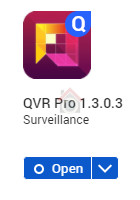
- You should now see QVR Pro in the app list. If not, update your NAS Firmware. Click on the Install button.
- The status of the app should change to downloading, then installing and finally processing.

- When it has finished installing, you should now see an option to Open the app.