Category: Sensors

  • 2025 Z-Wave Sensor Review: Aeotec MultiSensor 7

    2025 Z-Wave Sensor Review: Aeotec MultiSensor 7

    I recently installed Shelly smart relays in most of my light switches. So now I can control them from my phone through Home Assistant. But even better, I can now integrate my home lighting into my automations – such as linking lights in a room to occupancy.

    But to detect motion, you need a motion sensor. That’s where this small but very capable multisensor from Aeotec comes in. It’s called the Aeotec MultiSensor 7 and many thanks to Aeotec for providing this retail sample for our comprehensive review. As always, all opinions are our own.

    [wpsm_titlebox title=”Contents” style=”main”][contents h2][/wpsm_titlebox]

    A quick note: As an Amazon Associate I earn from qualifying purchases. This post contains affiliate link(s). An affiliate link means I may earn advertising or referral fees if you make a purchase through my link, at no extra cost to you.

    Video Review

    If you prefer a video instead, here’s a comprehensive video version of this review:

    What’s in the box

    The MultiSensor 7 comes with a short user guide, a USB cable, wall mounting kit and two CR123A batteries. In short, everything that you need to get you up and going.

    Specifications of the MultiSensor 7

    [table id=88 responsive=scroll /]

    Design & Features – Taking a closer look

    The MultiSensor 7 is a Z-Wave Series 700 device that supports the latest S2 security specification. It is the successor of the popular Z-Wave MultiSensor 6 that we reviewed a few years ago. That sensor was one of the very few that could act as a Z-Wave repeater when using USB power. I have one of those in a bedroom plugged into a USB charger for over 5 years now and it still works great.

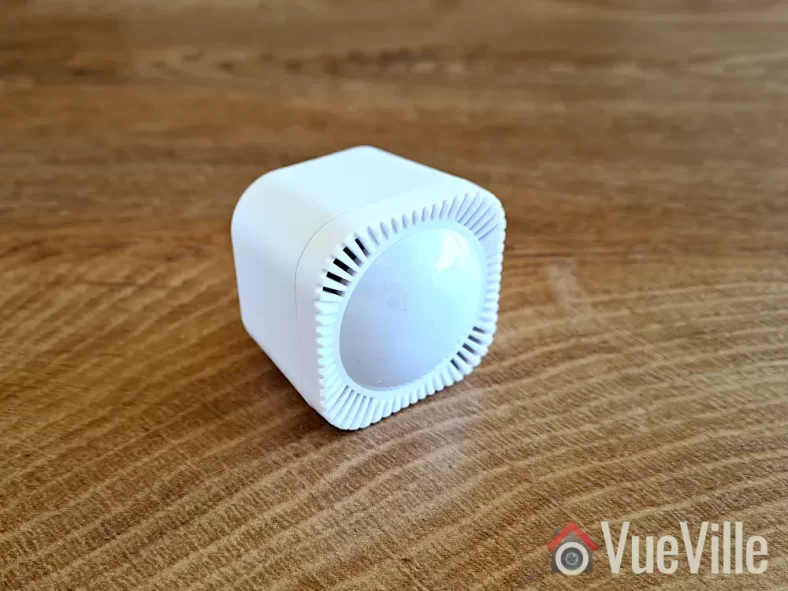
    In spite of the 7 in its name, the MultiSensor 7 has 6 sensors just like its predecessor: Motion, Tamper/Vibration, Temperature, Humidity, Light (Lux), & Ultraviolet Index. Where the MultiSensor 7 improves upon the 6 is in the 700 series Z-Wave support and better sensor sensitivity. For example the motion sensor now has a stated range of 10 metres (32 feet) vs. 5 metres (16 feet) earlier. The temperature and humidity measurement accuracy has also been improved.

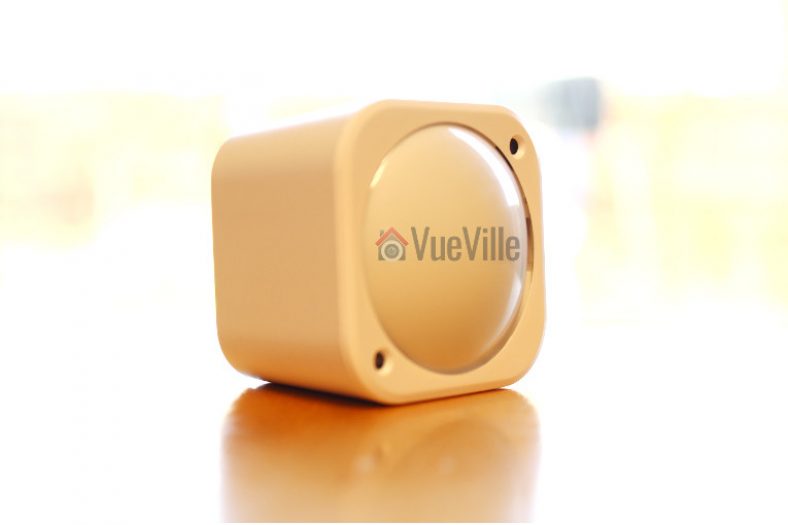
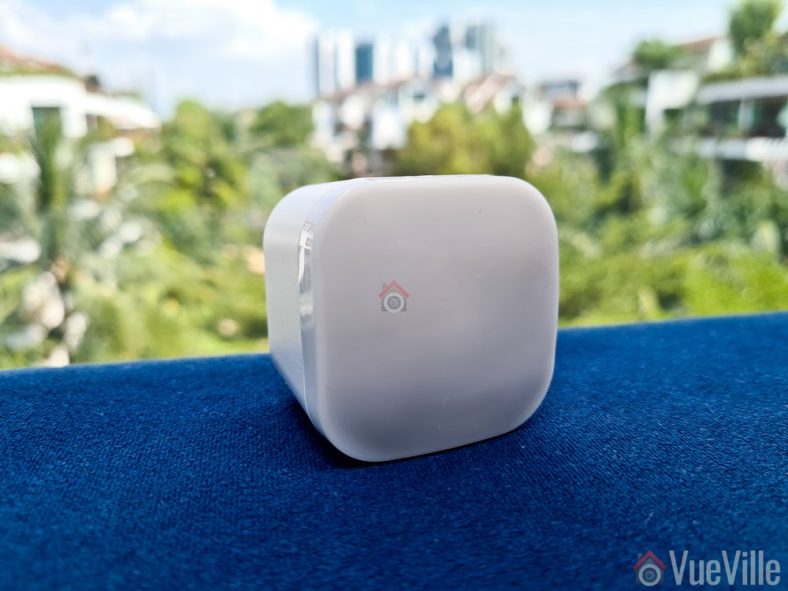
    Physically the MultiSensor 7 is similar to the 6. There is a bright multi-colour LED embedded on the front behind the translucent sensor cover. You can control the behaviour of the LED or switch it off entirely using the Z-Wave configuration page in Home Assitant (or using Z-Wave parameters in any other Z-Wave controller).

    Popping the front cover off reveals the PCB with the motion sensor and other sensor instruments mounted on it.

    The back of the sensor is exact the same as the Aeotec TriSensor which we have also reviewed. Just like the TriSensor, the Z-Wave action button is accessible only from the inside now (the MutiSensor 6 allowed you to press it from outside).

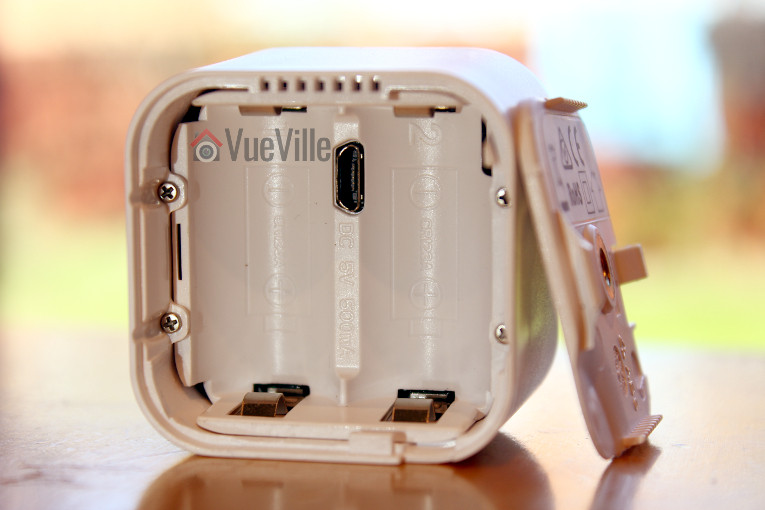
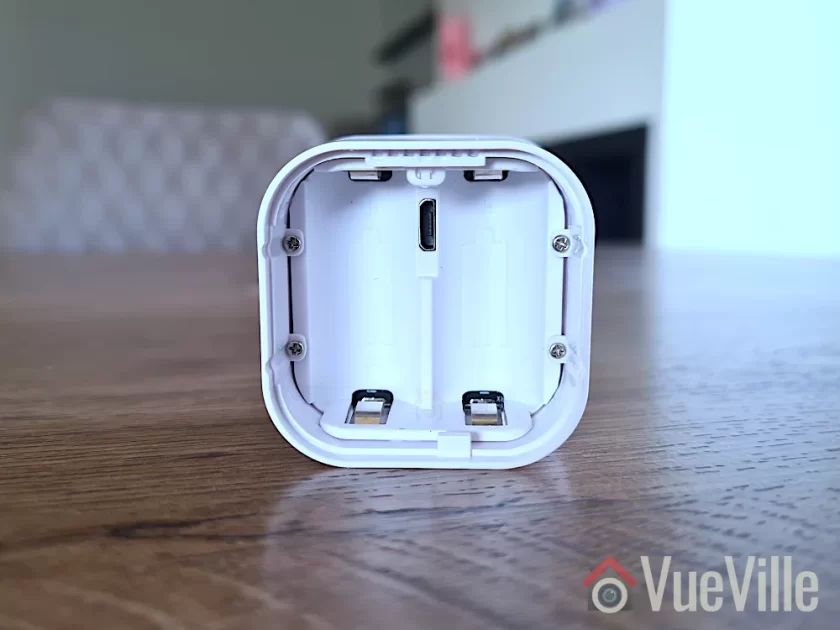
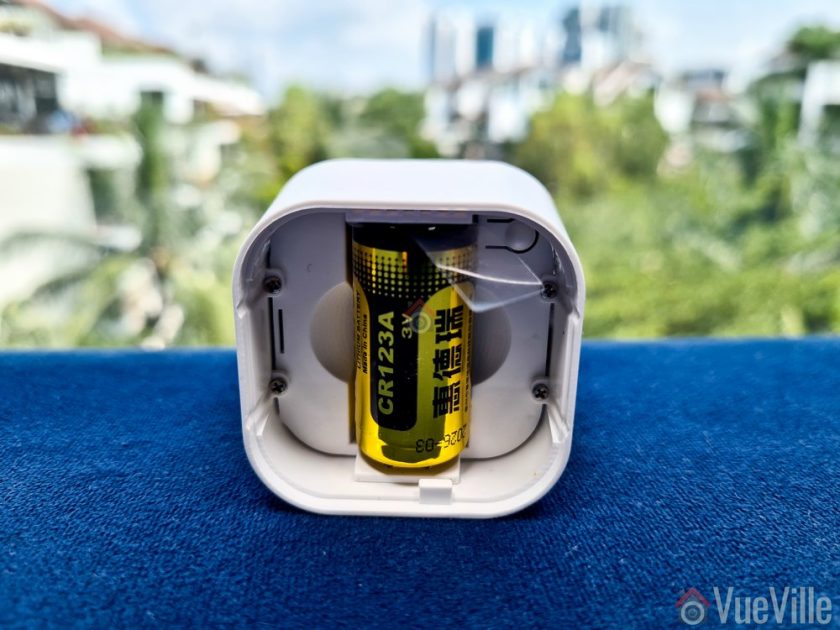
    Slide open the locking mechanism and you get access to the batteries, the USB power port, and the reset button above it. The sensor is powered by two CR123A batteries that should last for 3 years according to Aeotec.
    The MultiSensor 7 has IP20 certification but as the 0 in the IP20 suggests, it is an indoor sensor and does not have any protection against liquids. The 2 in IP20 means that it has protection against solid objects down to 12 mm (keeps fingers out). I wouldn’t recommend using it outdoors unless you plan to put it in a covered porch where it will not get wet or splashed.

    Adding the MultiSensor 7 to the Z-Wave network

    Now let’s look at adding the MultiSensor 7 to a Z-Wave network. I recommend doing this in the same room as your final installation location, but before permanently mounting it in case you want to fine-tune its position later. Why? Because if you pair it near the controller but then move it to the other end of your house, your sensor may not be able to reach the controller any more and it won’t know about any neighbouring routing devices! So the advantage of pairing it in the final location instead, is that your sensor will find the best possible route to the Z-Wave controller through neighbouring routing devices & remember this ensuring reliable operation.

    You now need to choose whether you will use the batteries or the USB power route. Most people will probably use the battery option, but I tested the sensor in both battery and USB power mode. If you do change your mind after pairing the sensor in a particular power mode and want to switch to the other power mode, you should factory reset and re-pair it with your Z-Wave controller.

    Jump to the Z-Wave setup chapter in our video review or continue reading after the video below:

    Let’s put the batteries in. When you first power up the sensor, the LED will fade in and out with a blue colour. But it’s easy to miss this while inserting the batteries! Because technically the sensor can work with just 1 battery, so the moment you insert the first battery, the LED will fade in and out with a blue colour. Insert the second battery as well.

    Finally, it’s time to pair the sensor with your Z-Wave controller. I use the Z-Wave JS add-on running on Home Assistant with an Aeotec Z-Stick 7. Put your Z-Wave hub into inclusion mode – this is how I do it in Z-Wave JS. I recommend including it with no security (so you don’t need to enter the DSK pin). Tap the action button on the MultiSensor. Just a short tap. It will light up a solid yellow as it enters pairing mode. It will then flash white/green for 2 seconds to indicate successful inclusion. Like so. But if it fails, it will be white/red instead and you should reset the sensor to factory conditions before trying again.

    Wall mounting the MultiSensor 7

    You could use the included 3M double-sided sticky tape to mount the sensor, but I prefer the more permanent screw method. Make sure you follow the advice in the user manual regarding location, height and motion sensor detection range.
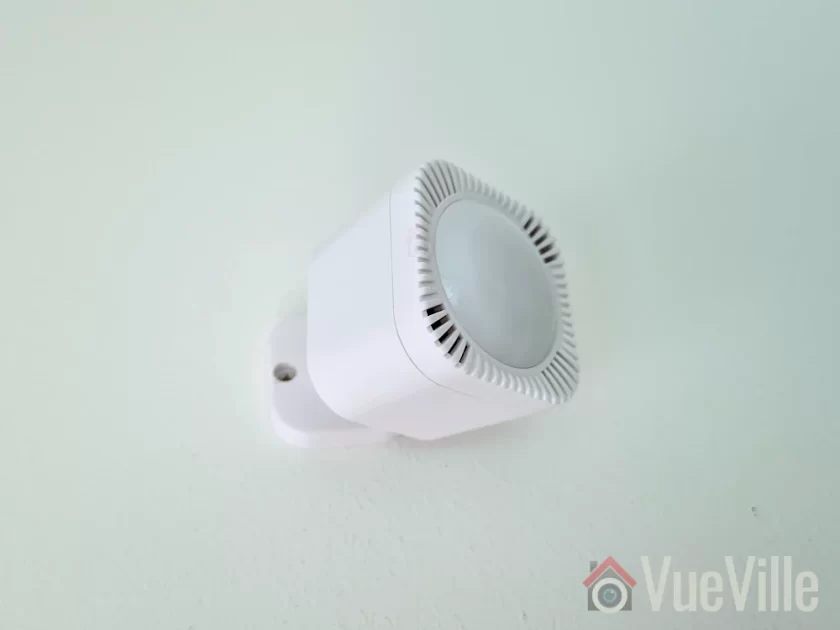
    To get the best results, avoid pointing the sensor at windows and take the time to think through all the possible ways people may enter and leave your intended detection area. This is crucial when using the motion sensor for presence detection and occupancy.

    I chose this particular location for the sensor because then it can monitor the widest possible area including the entry from the corridor and the kitchen. The sensor has a 120 degree field of view which helps a lot as well.

    Using the MultiSensor 7 in Home Assistant

    Even though Z-Wave JS said the sensor was paired and added successfully to the Z-Wave network, I couldn’t find any of the sensor entities under my entities list. No worries though, this happens sometimes when adding battery-powered sensors. I simply used the Re-interview node command with the reset security classes box ticked to force Z-Wave JS to identify the MultiSensor’s capabilities.

    This worked and I could then view readings for all of the MultiSensor’s 6 sensors. All the configuration parameters also showed up. However, unlike the MultiSensor 6 there was no obvious vibration sensor entity. The vibration sensors are linked to the entities alarmLevel and alarmType which were disabled by default, so I had to enable in the Home Assistant entities list.

    Its important to understand that the vibration sensor in this multi-sensor also serves the function of tamper detection. Unfortunately the sensor uses a notification event rather than a binary sensor for vibration detection. You can see this in the logbook section in the screenshot above, as well as in the Z-Wave JS debug log as seen below. There was no option to change the reporting type in the Z-Wave configuration parameters (some devices do allow you to do that, but this sensor doesn’t).

    But we can work with that. First I created an input boolean helper to act as the vibration sensor:

    Then I created the automation below to detect the Z-Wave CC notification event and then use that to toggle my helper on and after a minute off. This simulates a vibration sensor perfectly. You can adjust the duration to simulate a cool-down period.

    Here’s the yaml code for the automation:

    alias: Multisensor 7 Tamper Detection
    description: ""
    trigger:
      - platform: device
        device_id: ecd5fa9466eae0cb533076582c84b1ca
        domain: zwave_js
        type: event.notification.notification
        command_class: 113
        type.: "7"
        label: Home Security
        event: "9"
    condition: []
    action:
      - service: input_boolean.turn_on
        data: {}
        target:
          entity_id: input_boolean.multisensor_7_tamper_detection
      - delay:
          hours: 0
          minutes: 1
          seconds: 0
          milliseconds: 0
      - service: input_boolean.turn_off
        data: {}
        target:
          entity_id: input_boolean.multisensor_7_tamper_detection
    mode: single

    Performance testing

    Test system: Raspberry Pi4 (8GB RAM) running DietPi and Home Assistant Supervised in a Docker container, Aeotec Z-stick Gen 7 USB dongle for Z-Wave, Z-Wave JS as controller software (HA add-on).

    Battery-power mode

    I was keen to put the claimed 10 metres (33 feet) range of the MultiSensor to the test. The longest room in my house is the living room and I was able to position the sensor such that its maximum possible detection distance to the corridor wall came to 10 metres. Perfect! So that’s where I did this test. To make it even more of a challenge the entry point would not be head-on but off to the side of the sensor. This is as close to real-life as a test can get!

    And the results are impressive! I measured the distance between the sensor and the point at which it detected motion (green flash) at just under 10 metres which is also the claimed figure for the motion sensor. It takes around a seconf from the sensor detecting motion (green LED flash) to the Shelly 2.5 relay turning the lights on. So overall a very good result.

    Moving to the temperature and humidity sensors, the readings are similar to those of the Mi Air purifier in the same room. Any discrepancy can be put down to them being at opposite ends of the room, and the 3 metres of height difference with the air purifier on the ground and the sensor being nearer to the ceiling.

    While motion sensor reports are of course instantaneous, the default reporting interval for the other sensors is 240 seconds. You can reduce this to 60 seconds on battery power or down to 1 second on USB power.

    You may be wondering about the wireless range of this sensor. Looking at the Z-Wave JS network map, I can see that the MultiSensor 7 found a route to the controller through the Aeotec Doorbell in the foyer around 10 metres and 2 concrete walls away. Makes sense and that’s what I would expect it to do. If you power it up over USB before pairing, the MultiSensor will be a routing device. If you have AC/USB power at your installation point, I’d recommend that.

    I used the sensor for over a month and the battery remains at 100%. The previous MultiSensor 6 had excellent battery life with the batteries lasting well over 2 years and I expect this new model to be similar. But time will tell whether it will last the 3 years that Aeotec states on the engineering datasheet.

    Compared to the MultiSensor 6, the MultiSensor 7 truly has twice the motion detection range (10 metres vs. 5 metres), improved wireless range and the option of S2 security should you need it.

    USB Power Mode

    I repeated the tests above with the MultiSensor 7 on USB power mode and the results were similar. If anything, the responsiveness of the sensor seemed to get even better with virtually zero lag or delay between motion detection and automations firing. Not that it was bad on battery-power, it went from <0.5 seconds to almost instantaneous. I also set the auto-report interval to 60 seconds for more periodic reporting from the various sensors, this is very useful for lux level based lighting automations.

    MultiSensor 7 vs. MultiSensor 6

    So to summarise, the major differences I came across with the 7 vs. 6 are:

    • Z-Wave 700 support on the 7 vs. 500 on the 6
    • S2 security (although I dont recommend using Z-Wave security for sensors, its more relevant for door locks)
    • 10 metres motion detection range on the 7 vs. 5 metres on the 6
    • Better temperature and humidity measurement accuracy on the 7
    • Improved wireless range (although I couldn’t test that as I have a solid mesh with many Z-Wave router devices nearby)

    The VueVille Verdict

    So what’s great about the MultiSensor 7? You get 6 of the most useful sensors for just about any home automation scenario in one compact package. The most important sensors such as motion, temperature and humidity work very well. The motion sensor especially is very sensitive and can truly detect people at a distance of 10 metres, which is stunningly good. Temperature, humidity, light level, and UV reporting intervals can be changed from the default 240 seconds, and can go down to 60 seconds on battery power and 1 second on USB power. And it can act as a routing device on USB power. You get the USB cable and a wall mount, no need to buy that separately! So overall this MultiSensor is very good value if you need all these different sensors.

    While I didn’t find any issues with this MultiSensor itself, the Z-Wave technology itself does seem to be going the way of Betamax with Zigbee being VHS in this analogy. Yes Z-Wave devices are more reliable and do not suffer from interference with Wi-Fi networks like Zigbee does. But the gap is closing – I have set up a very stable Zigbee network at home without much effort using the tried and tested Sonoff Zigbee Dongle (ZBDongle-P). The biggest reason for Zigbee devices popularity IMO is that they are much cheaper because of the less strict certification process for device manufacturers.

    This also means there’s far more choice in the market for consumers with familiar names such as Ikea joining the action. I expect a Zigbee equivalent to the MultiSensor 7 to emerge in the near future.
    But for now, the unique combination of 6 useful sensors and the USB power option make the Aeotec MultiSensor 7 a compelling choice.

    So what do you think about the MultiSensor 7? Leave your comments or any questions you may have below!

    Where to Buy
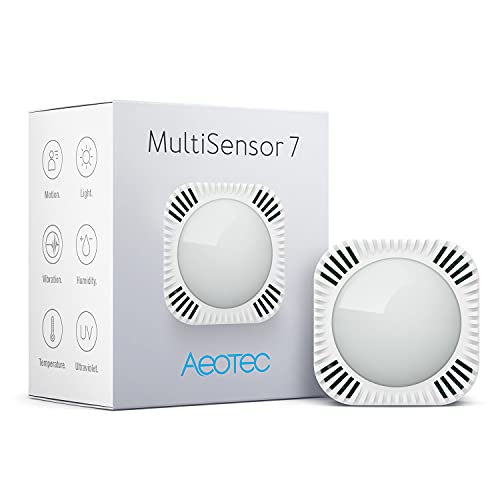
    Aeotec MultiSensor 7, 6-in-1 Zwave Sensors Contains Monitor Motion, Temperature, Light, Humidity, UV, and Vibration, Z-Wave Plus, Gen7, S2, SmartStart Enabled, Compatible with Zwave Hub Smartthings
    ×
    Product prices and availability are accurate as of the date/time indicated and are subject to change. Any price and availability information displayed on https://www.amazon.com/ at the time of purchase will apply to the purchase of this product.

    Aeotec MultiSensor 7

    Check Amazon Price*

    (* = affiliate link / image source: Amazon Associates Program)
  • Hands-on Review: Aeotec TriSensor 3-in-1 Z-Wave Sensor

    Hands-on Review: Aeotec TriSensor 3-in-1 Z-Wave Sensor

    Its been a few years since I reviewed the Aeotec Multisensor 6. Since then I have bought more of those for different rooms around the house. They have been very reliable and have served me well over the years, especially for automations such as auto room humidity control, lighting automations and presence detection.

    So I was curious to see how the newest Z-Wave sensor in their lineup, the Aeotec TriSensor 3-in-1 compares. The Trinsensor has 3 sensors as its name suggests: Motion, temperature and light. Compared to the Multisensor 6, it loses the humidity, vibration and ultraviolet sensors.

    Hands-on Review Aeotec TriSensor 3-in-1 Z-Wave Multisensor - Front - VueVille

    [text-blocks id=”earning-disclaimer”]

    [wpsm_titlebox title=”Contents” style=”main”][contents h2][/wpsm_titlebox]

    Aeotec TriSensor – Specifications

    The Aeotec TriSensor has 3 different sensors:

    1. Motion sensor
    2. Temperature sensor
    3. Light (lux) sensor

    Detailed Specs

    [table id=75 /]

    Unboxing the Aeotec TriSensor 3-in-1 Z-Wave Sensor

    Hands-on Review Aeotec TriSensor 3-in-1 Z-Wave Multisensor - Box Contents - VueVille
    As with every Aeotec product I have seen, the TriSensor comes in a sleek package with the following box contents:

    • Battery cover
    • Back-mount arm
    • Double sided tape
    • 2x screws
    • User manual
    • Warranty card

    Design

    The TriSensor is similar in appearance to the Multisensor 6, and is almost exactly the same size too. The cube shape makes it easy to place on flat surfaces.

    The TriSensor is also very compact and just a bit larger than a CR123A battery as can be seen below.

    On the front face, there is the standard PIR sensor cover and just two other components – the lux sensor and a very bright LED which flashes green whenever motion is detected.

    Hands-on Review Aeotec TriSensor 3-in-1 Z-Wave Multisensor - Back - VueVille

    On the back side, the battery cover holds the cover lock slider, the back-arm mount hole, and some technical information about the multisensor.

    Hands-on Review Aeotec TriSensor 3-in-1 Z-Wave Multisensor - Opened - VueVille

    Taking the battery over off reveals the battery compartment that takes a single CR123A battery (supplied), and the Z-Wave Action button. While the Aeotec Multisensor 6 can use either batteries or a USB cable for external power, this TriSensor is only battery-powered.

    The advantage of USB external power is that you can get real-time sensor data instead of once every few minutes with the batteries. So this is something I would have liked to see in the TriSensor.

    Just like the Aeotec Multisensor 6, the TriSensor is also a ZWave Plus Gen5 device. While Z-Wave Gen7 devices are becoming more common, it has not been implemented in the TriSensor yet.

    However the TriSensor additionally supports S2 security and ‘Smart Start’ technology.

    Installing and configuring the TriSensor

    Setting up the TriSensor with my HomeSeer-based home automation system was a breeze.

    I first put the HomeSeer Z-Wave hub into ‘add device’ mode. Then I put the TriSensor into inclusion mode by pressing the action button once. Immediately, HomeSeer detected the TriSensor and added the various sensors devices (motion, light, temperature).

    Hands-on Review Aeotec TriSensor 3-in-1 Z-Wave Multisensor - HomeSeer - VueVille

    Features & Performance

    Let’s now look at the various sensors the Trisnesor sports and how they performed. I used the TriSensor for a 6 month period as part of my home network, and so can give a real-world usage report.

    Motion Detection

    The max motion detection range of the TriSensor is 7 metres (23 feet). In my testing, it reliably detected motion from across my 5 metre wide hall. I found it very sensitive, it reacts instantaneously to motion and throughout the 6 month test period never missed a motion event.

    You can adjust the sensitivity of the motion detection if you wish. The Z-Wave parameter that controls this setting is Parameter 3 [size 1 byte]. The value range is from 0 – 11. By default, the sensitivity setting is set to the maximum sensitivity value of 11.

    You can also control the time gap between sensor activations by adjusting the ‘Motion re-trigger time’ which is Z-Wave Parameter 1 [2 byte]. For example if you set the value to 10, the PIR sensor timeout will become 10 seconds – so for 10 seconds after detecting motion it will ignore all further motion. After that, it will then again be ready to detect motion. The default is set to 30 seconds.

    These two settings can be used to control and reduce false motion alerts.

    Compared to the Mutisensor 6 on USB power, I felt that the TriSensor has better sensitivity even though its on battery power.

    Temperature sensor

    The temperatures reported by the TriSensor were accurate and very close to those of the Multisensor 6.

    Light level sensor

    The light level sensor also work very well. According to Aeotec, the TriSensor comes with a digital light sensor that’s capable of sensing lighting between 0 lux to 22595 lux in real-time.

    I created an automation that automaticlly turned on a lamp plugged into an [easyazon_link identifier=”B08PKLBKW4″ locale=”US” tag=”vueville.com-eaz-20″]Aeotec Smart Switch 7[/easyazon_link] in the room whenever the sun started setting.

    Battery life

    While the Multisensor 6 can make use of up to two CR123A batteries, the TriSensor makes use of just 1. After 6 months of use, the sensor reports a battery level of 100% to HomeSeer, which I doubt is accurate. But the sensor is still working well.

    Wireless range

    The TriSensor has very strong wireless range and was able to stay in touch with the Z-Wave network wherever I took it in my house.

    Verdict

    I love the Aeotec TriSensor and highly recommend it. It has the 3 key sensors you need for most home automations and performs very well. Improved motion detection sensitivity over the Multisensor 6 and excellent battery life make for a very competent multisensor.
    [review]

    Where to buy

    [easyazon_link identifier=”B07GP3ZCYD” locale=”US” tag=”vueville.com-eaz-20″]Check Price on your local Amazon site[/easyazon_link]

    [text-blocks id=”5527″ slug=”earning-disclaimer”]

  • Hands-on Review: Neo Coolcam Z-Wave Motion Sensor

    Hands-on Review: Neo Coolcam Z-Wave Motion Sensor

    Z-Wave motion sensors are not exactly cheap, are they? While the sensors from Fibaro and Aeotec are great products which are very reliable, the costs do add up when you need more than a few of them. That’s where the Neo Coolcam Z-Wave Motion Sensor comes in.

    Neo Coolcam has recently started competing aggressively with the established players and their main selling point is the super-attractive price. But have corners been cut? Are they reliable? Is the battery life any good? Let’s find out in this hands-on review.

    [wpsm_titlebox title=”Contents” style=”main”][contents h2][/wpsm_titlebox]

    What gear do you need to use this motion sensor?

    This motion sensor is based on Z-Wave technology and intended to work with a Z-Wave based smart home hub.

    So you need a Z-Wave hub/controller such as a Vera Plus or HomeSeer HomeTroller Sel that acts as the smart hub to use this sensor. This is the right way of building a smart home that you can upgrade and enhance as you wish, instead of getting stuck with things that work only with the manufacturer’s other devices or an internet-reliant smart speaker like Alexa.

    Unboxing

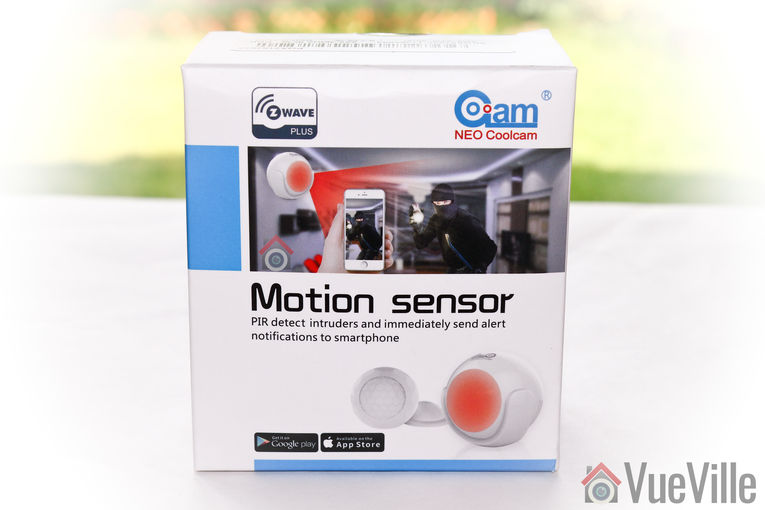
    Just like the Neo Coolcam Door/Window sensor we reviewed recently, the Neo Coolcam Motion Sensor also comes in a smart package with a modern design. The Z-Wave Plus logo is once again prominently featured at the top left.

    Neo Coolcam Motion Sensor - Box front - VueVille

    The back of the box lists the main specifications of the motion sensor.

    Neo Coolcam Motion Sensor - Box rear - VueVille

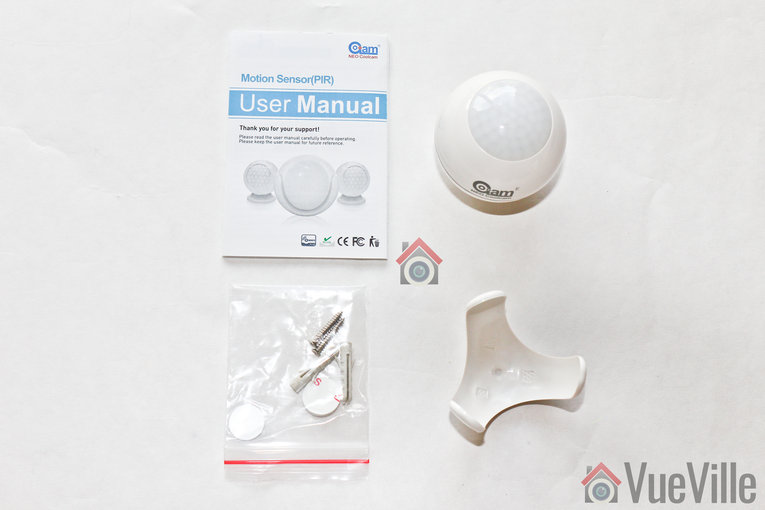
    Neo Coolcam Motion Sensor - Box contents - VueVille

    Opening the box, we find the following:

    • Motion sensor with 1xCR2-3V battery pre-installed
    • Motion sensor holder
    • User manual
    • Screws and rawl plugs
    • 3M stickers

    Neo Coolcam Motion Sensor Manual

    The included user manual is high-quality and unusually for Chinese products, has good quality English. Here’s a link in case you want to check it out before buying.

    Specifications

    [table id=53 responsive=”scroll” /]

    Design & Features

    Neo Coolcam Motion Sensor - Sensor - VueVille
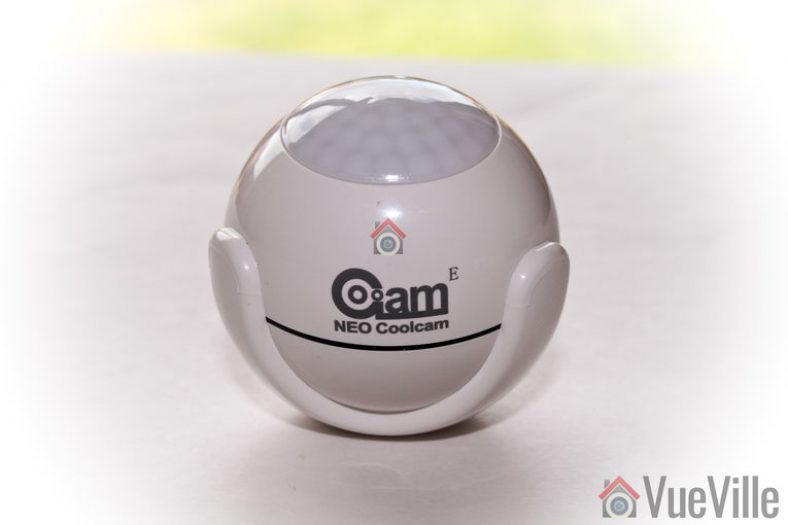
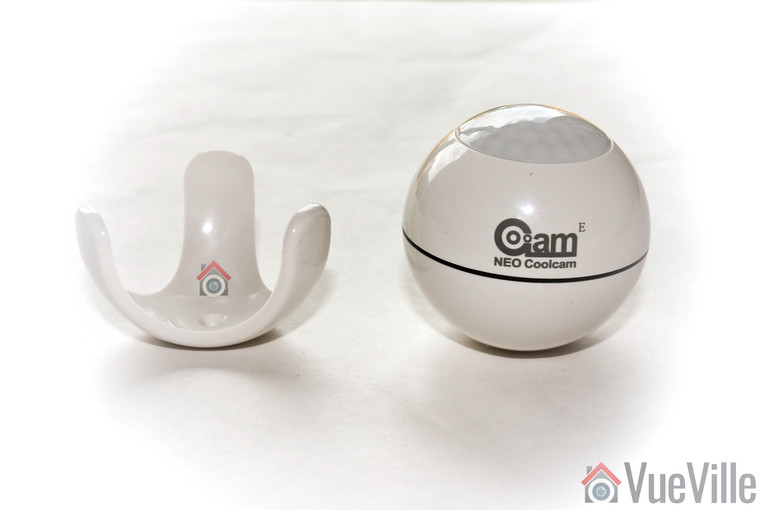
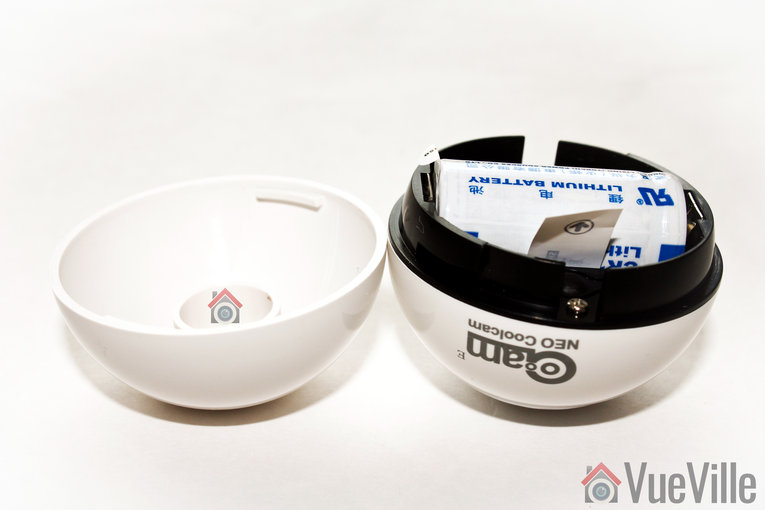
    The Neo Coolcam Motion sensor reminds me of the Fibaro motion sensor we reviewed recently. The design is very similar with a spherical main body and a holder that cradles the sensor smugly. It’s a very good design and one that lets you orient the sensor in any direction you want.

    Neo Coolcam Motion Sensor - Sensor 2 - VueVille

    Grip the bottom half of the sensor and turn it to open the sensor. A CR123A battery is pre-installed and pulling the plastic tab activates the sensor.

    Neo Coolcam Motion Sensor - Sensor 3 - VueVille

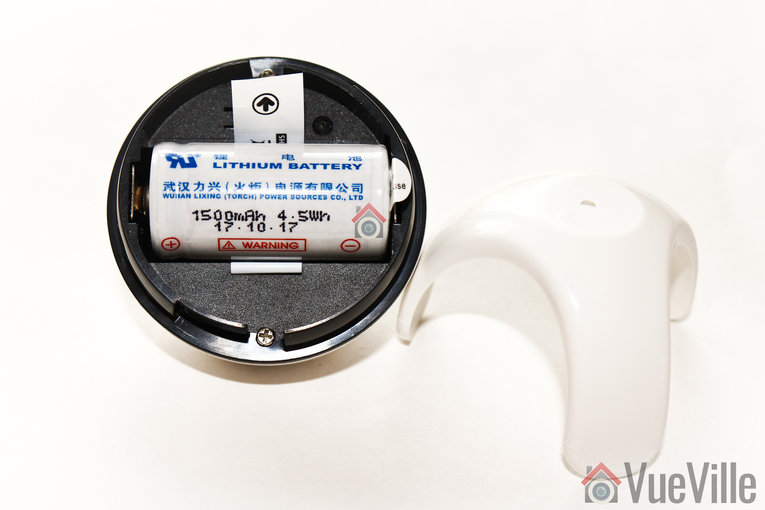
    The battery provided is an unbranded one, but has a good energy capacity of 1500mAh.

    Neo Coolcam Motion Sensor - Sensor 4 - VueVille

    The black ‘code’ button is also found here. This button has a few different functions: waking up the sensor so that you can configure it, putting the sensor in inclusion/exclusion mode and for restoring factory defaults.

    Installation

    As with the Neo Coolcam Door Sensor, I found the whole Z-Wave inclusion or pairing process easy and pretty straight-forward.

    Its always best to perform a factory default on a new Z-Wave device before including it in your Z-Wave network. I have found that this one step usually solves any problem I am having with including a new Z-Wave device.

    So these are the steps I took to set up the sensor with my HomeSeer Z-Wave hub:

    1. I removed the back cover of the sensor’s main body.
    2. I pulled the paper tab to turn on the device as the battery comes pre-installed.
    3. I put HomeSeer into inclusion mode.
    4. I pressed the code button on the Coolcam sensor thrice very quickly (it needs three presses within 1.5 seconds).
    5. The red LED flashed 5 times.
    6. After a few seconds, HomeSeer reported that the sensor had been successfully included and the child devices had been created.

    Performance

    There are 4 main criteria that define how good a motion sensor is:

    • Sensitivity of motion detection
    • Response time
    • Reliability
    • Z-Wave wireless range
    • Battery life

    I tested the Coolcam motion sensor extensively for over 3 months and these are my findings.

    Sensitivity of motion detection: Very good

    Response time: Excellent

    Reliability: Excellent

    Z-Wave wireless range: Very good

    Battery life: Excellent so far, testing underway

    Verdict

    The Neo Coolcam Z-Wave Plus Motion sensor is a budget-friendly sensor that is actually reliable. Once again, we were impressed by the performance and reliability of the Coolcam family of Z-Wave products.
    [review]

    Where to buy

    [easyazon_link identifier=”B079JTSR3V” locale=”US” tag=”vueville.com-eaz-20″]Check Price on your local Amazon site[/easyazon_link]

  • Best Z-Wave Recessed Door Sensors – 2024 Recommendations

    Best Z-Wave Recessed Door Sensors – 2024 Recommendations

    After creating the most comprehensive Z-Wave Door Sensor roundup on the net, we now turn our attention to Z-Wave recessed door sensors.

    [wpsm_titlebox title=”Contents” style=”main”][contents h2 h3][/wpsm_titlebox]

    A quick note: As an Amazon Associate I earn from qualifying purchases. This post contains affiliate link(s). An affiliate link means I may earn advertising or referral fees if you make a purchase through my link, at no extra cost to you.


    Why Z-Wave Recessed Door Sensors

    Sometimes you don’t want an unsightly bulky contact sensor cramping the style of your beautiful doors or windows. Yes there are slim sensors like the Aeotec Door Sensor 6 but they are most certainly not invisible!

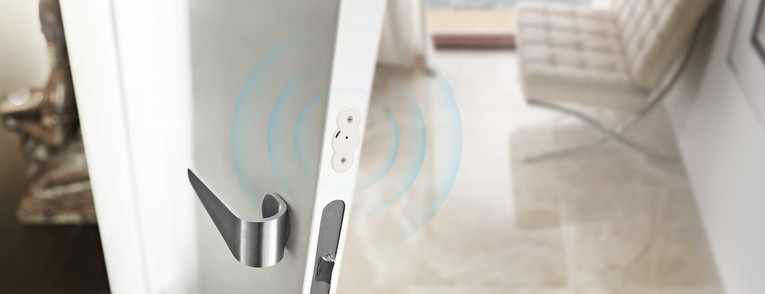
    To make your door sensors truly invisible, you need recessed door sensors. These are also made of 2 halves just like any door sensor, but they are installed inside the door frame and doors or windows.

    For sure these are more difficult to install but the fact that it is totally hidden cannot be beaten. Do bear in mind though – recessed sensors tend to have weaker Z-Wave wireless range.


    Zwave Door Sensor Aeotec Recessed Door Sensor 7, Z-Wave Plus Enabled Smart Door Sensor Battery Powered, SmartStart S2, Zwave Hub Required SmartThings Fibaro Home Centre 3 Hubitat
    ×
    Product prices and availability are accurate as of the date/time indicated and are subject to change. Any price and availability information displayed on https://www.amazon.com/ at the time of purchase will apply to the purchase of this product.

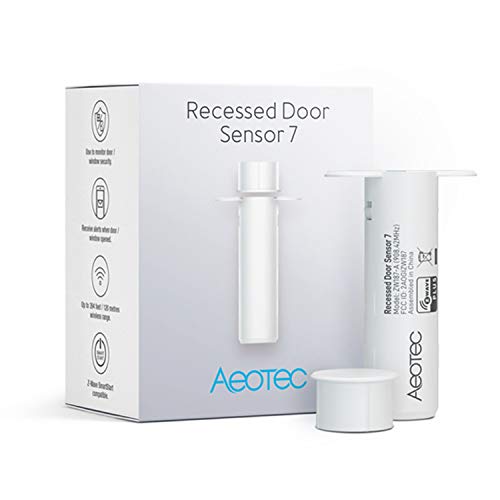
    The Aeotec Recessed Door Sensor 7 is the most popular indoor sensor model around. Not a surprise really as they are a great brand and have a humongous range of Z-Wave products. Just like their other sensors, this one is also of the Z-Wave Plus variety giving improved wireless speed, range, security, and battery life.

    This sensor looks just like any other recessed sensor – white in colour, but it is just 0.4″ in width. That means you can get away with drilling a small hole into your door. There are two halves – the larger main sensor and the smaller magnetic sensor. The main sensor houses the battery and the electronics. There is also a red LED. However there is no tamper detection.

    Surprisingly, Aeotec claims a range of up to 150 feet but this really depends on the door material, the thickness of your walls and the number of walls between the sensor and the Z-Wave hub. The included 3V CR2 lithium battery is rated at 800mAh capacity, and should last up to a year.

    On the software front, the sensor supports AES 128-bit communication encryption and Z-Wave S2 security.

    Aeotec-Z-Wave-Recessed-Door-Sensor-VueVille

    Full specs:

    • Transmits open/closed status & battery status
    • Z-Wave Plus certified
    • Size: 71 x 20 x 22 mm (main body), 40 x 11 x 11 mm (magnet)
    • 1x CR2 lithium battery
    • 12 months battery life
    • Weather rating: Indoor only, operating temperature: -10° to 60°C
    • Operating range of 150 metres (492 feet)
    • Works with Home Assistant, Hubitat, Samsung SmartThings and other Z-Wave hubs

    (* = affiliate link / image source: Amazon Associates Program)

    Source: Sensative.com

    If you require a door or window sensor that can be used outdoors, the stylish and unique Sensative Strips is the only option.

    Its marketed as being invisible because it is only 3 mm thick and in most cases can be mounted between the door/window and its frame. The custom non-removable non-rechargeable battery used by Sensative can last up to an incredible 10 years. The default wakeup interval is 24 hours, but it can be set to as little as 30 minutes but at the cost of battery life. Sensative provides an extended warranty of 3 years for the built-in battery.

    There are 3 separate pieces – the main sensor body, a rectangular magnet and a small button-like magnet. The strips have a tamper detection sensor and an LED that indicates magnetic contact. The maximum range of magnetic contact is 15 mm.

    By itself the strips have a wireless range of up to 40 metres, but the presence of a nearby AC powered Z-Wave device acting as a repeater can boost this to 150 metres.

    The Sensative Strip Guard is also available in a Zigbee version which also sports a temperature sensor.

    Full specs:

    • Transmits open/closed status & battery status
    • Z-Wave Plus certified
    • Size: 195 x 15 x 3 mm (main body), 30 x 11 x 1 mm (magnet 1), diameter 12 * 3 mm (magnet 2)
    • Built-in non-rechargeable battery
    • 10 years battery life
    • Weather rating: Outdoor, operating temperature: -10° to 60°C
    • Operating range of 150 metres (492 feet)
    • Works with Home Assistant, Hubitat, Samsung SmartThings and other Z-Wave hubs

    Conclusion

    As you can see, there are not many recessed Z-Wave door sensors on the market. But the two very diverse options above are both great choices.

  • Best Z-Wave Door Sensors – 2024 Recommendations

    Best Z-Wave Door Sensors – 2024 Recommendations

    One of the great things about using a Z-Wave based home automation system is the sheer choice of accessories available for everything from door sensors to motion detectors.

    The Z-Wave door/window sensors we will look at today are perfect for automating your smart home. Here are some of the things these door sensors can do through your a Z-Wave based smart home hub:

    • Turn down the thermostat automatically if external doors or windows are open for too long.
    • Give voice alerts or send push notifications to your smartphone if a window is open past a particular time of the day
    • If there’s a door that shouldn’t normally be opened, use one of these door sensors to keep an eye on it!
    • Make a mailbox sensor so that you can get voice and push alerts for new mail

    Remember you should not use Z-Wave door/window sensors as your primary means of securing your property. It is best practice to use dedicated alarm panels for home security which can also interface with your Z-Wave hub. Examples are the alarm panels and systems from DSC and Honeywell.

    [wpsm_titlebox title=”Contents” style=”main”][contents h2][/wpsm_titlebox]

    A quick note: As an Amazon Associate I earn from qualifying purchases. This post contains affiliate link(s). An affiliate link means I may earn advertising or referral fees if you make a purchase through my link, at no extra cost to you.

    How do Z-Wave door sensors work?

    You may have heard them being referred to as contact sensors, but door sensors don’t actually touch each other. All door sensors will also have two halves – a main sensor body containing the battery and electronics and a magnetic half. These can be separated by a small gap of not more than an inch or so. Whenever the gap between the two halves exceeds this limit, ‘magnetic contact’ is broken and they report an ‘open’ status change to your Z-Wave hub.

    What are the different types of Z-Wave door sensors?

    Depending on the form factor, we can group them into the following categories:

    • Door and Window Sensors
      • These come in two halves – the main sensor housing with the battery and the smaller magnet. One half goes on the door frame and the other half goes on the door.
    • Recessed Door Sensors
      • These also come in two halves, but the larger half contains the battery and is recessed into the door frame. The smaller magnet is recessed into the door.

    Regardless of which form they take, some models can measure not just open/close (or magnetic contact), but also temperature or humidity. An example is the [easyazon_link identifier=”B00K252JV6″ locale=”US” tag=”vueville.com-eaz-20″]Philio Door/Window Multisensor[/easyazon_link]. If you would like to learn more about multisensors, check out this post.

    How do I install a Z-Wave door sensor

    Like any Z-Wave device, you have to ‘include’ them in your Z-Wave network by following the manufacturer’s inclusion method.

    From years of experience working with Z-Wave, I have two tips I would like to mention:

    • Factory reset the device before you start the inclusion process. This step alone has saved me hours of frustration while setting up a Z-Wave device
    • Put the device as close as possible to the Z-Wave hub while performing the inclusion process. Definitely aim for <1 metre distance between the two. This should also help with the common issue where the device gets included but in non-secure mode.

    What should I look for in a door sensor?

    • Size: If you are after discreet sensors, your options may be limited but they do exist.
    • Z-Wave Plus: The newer Z-Wave Plus standard comes with improved wireless range, longer battery life and secured communications. Most Z-Wave sensors come with Z-Wave Plus certification these days but its good to check anyway.
    • Sensitivity: Because door and window sensors work on magnets, there is a limit to how far apart you can place the two halves of the sensor. For example, the [easyazon_link identifier=”B01E0OMQR6″ locale=”US” tag=”vueville.com-eaz-20″]Aeotec Door/Window Sensor 6[/easyazon_link] can work over a gap of up to 2.2 cm or 0.87 inches. Also be aware that if your door or window doesn’t close flush with the frame, the two halves end up ind different planes, sensitivity will be lower and as a result the maximum effective gap reduces.
    • Battery life: Typically 1 – 2 years, the smaller door sensors have smaller capacity batteries and thus lower battery life. Some have up to 3 years battery life. Rechargeable models are rare but do exist – see the Aeotec rechargeable door sensor.

    [text-blocks id=”5527″ slug=”earning-disclaimer”]

    Best Z-Wave Door/Window Sensors for 2024

    Aeotec Door/Window Sensor 7 (ZWA008)

    [easyazon_image align=”center” height=”500″ identifier=”B07PDDX3K6″ locale=”US” src=”https://m.media-amazon.com/images/I/41oiOWeenXL.jpg” tag=”vueville.com-eaz-20″ width=”500″]

    The Aeotec Door/Window Sensor 7 is a sleek and stylish sensor that has 3 sensors actually – the magnetic contact sensor, a tilt sensor and a dry contact sensor. Unlike its predecessor which came with a sealed rechargeable battery, this new iteration uses a single 1/2 AA battery.

    The sensor consists of 2 parts. The main body uses two magnetic reed switches placed along its edge and is triggered by the 20 mm wide magnet which can be placed up to 15mm away.

    The ZW-120 was another Aeotec model that did not use a rechargeable battery. But that has now been discontinued.

    Full specs:

    • Simple DIY installation with screws or double sided tape
    • Transmits open/closed status
    • Z-Wave Plus certified
    • Size of sensor: Height – 19mm/0.75inches, Width – 71mm/2.8inches, Depth – 18mm/0.7inches
    • Size of magnet: Height-8mm/0.13inches, Width-20mm/0.78inches, Depth-11mm/0.43inches
    • Weather rating: IP20
    • Tamper-proof
    • Operating range of 150 metres (492 feet) point to point
    • Over the Air (OTA) firmware upgrade
    • S2 Security
    • AES 128 bit security encryption
    • Paintable for invisible installation. Crafted from acrylonitrile butadiene styrene (ABS) plastic
    • Compatible with Samsung SmartThings, Vera, Zipabox, HomeSeer, Ring, Open Z-Wave, Nexia, Domoticz and other Z-Wave hubs

    [easyazon_link identifier=”B07PDDX3K6″ locale=”US” tag=”vueville.com-eaz-20″]View on Amazon[/easyazon_link]

    Fibaro Z-Wave Plus Door/Window Sensor with Temperature Measurement (FGK-101 ZW5)

    [easyazon_image align=”center” height=”483″ identifier=”B074FCG1PF” locale=”US” src=”https://m.media-amazon.com/images/I/415bIRSwT1L.jpg” tag=”vueville.com-eaz-20″ width=”500″]

    Fibaro is another favourite brand of mine. These guys have a wide range of high quality, well-built yet affordable Z-Wave products.

    This door/window sensor has a small footprint and comes in 7 different colours – white, grey, black, cream, and 3 shades of brown. But that’s not all, it has an ace up its sleeve – it can also measure temperature.

    A small blue LED lights whenever contact is made or broken, a nice visual indicator that the device is functional.

    Full specs:

    • Transmits open/closed status
    • Z-Wave Plus certified
    • Size: 76 x 17 x 19 mm
    • Tamper-proof
    • ER14250 ½ AA battery
    • 12-24 months battery life
    • Weather rating: Indoor, 0-40°C operating temperature
    • Operating range of 50 metres (164 feet)
    • AES 128 bit security encryption
    • Potential-free input allowing to connect a button or binary sensor
    • Compatible with the DS18B20 temperature sensor
    • Works with Samsung SmartThings, Vera Plus and other Z-Wave hubs

    [easyazon_link identifier=”B074FCG1PF” locale=”US” tag=”vueville.com-eaz-20″]View on Amazon[/easyazon_link]

    Ecolink Zwave Plus Door & Window Sensor (DWZWAVE2.5-ECO)

    [easyazon_image align=”center” height=”500″ identifier=”B01N5HB4U5″ locale=”US” src=”https://images-na.ssl-images-amazon.com/images/I/21gnASMGHSL.jpg” tag=”vueville.com-eaz-20″ width=”274″]

    Ecolink is a leading manufacturer of low power wireless systems and have been in the game for over 20 years. They claim that they use rare earth magnets in their door sensors to improve accuracy.

    This sensor has a glossy white coating that makes it stand out a bit from the rest of its ilk. Tool-free access enables you to quickly open it if required. An interesting feature is the input on the sensor to which a non-powered external contact can be connected. It will also report a tamper state whenever the cover is opened.

    The maximum gap possible between the two sensor halves is 5/8″, and Ecolink claims that this makes it ideal for commercial or double hung windows.

    To include the sensor in your network, first put your Z-Wave hub in inclusion mode. Pull out the plastic pull-tab from the back of the sensor, thus activating the device. The sensor should automatically start the inclusion process and when complete, the red LED will become solid red and then go out. Now test the sensor by bringing the two halves togther and then apart, the red LED should blink once. If it blinks 5 times instead, the inclusion process failed and needs to be repeated. I would suggest resetting the sensor and include it by keeping it not more than 1 metre from your Z-Wave hub.

    Full specs:

    • Transmits open/closed status, tamper notification, battery status and low battery alert
    • Z-Wave Plus certified
    • Attach with provided adhesive pads, screws or glue
    • Tamper-proof
    • 3 years battery life
    • 1x CR123A battery
    • Size: Sensor Body: 3 x 1.1 x .75 in, Magnet Piece: 3 x .5 x .75 inches
    • Weather rating: indoor only, Operating temperature: 0° to 49°C
    • Up to 30 m/100 ft maximum range outdoors
    • Works with Samsung SmartThings, Vera Plus and other Z-Wave hubs

    [easyazon_link identifier=”B0722H445L” locale=”US” tag=”vueville.com-eaz-20″]View on Amazon[/easyazon_link]

    Neo Coolcam Z-Wave Door/Window Sensor

    [easyazon_image align=”center” height=”500″ identifier=”B07QDS5DZ4″ locale=”US” src=”https://m.media-amazon.com/images/I/31MrRLqmkCL.jpg” tag=”vueville.com-eaz-20″ width=”500″]

    Neo Coolcam is a Chinese brand that has been launching affordable Z-Wave gear recently. We have tested and reviewed their motion sensor, siren alarm and their door sensor products.

    The Neo Coolcam door/window sensor is a glossy white affair with a concealed RED LED that activates whenever contact is made or broken. We have been using this sensor for 6 months and have been very impressed by its reliable performance and battery life. The only negative is that it doesn’t have tamper detection sensor.

    Read our hands-on review in details here:
    [wpsm_top postid=5930]

    Full specs:

    • Transmits open/closed status & battery status
    • Z-Wave Plus certified
    • Attach with glue or screws
    • Size: 71 x 20 x 22 mm (main body), 40 x 11 x 11 mm (magnet)
    • 1x CR2 battery
    • 12-24 months battery life
    • Weather rating: IP20 outdoor rated, operating temperature: 0° – 40°C
    • Operating range of 60 metres (200 feet)
    • Works with Samsung SmartThings, Vera Plus and other Z-Wave hubs

    [easyazon_link identifier=”B07QDS5DZ4″ locale=”US” tag=”vueville.com-eaz-20″]View on Amazon[/easyazon_link]

    Monoprice Z-Wave Plus Door and Window Sensor (24259)

    [easyazon_image align=”center” height=”375″ identifier=”B073WFL9SC” locale=”US” src=”https://images-na.ssl-images-amazon.com/images/I/31Aku3Q1VlL.jpg” tag=”vueville.com-eaz-20″ width=”500″]

    Monprice has a great line-up of Z-Wave products. I have been using a few of their cheap and cheerful 4-in-1 multisensors with great results, and now here we have their door window sensor.

    This is not a fancy sensor and its designed to get the job done at the lowest possible cost. So it looks very industrial, is not particularly small but surprisingly is not light on features.

    It does have the latest Z-Wave Plus chip though, and has a very good operating range of 300 feet. It does use 2x AAA batteries, and this could be the secret of its 1 year battery life. An LED is present which indicates opening or closing. You also get tamper detection.

    Full specs:

    • Transmits open/closed status & battery status
    • Z-Wave Plus certified
    • Attach with glue or screws
    • Size: 3.0″ x 1.1″ x 0.7″ (75 x 28 x 18 mm) sensor, and 3.0″ x 0.5″ x 0.7″ (75 x 12 x 18 mm) magnet
    • LED indicator
    • 2x AAA battery
    • 12-24 months battery life
    • Weather rating: Indoor only, operating temperature +32 ~ +104°F (0 ~ +40°C)
    • Operating range of 30 m indoors (98 feet), 100 m outdoors (328 feet)
    • Tamper detection
    • Works with Samsung SmartThings, Vera Plus and other Z-Wave hubs

    [easyazon_link identifier=”B073WFL9SC” locale=”US” tag=”vueville.com-eaz-20″]View on Amazon[/easyazon_link]

    Philio Z-Wave Multi-sensor (PSM01)

    [easyazon_image align=”center” height=”500″ identifier=”B00K252JV6″ locale=”US” src=”https://images-na.ssl-images-amazon.com/images/I/41lwJ%2BKlEZL.jpg” tag=”vueville.com-eaz-20″ width=”464″]

    Philio is a Taiwanese manufacturer that has been in business since 2012. They make a range of home automation and security products including cameras, sensors, controllers, smart plugs and even door locks.

    The PST02 series of sensors comes in three models indicated by the suffix A, B or C after the model name. A indicates the 4-in-1 model which has sensors for motion, illumination, temperature and the door/window open/close detection, B loses the open/close sensor, whereas C loses the PIR motion detector. All three models have the latest Z-Wave 500 series chip allowing concurrent multi-channel support to reduce interference, improved RF range, and up to 100kbps transmission speed.

    The Philio Tech multisensor comes pre-installed with a CR123A battery. The included user guide is very detailed, accurate and well-written. Adding the Philio sensor to your Z-Wave sensor is just like adding any other Z-Wave device – but the sensor makes it even easier and auto-starts the inclusion process when you pull off the insulation mylar. The device also supports the exclusion, reset and association modes as expected.

    There are also two tamper-proof switches at the back and the front which are great considering you will have it installed on doors or windows. Some other interesting features are the OTA (Over The Air) firmware upgrade and a DIP switch to put the device into Test mode. Test mode allows you to test the device functionality without actually installing it.

    Full specs:

    • Motion, Light, Temperature, Open/Close
    • Indoor only
    • 1x CR123A Battery (up to 2 years life)
    • Tamper-proof
    • Up to 40m range indoors
    • Works with Samsung SmartThings, Vera Plus and other Z-Wave hubs

    [easyazon_link identifier=”B00K252JV6″ locale=”US” tag=”vueville.com-eaz-20″]View on Amazon[/easyazon_link]

    HomeSeer HS-DS100+ Z-Wave Plus Door/Window Sensor

    [easyazon_image align=”center” height=”500″ identifier=”B0722H445L” locale=”US” src=”https://images-na.ssl-images-amazon.com/images/I/41svTTbJvWL.jpg” tag=”vueville.com-eaz-20″ width=”500″]

    I use the HomeSeer HS3 software to control my Z-Wave network and for home automation. HomeSeer also makes Z-Wave accessories such as this HS-DS100+ door/window sensor.

    Full specs:

    • Transmits open/closed status, tamper notification, battery status and low battery alert
    • Z-Wave Plus certified
    • Attach with provided adhesive pads, screws or glue
    • Tamper-proof
    • 12 months battery life
    • 2x AAA Battery (up to 2 years life)
    • Size: Sensor Body: 3 x 1.1 x .75 in, Magnet Piece: 3 x .5 x .75 inches
    • Weather rating: indoor only, Operating temperature: 0° to 40°C
    • Up to 300ft maximum range outdoors
    • Works with Samsung SmartThings, Vera Plus and other Z-Wave hubs

    [easyazon_link identifier=”B0722H445L” locale=”US” tag=”vueville.com-eaz-20″]View on Amazon[/easyazon_link]

    Haozee Z-Wave Door/Window Sensor

    [easyazon_image align=”center” height=”500″ identifier=”B07BK65MLH” locale=”US” src=”https://images-na.ssl-images-amazon.com/images/I/31y1LshBHZL.jpg” tag=”vueville.com-eaz-20″ width=”500″]

    The Haozee Z-Wave door sensor seems to be a rebranded Neo Coolcam Door/Window sensor. As such it has the same features as that sensor.

    Full specs:

    • Transmits open/closed status & battery status
    • Z-Wave Plus certified
    • Attach with glue or screws
    • Size: 71 x 20 x 22 mm (main body), 40 x 11 x 11 mm (magnet)
    • 1x CR2 battery
    • 12-24 months battery life
    • Weather rating: IP20 outdoor rated, operating temperature: 0° – 40°C
    • Operating range of 60 metres (200 feet)
    • Works with Samsung SmartThings, Vera Plus and other Z-Wave hubs

    [easyazon_link identifier=”B0722H445L” locale=”US” tag=”vueville.com-eaz-20″]View on Amazon[/easyazon_link]

    GoControl Z-Wave Door/Window Sensor (WADWAZ-1) (Also branded as Linear)

    [easyazon_image align=”center” height=”500″ identifier=”B00MNYSEF4″ locale=”US” src=”https://images-na.ssl-images-amazon.com/images/I/31UmxyKkaqL.jpg” tag=”vueville.com-eaz-20″ width=”500″]

    GoControl is a popular brand owned by California-based Nortek Security and Control. They produce a huge range of home automation products ranging from smart bulbs, switches, doorbells to Z-Wave sensors.

    The WADWAZ-1 Door sensor is a reed-switch type sensor and can operate at a maximum gap of 0.75″ between the sensor body and the magnet. Powered by a single CR-123A battery, it can operate for up to 1 year continuously.

    A red LED is included on the main sensor body to indicate open/close sensing. When you first insert the battery, this LED will start flashing slowly indicating that it is not part of a Z-Wave network yet. Put your hub into inclusion mode. Inclusion will start automatically and is complete when the red LED stops flashing. If automatic inclusion didn’t work, you can attempt manual inclusion by holding the program/tamper switch for 1 second and releasing. When inclusion is successful, the LED will stop blinking.

    This is the only sensor I have come across that can monitor an additional opening, such as an external normally closed switch contact which is connected to the sensor’s external input terminals.

    Full specs:

    • Transmits open/closed status, tamper notification, battery status and low battery alert
    • Can monitor an additional wired contact sensor
    • Z-Wave certified
    • Attach with provided adhesive pads, screws or glue
    • Tamper-proof
    • 1x CR123A battery
    • Up to 100ft maximum range outdoors
    • Works with Samsung SmartThings, Vera Plus and other Z-Wave hubs

    The GoControl door and window sensor is also marketed as the [easyazon_link identifier=”B00MOF2IPY” locale=”US” tag=”vueville.com-eaz-20″]Linear Z-Wave Door/Window Sensor[/easyazon_link].

    [easyazon_link identifier=”B00MNYSEF4″ locale=”US” tag=”vueville.com-eaz-20″]View on Amazon[/easyazon_link]

    BeSense ZWave Plus Door and Window Sensor (IM20)

    [easyazon_image align=”center” height=”310″ identifier=”B073RV9VYC” locale=”US” src=”https://images-na.ssl-images-amazon.com/images/I/216eFyQe0TL.jpg” tag=”vueville.com-eaz-20″ width=”500″]

    BeSense is a developer of low power wireless IoT systems. Their Z-Wave Plus door sensor has a unique design with a slit like red LED on the main sensor body. They have very clear instructions for both Samsung SmartThings and Vera Plus on their website and in the included user manual.

    Running off 2x AAA batteries, BeSense says the sensor will last for up to 3 years. There is an anti-tamper sensor which is great. The maximum distance between the two halves of the sensor is 5/8″.

    Full specs:

    • Transmits open/closed status, tamper notification, battery status and low battery alert
    • Z-Wave Plus certified
    • Attach with provided adhesive pads, screws or glue
    • Tamper-proof
    • 2x AAA Battery (up to 3 years life)
    • Size: 80 x 50 x 20 mm
    • Weather rating: indoor only, Operating temperature: -10° to 50°C
    • Up to 30 m (100 ft) maximum range outdoors
    • Works with Samsung SmartThings, Vera Plus and other Z-Wave hubs

    [easyazon_link identifier=”B073RV9VYC” locale=”US” tag=”vueville.com-eaz-20″]View on Amazon[/easyazon_link]

    Zipato Z-Wave Door/Window Sensor (VS-ZD2102.US)

    [easyazon_image align=”center” height=”500″ identifier=”B00Q68IXSQ” locale=”US” src=”https://images-na.ssl-images-amazon.com/images/I/41svTTbJvWL.jpg” tag=”vueville.com-eaz-20″ width=”500″]

    Zipato is an IoT plaform business started in 2010. They have a complete Z-Wave based home automation offering but it is Interet-reliant. However their accessories are compatible with any Z-Wave hub.

    My first thought was that the Zipato door and window sensor looks a lot like the Neo Coolcam sensor. In any case this is a Z-Wave Plus device that is missing quite a few features – there’s no tamper detection, no external sensor input, and no temperature sensor.

    Full specs:

    • Transmits open/closed status, battery status and low battery alert
    • Z-Wave Plus certified
    • Attach with provided adhesive pads, screws or glue
    • 1 year battery life
    • 1 year warranty
    • 1x 3V CR2 battery
    • Size: Sensor Body: 71 x 20 x 22 mm, Magnet Piece: 40 x 11 x 11 mm
    • Weather rating: Indoor only, Operating temperature: 0° to 40°C
    • Up to 60m maximum range outdoors
    • Works with Samsung SmartThings, Vera Plus and other Z-Wave hubs

    [easyazon_link identifier=”B00Q68IXSQ” locale=”US” tag=”vueville.com-eaz-20″]View on Amazon[/easyazon_link]

    Enerwave Z-Wave Door and Window Sensor (ZWN-BDS)

    [easyazon_image align=”center” height=”500″ identifier=”B00JWVNJ88″ locale=”US” src=”https://images-na.ssl-images-amazon.com/images/I/319H6pKCO8L.jpg” tag=”vueville.com-eaz-20″ width=”500″]

    The Enerwave ZWN-BDS is a Z-Wave Plus door sensor that can provide open/close status for monitoring doors and windows whenever the magnetic contact is broken. The maximum possible gap between the two halves of the sensor is 1/2″. I was surprised to see a 2 year warranty on offer, this is definitely a plus.

    This sensor supports Network Security but does not support S2 Security or AES-128 Security S0.

    Full specs:

    • Transmits open/closed status, tamper notification, battery status and low battery alert
    • Z-Wave Plus certified
    • Z-Wave Device Type / Role Type: Notification Sensor / Reporting Sleeping Slave
    • Attach with provided adhesive pads, screws or glue
    • 1x CR2 battery (1 year battery life)
    • Size: 2.02” x 1.71″ x 0.62″
    • Weather rating: indoor only, Operating temperature: 32°F – 104°F (0°C -40 °C)
    • Up to 30 m (100 ft) maximum range outdoors
    • Supports Z-Wave associations, can send commands up to 5 associated Z-Wave devices
    • Remotely monitor sensor status from a computer, tablet or smartphone
    • 2 years warranty
    • Works with Samsung SmartThings, Vera Plus and other Z-Wave hubs

    [easyazon_link identifier=”B00JWVNJ88″ locale=”US” tag=”vueville.com-eaz-20″]View on Amazon[/easyazon_link]

    Dome Z-Wave Door/Window Sensor (DMWD1)

    [easyazon_image align=”center” height=”500″ identifier=”B01JGMZNNG” locale=”US” src=”https://images-na.ssl-images-amazon.com/images/I/41cSQBv5ohL.jpg” tag=”vueville.com-eaz-20″ width=”500″]

    The Dome brand of home automation gear is one that you may not have heard of before, but they have a range of high quality products with comprehensive documentation. This DMWD1 door sensor is Z-Wave plus certified and has a remarkably long battery life of 3 years.

    But the similarity to the Neo Coolcam range is unmistakable. Doesn’t bother me too much though as long as they work reliably and are affordable!

    Full specs:

    • Transmits open/closed status, battery status and low battery alert
    • Z-Wave Plus certified
    • Attach with provided adhesive pads, screws or glue
    • 1x CR14250 3.6V battery (up to 3 years battery life)
    • Size: Sensor: 2.75” x 0.8” x 0.8” (70 x 20 x 20 mm), Magnet: 1.3” x 0.5” x 0.5” (40 x 11 x 11 mm)
    • Weather rating: indoor only, Operating temperature: 32 – 104 °F (0 – 40 °C)
    • Up to 150ft maximum range outdoors
    • Works with Samsung SmartThings, Vera Plus and other Z-Wave hubs

    [easyazon_link identifier=”B01JGMZNNG” locale=”US” tag=”vueville.com-eaz-20″]View on Amazon[/easyazon_link]

    Monoprice Z-Wave Plus Door and Window Sensor (10795)

    [easyazon_image align=”center” height=”375″ identifier=”B00IACIVKQ” locale=”US” src=”https://images-na.ssl-images-amazon.com/images/I/214hzsxwf7L.jpg” tag=”vueville.com-eaz-20″ width=”500″]

    Monoprice has another door sensor on offer – this one goes for the long narrow body approach instead of the wider shorter sensor we saw earlier. It also has a more prominent LED to indicate open/close detection.

    This door sensor uses the ZM3102N Z-Wave chip meaning its not a Z-Wave plus sensor. That’s not great for operating range or for battery life. It also means secure communications are not possible.

    The maximum possible gap between the sensor body and the magnet is 19mm (0.75″). An interesting feature is that you can connect a wired contact sensor to connection points on the internal board of this sensor.

    Full specs:

    • Transmits open/closed status & battery status
    • Z-Wave certified
    • Attach with provided adhesive pads, screws or glue
    • Size: 1.8 x 4.1 x 1.4 inches
    • 1x CR123A battery
    • 12 months battery life
    • Weather rating: indoor only, Operating temperature: -15° to 60°C
    • Operating range of 30 metres (100 feet)
    • Works with Samsung SmartThings, Vera Plus and other Z-Wave hubs

    [easyazon_link identifier=”B00IACIVKQ” locale=”US” tag=”vueville.com-eaz-20″]View on Amazon[/easyazon_link]

    Schlage Nexia Z-Wave Door and Window Sensor (RS-100)

    [easyazon_image align=”center” height=”250″ identifier=”B008Q5CTBE” locale=”US” src=”https://images-na.ssl-images-amazon.com/images/I/21vyePskE5L.jpg” tag=”vueville.com-eaz-20″ width=”350″]

    Schlage is owned by the Fortune 150 company Ingersoll Rand which acquired it in 1974. Within the home automation space, Schlage are better known for their impressive Z-Wave range of door locks. But they also sell other Z-Wave products under the Nexia brand which unfortunately follows the monthly subscription model.

    However this RS-100 door sensor does not require a Nexia hub to work and is compatible with any Z-Wave hub. The main sensor body has an LED to indicate sensor status. The maximum gap between the main sensor body and the magnet should not exceed 19mm (3/4″).

    Full specs:

    • Transmits open/closed status
    • Z-Wave certified
    • Attach with glue or screws
    • Size: 3.5” x 1.75” x 1”
    • 3V Lithium CR123A
    • 24 months battery life
    • Weather rating: Indoor only, operating temperature: 0° – 49°C, 32° – 120°F (ambient temperature)
    • Operating range of 30 metres (100 feet)
    • Reports tamper alarm if cover is opened
    • Works with Samsung SmartThings, Vera Plus and other Z-Wave hubs

    [easyazon_link identifier=”B008Q5CTBE” locale=”US” tag=”vueville.com-eaz-20″]View on Amazon[/easyazon_link]

    (* = affiliate link / image source: Amazon Associates Program)

    Conclusion

    We hope you found this comprehensive review of Z-Wave door sensors useful. Please leave a comment below – which door/window sensors do you use, what’s your experience been using these sensors, or have we missed your favourite sensor?

  • Review: Neo Coolcam Z-Wave Door/Window Sensor

    Review: Neo Coolcam Z-Wave Door/Window Sensor

    As you pull into your drive after a long day at work, the porch lights turn on. You unlock the smart lock with a code and open the door. Immediately the lights turn on softly and your smart speaker starts playing your unwind playlist. Sounds good, right? This is what you can do with a modern smart home.

    Notice that key point where you open the door and your home comes to life? That right there is possible thanks to door/window sensors. The Neo Coolcam Z-Wave Plus Door/Window wireless sensor is one such device. We have been extensively testing this Z-Wave sensor for the past 6 months in our smart home and our hands-on review will tell you whether its worth your money.

    Review - Neo Coolcam Z-Wave Door-Window Sensor Installed - VueVille

    Of course you should not use these door/window sensors for the alarm system. That requires a dedicated alarm panel from the likes of DSC or GE for home security.

    [wpsm_titlebox title=”Contents” style=”main”][contents h2][/wpsm_titlebox]

    A quick note: As an Amazon Associate I earn from qualifying purchases. This post contains affiliate link(s). An affiliate link means I may earn advertising or referral fees if you make a purchase through my link, at no extra cost to you.

    What else do you need to use this door sensor?

    This is not a standalone device. It is intended to work as part of a Z-Wave based smart home.

    So you need a Z-Wave controller such as a Vera Plus or HomeSeer HomeTroller Sel that acts as the smart hub to use this sensor. This is the right way of building a smart home that you can upgrade and enhance as you wish, instead of getting stuck with things that work only with the manufacturer’s other devices or an internet-reliant smart speaker like Alexa.

    Unboxing

    The Neo Coolcam Door/Window sensor comes in a smart package with a modern design. The Z-Wave Plus logo is prominently featured at the top left.

    Review - Neo Coolcam Z-Wave Door-Window Sensor - Box Front - VueVille

    The back of the box lists the main specifications of the sensor.

    Review - Neo Coolcam Z-Wave Door-Window Sensor - Box Back - VueVille

    Strangely enough, while the box claims the battery life is a highly improbable 2 years, the manual inside claims its only 1 year. Which is it Neo?

    Also the standby current of 1uA listed in the manual is half that printed on the box. Doesn’t bother me too much though as long as it lasts at least a year.

    Notably absent is tamper detection which would have been a great addition to make this sensor unbeatable when it comes to features.

    Review - Neo Coolcam Z-Wave Door-Window Sensor - Box Contents - VueVille

    Opening the box, we find the following:

    • Door/window sensor main body with 1xCR2-3V battery pre-installed
    • Magnetic counterpart of the sensor
    • User manual
    • Screws and rawl plugs
    • 3M stickers

    Neo Coolcam Door Sensor Manual

    The included user manual is high-quality and unusually for Chinese products, has good quality English. Here’s a link in case you want to check it out before buying.

    Specifications

    [table id=46 responsive=scroll /]

    Design & Features

    The Neo Coolcam Door/Window sensor is an all plastic affair and is made of two halves – the main body and the magnetic half. As you can see in our photos below, the sensor has a glossy plastic finish that looks quite good.

    When the sensor is activated, a red LED will glow next to the Coolcam logo.

    Review - Neo Coolcam Z-Wave Door-Window Sensor Main Body - VueVille

    Here’s what the back of the main body looks like. The two holes are for screws to pass through in case you want to fix it permanently to a surface.

    Review - Neo Coolcam Z-Wave Door-Window Sensor Body back- VueVille

    Depressing the tab at the bottom releases the back cover of the main body. You will need to apply a significant amount of pressure to pop it open. An unbranded CR2 battery is pre-installed in the sensor which is a nice touch.

    The black ‘code’ button is also found here. This button has a few different functions: waking up the sensor so that you can configure it, putting the sensor in inclusion/exclusion mode and for restoring factory defaults.

    Review - Neo Coolcam Z-Wave Door-Window Sensor inside - VueVille

    Installation

    I found the whole Z-Wave inclusion or pairing process easy and pretty straight-forward.

    Its always best to perform a factory default on a new Z-Wave device before including it in your Z-Wave network. I have found that this one step usually solves any problem I am having with including a new Z-Wave device.

    So these are the steps I took to set up the sensor:

    1. I removed the back cover of the sensor’s main body.
    2. I pulled the paper tab to turn on the device as the battery comes pre-installed.
    3. I put HomeSeer into inclusion mode.
    4. I pressed the code button on the Coolcam sensor thrice very quickly (it needs three presses within 1.5 seconds).
    5. The red LED flashed 5 times.
    6. After a few seconds, HomeSeer reported that the sensor had been successfully included and the child devices had been created.

    This is what the HomeSeer interface looks like for the Neo Coolcam door window sensor. Note the main device and the 3 child devices:

    Neo Coolcam Z-Wave Door Window Sensor - HomeSeer - VueVille

    The first device is the parent device and the one where you configure settings such as the parameters we discussed earlier. The second device is the battery status. The third device called “Access Control Notification” is the main device that I use for monitoring the sensor and has two states – Closed or Open.

    You would think for a HomeSeer smart hub setup, the last device called “Sensor Binary Door_Window” is the main device to be used for scenes but I don’t think so. The reason is that this last device is a bit unreliable and sometimes ‘sticks’. But the “Access Control Notification” device is 100% reliable and so I use that in my smart mailbox events.

    Configuration Parameters

    There’s no need to change any Z-Wave parameters, but if you need to the following are configurable:

    [table id=48 responsive=scroll /]

    Performance

    There are 4 main criteria that define how good a wireless door/window sensor is:

    • Response time
    • Reliability
    • Z-Wave wireless range
    • Battery life

    So I tested the Coolcam sensor extensively for over a month now and as the photo above shows, it is now doing permanent duty as my mailbox open/close sensor.

    Response time: Excellent

    How quickly does the sensor send the ‘open’ or ‘close’ status change to the smart hub? You do not want a delay at all. I was very pleased to see that the Coolcam sensor’s response was instantaneous with no discernible delay in my Z-Wave smart hub interface whenever the sensor changed states.

    Reliability: Excellent

    Does the sensor miss open or close actions, especially when they happen very quickly? In my weeks of testing, it never skipped a beat. Every open and close action was faithfully captured and transmitted to the Z-Wave smart hub. No actions were missed.

    Z-Wave wireless range: Very good

    Since Z-Wave is a mesh network technology, the strength of your Z-Wave network at the point of installation depends on proximity to the smart hub or a repeater device.

    All AC powered Z-Wave devices act as repeaters and we have a generous number of Greenwave Powernodes scattered around the house.

    So it was no surprise to see that the Coolcam sensor was working perfectly even at the farthest ends of our house.

    Battery life: Excellent so far, testing underway

    The Coolcam sensor reports it battery status and after a month of extensive use, the battery status is still at a 100%. This is not unusual as Z-Wave devices often report a battery life change only at defined thresholds of 5%.

    Verdict

    The Neo Coolcam Z-Wave Plus Door/Window sensor is a very reasonably priced sensor that delivers. We are impressed to see such good performance and reliability from a relatively unknown brand.

    We are currently reviewing the rest of the Coolcam product range, so stay tuned for more hands-on reviews!

  • Best Z-Wave Sensor – My 2024 Recommendations

    Best Z-Wave Sensor – My 2024 Recommendations

    If you are thinking of setting up your own DIY home automation system like I did, you may have already thought of various things it should do.

    For example, light up the corridor in the hall when motion is detected but only if its dark. With conventional Z-Wave sensors, you need a separate light sensor and motion sensor to achieve this. But a single multi sensor like the Aeotec Multisensor 7 that has both light and motion sensors can do this and so much more, at a fraction of the cost.

    6-in-1
    Aeotec Multisensor 7
    Aeotec MultiSensor 7, 6-in-1 Zwave Sensors Contains Monitor Motion, Temperature, Light, Humidity, UV, and Vibration, Z-Wave Plus, Gen7, S2, SmartStart Enabled, Compatible with Zwave Hub Smartthings
    ×
    Product prices and availability are accurate as of the date/time indicated and are subject to change. Any price and availability information displayed on https://www.amazon.com/ at the time of purchase will apply to the purchase of this product.
    6 sensors
    USB / Battery
    Indoor/Outdoor
    4-in-1
    Zooz Multi-Sensor
    Zooz 700 Series Z-Wave Plus 4-in-1 Sensor ZSE40 (Motion/Light/Temperature/Humidity)
    ×
    Product prices and availability are accurate as of the date/time indicated and are subject to change. Any price and availability information displayed on https://www.amazon.com/ at the time of purchase will apply to the purchase of this product.
    4 sensors
    Battery powered
    Indoor only
    3-in-1
    Aeotec TriSensor 3-in-1
    Aeotec ZWA005-C TriSensor, Z-Wave Plus S2 Motion, Temperature, Light Sensor, 4.5 W, 3 V, White, Piccolo
    ×
    Product prices and availability are accurate as of the date/time indicated and are subject to change. Any price and availability information displayed on https://www.amazon.com/ at the time of purchase will apply to the purchase of this product.
    3 sensors
    Battery powered
    Indoor only

    (* = affiliate link / image source: Amazon Associates Program)

    A quick note: As an Amazon Associate I earn from qualifying purchases. This post contains affiliate link(s). An affiliate link means I may earn advertising or referral fees if you make a purchase through my link, at no extra cost to you.


    Best Z-Wave Sensor in 2024 – Recommendation Summary & Comparison

    Click each sensor to scroll to read more about it. You can check the latest Amazon price by clicking on the check price buttons.

    [table id=74 responsive=scroll /]

    (* = affiliate link / image source: Amazon Associates Program)

    Aeotec MultiSensor 7, 6-in-1 Zwave Sensors Contains Monitor Motion, Temperature, Light, Humidity, UV, and Vibration, Z-Wave Plus, Gen7, S2, SmartStart Enabled, Compatible with Zwave Hub Smartthings
    ×
    Product prices and availability are accurate as of the date/time indicated and are subject to change. Any price and availability information displayed on https://www.amazon.com/ at the time of purchase will apply to the purchase of this product.

    Click image to view on Amazon

    Features
    • Motion, Light, Temperature, Vibrations, Humidity, UV
    • Indoor/Outdoor IP20
    • Z-Wave Plus certified
    • AC or 1x CR123A Battery (2 years)
    • Tamper-proof
    • Up to 150m in USB mode
    • Extender/Repeater in USB mode

    Aeotec is the brand name of Aeon Labs, a company founded in 2006 and headquartered in California. They have offices in London and Hong Kong also, plus manufacturing facilities in China. Aeotec makes every Z-Wave device you can think of – power plugs, strips, multi-sensors, flood sensors, water main valve controllers, dimmers, relays, garage door controllers, sirens, touch panels, remotes, doorbells, energy meters, and on and on. Another brand you may come across is Oomi which are white-labelled Aeotec products.

    The Multisensor 7 is the only 6-in-1 multi-sensor in the market and represents great value for money with the motion, temperature, light, humidity, UV and vibration sensors all packed into a tiny cube. All these features haven’t compromised battery life though – Aeotec suggests a 3 year battery life. Indeed, I have been using the previous model (the Aeotec Multisensor 6) for over 5 years now and only had to change the batteries once!

    Of course you can always run it on AC power using the included USB cable – you just need to provide a power adaptor. In AC power mode, the MultiSensor 7 will send measurements to the Z-Wave controller in real-time in addition to working as a Z-Wave network extender/repeater.

    Please refer to my in-depth hands-on review to learn more about this excellent Z-Wave sensor:

    Zooz 700 Series Z-Wave Plus 4-in-1 Sensor ZSE40 (Motion/Light/Temperature/Humidity)
    ×
    Product prices and availability are accurate as of the date/time indicated and are subject to change. Any price and availability information displayed on https://www.amazon.com/ at the time of purchase will apply to the purchase of this product.

    Click image to view on Amazon

    Features
    • Motion, Light, Temperature, Humidity
    • Z-Wave Plus certified
    • Indoor only
    • 1x CR123A Battery
    • Tamper-proof
    • Up to 30 metres

    The Zooz Motion sensor has been around for a long time and the latest version is something that definitely is worth consideration. It has all the common sensors you’ll need – motion, illumination level, temperature and humidity.

    There are 7 levels of motion detection sensitivity. There’s also a multi-colour LED that is very customisable – there are 4 modes you can put it in:

    • Mode 1 = LED indicator is fully turned off (no visual notifications).
    • Mode 2 = temperature is indicated by the LED pulsing and motion indicated by the LED flashing.
    • Mode 3 = temperature and motion indicated by flashing the LED. Flashes every 3 minutes for temperature.
    • Mode 4 = no indication for temperature, motion indicated by flashing the LED.

    Moreover, the LED notification for temperature can be colour-coded based on the detected temperature.

    Aeotec ZWA005-C TriSensor, Z-Wave Plus S2 Motion, Temperature, Light Sensor, 4.5 W, 3 V, White, Piccolo
    ×
    Product prices and availability are accurate as of the date/time indicated and are subject to change. Any price and availability information displayed on https://www.amazon.com/ at the time of purchase will apply to the purchase of this product.

    Click image to view on Amazon

    Features
    • Motion, Light, Temperature
    • Indoor only
    • Z-Wave Plus certified
    • 1x CR123A Battery (up to 3 years life)
    • Up to 100 m range outdoors, 40 m indoors

    If you do not need the Aeotec Multisensor 7 but still prefer the Aeotec brand, here’s another option. This new multi-sensor has can be installed in 4 different ways: in the corner, on a shelf, beam or in the Aeotec Recessor for flush false ceiling installation.

    Apart from looking very stylish, the motion sensor has a very good range of up to 7.5 metres. The light sensor has a range of 0-30000 Lux and can be used to automatically turn on/dim/off lights in your home. So a popular use case is to ramp up lamps as daylight breaks, and dim them as evening sets in.

    The TriSensor multisensor comes pre-installed with a CR123A battery that is rated for 3 years of standard use. As per usual Aeotec standards, the included user guide is detailed, accurate and written in clear English. To add the TriSensor to your Z-Wave, just pull the mylar off the included battery and press the action button to put it in inclusion mode. The device also supports the exclusion, reset and association modes as expected. There are no tamper-proof switches, but the sensor does support Z-Wave S2 security which even the Multisensor 6 doesn’t. Some other interesting features are the OTA (Over The Air) firmware upgrade and the ability to change the action LED’s colour.

    Refer to my in-depth hands-on review to learn more:

    FIBARO Motion Sensor Z-Wave Plus Multisensor-Movement, Temperature, Light Intensity, Accelerometer, FGMS-001, doesn't work with HomeKit
    ×
    Product prices and availability are accurate as of the date/time indicated and are subject to change. Any price and availability information displayed on https://www.amazon.com/ at the time of purchase will apply to the purchase of this product.

    Click image to view on Amazon

    Features
    • Motion, Light, Temperature, Vibrations
    • Indoor only
    • Z-Wave Plus certified
    • 1x CR123A Battery (2 years)
    • Tamper-proof
    • Up to 50 m unobstructed range, 40 m indoors

    The Fibaro Motion sensor is more than what its name suggests. Its actually a multi-sensor that can measure temperature, light intensity, and vibrations in addition to motion. The design element was given strong consideration by Fibaro and can be seen in the unique cat-eye style LED and the round shape of the sensor. The round shape and the brilliant cradle design let you point the sensor precisely and avoid blind spots in the motion detection zone.

    The first Z-Wave sensor I bought was in fact this very Fibaro multi-sensor. I have been using it for more than 2 years and have been impressed with its performance and battery life. I especially like the multi-colour LED that flashes when motion is detected. The colour of the LED depends on the temperature in the room. Too cold and it shines blue, green if its just right and orange if its too warm. So whenever you enter the room, you can immediately see what the temperature is like by observing the colour of the flashing LED.

    Refer to my in-depth hands-on review to learn more:

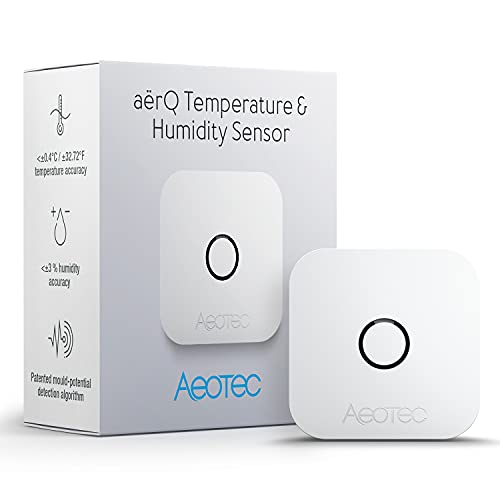
    Aeotec aërQ Temperature, Humidity, Dew Point Sensor - Wireless, Battery Powered, Z-Wave Hub Required (White)
    ×
    Product prices and availability are accurate as of the date/time indicated and are subject to change. Any price and availability information displayed on https://www.amazon.com/ at the time of purchase will apply to the purchase of this product.

    Click image to view on Amazon

    Features
    • Temperature, Humidity, Dew point
    • Indoor/Outdoor IP20
    • Z-Wave Plus certified
    • 1x CR2477 Battery (2 years)
    • Up to 150 m outdoors range, 50 m indoors

    Sometimes you need a sensor that is very discreet and doesn’t call attention to itself. At just 1.4″, the Aeotec aerQ is the smallest Z-Wave sensor you can find that supports temperature and humidity measurement. It also can measure the dew point which is very useful for climate automations such as underfloor cooling/heating. This is because if you cool an underfloor system below the dew point, condensation may occur which is a safety hazard.

    A long life battery with up to 2 years life makes it a very capable little multi-sensor.

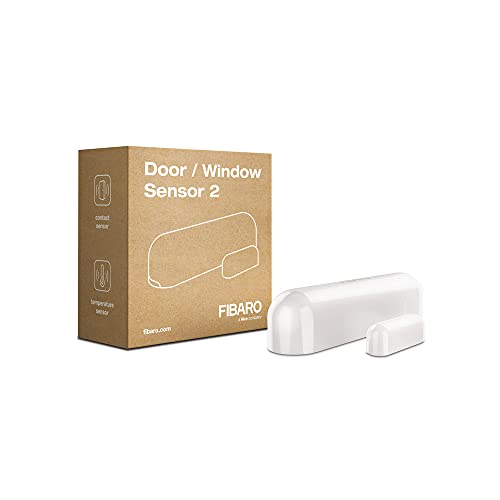
    FIBARO FGDW-002-1 2 Door/Window v2 with Temperature Sensor, Z-Wave Plus, Small, White
    ×
    Product prices and availability are accurate as of the date/time indicated and are subject to change. Any price and availability information displayed on https://www.amazon.com/ at the time of purchase will apply to the purchase of this product.

    Click image to view on Amazon

    Features
    • Open/Close, Temperature
    • Indoor only
    • Z-Wave Plus certified
    • 1x ER14250 ½ AA Battery (up to 2 years life)
    • Tamper-proof
    • Up to 50 m range outdoors, 40 m indoors

    The Fibaro Door/Window Sensor 2 is a wireless, battery powered contact sensor that uses the Hall effect. You may have heard of the common reed switch sensor employed by door and window sensors, but what is a Hall effect sensor? The reed switch is an electrical switch that mechanically closes when a magnetic field is brought near it. A Hall effect sensor is a solid-state transducer that varies its output voltage according to the strength of a magnetic field, meaning it has no moving parts. This means that it is not susceptible to vibration or shock, unlike a reed type sensor.

    The sensor is based on the Z-Wave Plus standard and also supports protected mode with AES-128 encryption. It has tamper detection and an LED indicator with 7 different colours. The temperature measuring range is 0-60°C (32-140°F) with an accuracy of 0.5 deg C. The battery used is a single ER14250 ½ AA battery that should be good for 2 years.


    Why Z-Wave?

    If you want the long answer, check out my Home Automation Guide. If you would like the short answer, Z-Wave is the industry standard for reliable, non-cloud reliant, self sufficient, low-power home automation. I have been using Z-Wave devices from different manufacturers and everything has always just worked. All my sensors are battery powered, and those batteries last a year at least. My home automation controller is the Vera Plus – no ugly cloud subscription or cloud-reliance here, an Internet connection is strictly optional.

    What is a Z-Wave multisensor?

    A Z-Wave multisensor is a small wireless device that typically runs on battery power and can sense motion using a PIR sensor and measure multiple environmental factors such as temperature, humidity, or light levels.

    Which to choose – Single sensor or Multisensor?

    I prefer multisensors because this approach let you place just one device per room and still get all the important readings. It doesn’t hurt that they are great value for money too!

    What to look for in a multisensor?

    The important things to look for are:

    • Types of sensors: More the merrier! You can choose from Motion, Temperature, Light levels, Humidity, UV intensity and Vibrations.
    • Sensitivity: Make sure the sensor covers the range of motion detection (distance and angle) or temperatures you want to monitor.
    • Z-Wave Technology: Look for the latest Z-Wave Plus 500 series enabled devices.
    • Power supply: Most multi-sensors are battery only but they last 1-2 years. To maximise battery life, sensors will usually send an update to the hub or controller only when readings change by a noticeable enough percentage (say 10%). But when powered by mains power (AC), these sensors can not only provide real-time readings but also act as repeaters or extenders. This is great because your Z-Wave network becomes that much stronger and wider.
    • Operating range: Most sensors can easily cover a 30 metre range, the mains powered models can go even higher.
    • Tamper-proof: Some sensors have a tamper switch on the back which can send an alert to the hub or controller if someone tampers with them. This is important if you are using the sensor outdoors under a porch or another area where it can be accessed.

    Conclusion

    I have enjoyed my Z-Wave multi-sensors and the immense array of possibilities they have opened up in monitoring my home and setting up advanced scenes. What have you achieved with your sensors? Let me know in the comments below!

  • Hands-on Review: Aeotec Multisensor 6 Z-Wave Gen 5 (ZW100)

    Hands-on Review: Aeotec Multisensor 6 Z-Wave Gen 5 (ZW100)

    As my baby son suffers from a mild case of dry skin, we need to ensure the environment in his nursery is always at optimum levels. The main factor that I need to monitor and control is the humidity. That’s where the Aeotec Multisensor 6 comes in.

    Aeon Labs Aeotec Multisensor 6 Review - VueVille

    You can use the Multisensor 6 with any Z-Wave hub such as my favourite the Vera Plus or the Samsung SmartThings hub.

    I already use the Fibaro Sensor for my living room but it lacks the one sensor type I need for the nursery – humidity. So I looked around and found the Aeotec Multisensor 6 which is the successor of the Aeotec Multisensor 5. Compared to the previous version, the Multisensor 6 is 70% smaller and 50% lighter at 2.6 oz.

    [text-blocks id=”earning-disclaimer”]

    [wpsm_titlebox title=”Contents” style=”main”][contents h2][/wpsm_titlebox]

    Aeotec Multisensor 6 – Specifications

    The Multisensor 6 has, you guessed it, 6 different sensors:

    1. Motion sensor
    2. Temperature sensor
    3. Light (lux) sensor
    4. Humidity sensor
    5. Vibration sensor
    6. Ultraviolet sensor

    In case you were wondering, the Gen 5 in the sensor’s model name refers to the Gen 5 Z-Wave standard it works on.

    Detailed Spec

    [table id=34 /]

    Unboxing the Aeotec Multisensor 6 Z-Wave Sensor

    The Aeotec Multisensor 6 comes in an attractive packaging and comes with an instruction manual and the following:

    • Battery cover
    • Back-mount arm
    • Double sided tape
    • 2x screws
    • Micro USB cable.

    Design

    The Multisensor 6 has a conventional cuboid form which makes it easy to place on flat surfaces. This was one thing that bugged me about the Fibaro motion sensor which likes to keep rolling about because of its spherical shape.

    Aeotec has made the sensor very compact and is just a bit larger than a CR123A battery as can be seen below.

    Aeon Labs Aeotec Multisensor 6 Review - Size Comparison - VueVille

    On the front face, we find the very traditional-looking PIR sensor cover and just two other components – the lux sensor and an indicator LED which flashes green whenever motion is detected.

    Aeon Labs Aeotec Multisensor 6 Review - Back View - VueVille

    On the back side, the battery cover reveals a cover lock slider, the back-arm mount hole, a Z-Wave Action button, and some technical information about the multisensor.

    Aeon Labs Aeotec Multisensor 6 Review - Battery Cover Opened - VueVille

    Taking the battery over off reveals the battery compartment that takes the two CR123A batteries (not supplied), the microUSB port and the rest of the Z-Wave Action button. While the Fibaro motion sensor could be powered only by batteries, the Aeotec Multisensor 6 can use either batteries or the supplied USB cable for power. The advantage of USB power is that you can get real-time sensor data instead of once every few minutes with the batteries.

    Installing and configuring the sensor

    The Z-Wave Action button is a multifunction button that can be used to put the sensor into network inclusion mode (adding the sensor to your Z-Wave network), exclusion mode (removing the sensor from your Z-Wave network), enable/disable the 10 wake-up mode, and reset it to factory defaults.

    I first put my Vera Plus Z-Wave hub into ‘add device’ mode and then put the multisensor into inclusion mode by pressing the action button once. Immediately the Vera Plus detected the Multisensor and added the various sensors to the Vera dashboard.

    Features & Performance

    Let’s look at the various sensors and how they performed in my home Z-Wave network.

    Motion Detection

    The claimed motion detection range of the Multisensor 6 is 120 degrees horizontally with a 5 metres range. I have placed the sensor on the chest of drawers in the nursery and it does indeed have good coverage and a range of at least 5 metres. It is sensitive, reacts instantaneously to motion and has never missed a motion event.

    Thinking of using the Multisensor 6 outdoors? While this is not the intended use of this sensor, you can adjust the sensitivity of the Multisensor 6’s sensor settings. The parameter that controls this setting is Parameter 4 [1 byte]. The various values for this parameter are:

    • 0 = Disable
    • 1 = Very Low Sensitivity
    • 2 = Low Sensitivity
    • 3 = Medium Sensitivity
    • 4 = High Sensitivity
    • 5 = Max Sensitivity

    By default, the sensitivity setting is set to the maximum sensitivity value of 5.

    You can also control the time gap between sensor activations by using Setting Parameter 3 [2 byte]. For example if you set the value to 10, the PIR sensor timeout will become 10 seconds – so for 10 seconds after detecting motion it will ignore all further motion. After that, it will then again be ready to detect motion.

    These two settings can be used to control and reduce false motion alerts.

    Temperature

    I compared the temperature sensor’s readings to the Fibaro’s putting both sensors side by side. The two devices agreed within 0.1% of each other which was quite reassuring. When the temperature in the room changes slightly, I noticed that by default the sensor reports it only once every 10 minutes or so.

    However when there were larger variations in temperature, the Multisensor seemed to inform the Vera Plus quickly – I am happy with this behaviour.

    Light level and humidity sensors

    The light level sensors and humidity sensors work very well. According to Aeotec, the MultiSensor 6 comes with a digital light sensor that’s capable of sensing lighting between 0 lux to 30000 lux in real-time.

    I used the excellent advanced scene control plugin PLEG to create a scene based on the reported humidity level. Whenever the humidity level as reported by the Multisensor goes above 65%, the Vera Plus switches off my humidifier connected to a Greenwave Z-Wave power plug. This way the room does not get too damp.

    Vibration and Ultraviolet sensors

    My Vera Plus firmware did not support these two sensors at the time of writing this article. But as is usually the case, Vera is quick to support new Z-Wave devices and the UV sensor support has already been added in UI7 firmware version 7.0.15.

    Battery Life

    While the Fibaro needs only 1 CR123A battery and has only 1 battery slot, the Aeotec’s battery compartment has two battery compartments. Interestingly the sensor will work off just one battery, but having two of them will double the battery life.

    One niggle I observed was that the sensor initially showed the battery status as 50%, even though the batteries were brand new. 4 months in, the battery level is at 47%. So absolute battery consumption seems to be fine but the battery gauge seems to be a bit off. Now this could be down to the specific batteries I use with the device.

    Wireless range

    The Multisensor 6 has very strong wireless range and was able to stay in touch with the Z-Wave network wherever I took it in the house.

    Verdict

    I love the Aeotec Multisensor 6 and highly recommend it. It has every sensor you will ever need to monitor the environment in your house.
    [review]

    Where to buy

    [easyazon_link identifier=”B0151Z8ZQY” locale=”US” tag=”vueville.com-eaz-20″]Check Price on your local Amazon site[/easyazon_link]

    [text-blocks id=”5527″ slug=”earning-disclaimer”]