'''''' Relays Archives - VueVille

Category: Relays

  • Zigbee Relay Review – Aeotec Pico Switch & Pico Duo Switch

    Zigbee Relay Review – Aeotec Pico Switch & Pico Duo Switch

    I have been on a smart lighting and smart relay installation spree in my new home. So far I have got the Wi-Fi Shelly 1PM, Shelly 2.5, and the Z-Wave based Shelly Qubino Wave 1PM set up in Home Assistant. So what’s missing? Zigbee relays!

    I have been using Zigbee devices such as Sonoff sensors & Ikea Tradfri bulbs in my home. So I was happy to receive retail samples of the brand new Aeotec Pico and Pico Duo Zigbee relays from Aeotec for this review.

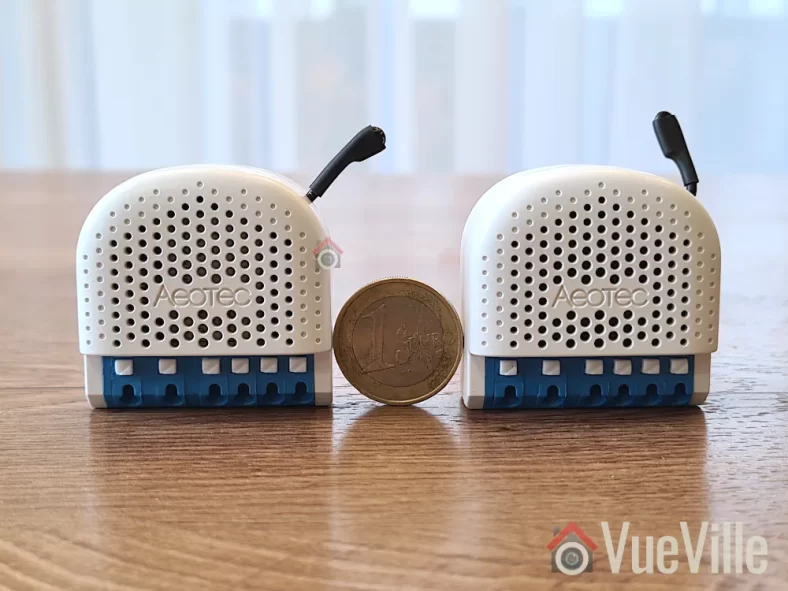
    Zigbee Relay Review - Aeotec Pico & Pico Duo - Size Comparison
    [wpsm_titlebox title=”Contents” style=”main”][contents h2 h3][/wpsm_titlebox]

    A quick note: As an Amazon Associate I earn from qualifying purchases. This post contains affiliate link(s). An affiliate link means I may earn advertising or referral fees if you make a purchase through my link, at no extra cost to you.

    How to use this Smart Relay

    Since my home already has dumb switches and (mostly) dumb ceiling lights that I do not want to replace, it made sense for me to retrofit my existing dumb switches to make them smart.

    Installing a smart relay behind an existing switch or power socket in the wall is a good choice for when you want to keep your existing physical switch or socket but want to remotely control or measure an electrical load (light/fan etc.) connected to that switch.

    This way you can control the connected load through the physical switch as well as remotely through the smart relay using Home Assistant or any other Zigbee compatible smart home platform.

    Since the Aeotec Pico and Pico Duo switches work as Zigbee repeaters, I will be using it to strategically extend the wireless range of my Zigbee network as well. Just like Z-Wave, only mains powered Zigbee devices are capable of being repeaters, so an in-wall relay is a great fit for this purpose.

    As usual, I will be using these smart relays together with Sonoff Zigbee motion sensor for motion-activated lighting. The idea is that Home Assistant will turn on the lights through the relay whenever motion is detected and after some time switch them off. Of course if anyone wants to turn on the lights physically, the existing physical switch will continue to function exactly as it always has. But I also then have the added bonus of Home Assistant being aware fo the status of the switch and turn off the relay if someone forgets to turn the lights off! I can also use it as part of my night mode routine to ensure all lights are off at bedtime.

    What’s in the box

    The Pico Switch and Pico Duo Switch have similar packaging.

    Zigbee Relay Review - Aeotec Pico & Pico Duo - Box Front
    Zigbee Relay Review - Aeotec Pico & Pico Duo - Box Side

    The box contents are similar as well:

    • Pico Switch
    • 2x WAGO clamps
    • 1x DIN Rail Mount
    • User manual & Safety information
    Zigbee Relay Review - Aeotec Pico & Pico Duo - Box Contents

    Specifications of the Aeotec Pico Switch

    [table id=91 responsive=scroll /]

    Physical Design

    Zigbee Relay Review - Aeotec Pico & Pico Duo - Front View

    Visually both the Pico and Pico Duo Switch look identical from the front. Its only on the rear that you see the differences such as the model numbers. They both measure 44 x 40 x 21.5mm, which is slightly larger than the Z-Wave based Shelly Qubino Wave 1PM I reviewed recently. If your wall box is very small, this is something to keep in mind.

    Zigbee Relay Review - Aeotec Pico & Pico Duo - Back View

    The Action button is a multi-purpose button, and apart from Zigbee pairing it even acts as an ON/OFF button for the relay. The ventilation holes are prominent on both the front and the back of the switches.

    As this is a brand new product, it is not supported in my preferred Zigbee integration for Home Assitabt – Zigbee2MQTT (Z2MQTT). However, it is fully supported in Home Assistant’s official Zigbee software called Zigbee Home Automation or ZHA.

    Installation & Wiring

    The user manuals accompanying the Pico switches shows the wiring diagram for using the relay in a typical 1-way scenario.

    With the help of a professional electrician, I installed the Pico Switch in a 2-way scenario in my laundry room. This is right next to the foyer where I have a Shelly Qubino Relay installed, so it will be fun to compare the responsiveness of these different relays later on.

    The Pico Duo Switch was added to the existing switches for my living room LED lights – these are non-dimmable LEDs built into the ceiling. A Shelly 2.5 would be wasted here since the LEDs are dumb lights, so a relay without detached switch feature such as the Pico Duo is perfect here.

    I recommend the Shelly 2.5 as the retrofit option if you have a smart bulb connected to a dumb switch that you want to retain. Using the detached switch feature of the Shelly 2.5 lets you keep the smart bulb powered on, and the physical switch becomes a virtual switch that you can then automate in Home Assistant.

    In both instances, the external connected switches are double-pole toggle switches which is also the default setting in the Pico relays. You can always force the Pico relays to automatically detect the type of connected switch if you use something else (such as a momentary switch).

    The terminal blocks of the Pico Switches are of the clamp type which makes wiring a doddle. There are also extra terminals for live and neutral connections. That makes it much easier to fit the relay into tight spaces without having to add extra Wago connectors.

    Zigbee Relay Review - Aeotec Pico Switch - Installation
    Aeotec Pico Switch Installation

    Zigbee Relay Review - Aeotec Pico Duo Switch - Installation
    Aeotec Pico Duo Switch Installation

    Adding the Pico Switch and Pico Duo Switch to my Home Assistant Zigbee network

    The best time to add the Pico relays to a Zigbee network is after wiring and before you put the relay into the wall. This is because there is a very helpful LED indicator on the relay that shows whether the relay is in pairing mode or not.

    There are 4 ways to put the relay into pairing / inclusion mode:

    1. Using the Touchlink feature which lasts only for 3 seconds after relay power-up
    2. Pairing the relay within 180 sec of powering on the relay as it will be in pairing mode
    3. Using the Action button (only possible before the relay is closed up behind the switch)
    4. Using the external switch connected to the relay

    I chose the action button method and these are the steps I followed for both the single and dual Pico relays:

    1. Wire the Pico relay as per the wiring diagram. Wiring took more than 3 minutes after initial power on and during these 3 minutes the LED flashed quickly, after that the relay exited pairing mode by itself and the LED went into slow breathing mode.
    2. Enable add/pairing/inclusion mode on your gateway (Zigbee Home Automation or ZHA).
    3. Press the action button once, the relay is now in Zigbee pairing mode an the indicator LED will start flashing quickly.
    4. Wait for a bit and when pairing is successful the LED indicator will enter regular light mode (constant blue light or off based on the state of the Pico Switch). If the LED is off, just click the action button to turn on the relay.

    Here’s the success message I received in ZHA:

    Zigbee Relay Review - Aeotec Pico Switch - ZHA Pairing Successful

    If pairing fails, Light Indicator will return to a slow breathe animation. There are a few things you should check before pairing again:

    • Ensure you have a strong Zigbee mesh network – placing a wired Zigbee repeater device nearby will help.
    • Do a factory reset by pressing and holding the action button for 17 seconds

    Features

    Looking at the device page in ZHA, we can see the various controls and sensors exposed by the Pico Switch and Pico Duo Switch:

    Zigbee Relay Review - Pico Switch - ZHA Device Page - VueVille
    Pico Switch – Device Page in ZHA
    Zigbee Relay Review - Pico Duo Switch - ZHA Device Page - VueVille
    Pico Duo Switch – Device Page in ZHA

    The Pico relays support power consumption measurement and energy measurement. In ZHA, you also get some useful power-related sensors such as voltage, current, and AC frequency. These sensors enable the ‘Surge protection’ feature which will shut off the relay in case of a sudden mains power surge.

    These relays also support overheat protection by using a built-in temperature sensor. You may have noticed that the device temperature value reported in ZHA in the screenshots above look wrong at 0.3 deg C, and they are! There is a bug in the ZHA device handler so it shows the temperature divided by 100. For now, the workaround is to create a virtual sensor with the value multiplied by 100.

    When it comes to configuration options, the ZHA interface allows us to define the startup behaviour of the switch, say after a power failure. The default is previous state, and thats where I would leave it.

    Performance

    I like to look at the following areas when I judge a smart relay:

    • Local operation,
    • Responsiveness (both over the Zigbee network and the physical switch),
    • Reliability,
    • Power Measurement & Energy Monitoring,
    • Signal strength & Repeater feature,
    • Safety, and
    • Cost

    I used a NUC running the Home Assistant ZHA integration together with an Aeotec Zi-Stick placed in the garage. The Pico Switch is one concrete wall away from the co-ordinator and the Pico Duo is another concrete wall from the Pico. There are no other devices on this Zigbee mesh network.

    Local operation

    Zigbee allows for fully local operation without any need for Internet access or cloud reliance. So that’s an easy one, full points here just like a Z-Wave relay!

    Responsiveness

    This is probably one of the most important criteria to judge a smart relay on. Whether you are controlling the relay over Zigbee or via the connected switch, you want the relay to respond instantaneously.

    I tested the Pico Switch relays extensively and found them to be very responsive with zero lag/delay when controlled over Zigbee.

    Okay, how about using the connected physical switch? Let’s take a step back and define the context here. Any relay that supports connected switch actions other than a single ON/OFF command, such as double press, triple press, press and hold etc. will have a delay programmed into it so that it can decide whether a switch press is really a single press or will be followed by more quick press to turn into a double or triple press.

    The Shelly Wi-Fi relays on the other hand have virtually zero lag/delay because by default it doesn’t wait to see if a press turns into an extended action.

    Most smart relays however do support extended actions. For example, the Shelly Qubino Wave 1PM I reviewed recently is a Z-Wave smart relay which supports extended actions. But it has a rather annoying half a second delay when using the physical switch connected to it. Moreover, the delay is not adjustable.

    So how do the Pico relays compare? Both the Pico and the Pico Duo relays do have a slight lag when controlling a connected load using the physical switch connected to the relay. Since this is not mentioned in the specifications, I asked Aeotec and they said the relays are programmed with a ‘maximum capture interval’ of 300 ms. This means the relay will wait for up to 300ms before turning on the connected load so that it can detect a double-tap action in the meantime. This is much better than the 0.5 sec delay I saw on the Shelly Qubino Wave 1PM but again it cannot be customised.

    In practice I found that this slight delay in the Pico switches is tolerable and was not too confusing for little children or guests who were not used to a delay between turning on a switch and the light turning on.

    Reliability

    After using the Pico and Pico Duo Switches for over 1 month, reliability has been excellent. The smart relays have never gone offline, become unavailable, or failed to respond to commands from Home Assistant.

    Power Measurement & Energy Monitoring

    One of the biggest advantages of the Pico relays is the power and energy measurement feature. The power sensor starts reporting immediately after the relay is turned on. There’s hardly any delay and this is very useful for triggering other automations for the device you are monitoring.

    Signal strength & Repeater feature

    Zigbee Relay Review - Aeotec Pico Switch & Pico Duo Switch - ZHA Network Visualisation - VueVille
    ZHA Network Visualisation for the Aeotec Pico and Pico Duo Switches

    Opening the built-in visualisation feature of ZHA lets us check the signal strength and which devices are acting as routers.

    As expected, the Pico Switch which is closer to the co-ordinator has connected directly to it, and the Pico Duo Switch which is further away has connected through the Pico which is acting as a router. Of course the Duo itself is also recognised as a router device. Sweet.

    Signal strength with the Zi-Stick as the Zigbee co-ordinator looks solid across the board with the link quality hitting the maximum possible 255. Something I have never seen with my other Zigbee network running off a Sonoff Dongle-P.

    Safety

    The Pico & Pico Duo Switch relays meet all the safety requirements for such devices in the EU.

    The relays have both overload protection as well as overheating protection.

    Cost

    I have found that while Aeotec products can sometimes be more expensive than competing products, they have high quality levels and that’s what you are paying for. Please check the latest prices using the Buy Now links at the end of this article.

    The In-Wall Relay Competition

    Sonoff has several Zigbee based relays, however I do have quality concerns when it comes to Sonoff devices that would go into my AC power wiring. The other popular option is Aqara which I have not tested personally but can be found a bit cheaper than the Aeotec Pico Switch.

    Some Z-Wave alternatives are Aeotec’s own Nano Switch relay, the Shelly Qubino Wave 1PM, the , and the Fibaro Z-Wave relay.

    The VueVille Verdict

    If you need a Zigbee relay that can switch up to 16A, act as a router, has power measurement and don’t mind a 0.3 second delay when using the physical switch, the Aeotec Pico and Pico Duo Switch relays re solid choices. Of course, there is zero delay when controlling the connected switch over Zigbee.

    Where to Buy

    Zigbee Relay Review - Aeotec Pico & Pico Duo - Box Front

    Aeotec Pico Switch

    View on Aeotec.com

    Aeotec Pico Duo Switch

    View on Aeotec.com

  • Z-Wave Relay Review – Shelly Qubino Wave 1PM

    Z-Wave Relay Review – Shelly Qubino Wave 1PM

    Since I moved into our new home this year, I have been making upgrades to turn it into the ultimate smart home. At the top of my to-do list is smart lighting, because it easily has the single biggest impact on comfort and how we experience our home.

    Soon after setting up my Z-Wave and Zigbee networks, I got to work on smart lighting. And that’s where the newly launched Shelly Qubino Wave 1PM comes in. You can use these to turn your dumb switches into smart switches! Yes, this in-wall Z-Wave relay requires a neutral wire at the installation location. A no-neutral version is not available at the moment. The relay also supports power measurement and energy monitoring which is a great feature.

    Because I already have physical dumb switches and many light fixtures that I like and have invested in, I do not want to replace them with smart bulbs. Instead I bought a variety of Shelly in-wall relays to install around my home. This includes three Wave 1PM relays – one for my foyer lights, and one in each bathroom. The Wave 1PM is the one that has virtually no reviews on the Internet, so let’s dive right in to see how well it has been working in my smart home!

    Z-Wave Smart Relay Review - Shelly Qubino Wave 1PM - Front View - VueVille
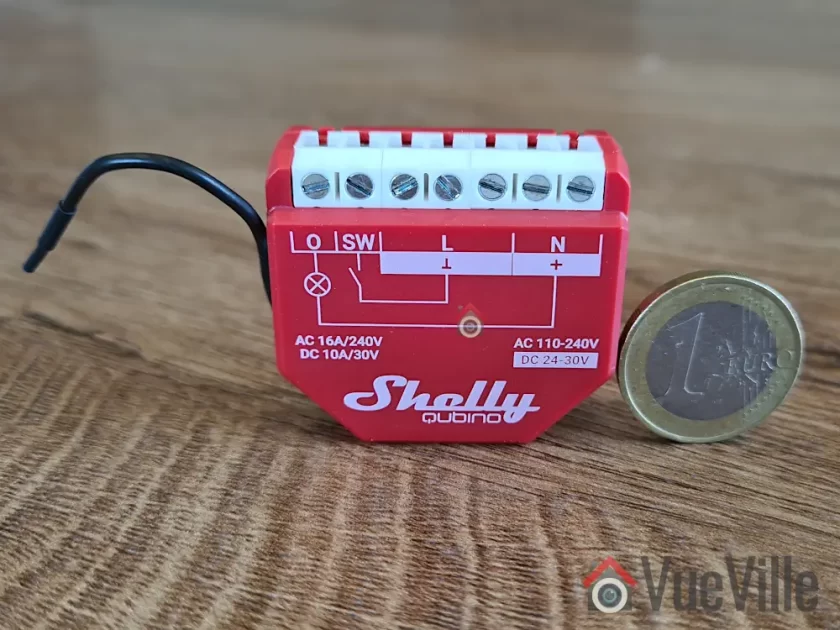
    Shelly Qubino Wave 1PM – Size comparison
    [wpsm_titlebox title=”Contents” style=”main”][contents h2][/wpsm_titlebox]

    A quick note: As an Amazon Associate I earn from qualifying purchases. This post contains affiliate link(s). An affiliate link means I may earn advertising or referral fees if you make a purchase through my link, at no extra cost to you.

    How to use this Smart Relay

    If I were starting all over again, I may consider going with smart switches but I have already invested in dumb switches and dumb ceiling lights that I do not want to replace. So it makes sense for me to retrofit my existing dumb switches to make them smart.

    Installing a smart relay behind an existing switch or power socket in the wall is a good choice for when you want to keep your existing physical switch or socket but want to remotely control or measure an electrical load (light/fan etc.) connected to that switch.

    This way you can control the connected load through the physical switch as well as remotely through the smart relay using Home Assistant or any other Z-Wave compatible smart home platform.

    Since the Shelly Qubino Wave 1PM works as a Z-Wave repeater, I will be using it to strategically extend the wireless range of my Z-Wave network as well. Only mains powered Z-Wave devices are capable of being repeaters, so an in-wall relay is a great fit for this purpose.

    For areas already having a strong Z-Wave signal, I prefer to use the much cheaper Shelly Wi-fi relays.

    As the PM in the name suggests, this relay also supports power measurement. This is possible because it is not a dry contact relay – the relay is connected inline through the electrical load, so it is able to measure power consumption also.

    If you want a dry contact type to control a traditional garage door for instance, go for the Shelly Qubino Wave 1 which does not have energy monitoring.

    There is also a dual relay version called the Shelly Qubino Wave 2PM, which would be the Z-Wave equivalent of the Shelly 2.5. However this is quite difficult to find in stock at the moment.

    Now here’s what I am going to use this smart relay for: I am going to install it in the wall behind the foyer light switch, and use it in an automation together with a Sonoff Zigbee motion sensor. The idea is that Home Assistant will turn on the lights through the relay whenever motion is detected and after some time switch them off. Of course if anyone wants to turn on the lights physically, the existing physical switch will continue to function exactly as it always has. But I also then have the added bonus of Home Assistant being aware fo the status of the switch and turn off the relay if someone forgets to turn the lights off! I can also use it as part of my night mode routine to ensure all lights are off at bedtime. The possibilities are endless!

    Who’s Qubino?

    Shelly has been making Wi-fi relays exclusively and they are the go-to option for most people. But Z-Wave and Zigbee devices have been sorely lacking in their product range. Now if you have been into home automation for quite some time, the name Qubino may ring a bell.

    Qubino is a popular name in Europe where they are well known for Z-Wave devices such as dimmers & smart meters for a long time. So it makes sense that Shelly recently acquired Qubino instead of creating their own Z-Wave devices from scratch. In fact if you look closely, there are a lot of similarities between the new Shelly Qubino Wave 1PM / 2PM devices and the / 2 Relay.

    I have to admit I have never looked at these Qubino offerings because they were pretty expensive. However the Shelly Wave 1PM/2PM devices are selling at just half the price.

    What’s in the box

    The Shelly Wave 1PM comes in a compact box as Shellys usually do. The box cover mentions the Z-Wave frequency (868.4 MHz) and Z-Wave Plus certification on the front.

    The rest of the box states the specifications such as the Z-Wave 800 series chip and the EU declaration of conformity.

    Inside the box, we find the Z-Wave relay, the DSK pin, and a user manual with a wiring diagram.

    Specifications of the Shelly Qubino Wave 1PM

    [table id=90 responsive=scroll /]

    Design & Features – Taking a closer look

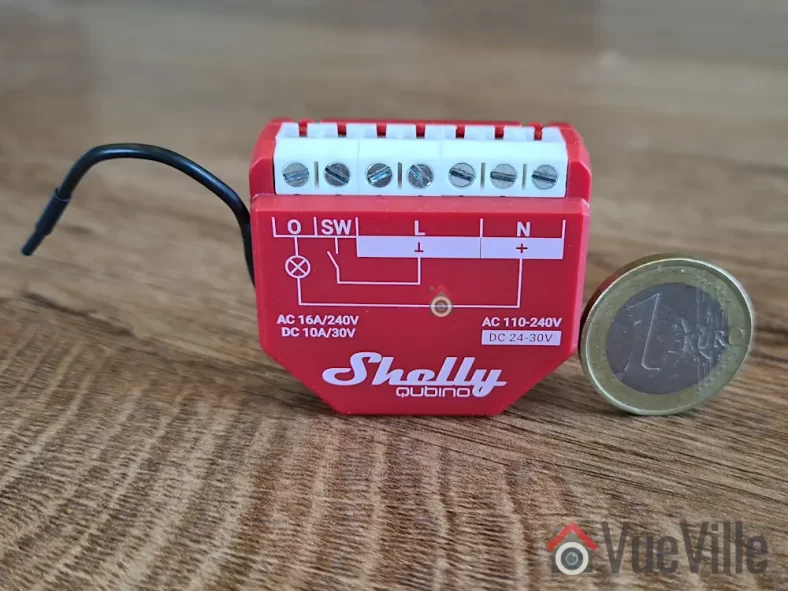
    The Shelly Qubino Wave 1PM resembles previous Shelly relays and measures 37x42x16 mm (1.46×1.65×0.63 in). It should comfortably fit in most European standard wall boxes but do make sure before buying. I am disappointed that it is not as compact as the also new Shelly Plus 1PM Mini which is only 29x35x16mm / 1.11×1.35×0.63in.

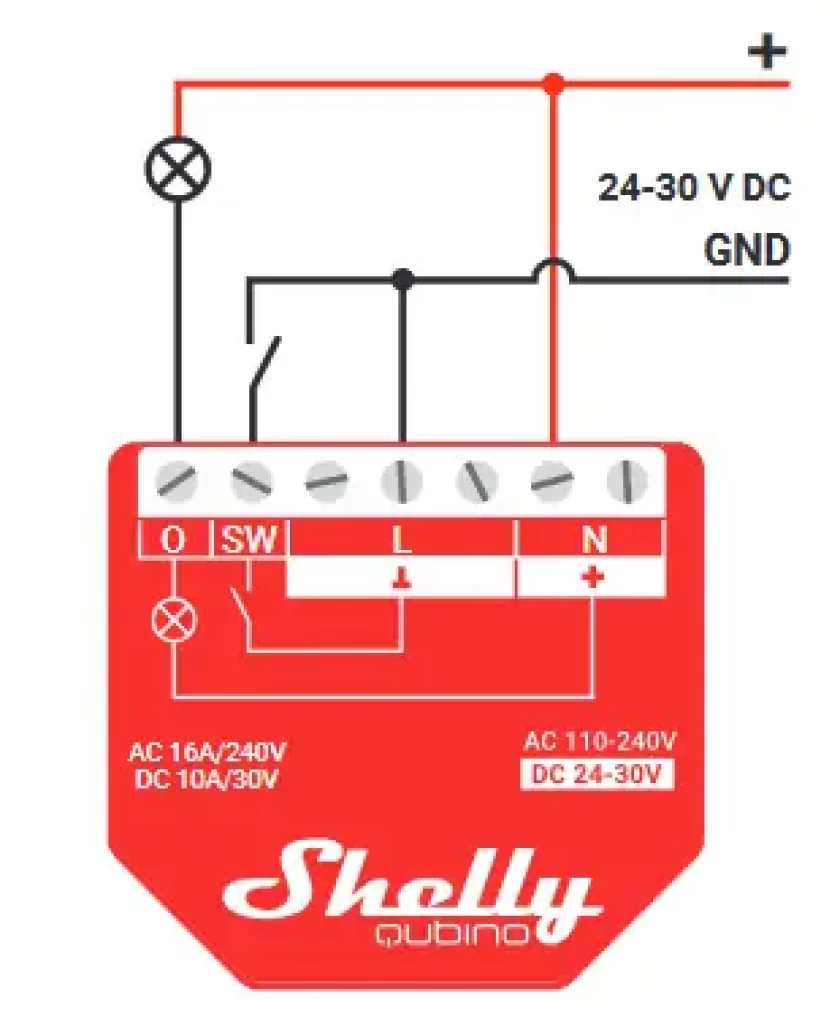
    The front of the cover shows the internal wiring logic between the terminals. There are also 2 tiny LEDs on the front of the relay – a blue LED and a green LED. These will blink in different ‘modes’ or patterns to indicate the status of the relay during inclusion, exclusion and the factory reset process.

    The rear of the relay contains the Z-Wave action button that Shelly calls the S button. We also find a cutout in the case that gives access to the circuit board if needed. Of course unique to this Shelly relay is the external Z-Wave antenna to maximise wireless range.

    Overall the relay seems to be well-built and of good quality.

    So what are the features of this relay? On the Z-Wave side, the Wave 1PM supports the latest Z-Wave Series 800 standard. It also supports SmartStart although I haven’t tried that myself. I find the standard inclusion process simple enough. At the moment, the Wave 1PM is available only in the 868.42MHz frequency that is allowed only in regions such as EU/UK/Singapore. The relay supports S2 security, but I personally don’t see the need to use security for devices such as light switches. I do recommend it for external door locks though!

    The relay supports both AC and DC wiring applications though I suspect the overwhelming majority of users will be using it in domestic AC wiring. It can handle up to 16A of AC switching current which is very good. The user manual mentions a maximum connected load of 3500 W, although I would be wary of running any relay at close to its maximum rating. What is important though is that you have that extra headroom which is a good margin of safety if you are switching something like 10A through this relay.

    The Wave 1PM offers 3 modes of operation – as a toggle switch that changes on toggle (default), toggle switch that follows the physical switch, or as a momentary switch (push-button).

    What is missing here is the ‘detached mode’ that lets you unlink the connected physical switch from the relay and use the switch as a virtual switch in Home Assistant. This means you can use smart LED bulbs (such as Ikea Tradfri) and stop people from cutting power to the bulbs through the physical switch. What would you do with the physical switch then? Of course use it to control the smart bulbs!

    Installation & Wiring

    The Wave 1PM user manual is quite detailed and shows the wiring diagram for using the relay in a 1-way switch scenario. This matched my use case, so installation was straight forward.

    The terminal block of the Wave 1PM contains extra terminals for live and neutral connections. That makes it much easier to fit the relay into tight spaces without having to add extra Wago connectors.

    I recommend getting a professional to do the wiring if you are not confident or are not allowed to by local regulations. I engaged a certified electrician to install the relay, this is the photo I took during the wiring:

    2-way switch wiring before shortening ends, pushing fully into the terminals and tightening

    You can see how the existing physical switch is connected to the SW and Live terminals.

    Adding the Wave 1PM to my Home Assistant Z-Wave network

    The best time to add the relay to a Z-Wave network is after wiring and before you put the relay into the wall. This is because there is a very helpful LED indicator on the relay that shows whether the relay is in pairing mode or not.

    There are 3 ways to put the relay into pairing / inclusion mode:

    • Using the SmartStart feature
    • Using the S-button (only possible before the relay is closed up behind the switch)
    • Using the switch connected to the relay

    I chose the S-button method because the electrician had not put the relay in and put the switch back yet.

    As always, I recommend factory resetting the any Z-Wave device before including it in your Z-Wave network. In fact, this advice is given by most manufacturers as well (but not Shelly!)

    So these are the steps I followed:

    1. Wire the smart relay as per the wiring diagram
    2. Make sure the blue LED is blinking in mode 1 (0.5 seconds ON, 2 seconds OFF)
    3. Enable add/pairing/inclusion mode on your gateway (Z-Wave JS in my case)
    4. Press and hold the S-button until the LED turns solid blue
    5. Quickly release and then press and hold for more than 2 seconds the S-button until it starts rapidly blinking in Mode 3 (0.1 seconds ON, 0.1 seconds OFF)
    6. Now the blue LED will be blinking a bit slower in mode 2 (0.5 seconds ON, 0.5 seconds OFF)
    7. Wait for a bit and when pairing is successful, the connected load (a light in my case) will blink twice (1 sec ON > 1 sec OFF > 1 sec ON > 1 sec OFF)
    8. The green LED will now blink in mode 1 (0.5 seconds ON, 2 seconds OFF)

    Here’s the success message I received in Z-Wave JS:

    I renamed the device from the Home Assistant devices page to ‘Foyer Lights’ because that’s what the relay controls.

    Looking at the device page in Z-Wave JS, we can see the various sensors and controls exposed by the Wave 1PM:

    The over-heat and over-current sensors were enabled by default but the Heat alarm sensor was disabled. So I went to the entities page in Home Assistant settings and enabled this.

    These are the various configuration parameters available in Z-Wave JS for this device:

    Performance

    Now we get to the juicy part! So how does the Shelly Qubino Wave 1PM fare as a Z-Wave smart relay?

    I like to look at the following areas when I judge a smart relay:

    • Local operation,
    • Responsiveness (both over the Z-Wave network and the physical switch),
    • Reliability,
    • Z-Wave range extension,
    • Safety and
    • Cost.

    I use an RPi4 running ZwaveJS container with an Aeotec Z-Stick7 placed at the center of the house, and a NUC mini-pc in the garage running Home Assistant.

    Local operation

    The Shelly range of devices are well known for allowing fully local operation without any need for Internet access or cloud reliance. So that’s an easy one, full points here!

    Responsiveness

    So then let’s look at actually using the Wave 1PM. And right off the bat I ran into what is probably the biggest complaint I have about the Wave 1PM. There is a noticeable lag between the lights turning ON or OFF when the physical switch is used. Yes, the physical switch! I would put it at around 0.5 seconds. Not a deal-breaker, but disappointing. None of the other Shelly models I have around my home such as the Shelly 1PM or 2.5 have this lag.

    Its almost as if the physical switch is in ‘detached mode’ (like the Wi-fi models can be put in) and there is some extra processing going on – but I have not set it up this way, in fact the Wave 1PM model doesn’t even support detached mode! That’s a downside by the way – you cannot wire up the switch, but detach the relay control from the physical switch via software and then use the physical switch as purely a virtual switch in Home Assistant.

    All 3 relays I have of the same model exhibit the same behaviour. I even tried adding 1 relay in each Z_wave mode: no encryption, S0 encryption, and S2 encryption – nope it still lagged. I tried re-pairing, factory resetting, re-interviewing, everything. All the relays still lag when controlled by the physical switch.

    Thankfully, there is virtually no lag when using Home Assistant to turn the relay ON or OFF. So my intended use case of motion detected foyer lights works well.

    Reliability

    How about reliability? I have been using the Wave 1PM in my foyer and 2 additional locations on a daily basis for over a month now. The relays have never gone offline, become unavailable, or failed to respond to commands from Home Assistant.

    Wireless range is good, there are at least 2 solid concrete walls between my Aeotec Z-Stick 7 controller and the Shellys.

    Power Measurement & Energy Monitoring

    I was keen on using the power measurement feature and was satisfied with how it reports the power consumption as soon as the relay is turned on. There’s no delay at all unlike some smart power plugs I have used in the past.

    The relay also supports energy monitoring, it creates a kWh sensor so that you can keep track of historical energy usage.

    Repeater feature

    Looking at my Z-Wave network map in Z-Wave JS, I could see that the various Wave 1PMs I installed were all connecting directly to the controller and exposed themselves as Z-Wave repeaters. So now I can add various battery powered Z-Wave devices in those areas without any range concerns.

    Safety

    The Wave 1PM meets all the safety requirements for such devices in the EU, however it is not UL certified for the USA.

    Cost

    When it comes to cost, the Wave 1PM costs twice as much as the regular Shelly 1PM in my EU country. Given that the regular Shelly 1PM has no lag in the lights turning on when using the physical switch, I would go for that model in the future.

    The In-Wall Relay Competition

    Some Z-Wave alternatives to the Shelly Qubino Wave 1PM are the Fibaro Z-Wave relay, the Aeotec Nano Switch relay, and of course the are still being sold, but all of these are more expensive than the Shelly.

    Sonoff has Zigbee based relays that are cheaper than the Shelly Qubino Wave 1PM, so this may be an option if you are open to Zigbee. However I do have quality concerns when it comes to Sonoff devices that would go into my AC power wiring.

    Aeotec has recently launched their Pico series of Zigbee relays that I have been trying out at home, this may be a great option when it comes to super-compact in-wall relays.

    The VueVille Verdict

    If you need a Z-Wave relay that can switch up to 16A, act as a router, has power measurement and don’t mind a 0.5 second delay when using the physical switch, the Shelly Qubino Wave 1PM is a good choice. The saving grace here is that there is no delay or lag when the relay is controlled over Z-Wave.

    Where to Buy

    Shelly Qubino Wave 1PM

    Shelly 1 Mini Gen3, WiFi & Matter Smart Relay Switch with Dry Contacts, 1-Channel 8A, Compatible with Alexa, Home Assistant, SmartThings & Google Home, DYI, Garage Door Opener, No Hub Required
    ×
    Product prices and availability are accurate as of the date/time indicated and are subject to change. Any price and availability information displayed on https://www.amazon.com/ at the time of purchase will apply to the purchase of this product.

    Shelly One Wi-fi

    Check Amazon Price*

    Shelly Plus 1PM UL | WiFi Smart Relay Switch with Power Metering Function | Bluetooth Gateway | Home Automation | Compatible with Alexa & Google Home | No Hub | Wireless Lighting Control
    ×
    Product prices and availability are accurate as of the date/time indicated and are subject to change. Any price and availability information displayed on https://www.amazon.com/ at the time of purchase will apply to the purchase of this product.

    Shelly One PM Wi-fi

    Check Amazon Price*

    (* = affiliate link / image source: Amazon Associates Program)